
Framia.converge.ai
Animated workflow diagrams from text with strong motion polish, but unreliable labels make the output hard to use.
Smooth motion, but the labels break the use case
- You care more about animated workflow structure and motion polish than perfect label fidelity.
- You are already using Framia/Converge AI and want to test a diagram-style prompt.
- You can upgrade or use screen recording if you need to capture the result from the free tier.
- You need readable technical labels in the final video.
Our take
Framia.converge.ai animates workflow structure smoothly and mostly keeps stage order, but the text rendering is so garbled that the diagrams are not reliable for real use. The recap screens also introduce extra boxes, missing branches, and wrong relationships, so it fails the core requirement for readable, technically accurate diagram animations.
In-Depth Review
Our detailed analysis of Framia.converge.ai — features, performance, and real-world testing.
Feature-by-Feature Breakdown
Animated Workflow Diagram GenerationWorks structurally, but text legibility fails.▾
Feature tested: Animated Workflow Diagram Generation
Result: Failed
Verdict: Works structurally, but text legibility fails.
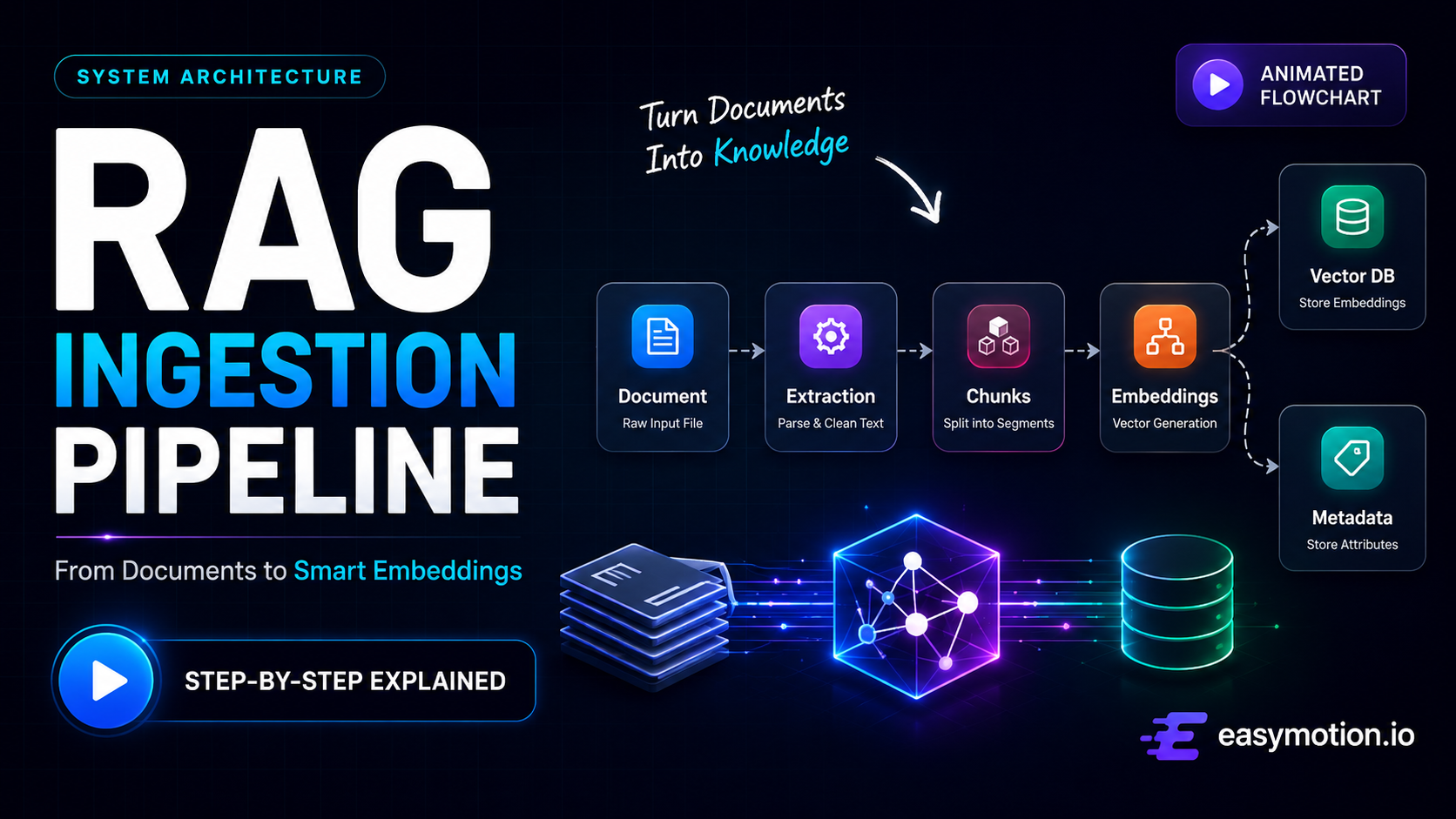
Expected behavior: Generates animated process and workflow diagrams from plain text, including both linear step sequences and branching approval/rejection flows. In testing, it was exercised on a RAG pipeline prompt and a human-in-the-loop workflow with feedback loops.
Test case: Text prompt → Video file
Input type: Text prompt
Input used: Input artifact (Text prompt): Input
Observed output: Output artifact (Video file): Correct 5-stage order and smooth neon-style motion, but the title and labels were heavily garbled. The title rendered as "RAG Infestion Pypeline," "Embeddings" changed across frames, "Vector Database" and "Metadata Store" were misspelled, the recap added extra hallucinated labels, and the final arrow implied the wrong relationship between Metadata Store and Vector Database. — Framia.converge.ai output 1.mp4
Input artifact: Input artifact (Text prompt): Input
Output artifact: Output artifact (Video file): Correct 5-stage order and smooth neon-style motion, but the title and labels were heavily garbled. The title rendered as "RAG Infestion Pypeline," "Embeddings" changed across frames, "Vector Database" and "Metadata Store" were misspelled, the recap added extra hallucinated labels, and the final arrow implied the wrong relationship between Metadata Store and Vector Database. — Framia.converge.ai output 1.mp4
What changed: Text prompt transformed into Video file
Test case: Text prompt → Video file
Input type: Text prompt
Input used: Input artifact (Text prompt): Input
Observed output: Output artifact (Video file): The animation included one clear Approved/Rejected moment and broadly tracked the requested flow, but the title garbled as "Human-in-the-lione," "Human Review" and "Feedback" were corrupted, some labels became unreadable blur, and the final recap collapsed all stages into repeated "Final Output" blocks with no visible user-input node or approve/reject branch. — Framia.converge.ai output 2.mp4
Input artifact: Input artifact (Text prompt): Input
Output artifact: Output artifact (Video file): The animation included one clear Approved/Rejected moment and broadly tracked the requested flow, but the title garbled as "Human-in-the-lione," "Human Review" and "Feedback" were corrupted, some labels became unreadable blur, and the final recap collapsed all stages into repeated "Final Output" blocks with no visible user-input node or approve/reject branch. — Framia.converge.ai output 2.mp4
What changed: Text prompt transformed into Video file
Why it matters / Conclusion: The process order and visual metaphors were right, but unreadable text and a cluttered recap make the result unusable for diagram work.
Generates animated process and workflow diagrams from plain text, including both linear step sequences and branching approval/rejection flows. In testing, it was exercised on a RAG pipeline prompt and a human-in-the-loop workflow with feedback loops.
Converge AI account-wide plans
Credits are shared across the suite; the free tier was tested here.
Direct MP4 download requires Basic or above; the free-tier output in this review was captured via screen recording.
Featured in Rankings
Independent rankings where Framia.converge.ai was tested and rated.
Banner Preview
How the embed badge will look on your site

Embed HTML
Copy this code to your website source
Quick Integration Guide
- 1Copy the HTML code block above.
- 2Paste it into your site's HTML or CMS editor.
- 3Banner appears instantly on your page.
- 4Links back to your tool profile here.
Similar Tools
Discover more AI tools like Framia.converge.ai to enhance your workflow.
Comments (0)
Need a custom AI solution for this use case?
If you are looking to build a custom animated workflow diagram, process visualization, or motion graphics system for your business or internal workflow, email us at contact@futuresmart.ai.
Found something inaccurate or missing? We try to keep our AI research accurate and useful. If you found outdated information, an issue, or have a suggestion, email us at collaborate@aidemos.com.