
Replit
Replit can turn a plain-text workflow prompt into a polished animated diagram app, but it does so through a coding agent rather than a templated diagram generator.
Accurate on the tested prompt, but it’s a coding-agent workflow
- You want a plain-text prompt turned into a readable technical workflow diagram.
- You’re comfortable using an AI coding agent to build a custom web app instead of a template-based diagram tool.
- You value a replayable browser-based result over a one-shot render.
- You need a purpose-built no-code diagram generator.
Feature scores on this page: 8.7/10 (3 scored features)
Our take
Replit handled the tested RAG diagram very well: the labels were correct, the branching structure matched the prompt, and playback was smooth with no visible overlaps, clipping, or rendering artifacts. The main caveat is that this result comes from Replit’s general AI coding agent building a custom app, not from a purpose-built diagram-animation template, and only one of the standard anchor prompts was tested here.
In-Depth Review
Our detailed analysis of Replit — features, performance, and real-world testing.
Feature-by-Feature Breakdown
Prompt-to-Animated Visual GenerationStrong pass9/10▾
Feature tested: Prompt-to-Animated Visual Generation
Result: Passed (9/10)
Verdict: Strong pass
Expected behavior: Replit turns natural-language prompts into animated visuals, workflow diagrams, and diagram-style motion graphics. The member cards show it on a RAG ingestion prompt, a document-ingestion/embedding pipeline prompt, and broader motion-graphics prompts that still produce structured animated output.
Test case: Artifact → Video file
Input type: Artifact
Input used: Input artifact (Artifact): Create an animation video explaining how search engines work.
Observed output: Output artifact (Video file): Output — Search-Engine-Explainer-Apr-18-15-53-35.mp4
Input artifact: Input artifact (Artifact): Create an animation video explaining how search engines work.
Output artifact: Output artifact (Video file): Output — Search-Engine-Explainer-Apr-18-15-53-35.mp4
What changed: Artifact transformed into Video file
Test case: Image → Video file
Input type: Image
Input used: Input artifact (Image): Create a modern SaaS-style animation video introducing an AI sales automation platform called “PipelineFlow”. Begin by showing the problem of sales leads scatte — pipelineflow logo.png
Observed output: Output artifact (Video file): In the second output, the intelligent processing pipeline sequence around 0:14 feels noticeably flattened compared to the surrounding scenes, leaning more towar — flowpipeline_output_2-1.mp4
Input artifact: Input artifact (Image): Create a modern SaaS-style animation video introducing an AI sales automation platform called “PipelineFlow”. Begin by showing the problem of sales leads scatte — pipelineflow logo.png
Output artifact: Output artifact (Video file): In the second output, the intelligent processing pipeline sequence around 0:14 feels noticeably flattened compared to the surrounding scenes, leaning more towar — flowpipeline_output_2-1.mp4
What changed: Image transformed into Video file
Test case: Artifact → Video file
Input type: Artifact
Input used: Input artifact (Artifact): Create an animation video that explains how cloud storage services like Google Drive or Dropbox work. Show a title card with the text "How Cloud Storage Works" at the start. Explain the following steps: when a user saves a file, it gets broken into chunks and encrypted. Those encrypted chunks are distributed across multiple servers in different geographic locations for redundancy. When the user accesses the file from another device, the app detects which chunks are already on that device and only downloads the new or modified ones. Show what happens when the same file is edited on two different devices at the same time — both devices make conflicting edits and save them. The system detects the conflict, preserves both versions, and lets the user choose which one to keep. Label each component clearly — user device 1, user device 2, file chunks, encryption, chunk servers (distributed), sync service, conflict detection, version history. Show how data flows between devices and servers, and how the system handles the sync and conflict scenarios.
Observed output: Output artifact (Video file): The third output stays consistently polished throughout, particularly in the way the visual assets are generated and presented. But as the sequence progresses p — historical_animation_output_3_replit.mp4
Input artifact: Input artifact (Artifact): Create an animation video that explains how cloud storage services like Google Drive or Dropbox work. Show a title card with the text "How Cloud Storage Works" at the start. Explain the following steps: when a user saves a file, it gets broken into chunks and encrypted. Those encrypted chunks are distributed across multiple servers in different geographic locations for redundancy. When the user accesses the file from another device, the app detects which chunks are already on that device and only downloads the new or modified ones. Show what happens when the same file is edited on two different devices at the same time — both devices make conflicting edits and save them. The system detects the conflict, preserves both versions, and lets the user choose which one to keep. Label each component clearly — user device 1, user device 2, file chunks, encryption, chunk servers (distributed), sync service, conflict detection, version history. Show how data flows between devices and servers, and how the system handles the sync and conflict scenarios.
Output artifact: Output artifact (Video file): The third output stays consistently polished throughout, particularly in the way the visual assets are generated and presented. But as the sequence progresses p — historical_animation_output_3_replit.mp4
What changed: Artifact transformed into Video file
Test case: Text prompt → Video file
Input type: Text prompt
Input used: Input artifact (Text prompt): Input
Observed output: Output artifact (Video file): The generated animation matched the prompt’s structure and sequence, with smooth reveal motion and no visible rendering defects. — Replit output 1.mp4
Input artifact: Input artifact (Text prompt): Input
Output artifact: Output artifact (Video file): The generated animation matched the prompt’s structure and sequence, with smooth reveal motion and no visible rendering defects. — Replit output 1.mp4
What changed: Text prompt transformed into Video file
Test case: Text prompt → Image
Input type: Text prompt
Input used: Input artifact (Text prompt): Input
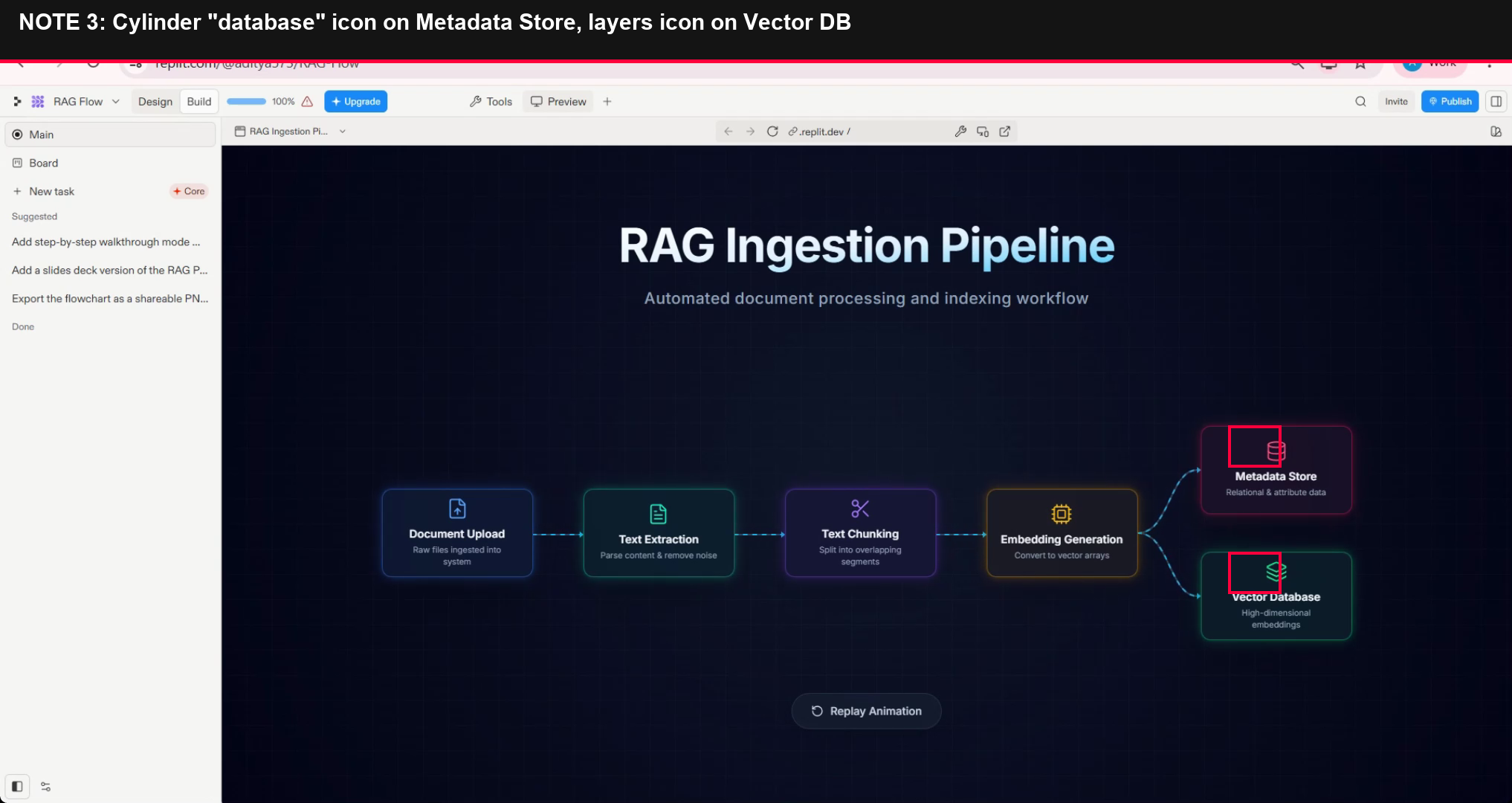
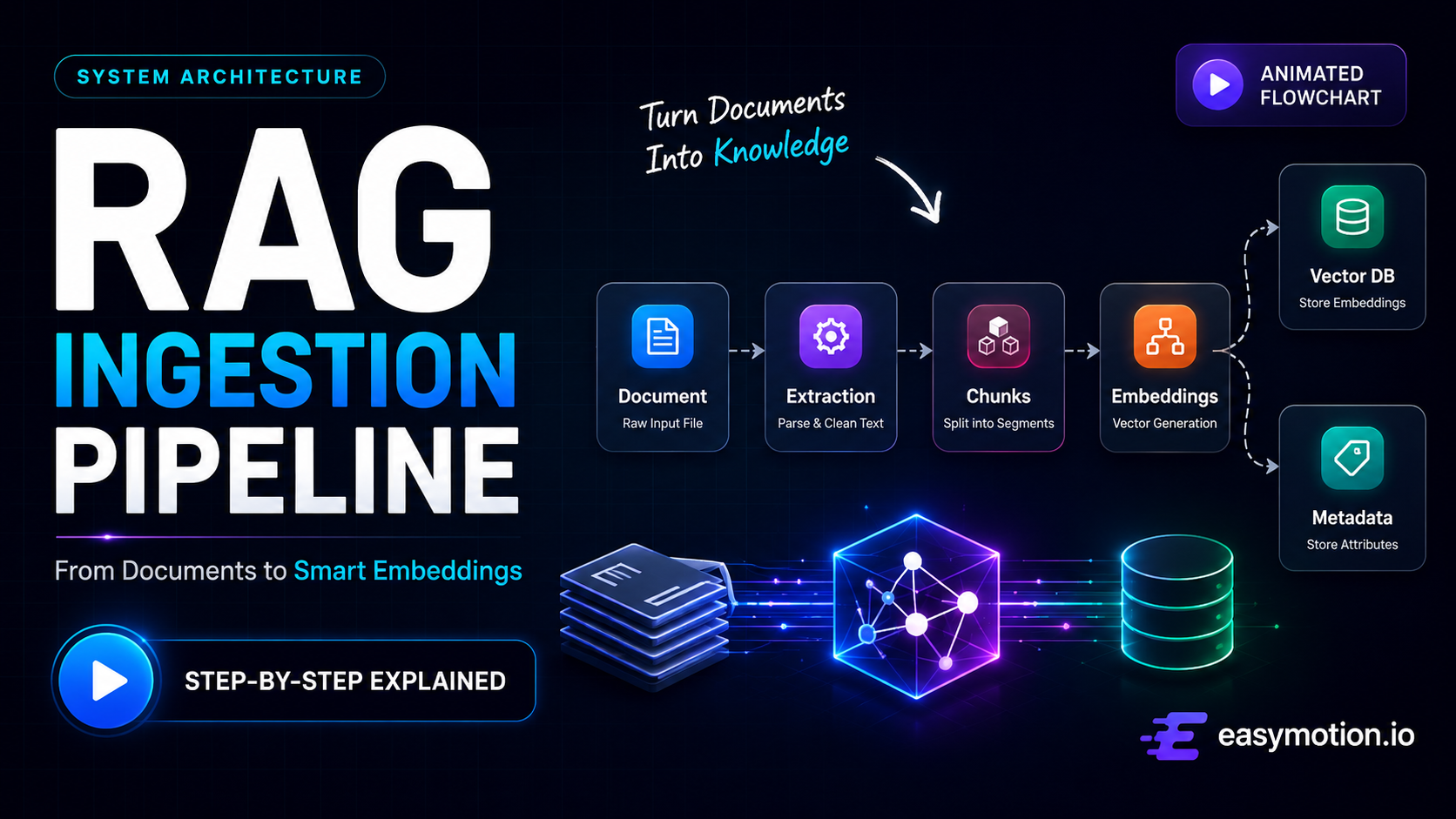
Observed output: Output artifact (Image): The final render shows the RAG ingestion pipeline clearly, with readable labels, a parallel branch to Metadata Store and Vector Database, and no overlaps or clipping. — image.png
Input artifact: Input artifact (Text prompt): Input
Output artifact: Output artifact (Image): The final render shows the RAG ingestion pipeline clearly, with readable labels, a parallel branch to Metadata Store and Vector Database, and no overlaps or clipping. — image.png
What changed: Text prompt transformed into Image
Why it matters / Conclusion: Strong pass on the tested prompt: the structure was exact, spelling was clean, and the only issue was a minor icon-semantic mismatch.
Replit turns natural-language prompts into animated visuals, workflow diagrams, and diagram-style motion graphics. The member cards show it on a RAG ingestion prompt, a document-ingestion/embedding pipeline prompt, and broader motion-graphics prompts that still produce structured animated output.
Create a modern SaaS-style animation video introducing an AI sales automation platform called “PipelineFlow”. Begin by showing the problem of sales leads scattered across disconnected sources like Google Forms, emails, LinkedIn, website chat, and ad campaigns, causing missed opportunities, duplicate entries, and slow response times. Visualize leads appearing chaotically across multiple floating windows while response timers increase and notifications get missed. Then introduce PipelineFlow as a centralized system that automatically collects and organizes leads into a unified dashboard. Transition into a clean animated dashboard scene showing live lead pipelines, lead cards, activity graphs, conversion metrics, notification panels, and priority indicators updating in real time. Show the platform analyzing engagement, company data, and buying intent signals to score and prioritize leads, routing high-priority leads to sales teams while lower-priority leads enter automated nurturing workflows. Include a duplicate-detection scenario where records from multiple sources are merged into a single profile, and a spam-detection scenario where suspicious submissions are filtered into a separate review queue. Clearly label major components including Lead Sources, Aggregation Engine, Scoring Engine, Duplicate Detector, Spam Filter, Routing Logic, Sales Notifications, Email Sequences, and Dashboard Analytics, while showing how data flows through the system with smooth transitions, clear cause-effect relationships, and real-time updates. Use the attached logo throughout the intro, dashboard header, and ending scenes for consistent branding.
As mentioned above, this input tests whether complex motion graphics as often seen in SaaS animations can be achieved.
In the second output, the intelligent processing pipeline sequence around 0:14 feels noticeably flattened compared to the surrounding scenes, leaning more toward a static process view than a fully developed animated segment — especially for a section that represents how the PipleineFlow platform actually works.
The third output stays consistently polished throughout, particularly in the way the visual assets are generated and presented. But as the sequence progresses past 0:18, the flow starts revealing several areas that feel noticeably less resolved than the opening sections and are worth paying closer attention to.
AI App Generation and Live Code EditingObserved in prior review, not retested here9/10▾
Feature tested: AI App Generation and Live Code Editing
Result: Partial (9/10)
Verdict: Observed in prior review, not retested here
Expected behavior: Replit can generate a custom React/TypeScript app and its underlying code, then let you edit that code and see the preview update instantly. The member cards show structured React/TypeScript output, editable project code, and immediate preview reflection after code changes.
Test case: Text prompt → Text prompt
Input type: Text prompt
Input used: Input artifact (Text prompt): Input
Observed output: Output artifact (Text prompt): Output
Input artifact: Input artifact (Text prompt): Input
Output artifact: Output artifact (Text prompt): Output
What changed: Text prompt transformed into Text prompt
Test case: Artifact → Image
Input type: Artifact
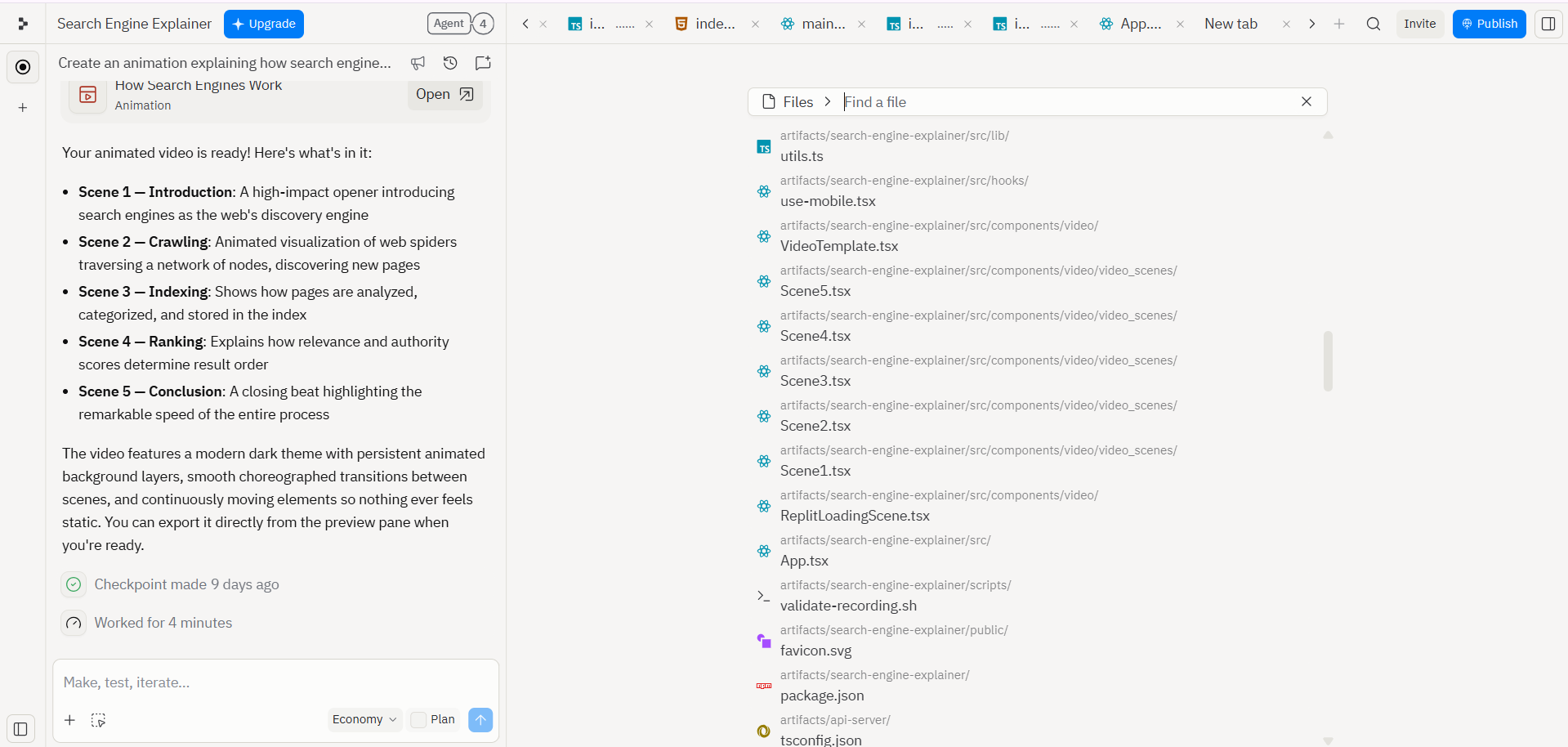
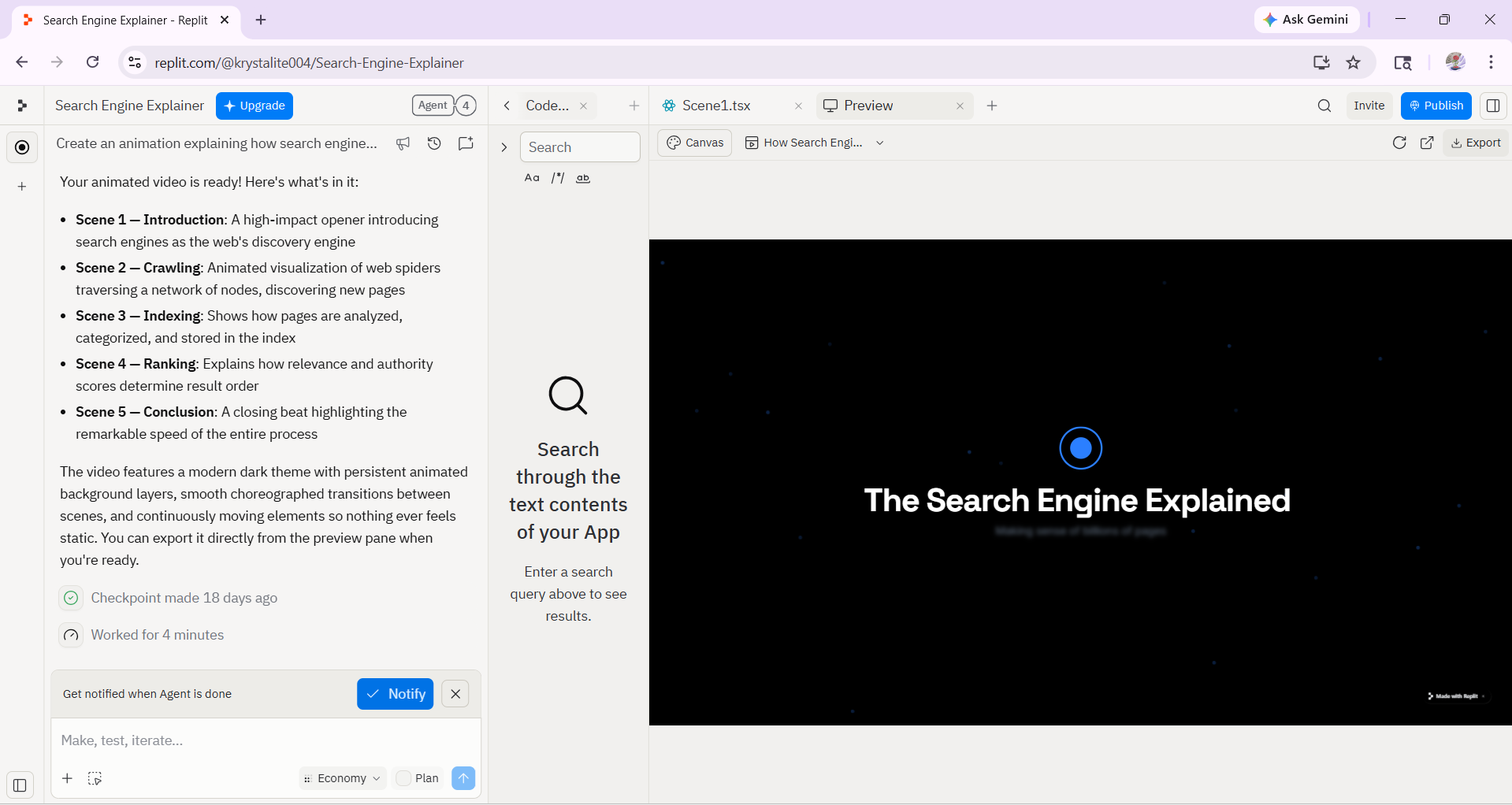
Input used: Input artifact (Artifact): Create an animation video explaining how search engines work.
Observed output: Output artifact (Image): Output — Screenshot 2026-04-27 133823.png
Input artifact: Input artifact (Artifact): Create an animation video explaining how search engines work.
Output artifact: Output artifact (Image): Output — Screenshot 2026-04-27 133823.png
What changed: Artifact transformed into Image
Test case: Image → Image
Input type: Image
Input used: Input artifact (Image): Modified Code — Untitled design (1).png
Observed output: Output artifact (Image): Output — Screenshot 2026-05-06 153048.png
Input artifact: Input artifact (Image): Modified Code — Untitled design (1).png
Output artifact: Output artifact (Image): Output — Screenshot 2026-05-06 153048.png
What changed: Image transformed into Image
Why it matters / Conclusion: This is the core differentiator, but it also means the result depends on coding-agent quality; editability was not retested in this pass.
Replit can generate a custom React/TypeScript app and its underlying code, then let you edit that code and see the preview update instantly. The member cards show structured React/TypeScript output, editable project code, and immediate preview reflection after code changes.
.png)
Animation Export and SharingUseful reusable output8/10▾
Feature tested: Animation Export and Sharing
Result: Passed (8/10)
Verdict: Useful reusable output
Expected behavior: Replit packages finished animations for reuse outside the editor, including interactive browser replay, MP4 export, and share/deploy paths. The member cards show a replayable web asset, a built-in MP4 download flow, and export/deployment access on the paid path.
Test case: Text prompt → Image
Input type: Text prompt
Input used: Input artifact (Text prompt): Input
Observed output: Output artifact (Image): The screenshot includes a visible Replay Animation control, showing that the result is a reusable interactive app rather than a one-shot clip. — image.png
Input artifact: Input artifact (Text prompt): Input
Output artifact: Output artifact (Image): The screenshot includes a visible Replay Animation control, showing that the result is a reusable interactive app rather than a one-shot clip. — image.png
What changed: Text prompt transformed into Image
Test case: Text prompt → Text prompt
Input type: Text prompt
Input used: Input artifact (Text prompt): INPUT
Observed output: Output artifact (Text prompt): OUTPUT
Input artifact: Input artifact (Text prompt): INPUT
Output artifact: Output artifact (Text prompt): OUTPUT
What changed: Text prompt transformed into Text prompt
Test case: Artifact → Video file
Input type: Artifact
Input used: Input artifact (Artifact): Create an animation video explaining how search engines work.
Observed output: Output artifact (Video file): Output — Search-Engine-Explainer-Apr-18-15-53-35.mp4
Input artifact: Input artifact (Artifact): Create an animation video explaining how search engines work.
Output artifact: Output artifact (Video file): Output — Search-Engine-Explainer-Apr-18-15-53-35.mp4
What changed: Artifact transformed into Video file
Why it matters / Conclusion: A good fit when you want the diagram to live as a reusable web asset; on the free tier, the review could only capture it through screen recording.
Replit packages finished animations for reuse outside the editor, including interactive browser replay, MP4 export, and share/deploy paths. The member cards show a replayable web asset, a built-in MP4 download flow, and export/deployment access on the paid path.
Verified access and plans
Free tier was tested; Core unlocks full Agent access and deployment.
Replit uses shared usage credits for Agent requests, hosting, database compute, storage, and data transfer. Pricing can vary with task complexity.
Featured in Rankings
Independent rankings where Replit was tested and rated.
Banner Preview
How the embed badge will look on your site

Embed HTML
Copy this code to your website source
Quick Integration Guide
- 1Copy the HTML code block above.
- 2Paste it into your site's HTML or CMS editor.
- 3Banner appears instantly on your page.
- 4Links back to your tool profile here.
Similar Tools
Discover more AI tools like Replit to enhance your workflow.
Comments (0)
Need a custom AI solution for this use case?
If you are looking to build a custom workflow diagram app, prototype builder, or coding agent tool for your business or internal workflow, email us at contact@futuresmart.ai.
Found something inaccurate or missing? We try to keep our AI research accurate and useful. If you found outdated information, an issue, or have a suggestion, email us at collaborate@aidemos.com.