invideo AI
It turned the beach into a convincing dune scene and kept the walker clean, but the "sunset" change was mostly warmer grading and there was a small dune texture glitch.
e96c7168fe254ddc808b35e760ac3a31.mp4
We tested ten tools on three standard video clips — a backlit beach walk, an indoor talking head, and a busy snowy street — to see which ones can cleanly remove a background or actually replace it with a new scene. The deciding factors were edge quality, motion handling, export fidelity, and whether the tool truly generated a replacement background instead of only cutting the subject out.
The best tool here for creative full-scene replacement, but it still needs QA for literal lighting fidelity and final resolution consistency.
It changes the mood, but not the actual lighting geometry. Because the sun position and direction stayed unchanged, the result reads as a grading adjustment rather than a real lighting adaptation.
We rank on the 5 checks that decide whether a tool does this job: Edge quality, Hair and fine detail, Lighting adaptation, Motion handling, Temporal consistency. A check only carries a score when we recorded a finding for it, and a tool has to be measured on all of them to take the top spot. We also checked Background options, Format support, Output resolution, Processing speed — compared for you, but not part of the ranking.
Columns, left to right: Edge quality · Hair and fine detail · Lighting adaptation · Motion handling · Temporal consistency
Ranking rule: tools measured on every decisive check rank above tools missing any, whatever their score. Fotor skipped Lighting adaptation (scores 5 on the checks it ran); Bria.ai skipped Lighting adaptation (scores 3.5 on the checks it ran); Picsart skipped Lighting adaptation (scores 3.5 on the checks it ran); Kapwing skipped Lighting adaptation (scores 3.3 on the checks it ran); Cutout.Pro skipped Lighting adaptation (scores 2.8 on the checks it ran); FlexClip skipped Lighting adaptation (scores 2.5 on the checks it ran); VEED skipped Lighting adaptation, Motion handling, Temporal consistency (scores 2 on the checks it ran).
Pick the tools you care about, then compare what they returned or how they scored.
It turned the beach into a convincing dune scene and kept the walker clean, but the "sunset" change was mostly warmer grading and there was a small dune texture glitch.
e96c7168fe254ddc808b35e760ac3a31.mp4
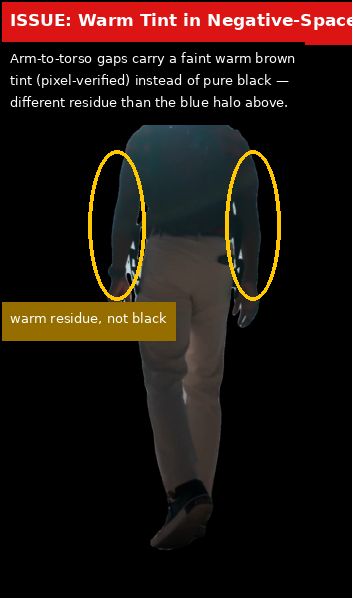
It cleanly removed the beach background and kept the walker moving, but the backlit head carried a halo and the gaps inside the silhouette stayed tinted, so the result is useful but not pristine.
b79f3b60483f485c8df84504a9466e2b.png
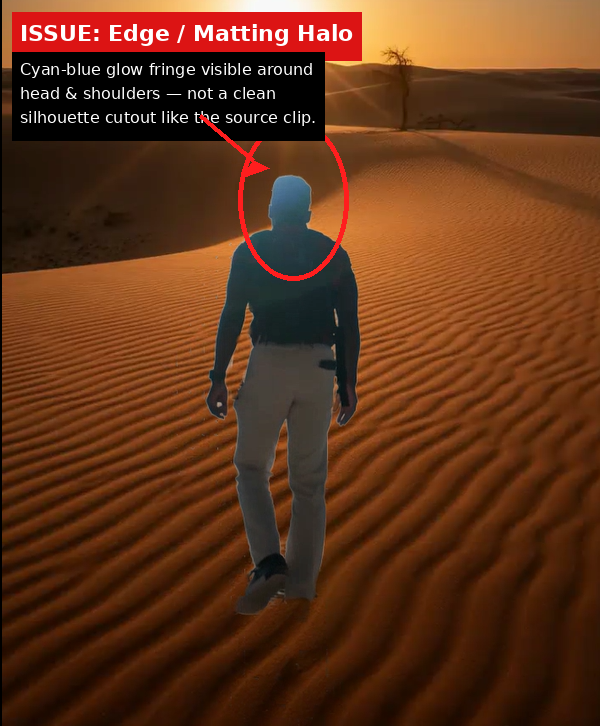
It produced a stable desert replacement from the beach clip, but the export was downscaled and the backlit subject picked up a visible halo while the light direction no longer matched the scene.
66c46da916b84234a585e42b89322d1e.png
It cut the walker out cleanly, but the result stayed on a transparent checkerboard instead of ever showing a replacement background, and the vertical clip was exported into a wide landscape strip.
2779636f78e9437ebe97ac197e17eb7b.mp4
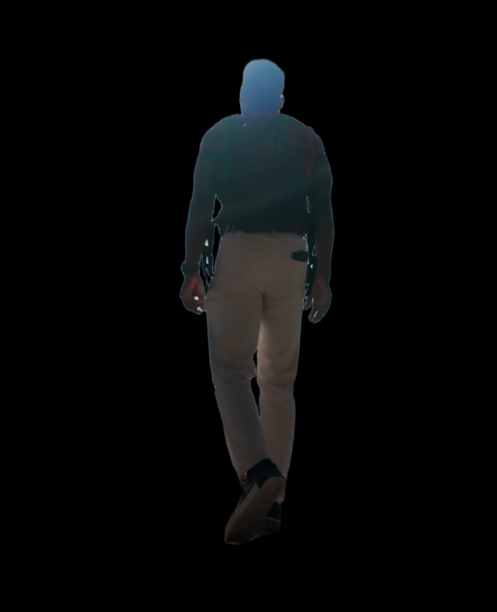
The beach walker stayed isolated and kept moving on a black canvas, and the clip held its size, but the backlit outline picked up a strong halo around the head and shoulders.
3d3e4029d18341edb846b4fee44c4199.png
It cleanly removed the beach background and kept tracking the walking subject through the clip, but the backlit sun left a rainbow glare on the cutout and the free export was visibly downscaled.
9eded68e7e1f4e1faa9f321369cdbaca.mp4
It removed the background for the first part of the clip, then abruptly switched back to the original beach footage, so the result looks like a stitched before/after file rather than one finished export.
19003f99e3fa4028841a610e4a2cef30.mp4
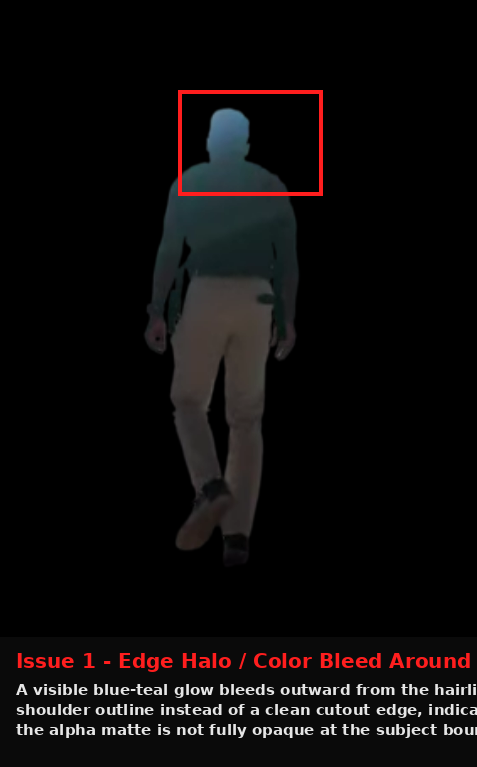
The beach subject was removed cleanly enough to keep the walking figure intact, but the result still showed haloing, semi-transparency, and lost fine texture on the backlit subject.
4e7ff6047e9045c3b76aef2e434e13ad.png
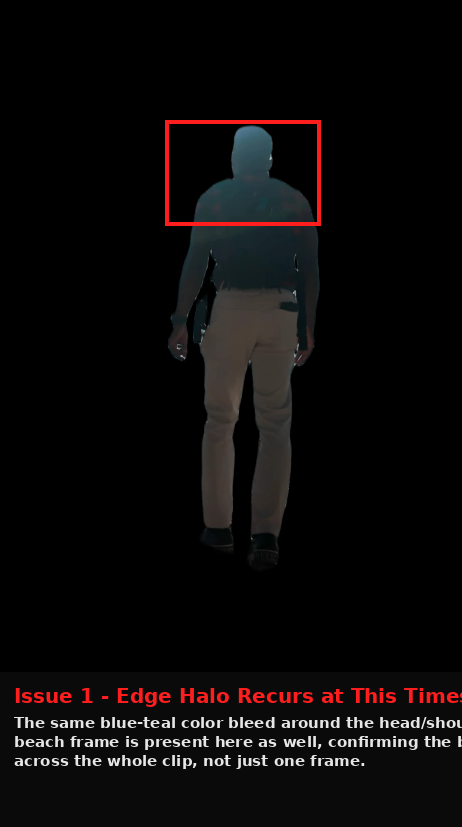
It cleanly separated the walker and kept full resolution, but the backlit cutout carried a recurring halo, some torso transparency, and extra softness on the moving leg, so the result was usable but not polished.
d262962121824986bcc6f7ed3b4d1c60.png

It removed the beach background and kept the walker moving, but the export was reduced to 1080×1920 and the cutout still showed halos and softer torso edges.
b59ac0dcf56c46f39c5a8d7810f9e361.png
All 9 recorded checks per tool. Open a tool to inspect every finding.
Across all three scenes, the subject edges stay clean and stable, even on harder cases like hair, low contrast, and motion. With no visible haloing or jagged cutouts, this is top-tier edge handling.
It maintained clean cutout edges in the low-contrast night scene, with no halo or sky-bleed around the silhouette.
permalink to this finding →It kept the moving subject’s silhouette clean, with no visible green-screen fringing or halo around the edge.
permalink to this finding →It preserved hair and clothing edges cleanly against the replacement set, with no visible halo on close inspection.
permalink to this finding →It kept cutout edges clean across the tests, with no visible halo, fringing, or bleed around silhouettes even in hair, clothing, and low-contrast night scenes.
permalink to this finding →No final take available yet.
The tools we tested for this use case — each card opens its full tested review.
If you are looking to build a custom video background removal, background replacement, or video compositing system for your business or internal workflow, email us at contact@futuresmart.ai.
Found something inaccurate or missing? We try to keep our AI research accurate and useful. If you found outdated information, an issue, or have a suggestion, email us at collaborate@aidemos.com.
Comments (0)