
Leonardo AI Review: Tested Hands-On (2026)
Leonardo AI is polished for reference edits and short clips, but likeness and prompt fidelity drift
Our Take
- You want a quick single-image-to-video workflow with visible motion.
- You want short MP4 clips generated from one still image.
- You want polished reference-guided scene variations from a source image.
- You need exact prompt adherence or strict facial/object preservation.
Feature scores on this page: 4.8/10 (3 scored features)
Our take
Leonardo AI is easy to use for turning one image into polished scene variations, short MP4 clips, and multi-scene photoshoots. Across those workflows, it usually gets the overall look, environment, wardrobe, and composition right, but faces, expressions, and some details can drift or get smoothed out. It fits best when you want a clean visual interpretation from a reference image and can tolerate weaker identity continuity, prompt adherence, and audio.
In-Depth Review
Our detailed analysis of Leonardo.Ai — features, performance, and real-world testing.
Feature-by-Feature Breakdown
Reference-Guided Image GenerationLeonardo could restage a reference image into new scenes, but it did not preserve the same face reliably.4/10▾
Feature tested: Reference-Guided Image Generation
Result: Failed (4/10)
Verdict: Leonardo could restage a reference image into new scenes, but it did not preserve the same face reliably.
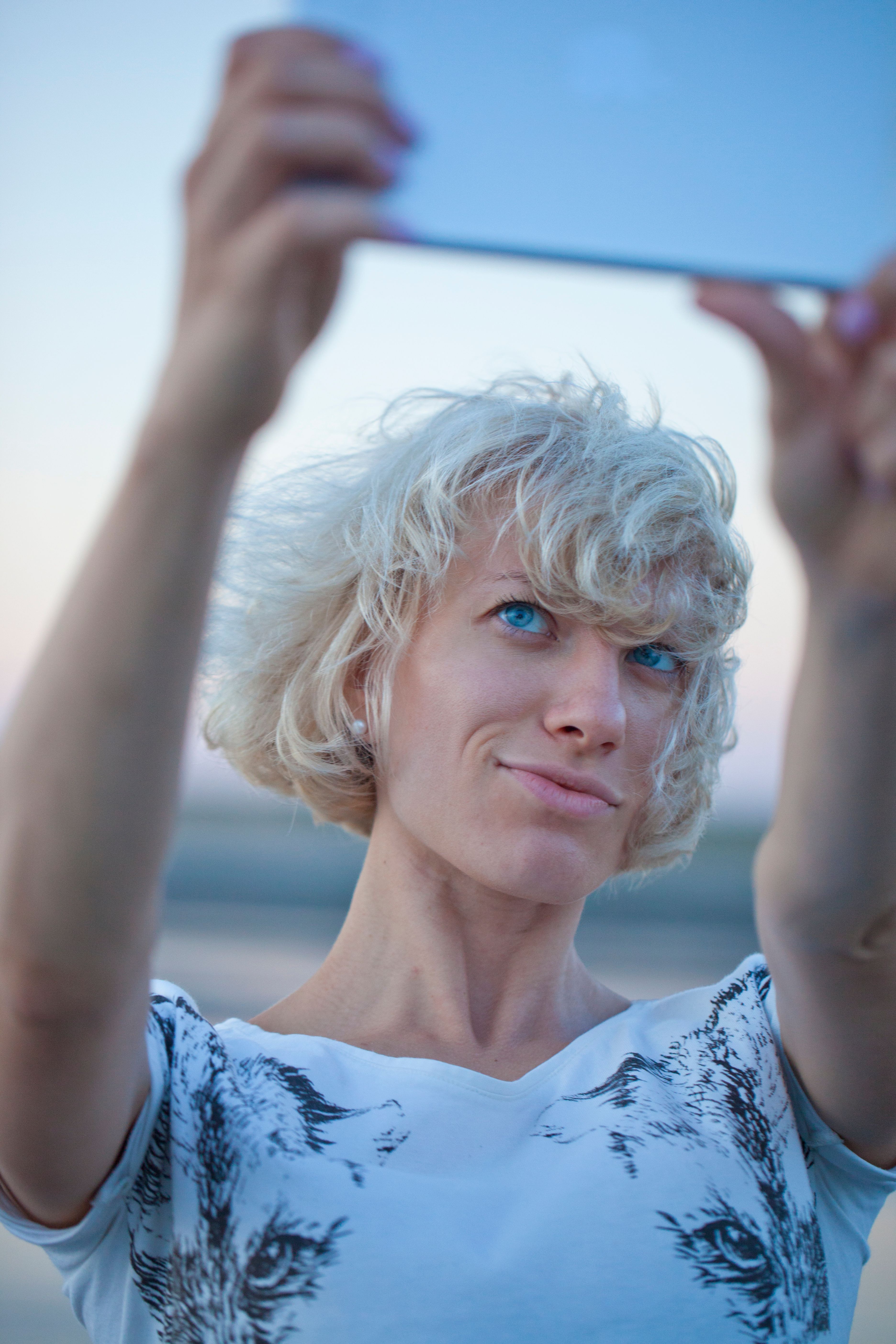
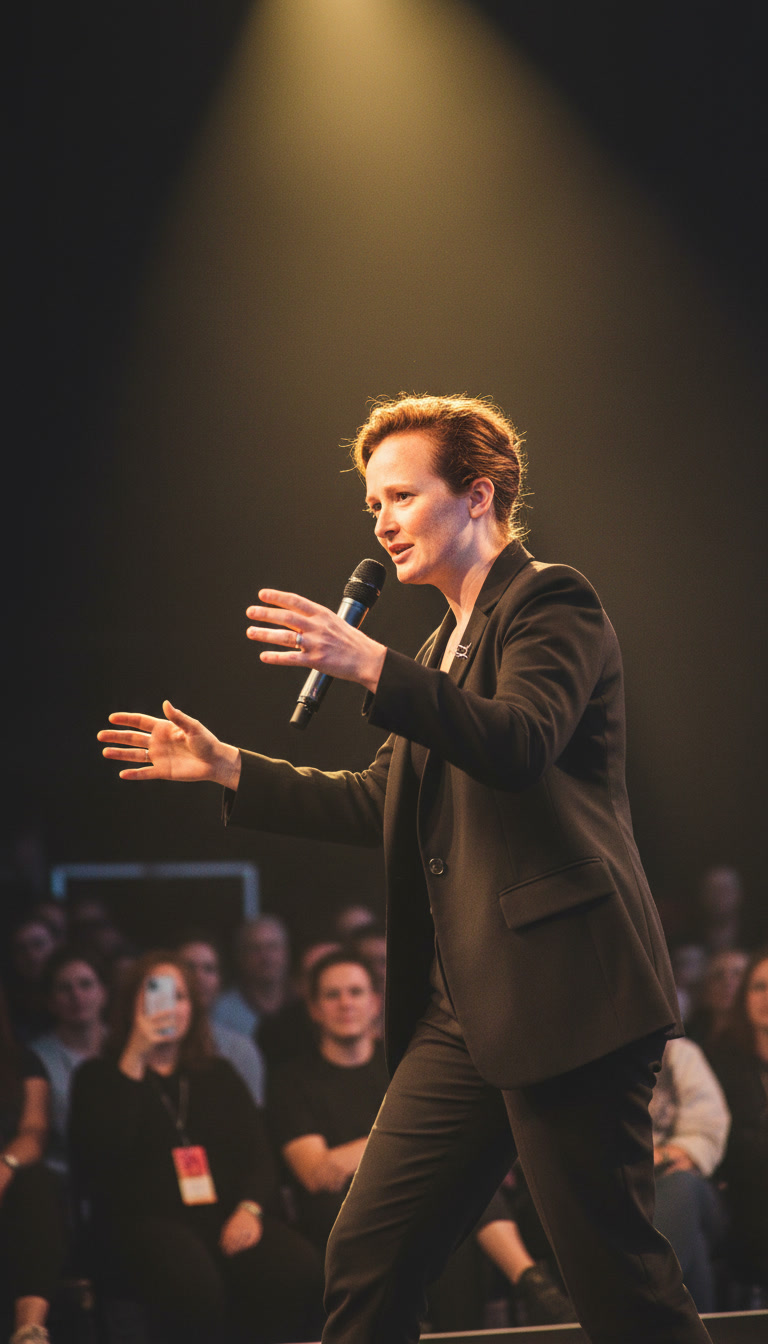
Expected behavior: Creates new realistic, scene-based portrait images from a single uploaded reference photo while varying scene, pose, outfit, composition, environment, expression, or lighting. The member cards were exercised on café close-ups, desert horse-riding, interrogation-room, restaurant, laptop-at-desk, conference/leadership, podcast-studio, coastal travel, and stage-performance variants.
Test case: Image → Image
Input type: Image
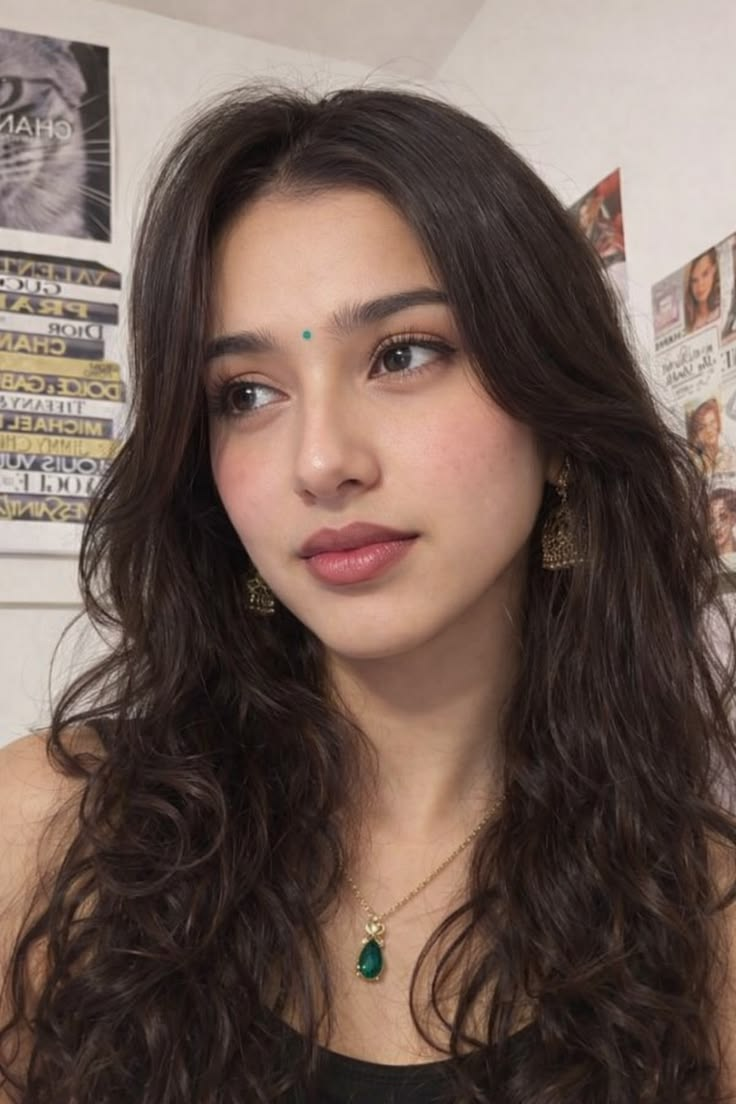
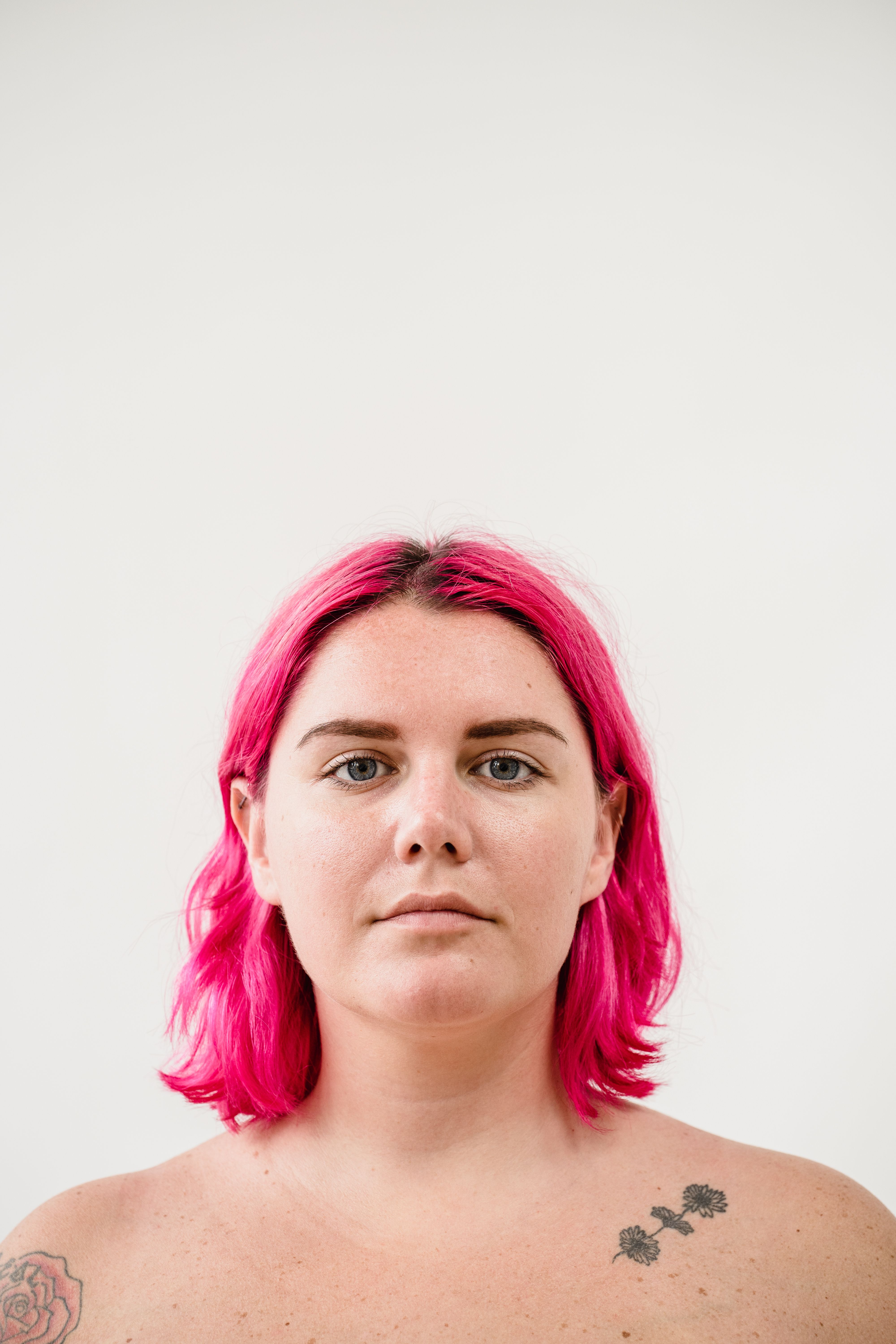
Input used: Input artifact (Image): Primary reference — input 1.png
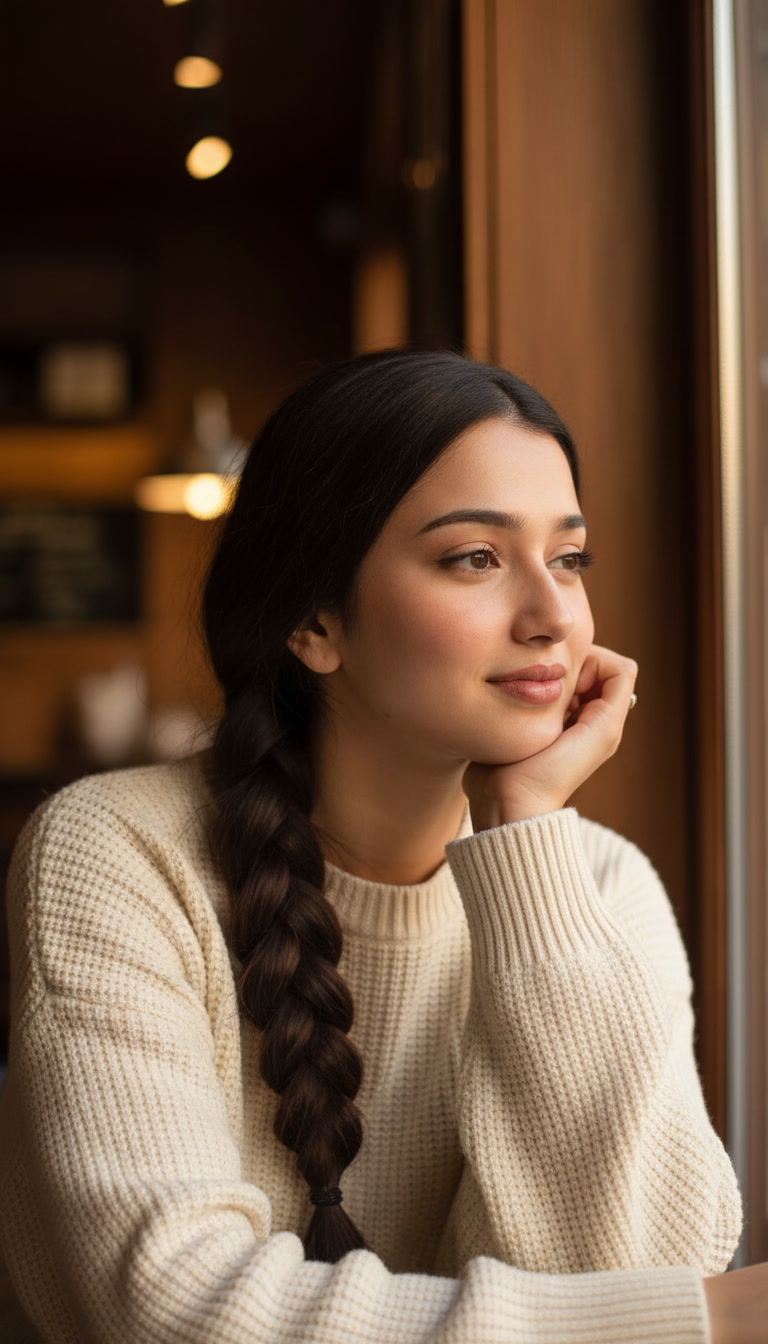
Observed output: Output artifact (Image): The tool produced a cozy café portrait with the correct sweater, braid, and relaxed pose, but the face reads as a polished lookalike rather than the same woman, and the hair is smoother and more stylized than the reference. — Leonardo_input1_warm_cafe.jpg
Input artifact: Input artifact (Image): Primary reference — input 1.png
Output artifact: Output artifact (Image): The tool produced a cozy café portrait with the correct sweater, braid, and relaxed pose, but the face reads as a polished lookalike rather than the same woman, and the hair is smoother and more stylized than the reference. — Leonardo_input1_warm_cafe.jpg
What changed: Image transformed into Image
Test case: Image → Image
Input type: Image
Input used: Input artifact (Image): Primary reference — input 1.png
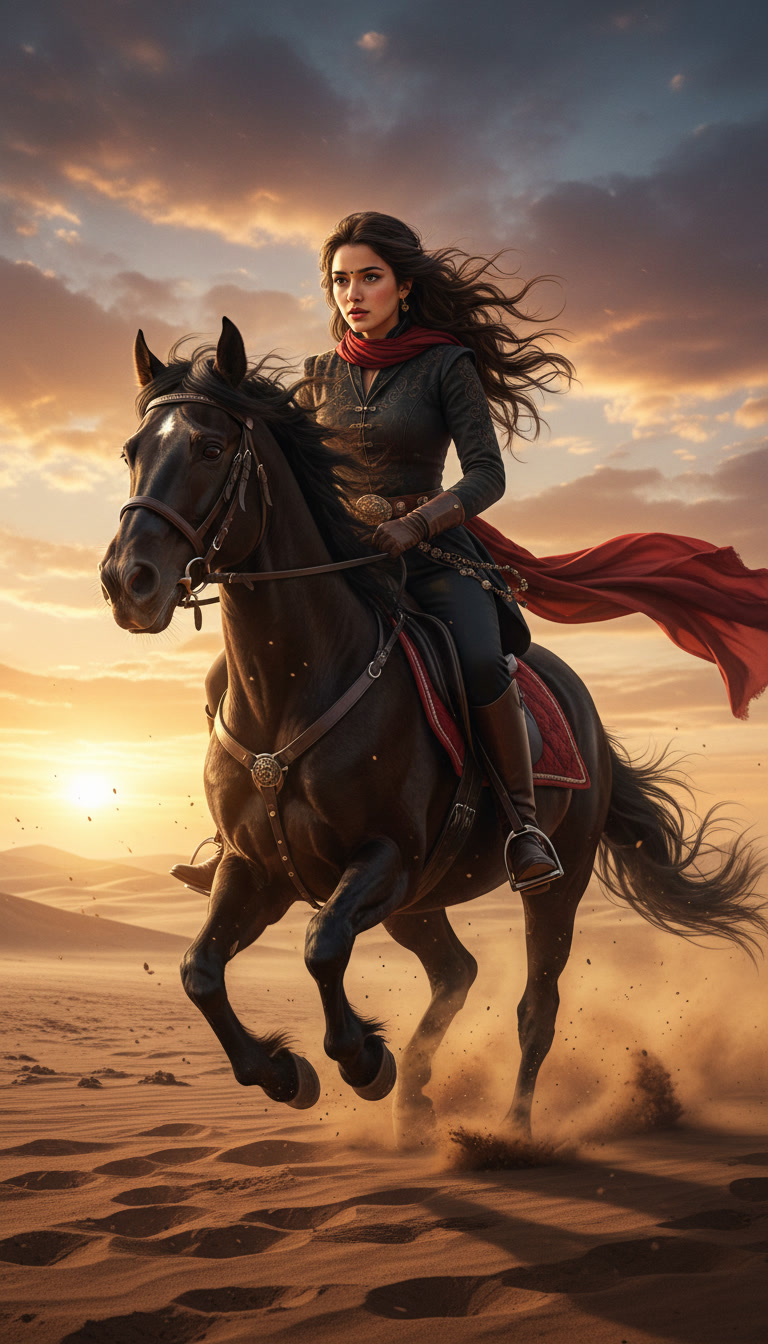
Observed output: Output artifact (Image): The tool produced a cinematic desert horse-riding scene that matches the action and scarf details, but the face, proportions, and overall appearance no longer resemble the reference in a meaningful way. — Leonardo_input1_horseride.jpg
Input artifact: Input artifact (Image): Primary reference — input 1.png
Output artifact: Output artifact (Image): The tool produced a cinematic desert horse-riding scene that matches the action and scarf details, but the face, proportions, and overall appearance no longer resemble the reference in a meaningful way. — Leonardo_input1_horseride.jpg
What changed: Image transformed into Image
Test case: Image → Image
Input type: Image
Input used: Input artifact (Image): Secondary reference — image.png
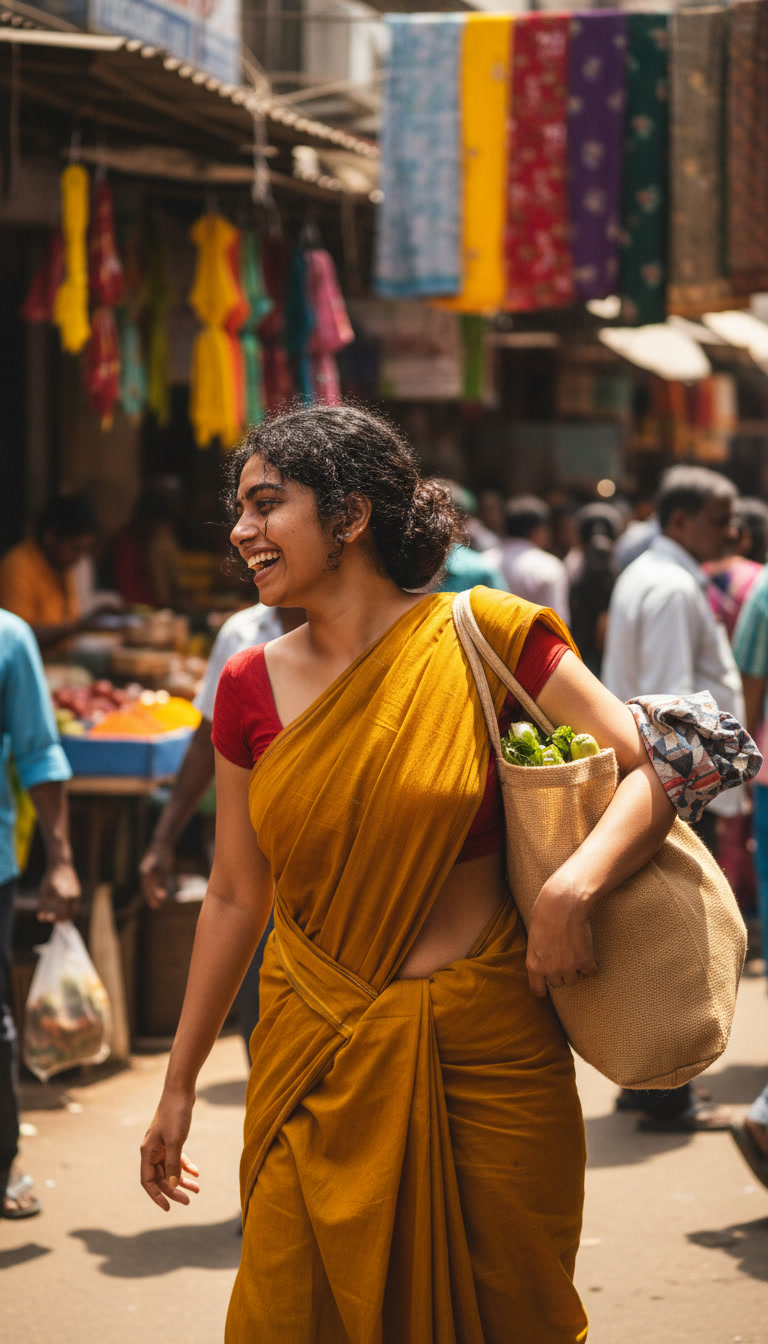
Observed output: Output artifact (Image): The tool produced a lively street-market scene with accurate sari styling, natural walking pose, and strong environment rendering, but the face is partially turned away so identity cannot be fully verified. — Leonardo_input2_market.jpg
Input artifact: Input artifact (Image): Secondary reference — image.png
Output artifact: Output artifact (Image): The tool produced a lively street-market scene with accurate sari styling, natural walking pose, and strong environment rendering, but the face is partially turned away so identity cannot be fully verified. — Leonardo_input2_market.jpg
What changed: Image transformed into Image
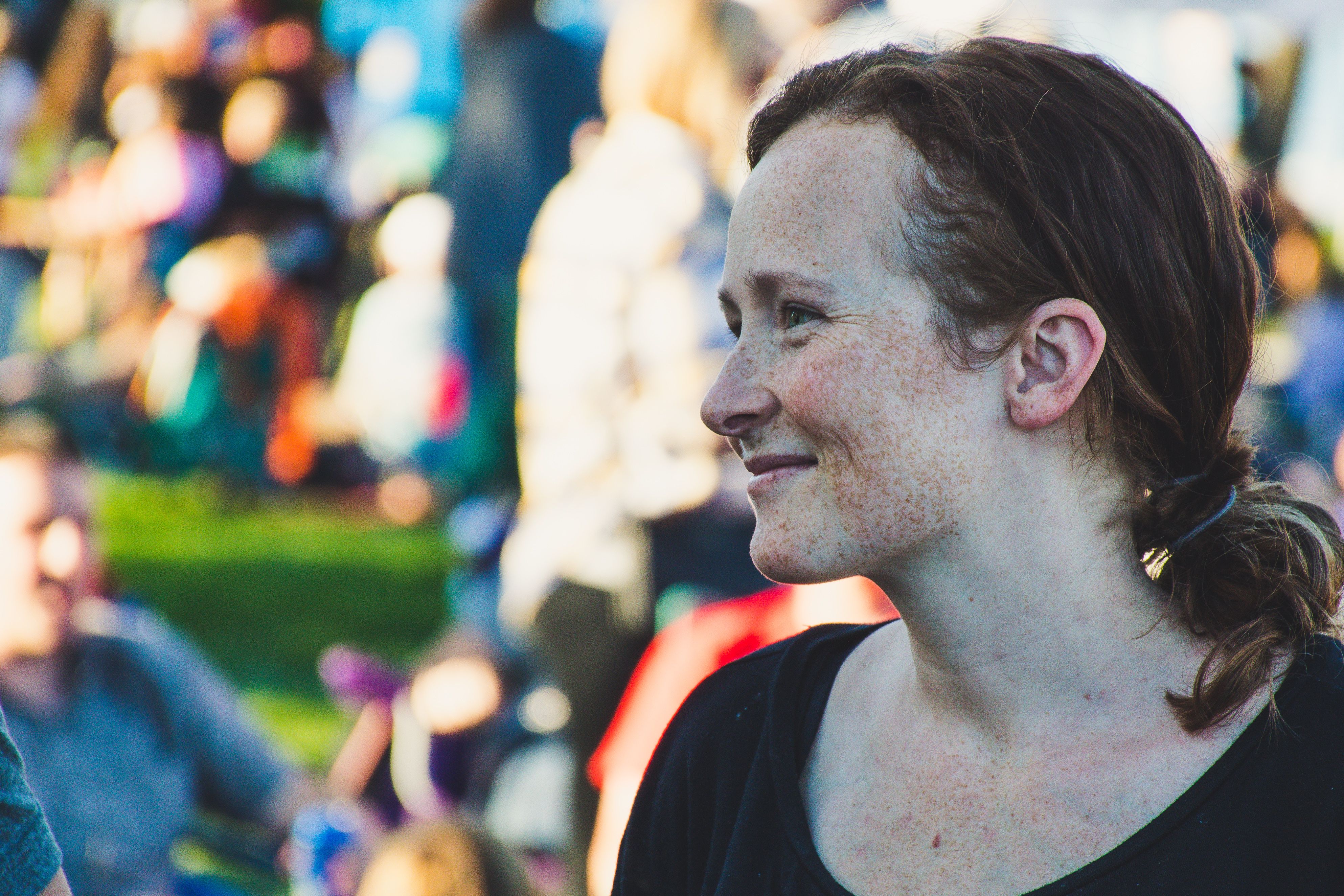
Test case: Image → Image
Input type: Image
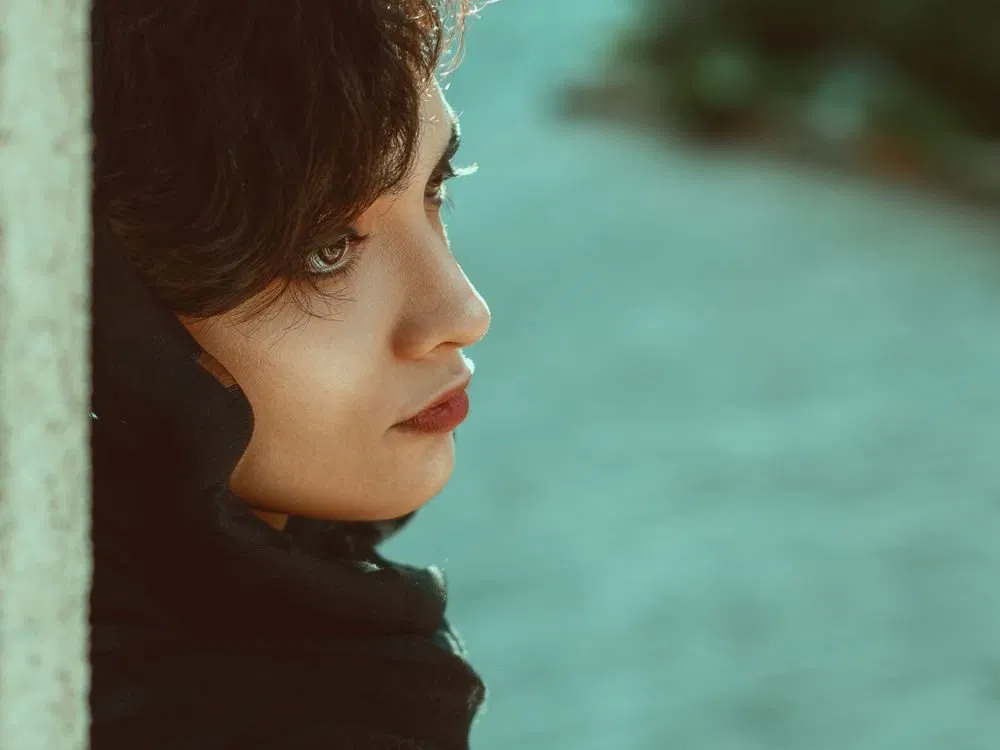
Input used: Input artifact (Image): Near-profile stress-test reference. — input 3.webp
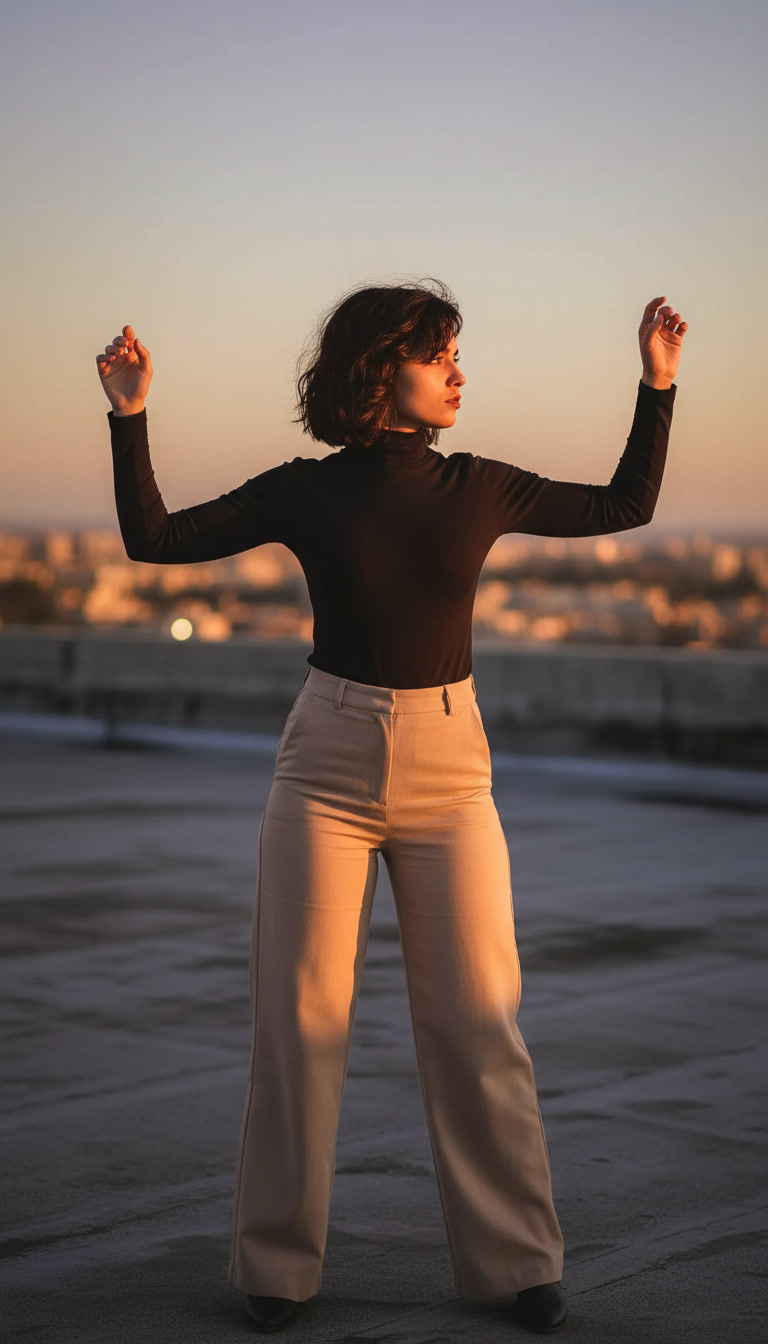
Observed output: Output artifact (Image): The rooftop sunset scene delivered the outfit, skyline, and golden-hour lighting, but the face was over-rotated far beyond near-profile, so identity could not be verified. — Leonardo_input3_rooftop.jpg
Input artifact: Input artifact (Image): Near-profile stress-test reference. — input 3.webp
Output artifact: Output artifact (Image): The rooftop sunset scene delivered the outfit, skyline, and golden-hour lighting, but the face was over-rotated far beyond near-profile, so identity could not be verified. — Leonardo_input3_rooftop.jpg
What changed: Image transformed into Image
Test case: Image → Image
Input type: Image
Input used: Input artifact (Image): Primary reference — input 1.png
Observed output: Output artifact (Image): The frontal reference produced the best identity match, but the output still softened the face, kept a calm neutral expression instead of angry or guarded, and made the room feel neat rather than harsh. — Leonardo_input1_interrogation.jpg
Input artifact: Input artifact (Image): Primary reference — input 1.png
Output artifact: Output artifact (Image): The frontal reference produced the best identity match, but the output still softened the face, kept a calm neutral expression instead of angry or guarded, and made the room feel neat rather than harsh. — Leonardo_input1_interrogation.jpg
What changed: Image transformed into Image
Test case: Image → Image
Input type: Image
Input used: Input artifact (Image): Reference used for the professional conference scene. — INPUT 1.jpg
Observed output: Output artifact (Image): The blazer, glass wall, whiteboard, and tablet all matched the conference/leadership setting, with a believable speaking gesture. — gemini-2.5-flash-image_Professional_Conference_Leadership_Setting_A_realistic_candid_photo_of_the_same_-0.jpg
Input artifact: Input artifact (Image): Reference used for the professional conference scene. — INPUT 1.jpg
Output artifact: Output artifact (Image): The blazer, glass wall, whiteboard, and tablet all matched the conference/leadership setting, with a believable speaking gesture. — gemini-2.5-flash-image_Professional_Conference_Leadership_Setting_A_realistic_candid_photo_of_the_same_-0.jpg
What changed: Image transformed into Image
Test case: Image → Image
Input type: Image
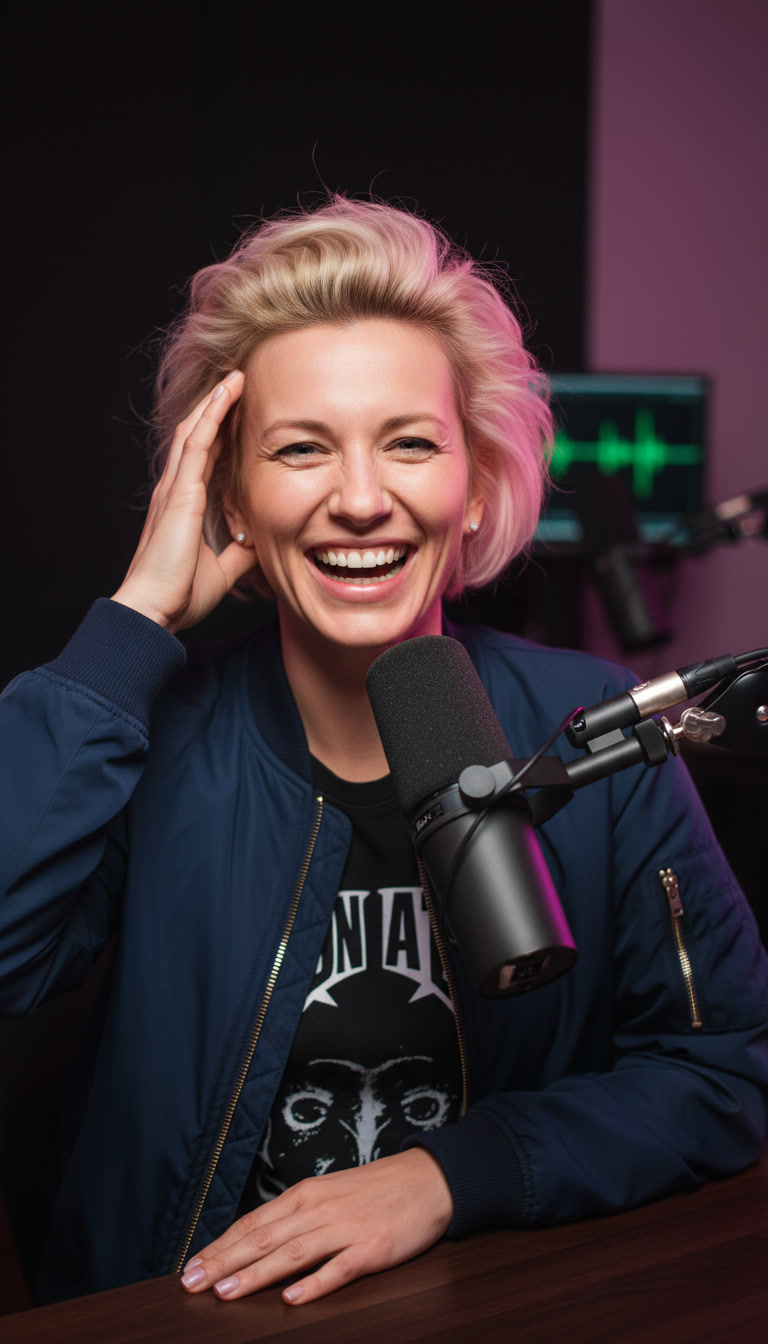
Input used: Input artifact (Image): Reference used for the podcast thumbnail scene. — INPUT 2.jpg
Observed output: Output artifact (Image): The mic setup, lighting, jacket, and table layout matched the thumbnail-style podcast prompt. — 9c6ed78e8b584906a4d90b4371cfb541.jpeg
Input artifact: Input artifact (Image): Reference used for the podcast thumbnail scene. — INPUT 2.jpg
Output artifact: Output artifact (Image): The mic setup, lighting, jacket, and table layout matched the thumbnail-style podcast prompt. — 9c6ed78e8b584906a4d90b4371cfb541.jpeg
What changed: Image transformed into Image
Test case: Image → Image
Input type: Image
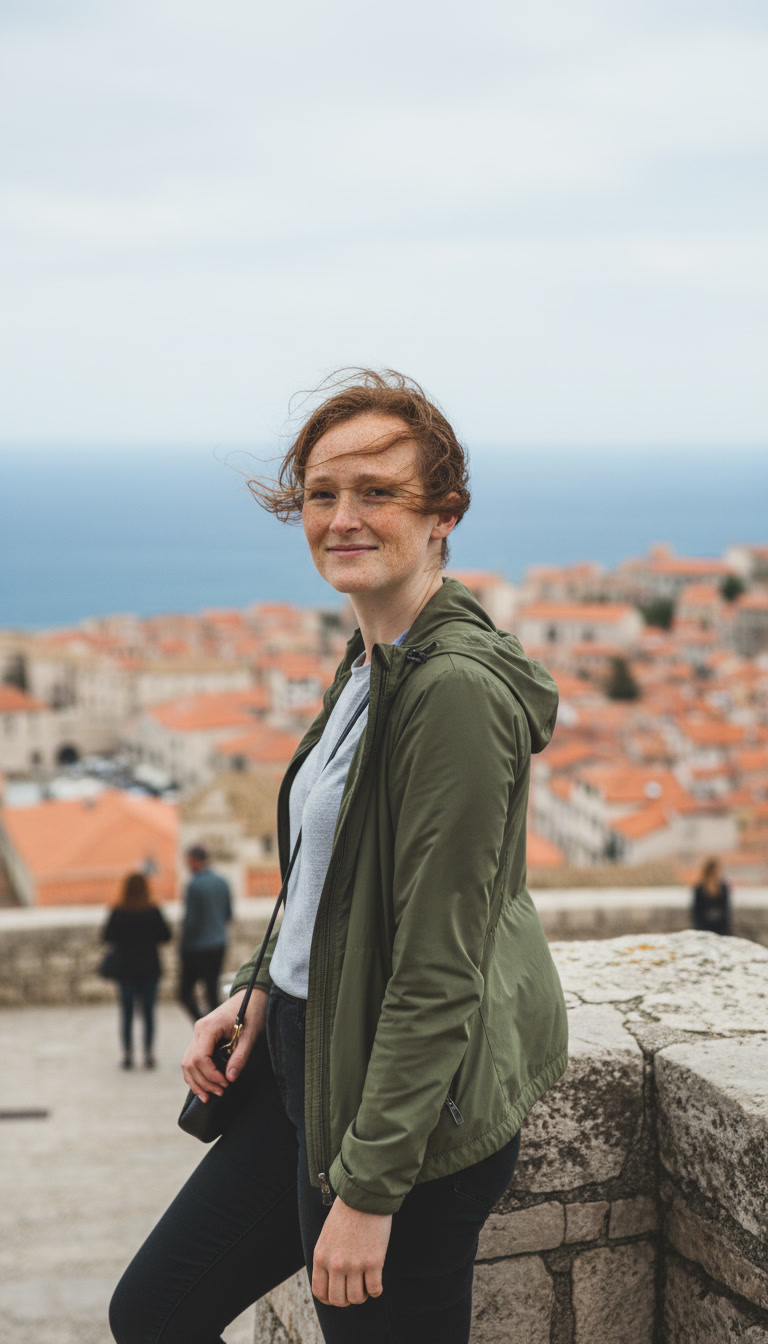
Input used: Input artifact (Image): Reference used for the travel scene. — INPUT 3.jpg
Observed output: Output artifact (Image): The green jacket, coastal overlook, rooftops, and water all fit the travel location prompt. — fe1ca7c13d6443f686b386719e1884d3.jpeg
Input artifact: Input artifact (Image): Reference used for the travel scene. — INPUT 3.jpg
Output artifact: Output artifact (Image): The green jacket, coastal overlook, rooftops, and water all fit the travel location prompt. — fe1ca7c13d6443f686b386719e1884d3.jpeg
What changed: Image transformed into Image
Test case: Image → Image
Input type: Image
Input used: Input artifact (Image): Reference used for the speaking-on-stage scene. — INPUT 3.jpg
Observed output: Output artifact (Image): The microphone, spotlight, audience, and dynamic hand gesture matched the stage-performance prompt. — b8405c6dd1484e8983c980326868adb2.jpeg
Input artifact: Input artifact (Image): Reference used for the speaking-on-stage scene. — INPUT 3.jpg
Output artifact: Output artifact (Image): The microphone, spotlight, audience, and dynamic hand gesture matched the stage-performance prompt. — b8405c6dd1484e8983c980326868adb2.jpeg
What changed: Image transformed into Image
Test case: Image → Image
Input type: Image
Input used: Input artifact (Image): Reference used for the working-on-laptop scene. — INPUT 1.jpg
Observed output: Output artifact (Image): The window, desk, and mug supported the working-at-laptop scene well, and the pose looked natural. — gemini-2.5-flash-image_Working_on_Laptop_A_candid_mid-morning_photo_of_the_same_person_seated_at_a_worn-0.jpg
Input artifact: Input artifact (Image): Reference used for the working-on-laptop scene. — INPUT 1.jpg
Output artifact: Output artifact (Image): The window, desk, and mug supported the working-at-laptop scene well, and the pose looked natural. — gemini-2.5-flash-image_Working_on_Laptop_A_candid_mid-morning_photo_of_the_same_person_seated_at_a_worn-0.jpg
What changed: Image transformed into Image
Why it matters / Conclusion: Leonardo was good at making attractive scene variations from one image, but not at keeping the same person recognizably intact across those variations.
Creates new realistic, scene-based portrait images from a single uploaded reference photo while varying scene, pose, outfit, composition, environment, expression, or lighting. The member cards were exercised on café close-ups, desert horse-riding, interrogation-room, restaurant, laptop-at-desk, conference/leadership, podcast-studio, coastal travel, and stage-performance variants.



Expression and Mood ControlLeonardo repeatedly missed emotionally intense prompts and defaulted to calm, polished portraits.3/10▾
Feature tested: Expression and Mood Control
Result: Failed (3/10)
Verdict: Leonardo repeatedly missed emotionally intense prompts and defaulted to calm, polished portraits.
Expected behavior: Renders requested facial expressions and emotional atmosphere in portrait scenes. The tested inputs covered focused work, active speaking, podcast energy, travel glance-back, stage presence, and harsher interrogation-room anger or guardedness across different reference images.
Test case: Image → Image
Input type: Image
Input used: Input artifact (Image): Input 1 was a full frontal portrait. Prompted scene: interrogation room with formal clothing, harsh overhead lighting, and an angry, guarded expression. — Input 1-2.Input 1
Observed output: Output artifact (Image): This was Leonardo's best identity result from Input 1: the face remained broadly recognizable. But the core emotional instruction failed. The subject looks calm — best-ai-tools-to-generate-consistent-characters-ac-leonardo-input1-interrogation.jpg
Input artifact: Input artifact (Image): Input 1 was a full frontal portrait. Prompted scene: interrogation room with formal clothing, harsh overhead lighting, and an angry, guarded expression. — Input 1-2.Input 1
Output artifact: Output artifact (Image): This was Leonardo's best identity result from Input 1: the face remained broadly recognizable. But the core emotional instruction failed. The subject looks calm — best-ai-tools-to-generate-consistent-characters-ac-leonardo-input1-interrogation.jpg
What changed: Image transformed into Image
Test case: Image → Image
Input type: Image
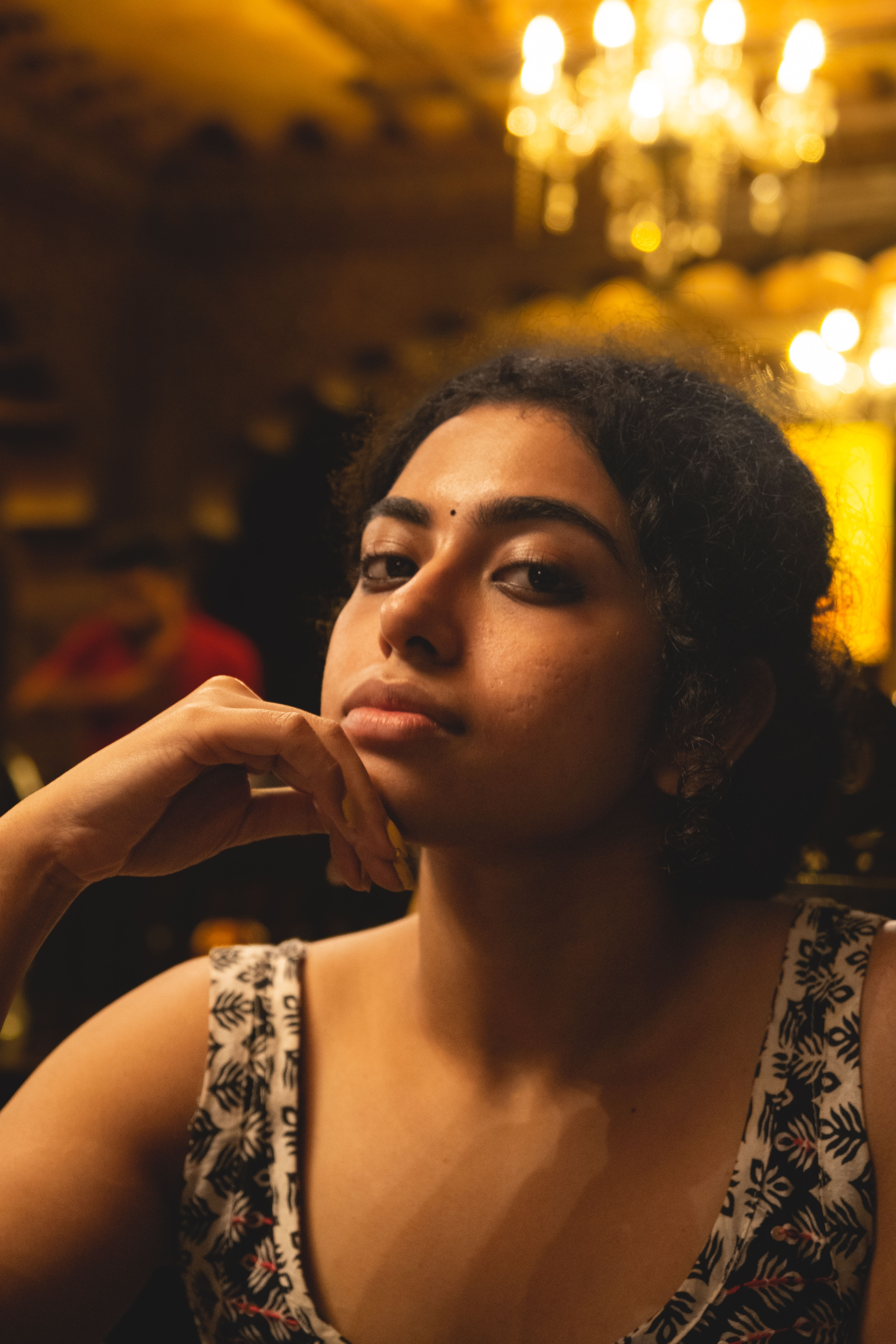
Input used: Input artifact (Image): Input 2 was a 3/4 warm indoor portrait. Prompted scene: the same interrogation-room setup with the same angry, guarded expression request. — Input 2-4.Input 2
Observed output: Output artifact (Image): Leonardo again returned a neutral expression instead of the requested intensity, confirming the miss was not specific to one reference image. The room reads mor — best-ai-tools-to-generate-consistent-characters-ac-leonardo-input2-interrogation.jpg
Input artifact: Input artifact (Image): Input 2 was a 3/4 warm indoor portrait. Prompted scene: the same interrogation-room setup with the same angry, guarded expression request. — Input 2-4.Input 2
Output artifact: Output artifact (Image): Leonardo again returned a neutral expression instead of the requested intensity, confirming the miss was not specific to one reference image. The room reads mor — best-ai-tools-to-generate-consistent-characters-ac-leonardo-input2-interrogation.jpg
What changed: Image transformed into Image
Test case: Image → Image
Input type: Image
Input used: Input artifact (Image): Reference used for the focused laptop-work scene. — INPUT 1.jpg
Observed output: Output artifact (Image): The downward gaze and calm expression read as focused and matched the working-on-laptop mood well. — gemini-2.5-flash-image_Working_on_Laptop_A_candid_mid-morning_photo_of_the_same_person_seated_at_a_worn-0.jpg
Input artifact: Input artifact (Image): Reference used for the focused laptop-work scene. — INPUT 1.jpg
Output artifact: Output artifact (Image): The downward gaze and calm expression read as focused and matched the working-on-laptop mood well. — gemini-2.5-flash-image_Working_on_Laptop_A_candid_mid-morning_photo_of_the_same_person_seated_at_a_worn-0.jpg
What changed: Image transformed into Image
Test case: Image → Image
Input type: Image
Input used: Input artifact (Image): Reference used for the speaking-in-conference scene. — INPUT 1.jpg
Observed output: Output artifact (Image): The open mouth and hand gesture read as active speaking and fit the leadership/conference prompt. — gemini-2.5-flash-image_Professional_Conference_Leadership_Setting_A_realistic_candid_photo_of_the_same_-0.jpg
Input artifact: Input artifact (Image): Reference used for the speaking-in-conference scene. — INPUT 1.jpg
Output artifact: Output artifact (Image): The open mouth and hand gesture read as active speaking and fit the leadership/conference prompt. — gemini-2.5-flash-image_Professional_Conference_Leadership_Setting_A_realistic_candid_photo_of_the_same_-0.jpg
What changed: Image transformed into Image
Test case: Image → Image
Input type: Image
Input used: Input artifact (Image): Reference used for the high-energy podcast thumbnail scene. — INPUT 2.jpg
Observed output: Output artifact (Image): The laugh, head tilt, and eye crinkle clearly carried the high-energy podcast mood. — 9c6ed78e8b584906a4d90b4371cfb541.jpeg
Input artifact: Input artifact (Image): Reference used for the high-energy podcast thumbnail scene. — INPUT 2.jpg
Output artifact: Output artifact (Image): The laugh, head tilt, and eye crinkle clearly carried the high-energy podcast mood. — 9c6ed78e8b584906a4d90b4371cfb541.jpeg
What changed: Image transformed into Image
Test case: Image → Image
Input type: Image
Input used: Input artifact (Image): Reference used for the travel glance-back scene. — INPUT 3.jpg
Observed output: Output artifact (Image): The wind-swept hair and half-smile glance back matched the travel mood and pose description. — fe1ca7c13d6443f686b386719e1884d3.jpeg
Input artifact: Input artifact (Image): Reference used for the travel glance-back scene. — INPUT 3.jpg
Output artifact: Output artifact (Image): The wind-swept hair and half-smile glance back matched the travel mood and pose description. — fe1ca7c13d6443f686b386719e1884d3.jpeg
What changed: Image transformed into Image
Test case: Image → Image
Input type: Image
Input used: Input artifact (Image): Reference used for the speaking-on-stage scene. — INPUT 3.jpg
Observed output: Output artifact (Image): The parted lips, torso angle, and gesturing hands conveyed strong stage presence and performance energy. — b8405c6dd1484e8983c980326868adb2.jpeg
Input artifact: Input artifact (Image): Reference used for the speaking-on-stage scene. — INPUT 3.jpg
Output artifact: Output artifact (Image): The parted lips, torso angle, and gesturing hands conveyed strong stage presence and performance energy. — b8405c6dd1484e8983c980326868adb2.jpeg
What changed: Image transformed into Image
Why it matters / Conclusion: Across two different references, Leonardo failed the same emotional prompt in the same way, which points to a tool-level limitation in expression control.
Renders requested facial expressions and emotional atmosphere in portrait scenes. The tested inputs covered focused work, active speaking, podcast energy, travel glance-back, stage presence, and harsher interrogation-room anger or guardedness across different reference images.
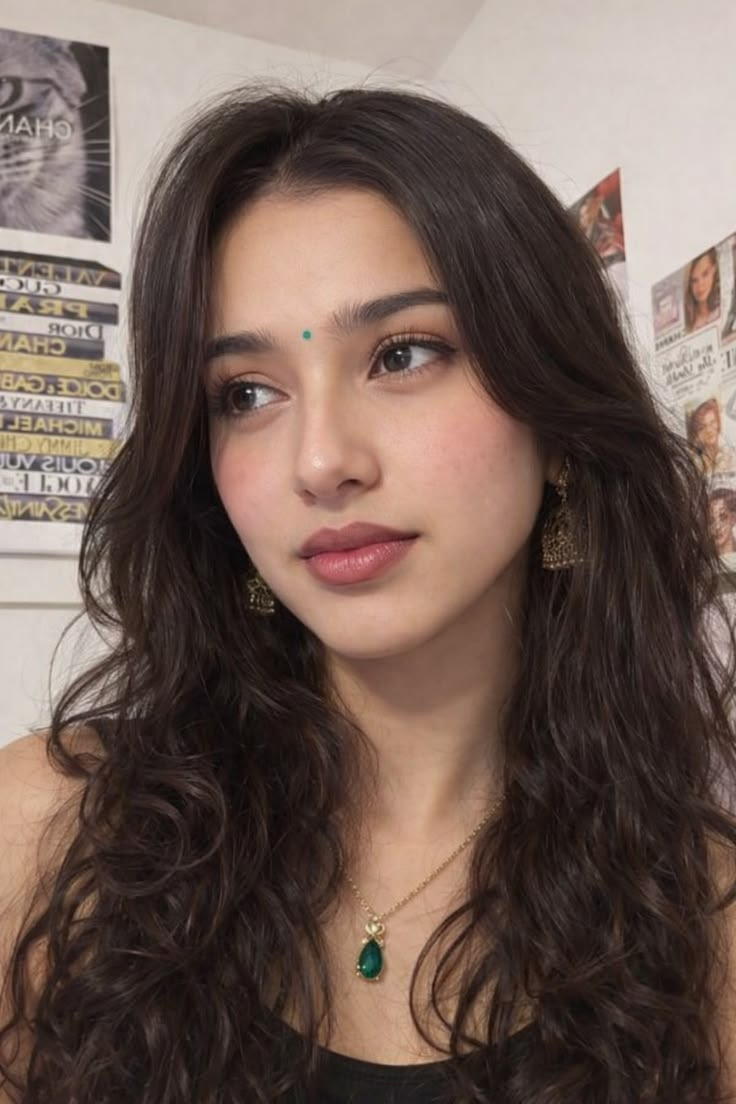
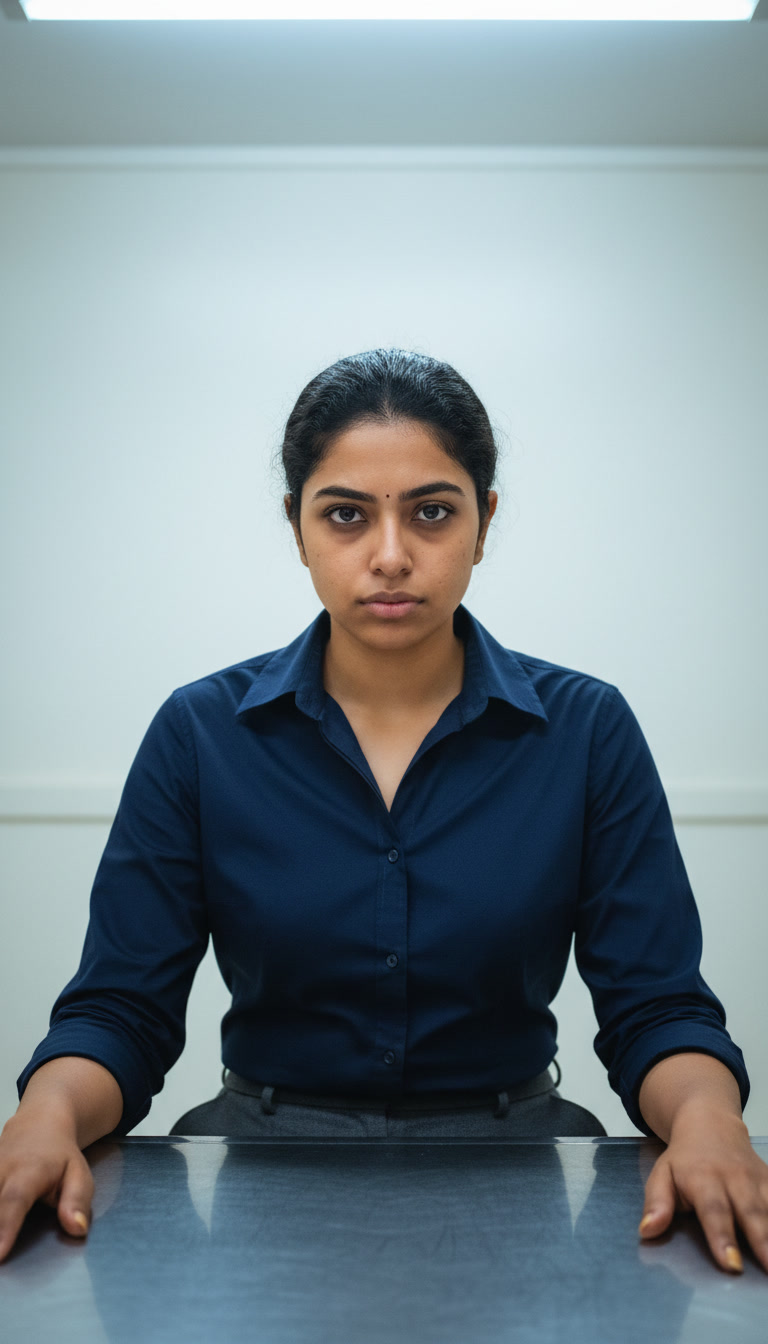
Input 1 was a full frontal portrait. Prompted scene: interrogation room with formal clothing, harsh overhead lighting, and an angry, guarded expression.

This was Leonardo's best identity result from Input 1: the face remained broadly recognizable. But the core emotional instruction failed. The subject looks calm and neutral rather than angry or guarded, the room is too neat, and the lighting lacks the harsh institutional feel described in the prompt.
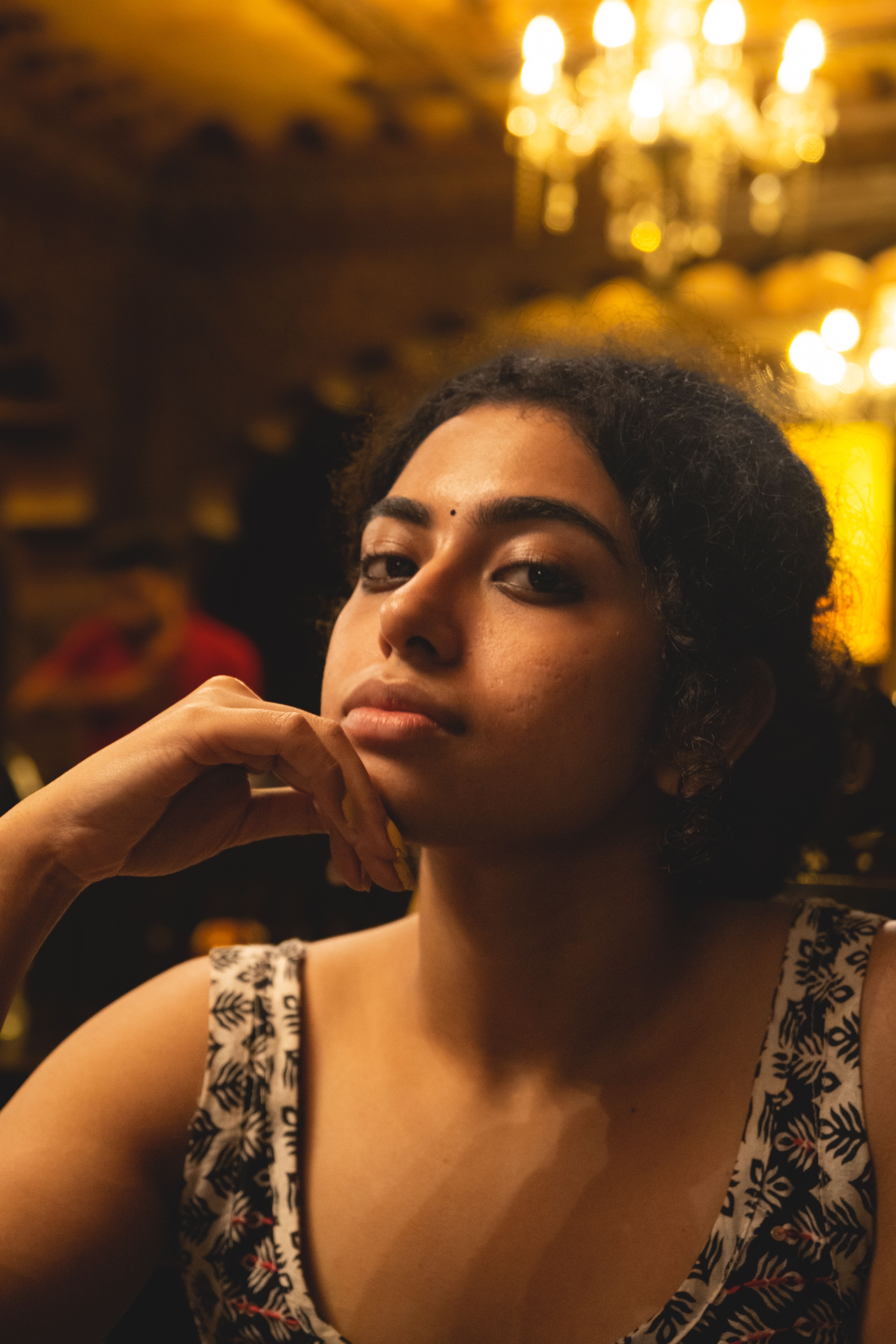
Input 2 was a 3/4 warm indoor portrait. Prompted scene: the same interrogation-room setup with the same angry, guarded expression request.
Leonardo again returned a neutral expression instead of the requested intensity, confirming the miss was not specific to one reference image. The room reads more like a bright office than an interrogation setting, and the reference's dense natural curls were flattened into straighter, oilier-looking hair.
Image-to-Video GenerationStrong — smooth motion and stable rendering7.5/10▾
Feature tested: Image-to-Video Generation
Result: Partial (7.5/10)
Verdict: Strong — smooth motion and stable rendering
Expected behavior: Animates a still image or static scene into a short playable MP4 with added motion, camera movement, environmental motion, and cinematic transitions. The member cards cover 2D illustrations, stylized 3D scenes, realistic wildlife/photo-style images, and general still-image inputs, including a dedicated 2D cinematic variant.
Test case: Image → Video file
Input type: Image
Input used: Input artifact (Image): Input — leonardo-ai-2d-image-input.png
Observed output: Output artifact (Video file): Generated a short, smooth animated clip from the 2D clover illustration, but the requested hand and environmental details did not fully land, and the result was silent. — leonardo-ai-2d-image-output.mp4
Input artifact: Input artifact (Image): Input — leonardo-ai-2d-image-input.png
Output artifact: Output artifact (Video file): Generated a short, smooth animated clip from the 2D clover illustration, but the requested hand and environmental details did not fully land, and the result was silent. — leonardo-ai-2d-image-output.mp4
What changed: Image transformed into Video file
Test case: Image → Video file
Input type: Image
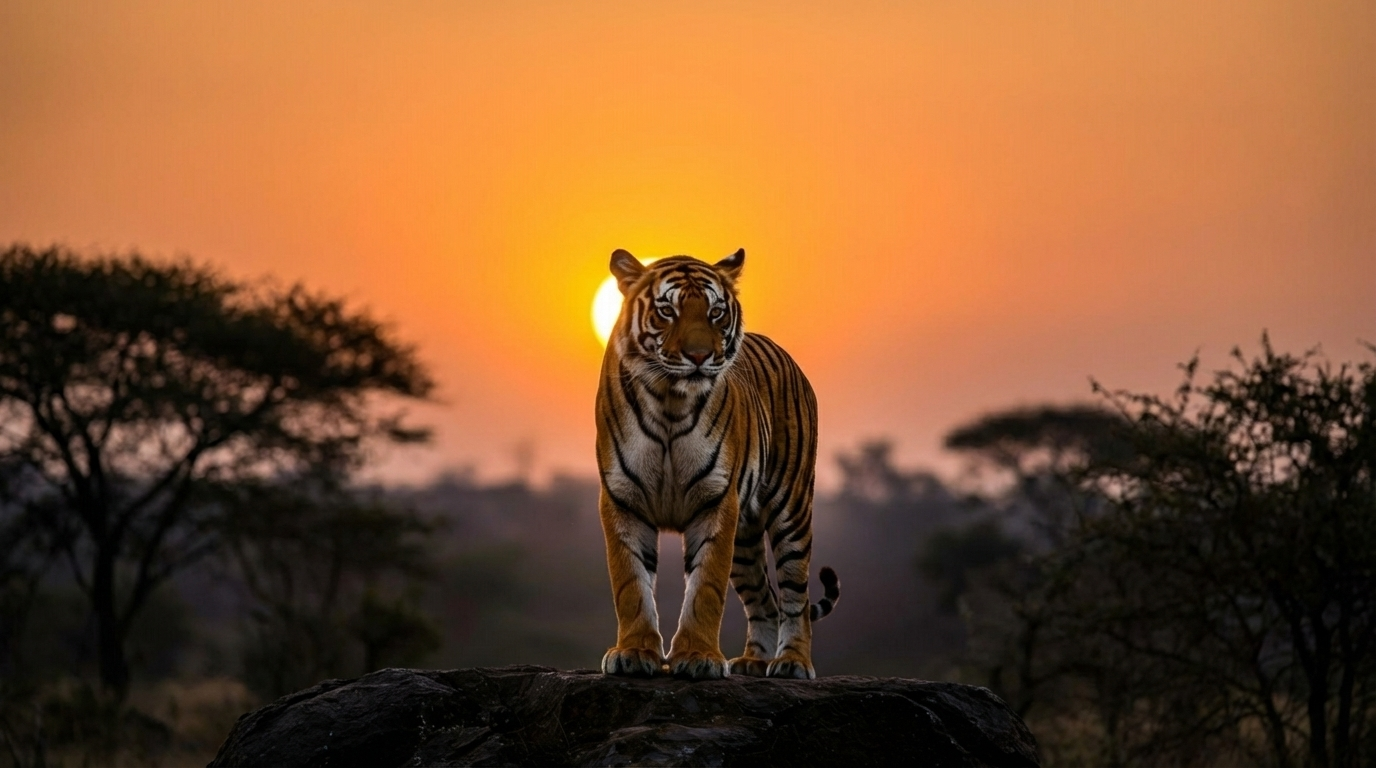
Input used: Input artifact (Image): Input — leonardo-ai-realistic-image-input.png
Observed output: Output artifact (Video file): Generated a clean animated clip from the realistic tiger photo, but the tiger became more stylized than realistic, showed facial distortion, and had no audio. — leonardo-ai-realistic-image-output.mp4
Input artifact: Input artifact (Image): Input — leonardo-ai-realistic-image-input.png
Output artifact: Output artifact (Video file): Generated a clean animated clip from the realistic tiger photo, but the tiger became more stylized than realistic, showed facial distortion, and had no audio. — leonardo-ai-realistic-image-output.mp4
What changed: Image transformed into Video file
Test case: Image → Video file
Input type: Image
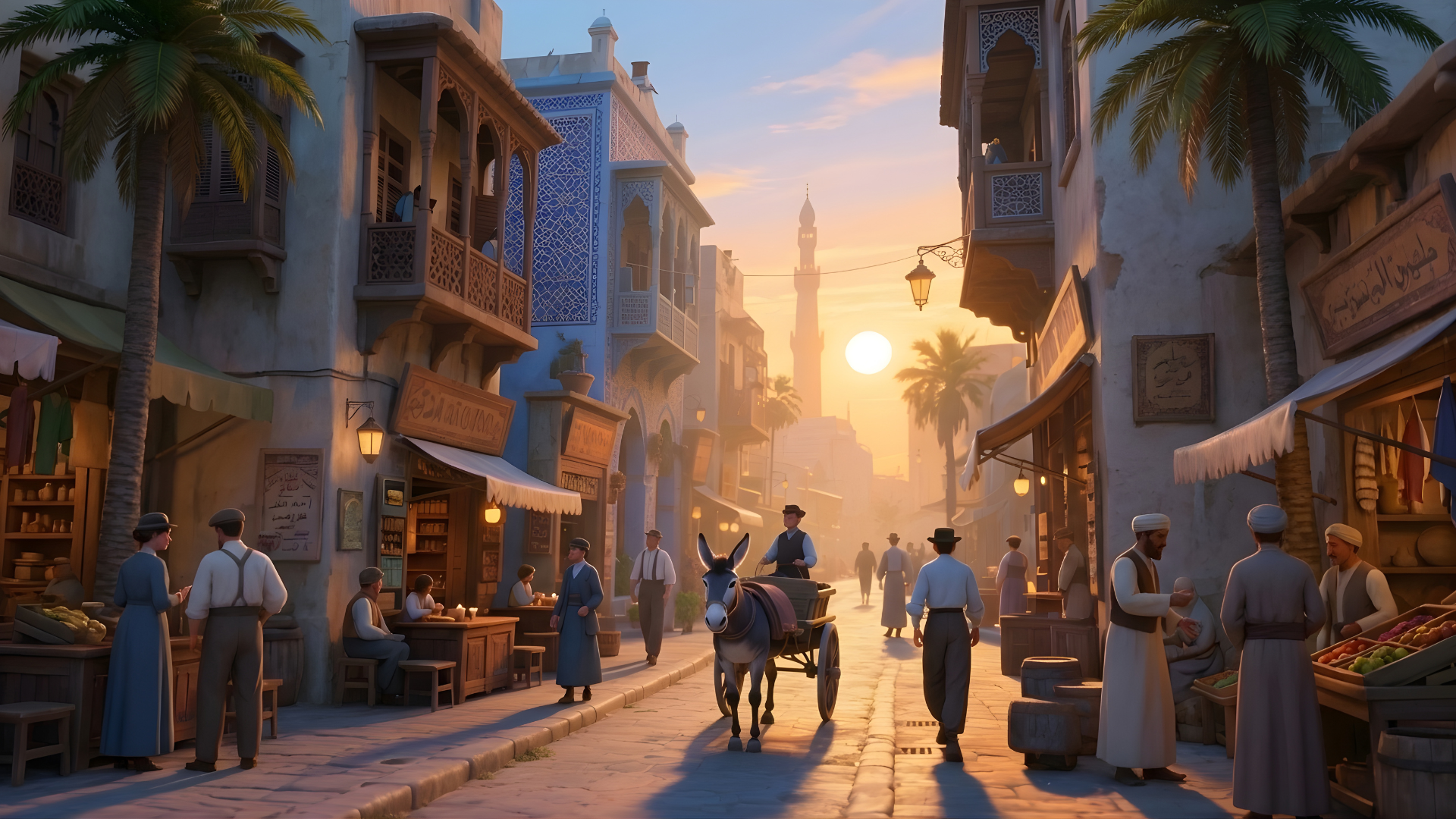
Input used: Input artifact (Image): source image — 3d image.png
Observed output: Output artifact (Video file): The clip preserved the sunset sky and crowd motion, but the birds requested in the prompt never appeared. Two figures on the left footpath break the scene in the first 3 seconds, and the cart rider's face is where the feature loss becomes most obvious. — output 1.mp4
Input artifact: Input artifact (Image): source image — 3d image.png
Output artifact: Output artifact (Video file): The clip preserved the sunset sky and crowd motion, but the birds requested in the prompt never appeared. Two figures on the left footpath break the scene in the first 3 seconds, and the cart rider's face is where the feature loss becomes most obvious. — output 1.mp4
What changed: Image transformed into Video file
Why it matters / Conclusion: The animation holds through the clip — but pause at the 4-second mark to check the hands against what the prompt asked for, and watch the environmental motion with sound on; the silence behind the bush movement is what actually lowers the cinematic feel here.
Animates a still image or static scene into a short playable MP4 with added motion, camera movement, environmental motion, and cinematic transitions. The member cards cover 2D illustrations, stylized 3D scenes, realistic wildlife/photo-style images, and general still-image inputs, including a dedicated 2D cinematic variant.

Free plan tested
Banner Preview
How the embed badge will look on your site

Embed HTML
Copy this code to your website source
Quick Integration Guide
- 1Copy the HTML code block above.
- 2Paste it into your site's HTML or CMS editor.
- 3Banner appears instantly on your page.
- 4Links back to your tool profile here.
Similar Tools
Discover more AI tools like Leonardo.Ai to enhance your workflow.
Comments (0)
Need a custom AI solution for this use case?
If you are looking to build a custom AI image generation, reference-photo photoshoots, or image styling system for your business or internal workflow, email us at contact@futuresmart.ai.
Found something inaccurate or missing? We try to keep our AI research accurate and useful. If you found outdated information, an issue, or have a suggestion, email us at collaborate@aidemos.com.