
Google Flow
Turn a single image into a cinematic clip with native audio and strong motion on realistic scenes.
Strong cinematic image-to-video, but not reliable on every brief
- You want native audio in an image-to-video clip
- You are animating portraits, wildlife, market scenes, or group photos where the main structure should stay stable
- You want camera and framing controls for iteration
- You need exact product-label legibility or prop staging to survive motion
Feature scores on this page: 92.0/100 (1 scored feature)
Our take
Google Flow stands out for turning single images into cinematic clips with native audio, especially on portraits and realistic scenes. The test also exposed real boundary cases — a 2D opening-frame orientation glitch, a hard cutoff on the tiger roar, and a product-shot failure that dropped the citrus/water staging and corrupted the label text — so it is excellent for photographic work, but not something to trust blindly on text-heavy commercial shots.
In-Depth Review
Our detailed analysis of Google Flow — features, performance, and real-world testing.
Feature-by-Feature Breakdown
Image-to-Cinematic Video Generation92/100▾
Feature tested: Image-to-Cinematic Video Generation
Result: Passed (92/100)
Expected behavior: Generates short cinematic video clips from still images, adding motion, depth, and cinematic movement while keeping the source scene recognizable. The evidence covers an anime illustration, a market street scene, a tiger photo, a portrait, a dinner toast scene, a product shot, and a complex 3D scene.
Test case: Image → Video file
Input type: Image
Input used: Input artifact (Image): Input — input-01.jpg
Observed output: Output artifact (Video file): 8-second anime-style clover clip with a push-in, drifting petals, hand motion, and a bright smile; the opening frames briefly appear rotated before the shot corrects. — google-flow-input-01-output.mp4
Input artifact: Input artifact (Image): Input — input-01.jpg
Output artifact: Output artifact (Video file): 8-second anime-style clover clip with a push-in, drifting petals, hand motion, and a bright smile; the opening frames briefly appear rotated before the shot corrects. — google-flow-input-01-output.mp4
What changed: Image transformed into Video file
Test case: Image → Video file
Input type: Image
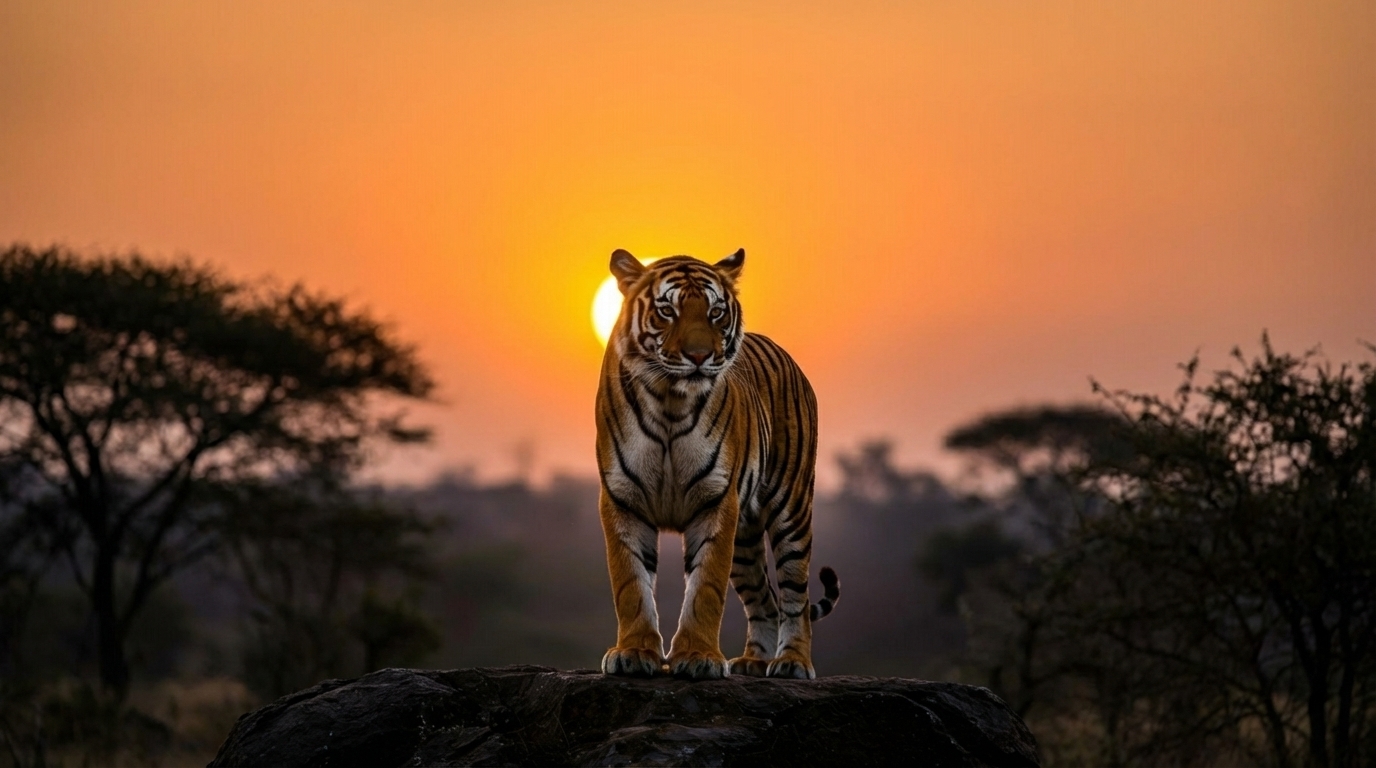
Input used: Input artifact (Image): Input — input-03.jpeg
Observed output: Output artifact (Video file): The tiger’s stripes, rock texture, and rim lighting stay stable while the animal moves into the roar pose. — google-flow-input-03-output.mp4
Input artifact: Input artifact (Image): Input — input-03.jpeg
Output artifact: Output artifact (Video file): The tiger’s stripes, rock texture, and rim lighting stay stable while the animal moves into the roar pose. — google-flow-input-03-output.mp4
What changed: Image transformed into Video file
Test case: Image → Video file
Input type: Image
Input used: Input artifact (Image): Input — input-04.webp
Observed output: Output artifact (Video file): The portrait stays crisp and recognizably the same person across the clip, with no warping or waxy over-smoothing. — google-flow-input-04-output.mp4
Input artifact: Input artifact (Image): Input — input-04.webp
Output artifact: Output artifact (Video file): The portrait stays crisp and recognizably the same person across the clip, with no warping or waxy over-smoothing. — google-flow-input-04-output.mp4
What changed: Image transformed into Video file
Test case: Image → Video file
Input type: Image
Input used: Input artifact (Image): Input — input-05.webp
Observed output: Output artifact (Video file): 8-second dinner-toast clip that opens on the glasses, arcs outward to reveal faces, and closes back into a shallow-focus toast orbit. — google-flow-input-05-output.mp4
Input artifact: Input artifact (Image): Input — input-05.webp
Output artifact: Output artifact (Video file): 8-second dinner-toast clip that opens on the glasses, arcs outward to reveal faces, and closes back into a shallow-focus toast orbit. — google-flow-input-05-output.mp4
What changed: Image transformed into Video file
Test case: Image → Video file
Input type: Image
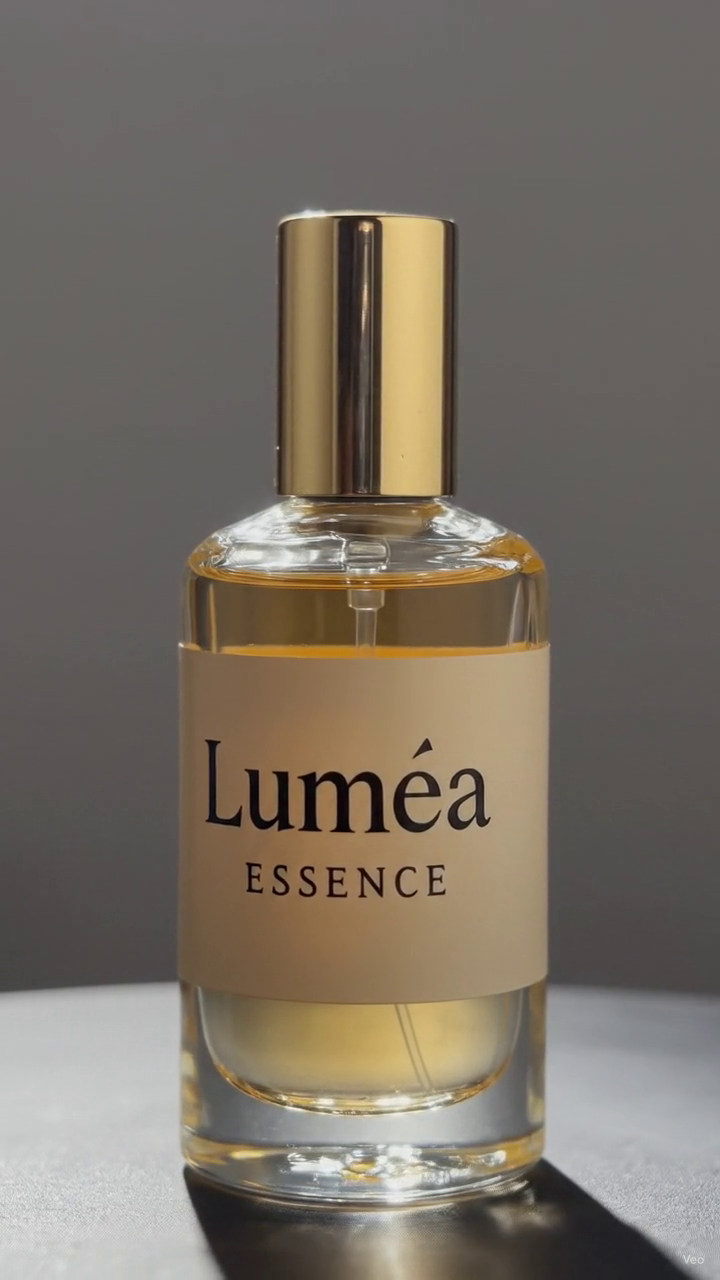
Input used: Input artifact (Image): Input — input-06.webp
Observed output: Output artifact (Video file): The bottle rotates smoothly, but the clip drops the orange and water staging entirely and shows a small label artifact. — google-flow-input-06-output.mp4
Input artifact: Input artifact (Image): Input — input-06.webp
Output artifact: Output artifact (Video file): The bottle rotates smoothly, but the clip drops the orange and water staging entirely and shows a small label artifact. — google-flow-input-06-output.mp4
What changed: Image transformed into Video file
Test case: Image → Image
Input type: Image
Input used: Input artifact (Image): Input — input-06.webp
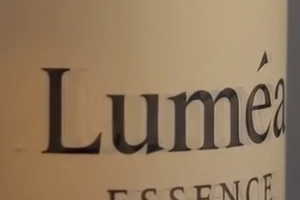
Observed output: Output artifact (Image): Close crop of the label shows the corrupted or warped text detail above the brand name. — google-flow-input-06-output-textcorruption-01.png
Input artifact: Input artifact (Image): Input — input-06.webp
Output artifact: Output artifact (Image): Close crop of the label shows the corrupted or warped text detail above the brand name. — google-flow-input-06-output-textcorruption-01.png
What changed: Image transformed into Image
Test case: Image → Image
Input type: Image
Input used: Input artifact (Image): Input — input-06.webp
Observed output: Output artifact (Image): Full-frame crop shows the bottle against a plain background with no citrus or water staging in view. — google-flow-input-06-output-omission-01.png
Input artifact: Input artifact (Image): Input — input-06.webp
Output artifact: Output artifact (Image): Full-frame crop shows the bottle against a plain background with no citrus or water staging in view. — google-flow-input-06-output-omission-01.png
What changed: Image transformed into Image
Test case: Image → Video file
Input type: Image
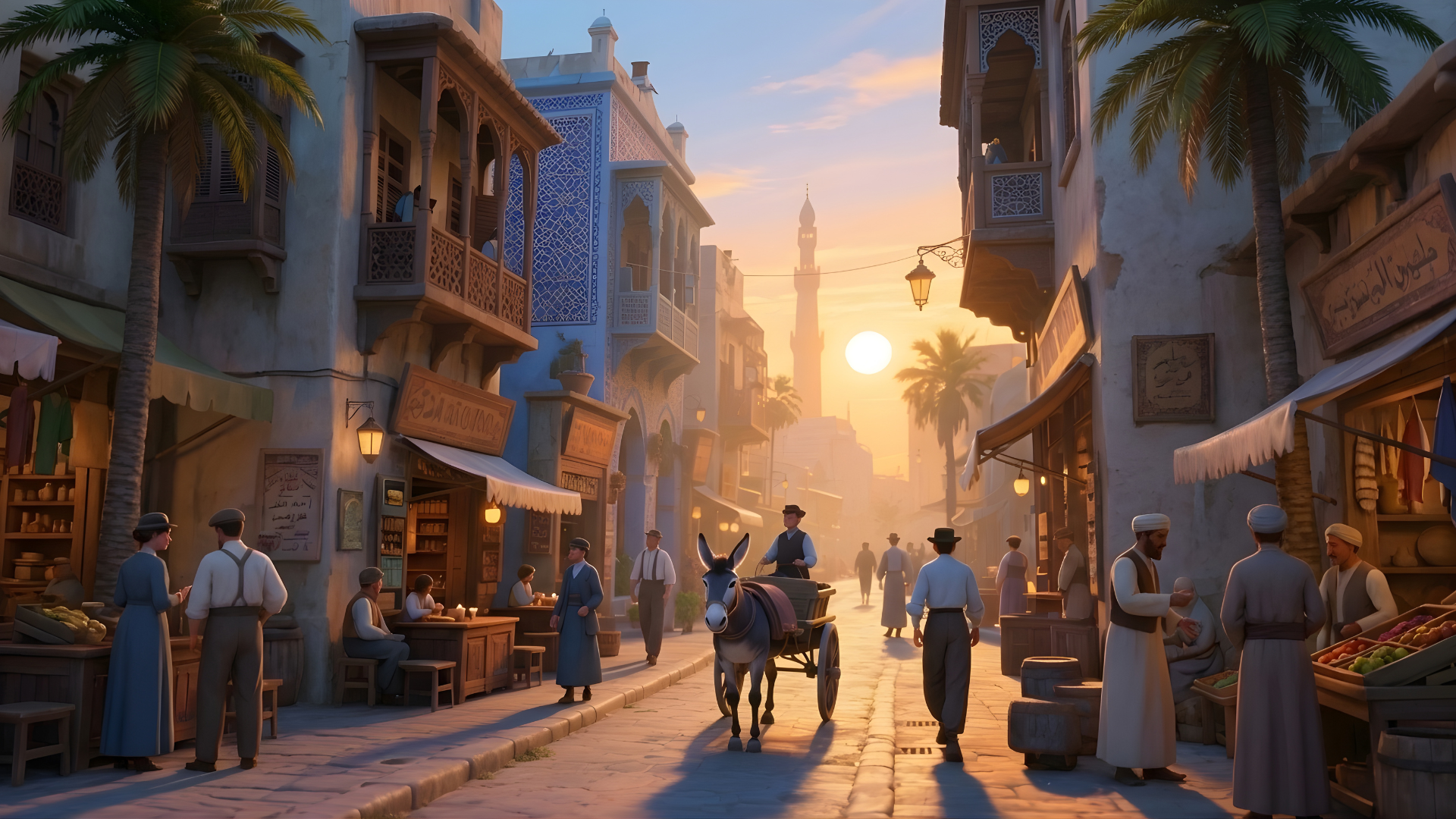
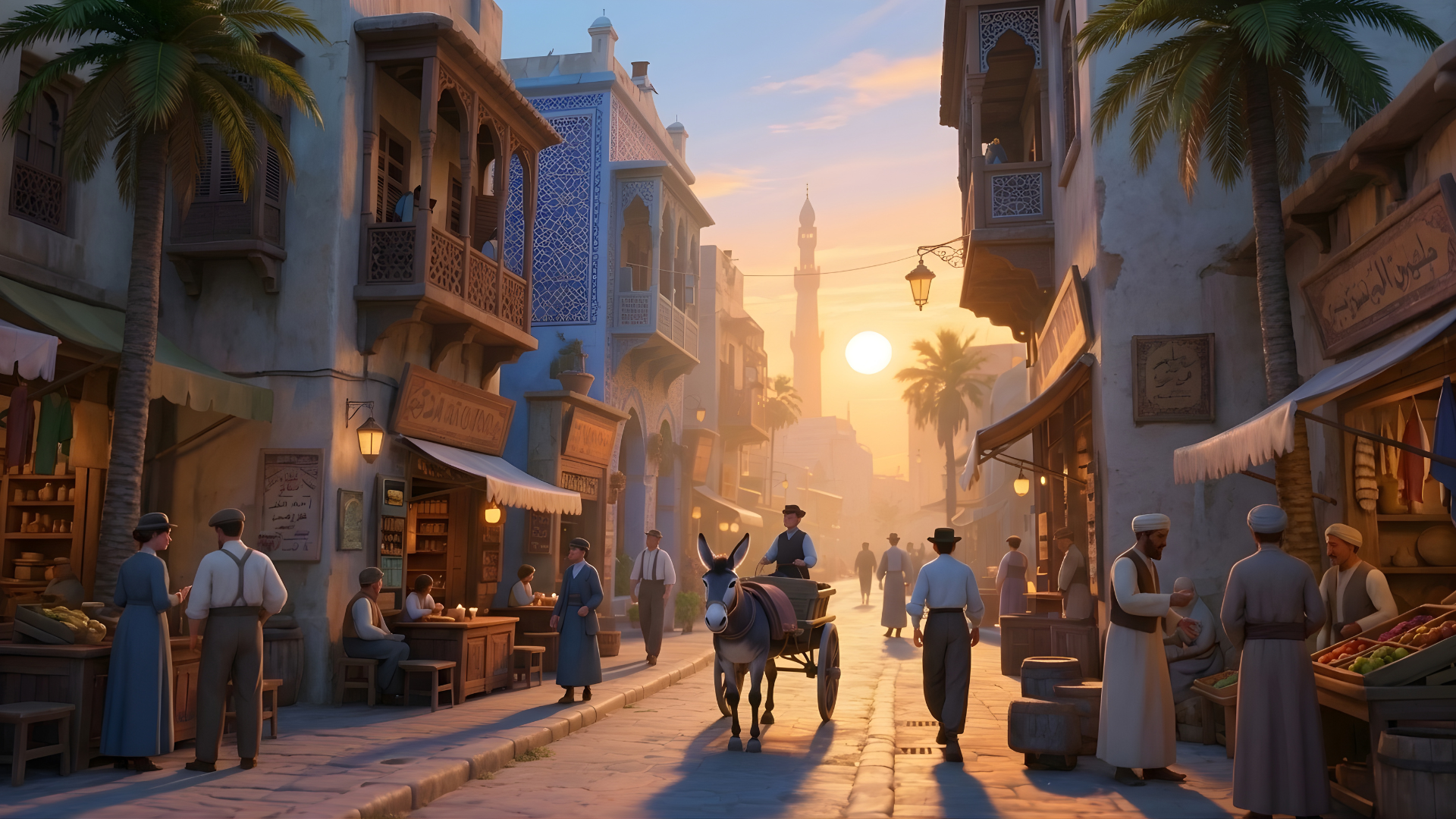
Input used: Input artifact (Image): Input image — 3d image.png
Observed output: Output artifact (Video file): A stylized cinematic street scene at sunset becomes a moving donkey-cart market clip. Across the sampled frames, the cart advances through the narrow street, pedestrians shift position, and the camera composition changes slightly while the blue-and-white buildings, hanging lamps, shop stalls, and distant minaret remain readable. — output 1.mp4
Input artifact: Input artifact (Image): Input image — 3d image.png
Output artifact: Output artifact (Video file): A stylized cinematic street scene at sunset becomes a moving donkey-cart market clip. Across the sampled frames, the cart advances through the narrow street, pedestrians shift position, and the camera composition changes slightly while the blue-and-white buildings, hanging lamps, shop stalls, and distant minaret remain readable. — output 1.mp4
What changed: Image transformed into Video file
Why it matters / Conclusion: This is the core strength of Google Flow: it can turn varied single images into coherent cinematic clips, with the strongest results on photographic scenes and the weakest opening behavior on the 2D illustration.
Generates short cinematic video clips from still images, adding motion, depth, and cinematic movement while keeping the source scene recognizable. The evidence covers an anime illustration, a market street scene, a tiger photo, a portrait, a dinner toast scene, a product shot, and a complex 3D scene.




Native Audio in Generated Video▾
Feature tested: Native Audio in Generated Video
Result: Partial
Expected behavior: Adds synchronized sound to generated clips as part of the output, including ambient beds, dialogue, and scene-specific effects. The tests mention AAC stereo audio, active roar on the tiger clip, and sound arriving with the clip rather than as a separate manual step.
Test case: Image → Video file
Input type: Image
Input used: Input artifact (Image): Input — input-03.jpeg
Observed output: Output artifact (Video file): Native audio is present, but the tiger roar is still active at the hard cut, so the sound ends mid-action. — google-flow-input-03-output.mp4
Input artifact: Input artifact (Image): Input — input-03.jpeg
Output artifact: Output artifact (Video file): Native audio is present, but the tiger roar is still active at the hard cut, so the sound ends mid-action. — google-flow-input-03-output.mp4
What changed: Image transformed into Video file
Test case: Image → Video file
Input type: Image
Input used: Input artifact (Image): Input — input-05.webp
Observed output: Output artifact (Video file): Native audio is present with a soft fade toward the end rather than a silent export. — google-flow-input-05-output.mp4
Input artifact: Input artifact (Image): Input — input-05.webp
Output artifact: Output artifact (Video file): Native audio is present with a soft fade toward the end rather than a silent export. — google-flow-input-05-output.mp4
What changed: Image transformed into Video file
Test case: Image → Video file
Input type: Image
Input used: Input artifact (Image): Input — input-04.webp
Observed output: Output artifact (Video file): Native audio is present on the portrait clip as well, confirming audio is not limited to action-heavy scenes. — google-flow-input-04-output.mp4
Input artifact: Input artifact (Image): Input — input-04.webp
Output artifact: Output artifact (Video file): Native audio is present on the portrait clip as well, confirming audio is not limited to action-heavy scenes. — google-flow-input-04-output.mp4
What changed: Image transformed into Video file
Test case: Image → Video file
Input type: Image
Input used: Input artifact (Image): INPUT — 3d image.png
Observed output: Output artifact (Video file): The earlier review associated this clip with opening dialogue and strong cinematic sound integration. — output 1.mp4
Input artifact: Input artifact (Image): INPUT — 3d image.png
Output artifact: Output artifact (Video file): The earlier review associated this clip with opening dialogue and strong cinematic sound integration. — output 1.mp4
What changed: Image transformed into Video file
Test case: Image → Video file
Input type: Image
Input used: Input artifact (Image): INPUT — image-4.png
Observed output: Output artifact (Video file): The 2D clip included sound effects as part of the generated result. — 2d output.mp4
Input artifact: Input artifact (Image): INPUT — image-4.png
Output artifact: Output artifact (Video file): The 2D clip included sound effects as part of the generated result. — 2d output.mp4
What changed: Image transformed into Video file
Why it matters / Conclusion: Native audio is a real differentiator here — every tested clip carried sound — but the tiger case shows the audio can still be cut off at the clip boundary.
Adds synchronized sound to generated clips as part of the output, including ambient beds, dialogue, and scene-specific effects. The tests mention AAC stereo audio, active roar on the tiger clip, and sound arriving with the clip rather than as a separate manual step.

Pricing & Access
Plans tested April 2026. Credit-based usage with free and premium access tiers.
Pricing checked April 2026. Rechecked quarterly.
Featured in Rankings
Independent rankings where Google Flow was tested and rated.
Banner Preview
How the embed badge will look on your site

Embed HTML
Copy this code to your website source
Quick Integration Guide
- 1Copy the HTML code block above.
- 2Paste it into your site's HTML or CMS editor.
- 3Banner appears instantly on your page.
- 4Links back to your tool profile here.
Similar Tools
Discover more AI tools like Google Flow to enhance your workflow.
Comments (0)
Need a custom AI solution for this use case?
If you are looking to build a custom AI video generation, image-to-video, or cinematic clip creation workflow for your business or internal workflow, email us at contact@futuresmart.ai.
Found something inaccurate or missing? We try to keep our AI research accurate and useful. If you found outdated information, an issue, or have a suggestion, email us at collaborate@aidemos.com.