Quiz Generation
Version 1No published result

Good question generation from PDFs and handwritten notes, but it behaves more like a review sheet than a real quiz platform.
Strong question generation, weak quiz loop
Knowt does a solid job turning PDFs and scanned handwritten notes into exam-style questions, and the handwritten OCR case was the standout. The core limitation is the study experience itself: answers appear with the questions, so it behaves more like a review sheet than a timed quiz, and YouTube still needs a workaround rather than direct URL import.
Explore Knowt in our public benchmarks.
No published result
Our detailed analysis of Knowt — features, performance, and real-world testing.
Feature tested: Generate Study Materials from Files
Result: Passed
Expected behavior: Turns uploaded study files into reusable study outputs. In this run it produced exam-style questions from a dense typed biology PDF and scanned handwritten notes, and it also surfaced flashcards, notes, and multiple quiz formats from the same source material.
Test case: PDF document → Image
Input type: PDF document
Input used: Input artifact (PDF document): Input — input1_primary.pdf
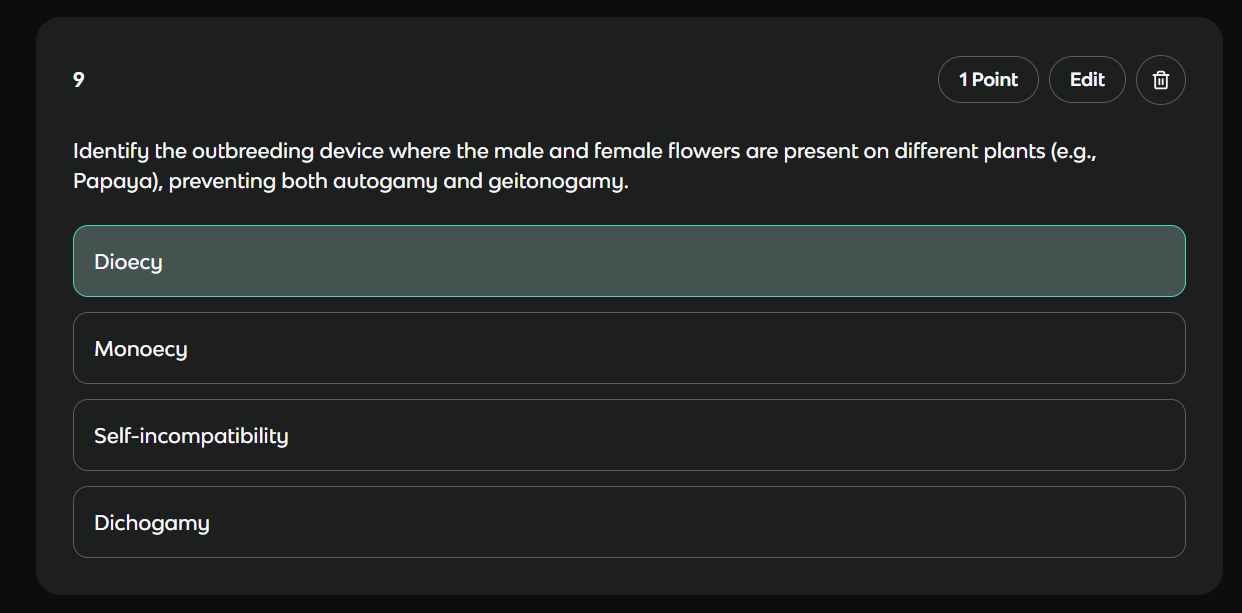
Observed output: Output artifact (Image): A typed biology PDF generated an exam-style multiple-choice question about the outbreeding device in flowering plants; "Dioecy" was selected as the correct answer. — out1_pdf_mcq_withanswer.png
Input artifact: Input artifact (PDF document): Input — input1_primary.pdf
Output artifact: Output artifact (Image): A typed biology PDF generated an exam-style multiple-choice question about the outbreeding device in flowering plants; "Dioecy" was selected as the correct answer. — out1_pdf_mcq_withanswer.png
What changed: PDF document transformed into Image
Test case: PDF document → Image
Input type: PDF document
Input used: Input artifact (PDF document): Typed biology chapter used for quiz generation. — input1_primary.pdf
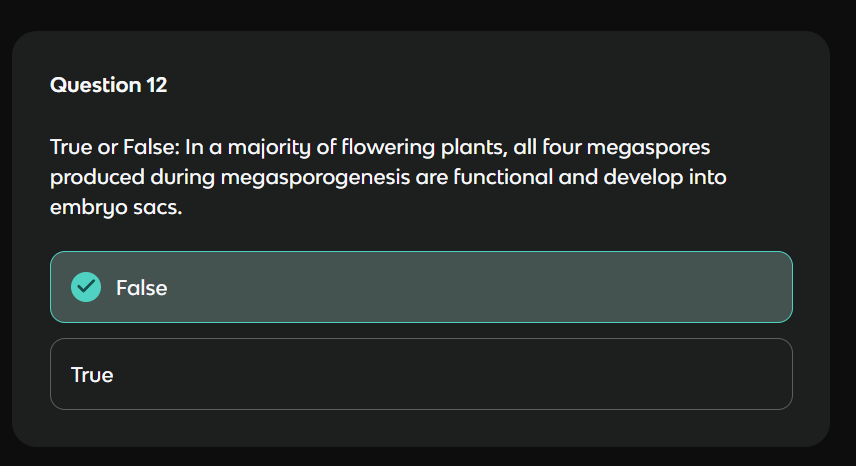
Observed output: Output artifact (Image): Knowt generated a True/False item from the typed biology chapter and showed the selected answer inline. — out1_trufalse.png
Input artifact: Input artifact (PDF document): Typed biology chapter used for quiz generation. — input1_primary.pdf
Output artifact: Output artifact (Image): Knowt generated a True/False item from the typed biology chapter and showed the selected answer inline. — out1_trufalse.png
What changed: PDF document transformed into Image
Test case: PDF document → Image
Input type: PDF document
Input used: Input artifact (PDF document): Input — input2_secondary.pdf
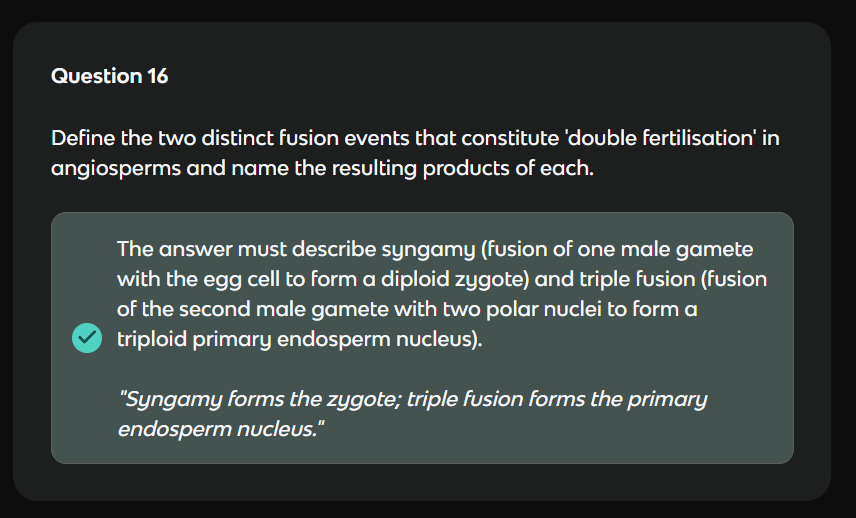
Observed output: Output artifact (Image): A scanned handwritten biology chapter produced a coherent free-response prompt on double fertilisation, and the answer was accepted and highlighted. — out2_handwritten_questions.png
Input artifact: Input artifact (PDF document): Input — input2_secondary.pdf
Output artifact: Output artifact (Image): A scanned handwritten biology chapter produced a coherent free-response prompt on double fertilisation, and the answer was accepted and highlighted. — out2_handwritten_questions.png
What changed: PDF document transformed into Image
Test case: Text prompt → Image
Input type: Text prompt
Input used: Input artifact (Text prompt): Input
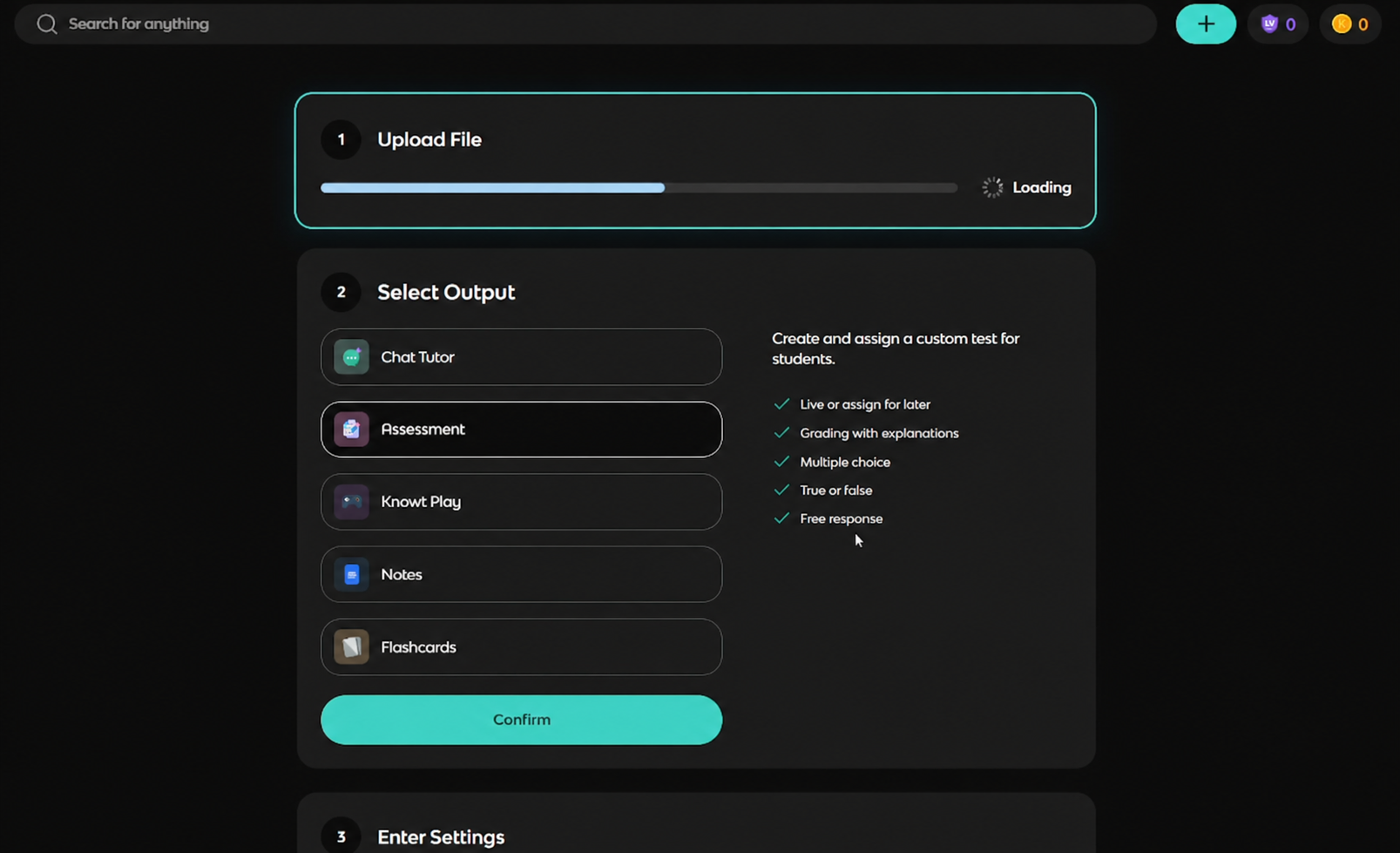
Observed output: Output artifact (Image): The create flow is on Assessment and exposes MCQ, True/False, and Free Response as output choices, with grading-oriented copy on the right. — out_upload_progress.png
Input artifact: Input artifact (Text prompt): Input
Output artifact: Output artifact (Image): The create flow is on Assessment and exposes MCQ, True/False, and Free Response as output choices, with grading-oriented copy on the right. — out_upload_progress.png
What changed: Text prompt transformed into Image
Test case: Text prompt → Image
Input type: Text prompt
Input used: Input artifact (Text prompt): Input
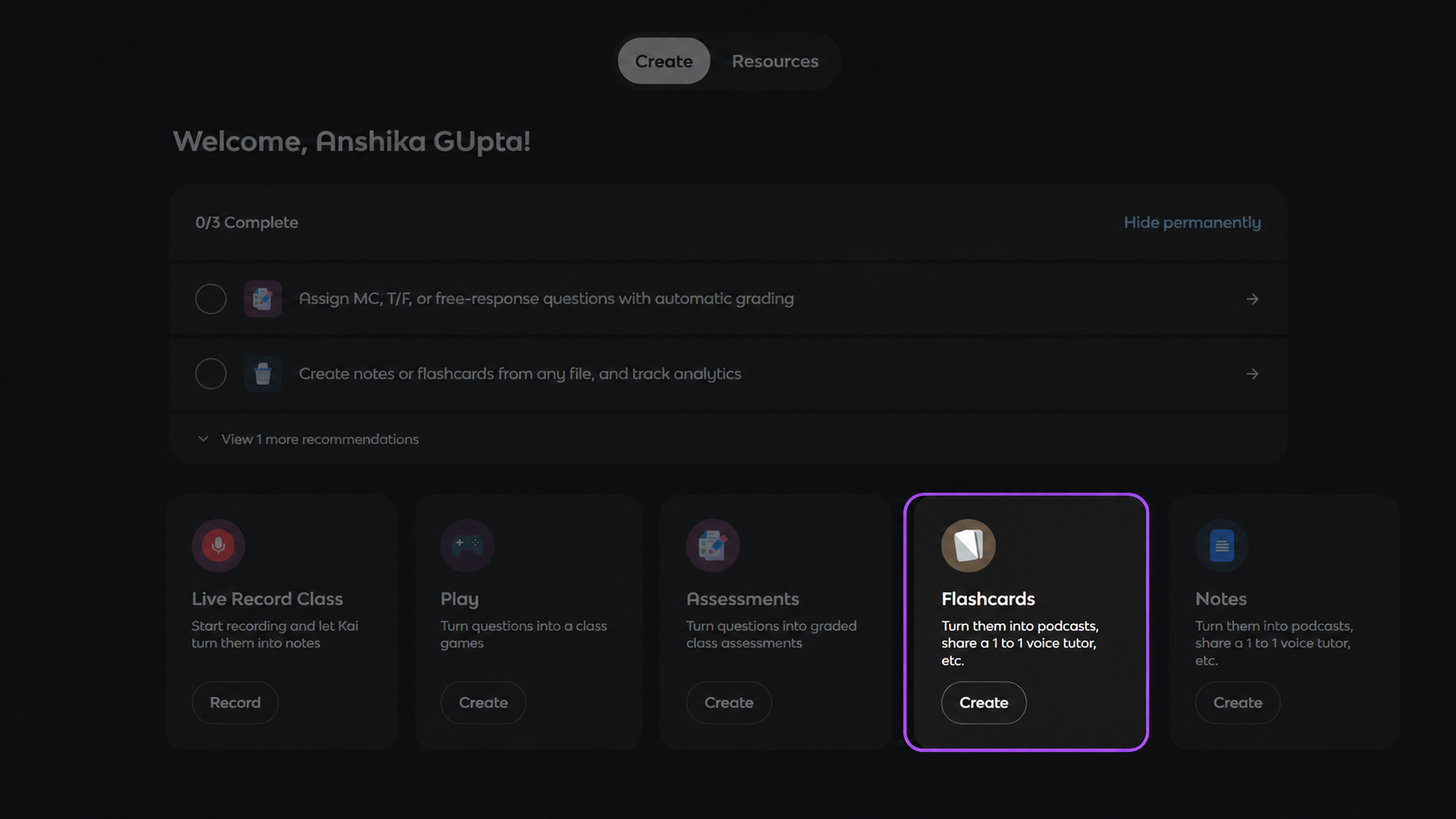
Observed output: Output artifact (Image): The dashboard advertises Flashcards and Notes creation from any file, plus podcasts and a one-to-one voice tutor, on the free tier. — out_flashcard_option.png
Input artifact: Input artifact (Text prompt): Input
Output artifact: Output artifact (Image): The dashboard advertises Flashcards and Notes creation from any file, plus podcasts and a one-to-one voice tutor, on the free tier. — out_flashcard_option.png
What changed: Text prompt transformed into Image
Why it matters / Conclusion: Works on both typed PDFs and handwritten notes, with the handwritten case clearly the best-quality output in this run.
Turns uploaded study files into reusable study outputs. In this run it produced exam-style questions from a dense typed biology PDF and scanned handwritten notes, and it also surfaced flashcards, notes, and multiple quiz formats from the same source material.
Feature tested: Question Review and Editing
Result: Partial
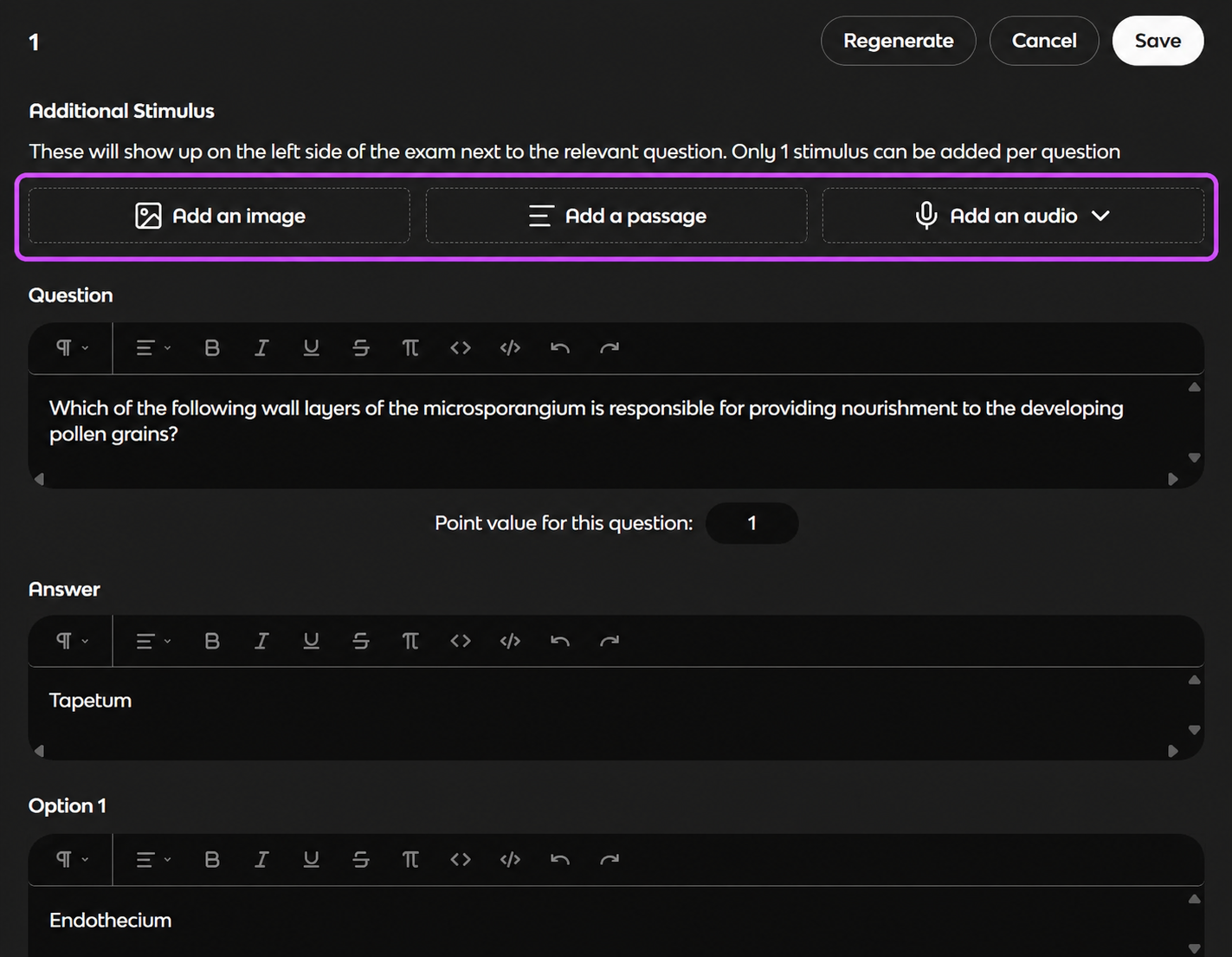
Expected behavior: Lets you refine generated questions before using them. Here it supported regenerating, cancelling, saving, editing, adding stimulus image/passage/audio, and revealing answers inline.
Test case: Text prompt → Image
Input type: Text prompt
Input used: Input artifact (Text prompt): Input
Observed output: Output artifact (Image): The editor allows regenerate, cancel, save, and additional stimulus attachments for the question. — out1_edit_panel.png
Input artifact: Input artifact (Text prompt): Input
Output artifact: Output artifact (Image): The editor allows regenerate, cancel, save, and additional stimulus attachments for the question. — out1_edit_panel.png
What changed: Text prompt transformed into Image
Test case: Text prompt → Image
Input type: Text prompt
Input used: Input artifact (Text prompt): Input
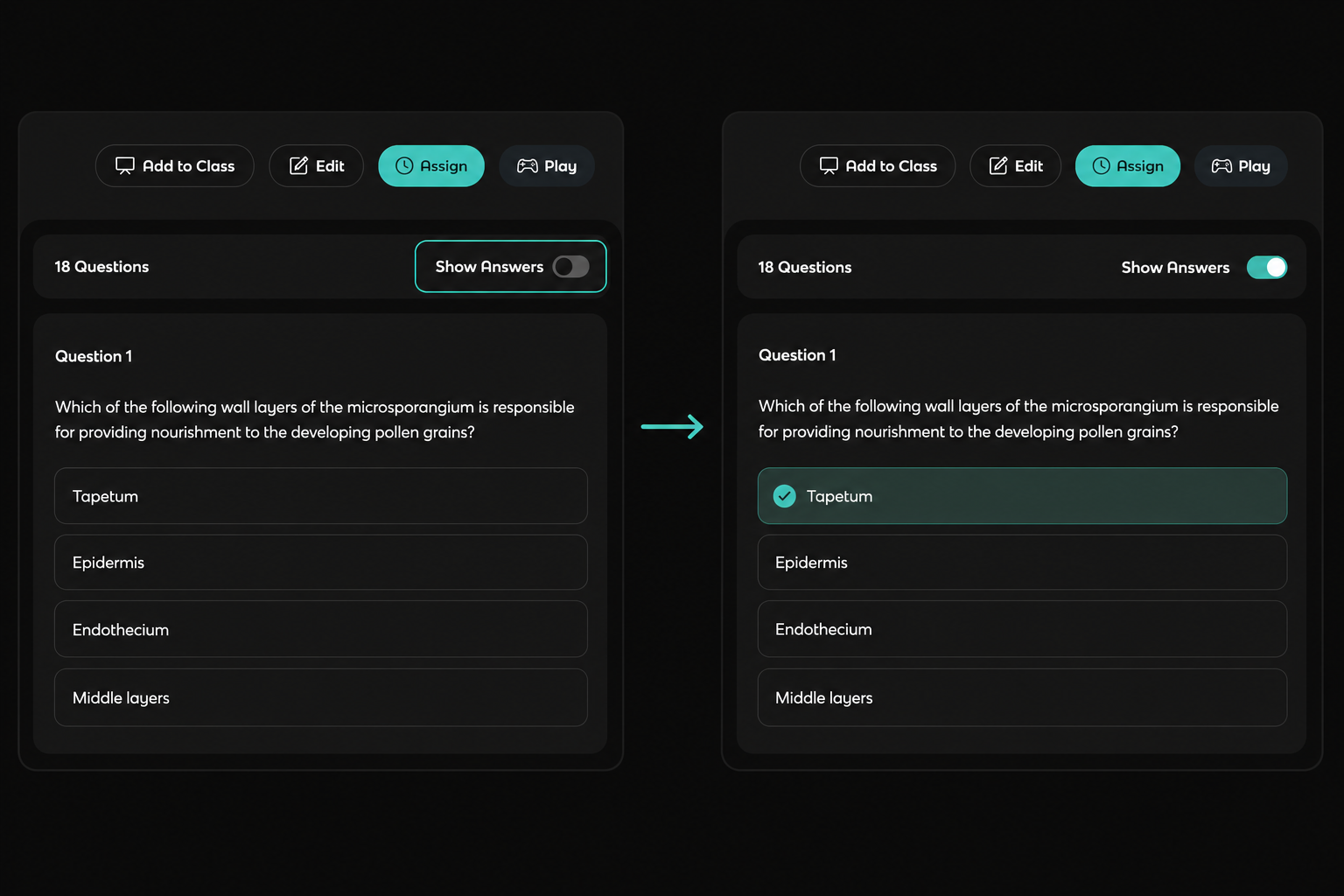
Observed output: Output artifact (Image): Turning on Show Answers reveals the correct option inline, here marking Tapetum. — out1_showanswer_toggle.png
Input artifact: Input artifact (Text prompt): Input
Output artifact: Output artifact (Image): Turning on Show Answers reveals the correct option inline, here marking Tapetum. — out1_showanswer_toggle.png
What changed: Text prompt transformed into Image
Why it matters / Conclusion: Useful for cleanup and assignment prep, but it still does not create a true timed quiz flow.
Lets you refine generated questions before using them. Here it supported regenerating, cancelling, saving, editing, adding stimulus image/passage/audio, and revealing answers inline.
Feature tested: PDF Export
Result: Partial
Verdict: Confirmed
Expected behavior: Exports generated question sets as a PDF so they can be saved, printed, or shared outside the app.
Test case: Text prompt → PDF document
Input type: Text prompt
Input used: Input artifact (Text prompt): Input
Observed output: Output artifact (PDF document): Exported question set in PDF form. — out2_secondary.pdf
Input artifact: Input artifact (Text prompt): Input
Output artifact: Output artifact (PDF document): Exported question set in PDF form. — out2_secondary.pdf
What changed: Text prompt transformed into PDF document
Why it matters / Conclusion: PDF is the main confirmed path for taking content out of the tool.
Exports generated question sets as a PDF so they can be saved, printed, or shared outside the app.
Feature tested: Media File Upload and Ingestion
Result: Failed
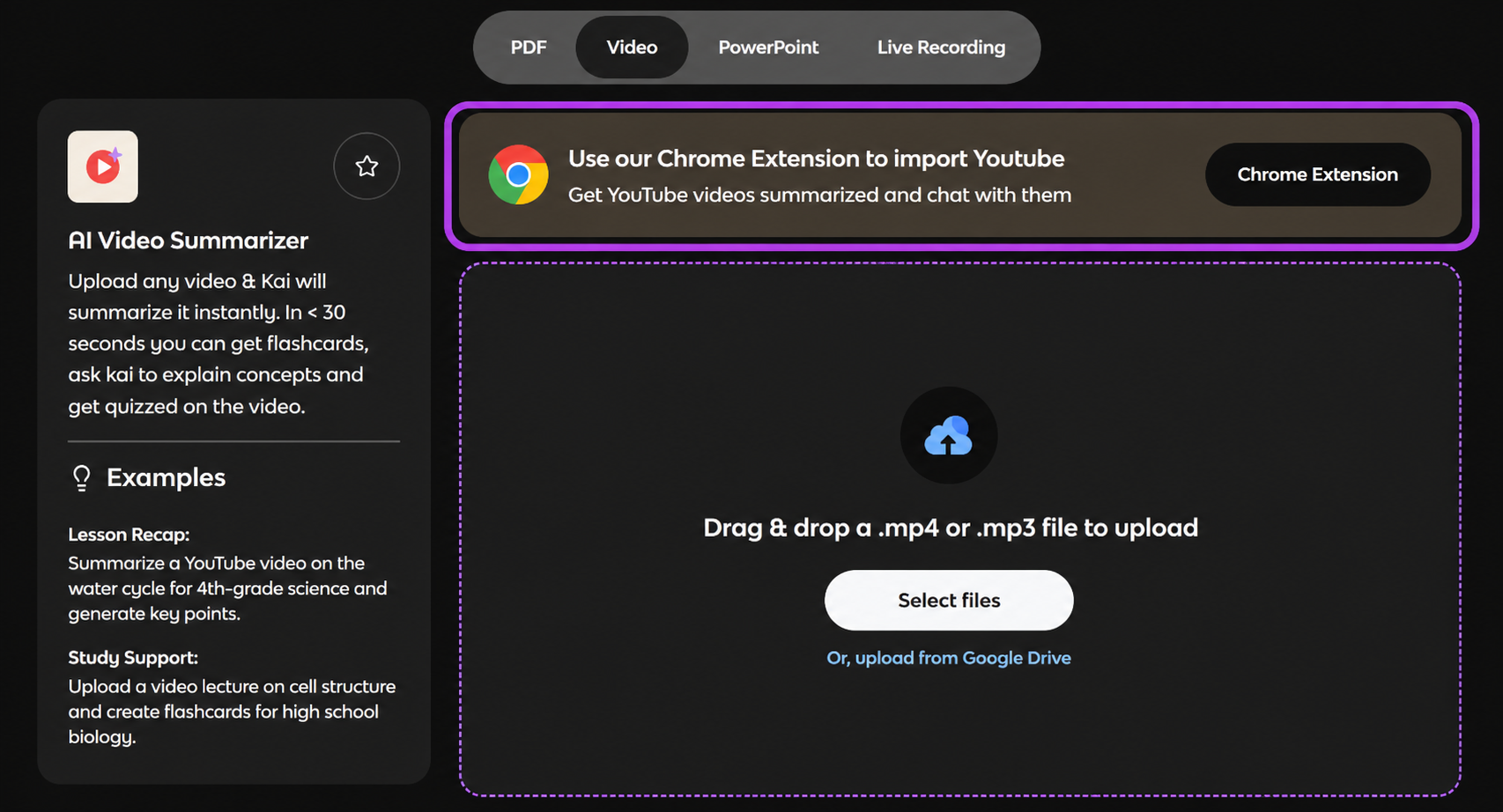
Expected behavior: Accepts local video and audio files as input for the video summarizer path. In this run .mp4 and .mp3 uploads worked, while direct YouTube URLs did not ingest natively and required a workaround.
Test case: YouTube video → Image
Input type: YouTube video
Input used: Input artifact (YouTube video): Input
Observed output: Output artifact (Image): The video page points YouTube users to a Chrome extension instead of accepting the URL directly, while showing local video/audio upload support. — out3_youtube_failure.png
Input artifact: Input artifact (YouTube video): Input
Output artifact: Output artifact (Image): The video page points YouTube users to a Chrome extension instead of accepting the URL directly, while showing local video/audio upload support. — out3_youtube_failure.png
What changed: YouTube video transformed into Image
Why it matters / Conclusion: Direct YouTube import failed, so video input is workable only with a workaround rather than native URL support.
Accepts local video and audio files as input for the video summarizer path. In this run .mp4 and .mp3 uploads worked, while direct YouTube URLs did not ingest natively and required a workaround.
Independent rankings where Knowt was tested and rated.
How the embed badge will look on your site

Copy this code to your website source
Discover more AI tools like Knowt to enhance your workflow.
If you are looking to build a custom study guide generation, quiz creation, or flashcard tool for your business or internal workflow, email us at contact@futuresmart.ai.
Found something inaccurate or missing? We try to keep our AI research accurate and useful. If you found outdated information, an issue, or have a suggestion, email us at collaborate@aidemos.com.