
Creatify
Turns product briefs into vertical UGC avatar ads with voice, captions, and edit controls.
Strong end-to-end fit for avatar-style UGC ads
- You want one tool to turn a real product brief or script into a vertical AI-avatar video with voice and captions.
- You need to test SaaS, physical-product, and app ad workflows in the same interface.
- You want basic in-place editing for script, avatar, voice, and captions before export.
- You need exact, verbatim script preservation with no wording drift.
Our take
Creatify was a strong fit for this use case because it repeatedly turned the test scripts into downloadable vertical videos with an AI presenter, voice, and captions, and it exposed practical controls for script, avatar, voice, and caption editing. The main caveats were minor wording drift from the supplied script, a watermark on the free plan, and unverified commercial-rights details.
In-Depth Review
Our detailed analysis of Creatify — features, performance, and real-world testing.
Feature-by-Feature Breakdown
End-to-end UGC avatar video generation▾
Feature tested: End-to-end UGC avatar video generation
Result: Passed
Expected behavior: Creatify turns a supplied product script into a short vertical UGC-style video with an AI presenter, synthesized voice, and captions. It was exercised on SaaS, physical product, and mobile app inputs and produced exportable vertical videos.
Test case: Text prompt → Video file
Input type: Text prompt
Input used: Input artifact (Text prompt): INPUT
Observed output: Output artifact (Video file): A downloadable 9:16 UGC-style avatar video with voice and captions; the presenter looked realistic and the lip sync was accurate. The report noted small wording changes from the supplied script and a free-plan watermark. — creatify-futuresmart-output.mp4.mp4
Input artifact: Input artifact (Text prompt): INPUT
Output artifact: Output artifact (Video file): A downloadable 9:16 UGC-style avatar video with voice and captions; the presenter looked realistic and the lip sync was accurate. The report noted small wording changes from the supplied script and a free-plan watermark. — creatify-futuresmart-output.mp4.mp4
What changed: Text prompt transformed into Video file
Test case: Text prompt → Video file
Input type: Text prompt
Input used: Input artifact (Text prompt): INPUT
Observed output: Output artifact (Video file): A downloadable 9:16 avatar ad with smooth voice delivery and synced captions. The video fit a product-review style, though the report noted the presentation leaned more on the avatar than the product itself and still included a free-plan watermark. — creatify-nike-output.mp4.mp4
Input artifact: Input artifact (Text prompt): INPUT
Output artifact: Output artifact (Video file): A downloadable 9:16 avatar ad with smooth voice delivery and synced captions. The video fit a product-review style, though the report noted the presentation leaned more on the avatar than the product itself and still included a free-plan watermark. — creatify-nike-output.mp4.mp4
What changed: Text prompt transformed into Video file
Test case: Text prompt → Video file
Input type: Text prompt
Input used: Input artifact (Text prompt): INPUT
Observed output: Output artifact (Video file): A downloadable 9:16 avatar video with clear narration, synced captions, and a believable presenter. The report said the output was clean and quick to generate, but the delivery stayed fairly neutral and the background did not strongly reflect the app. — creatify-duolingo-output.mp4.mp4
Input artifact: Input artifact (Text prompt): INPUT
Output artifact: Output artifact (Video file): A downloadable 9:16 avatar video with clear narration, synced captions, and a believable presenter. The report said the output was clean and quick to generate, but the delivery stayed fairly neutral and the background did not strongly reflect the app. — creatify-duolingo-output.mp4.mp4
What changed: Text prompt transformed into Video file
Why it matters / Conclusion: Worked across all three tested product types and produced exportable vertical videos that were suitable for UGC-style ad evaluation.
Creatify turns a supplied product script into a short vertical UGC-style video with an AI presenter, synthesized voice, and captions. It was exercised on SaaS, physical product, and mobile app inputs and produced exportable vertical videos.
In-place script editing▾
Feature tested: In-place script editing
Result: Passed
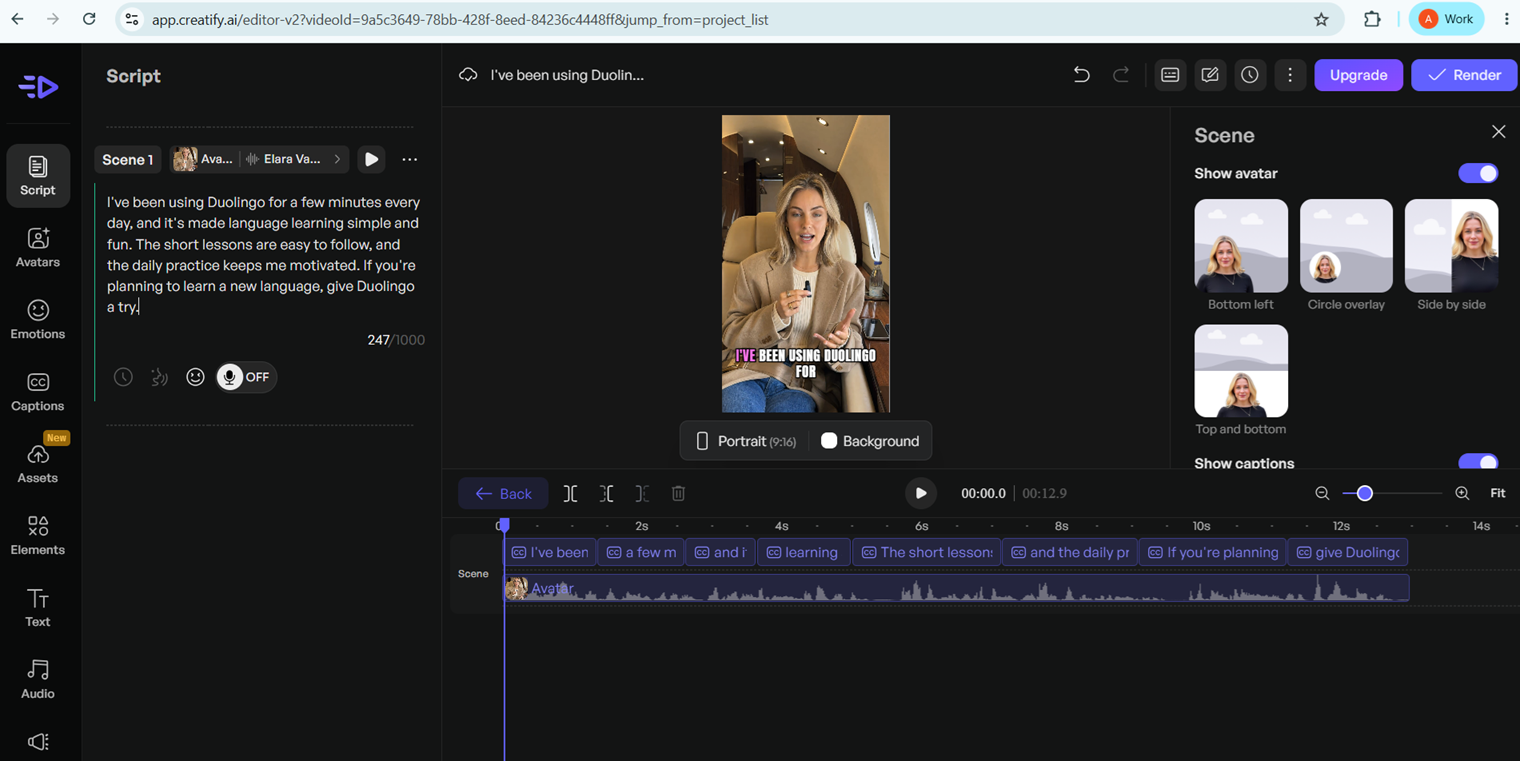
Expected behavior: The editor can rewrite the script inside an existing project without rebuilding the ad from scratch. In the tested project, the script was replaced while the scene layout and timeline stayed in place.
Test case: Image → Image
Input type: Image
Input used: Input artifact (Image): Input — creatify-script-before-edit-2.png
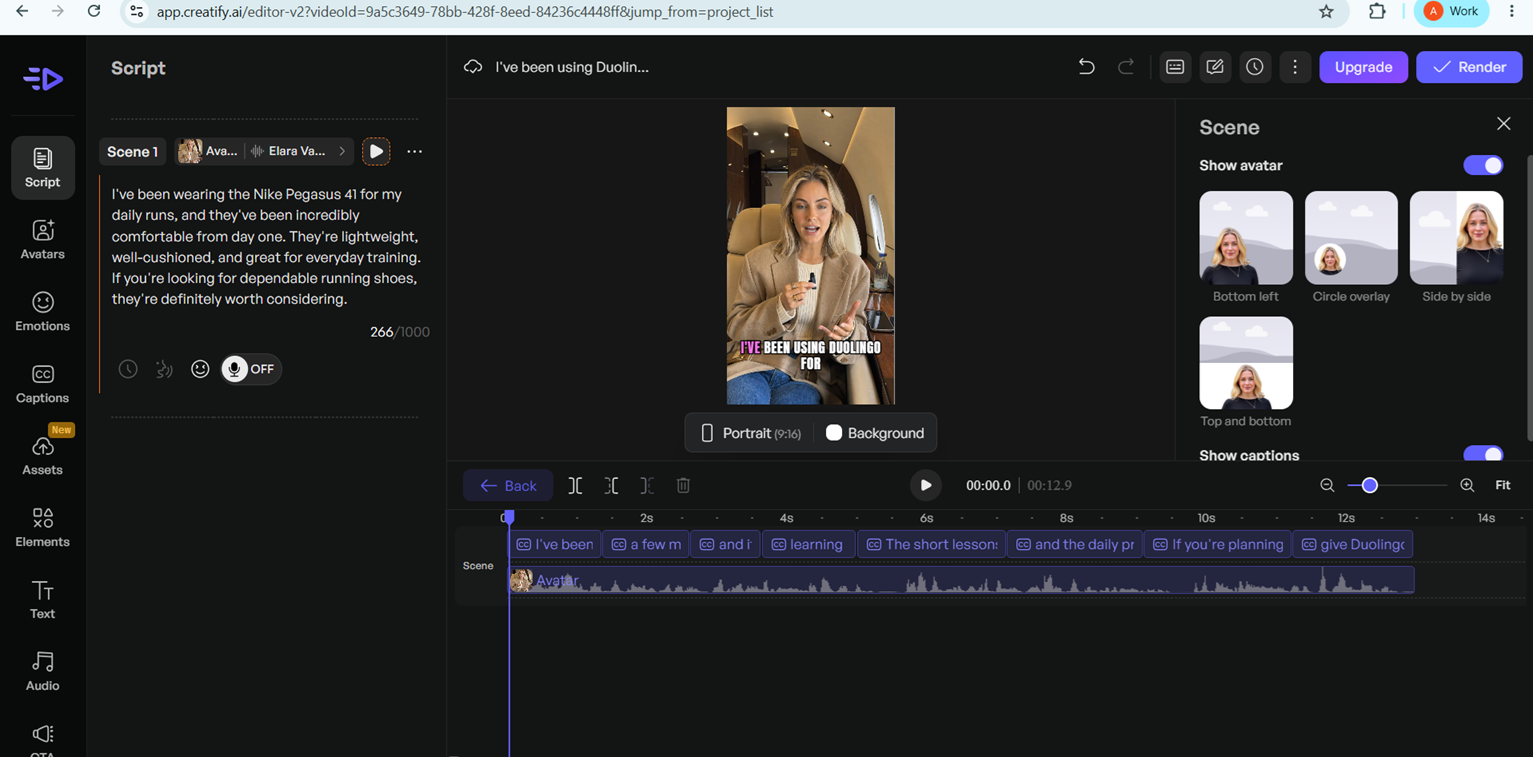
Observed output: Output artifact (Image): The script panel was rewritten from a Duolingo hook to a Nike Pegasus 45 review, while the vertical preview and timeline remained in the same project layout. — creatify-script-after-edit.png
Input artifact: Input artifact (Image): Input — creatify-script-before-edit-2.png
Output artifact: Output artifact (Image): The script panel was rewritten from a Duolingo hook to a Nike Pegasus 45 review, while the vertical preview and timeline remained in the same project layout. — creatify-script-after-edit.png
What changed: Image transformed into Image
Why it matters / Conclusion: Basic script replacement worked, but the report also observed slight wording drift in generated outputs.
The editor can rewrite the script inside an existing project without rebuilding the ad from scratch. In the tested project, the script was replaced while the scene layout and timeline stayed in place.
Avatar library selection▾
Feature tested: Avatar library selection
Result: Passed
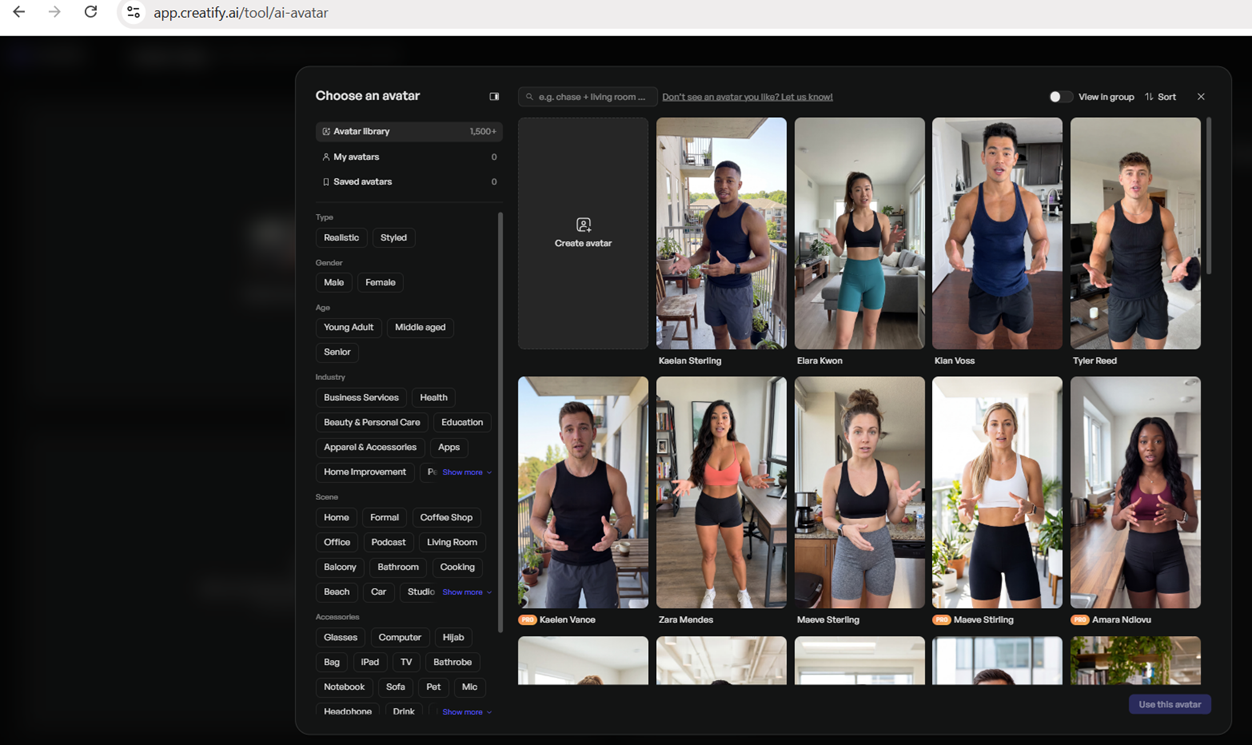
Expected behavior: Creatify provides a browsable avatar library and lets you switch the presenter used in a video from the scene editor and avatar/voice panel. The research reviewed avatar picking and swapping.
Test case: Image → Image
Input type: Image
Input used: Input artifact (Image): Input — creatify-avatar-library.png
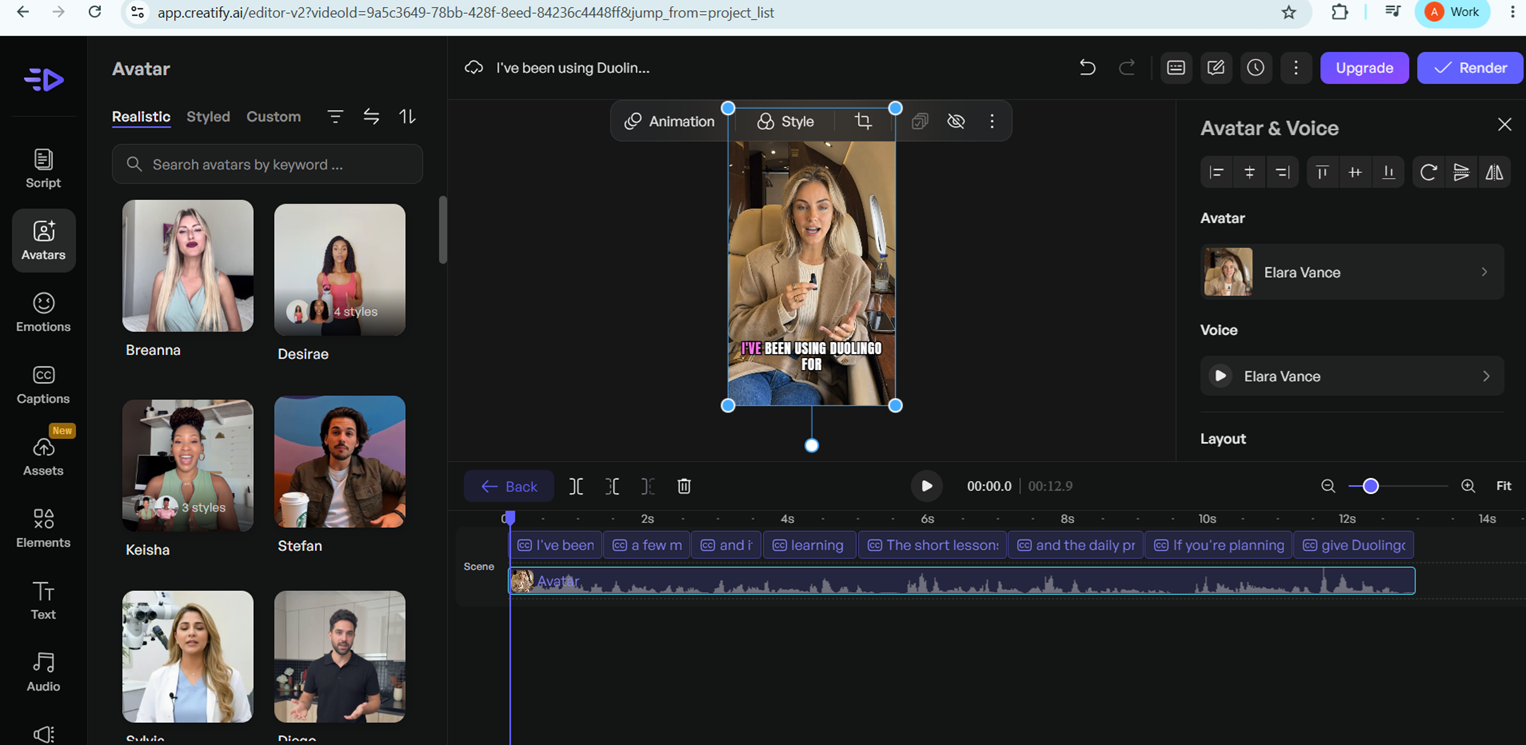
Observed output: Output artifact (Image): The avatar picker led into the avatar editing view, where a selected presenter was visible on the canvas and the Avatar & Voice panel showed the active avatar and voice choices. — creatify-avatar-edit.png
Input artifact: Input artifact (Image): Input — creatify-avatar-library.png
Output artifact: Output artifact (Image): The avatar picker led into the avatar editing view, where a selected presenter was visible on the canvas and the Avatar & Voice panel showed the active avatar and voice choices. — creatify-avatar-edit.png
What changed: Image transformed into Image
Why it matters / Conclusion: Avatar browsing and swapping were available, and the generated presenters were described as human-like enough for UGC-style ads.
Creatify provides a browsable avatar library and lets you switch the presenter used in a video from the scene editor and avatar/voice panel. The research reviewed avatar picking and swapping.
Voice library and language filtering▾
Feature tested: Voice library and language filtering
Result: Passed
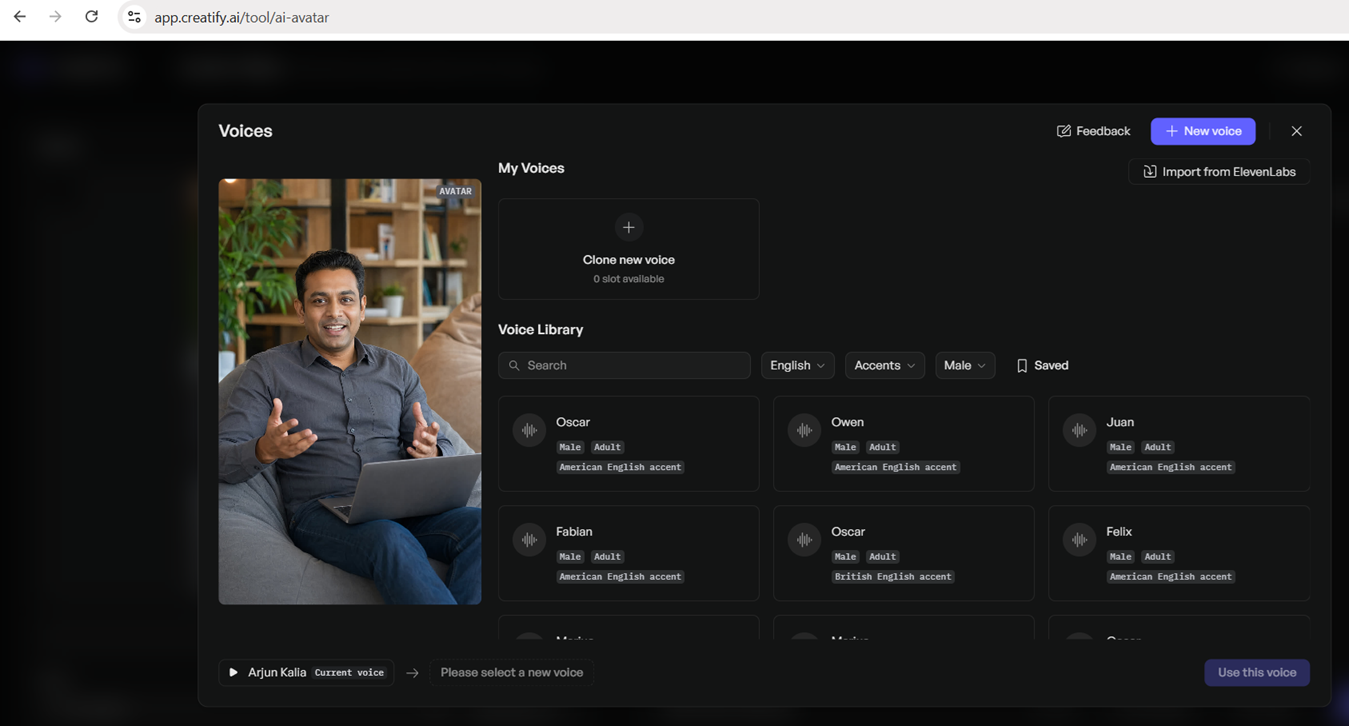
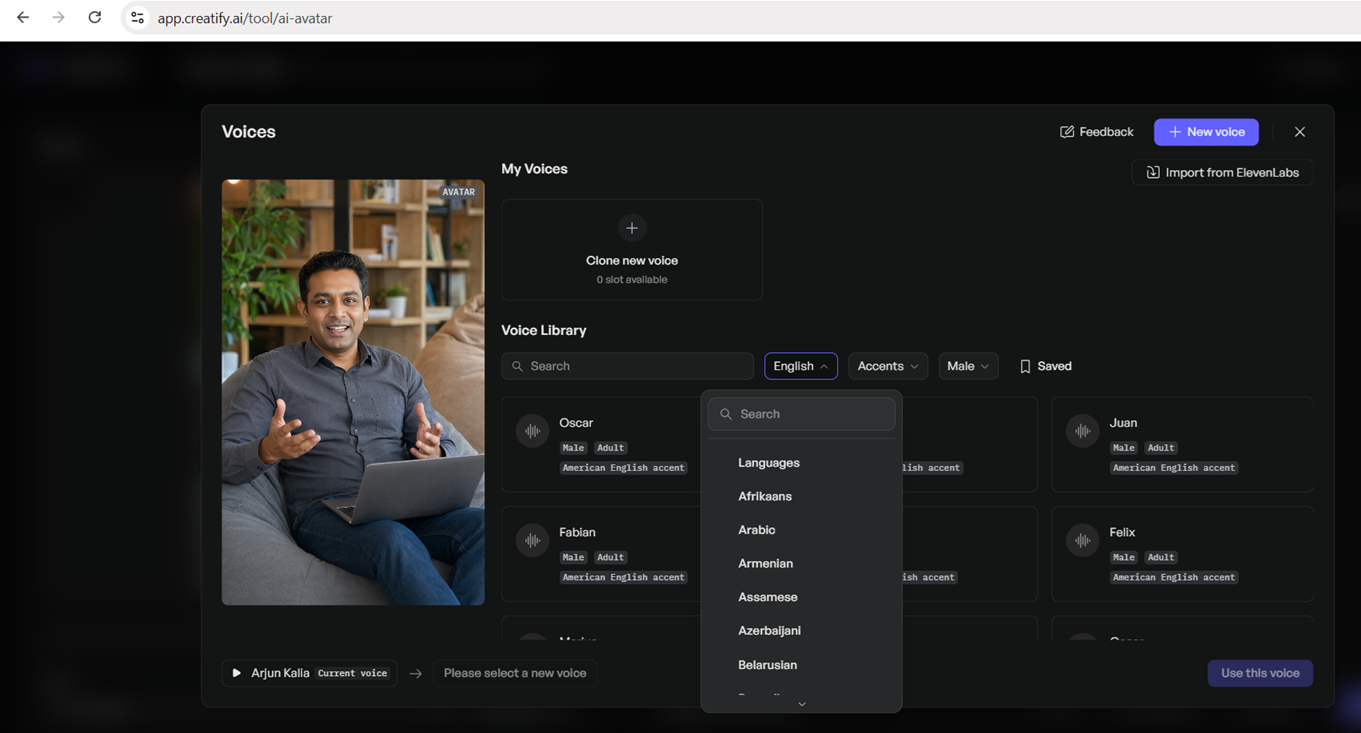
Expected behavior: The voice picker includes searchable voice cards plus filters for language, accent, and gender, and the language menu exposes a broad list of supported languages. Only English output was generated in the research.
Test case: Image → Image
Input type: Image
Input used: Input artifact (Image): Input — creatify-voice-library.png
Observed output: Output artifact (Image): The voice modal showed searchable voice cards, clone-new-voice and import options, and filters for language, accent, and gender; opening the language dropdown revealed a long list of languages. — creatify-language-options.png
Input artifact: Input artifact (Image): Input — creatify-voice-library.png
Output artifact: Output artifact (Image): The voice modal showed searchable voice cards, clone-new-voice and import options, and filters for language, accent, and gender; opening the language dropdown revealed a long list of languages. — creatify-language-options.png
What changed: Image transformed into Image
Why it matters / Conclusion: Voice selection and language filtering were present, but multilingual ad generation was not tested.
The voice picker includes searchable voice cards plus filters for language, accent, and gender, and the language menu exposes a broad list of supported languages. Only English output was generated in the research.
Caption styling▾
Feature tested: Caption styling
Result: Passed
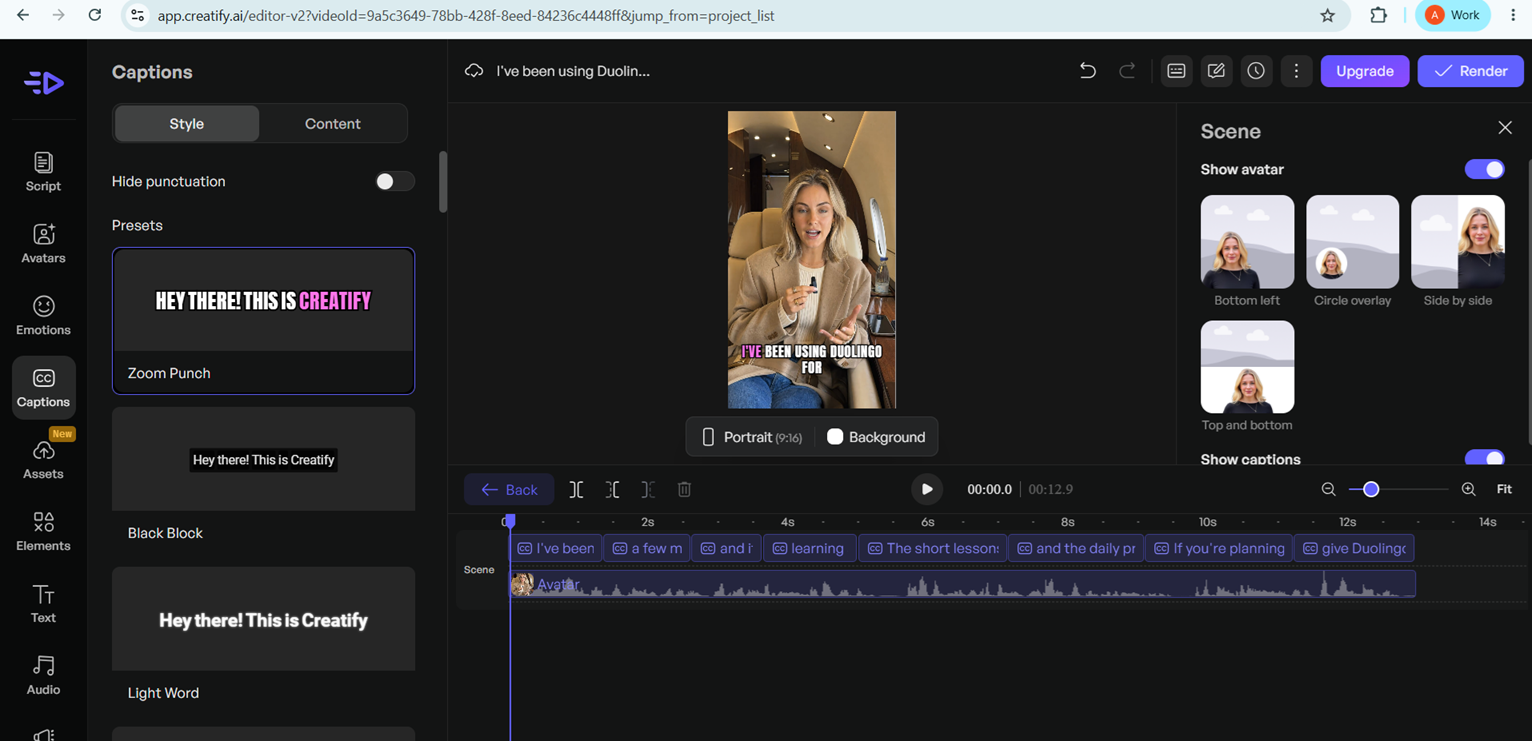
Expected behavior: Creatify includes a caption editor with preset styles and basic controls before rendering, including options like Zoom Punch, Black Block, Light Word, and a hide-punctuation toggle. Captions were automatically generated in the exported videos and could be styled before render.
Test case: Text prompt → Image
Input type: Text prompt
Input used: Input artifact (Text prompt): INPUT
Observed output: Output artifact (Image): The captions panel displayed selectable preset styles, content controls, and a hide-punctuation toggle, showing that caption appearance can be adjusted before export. — creatify-caption-editor.png
Input artifact: Input artifact (Text prompt): INPUT
Output artifact: Output artifact (Image): The captions panel displayed selectable preset styles, content controls, and a hide-punctuation toggle, showing that caption appearance can be adjusted before export. — creatify-caption-editor.png
What changed: Text prompt transformed into Image
Why it matters / Conclusion: Captions were automatically generated in the exported videos, and the editor offered enough styling control to tune appearance before render.
Creatify includes a caption editor with preset styles and basic controls before rendering, including options like Zoom Punch, Black Block, Light Word, and a hide-punctuation toggle. Captions were automatically generated in the exported videos and could be styled before render.
Featured in Rankings
Independent rankings where Creatify was tested and rated.
Banner Preview
How the embed badge will look on your site

Embed HTML
Copy this code to your website source
Quick Integration Guide
- 1Copy the HTML code block above.
- 2Paste it into your site's HTML or CMS editor.
- 3Banner appears instantly on your page.
- 4Links back to your tool profile here.
Similar Tools
Discover more AI tools like Creatify to enhance your workflow.
Comments (0)
Need a custom AI solution for this use case?
If you are looking to build a custom UGC ad generation, avatar video creation, or product video workflow for your business or internal workflow, email us at contact@futuresmart.ai.
Found something inaccurate or missing? We try to keep our AI research accurate and useful. If you found outdated information, an issue, or have a suggestion, email us at collaborate@aidemos.com.