
Topview AI
Topview AI generates exportable UGC-style avatar ads across SaaS, app, and product inputs, but the presenter still looks synthetic.
Works well for fast UGC drafts, but the avatars still read as AI-made.
- you need quick exportable 9:16 UGC-style ads from a script or product brief
- you want to test SaaS, app, and physical-product promos in one avatar workflow
- you can work with a presenter that looks somewhat synthetic and does not need premium realism
- you need highly photoreal presenters or tight lip-sync
Our take
Across the FutureSmart AI, Nike Pegasus 41, and Duolingo runs, Topview AI consistently produced downloadable 9:16 avatar videos with working script, voice, caption, and export controls. The repeated weakness was also consistent: the presenter felt synthetic, gestures stayed limited, and lip-sync/caption timing was only moderately convincing, so it looks better for quick test ads than for premium paid creative.
Benchmark participation
Benchmark participation is temporarily unavailable.
In-Depth Review
Our detailed analysis of Topview AI — features, performance, and real-world testing.
Feature-by-Feature Breakdown
AI Avatar Ad Creation and ExportWorks across all three tested product types, with realism caveats.▾
Feature tested: AI Avatar Ad Creation and Export
Result: Partial
Verdict: Works across all three tested product types, with realism caveats.
Expected behavior: Generates a complete short-form UGC-style ad from a scripted product brief, combining an on-screen AI presenter, voice, captions, and a vertical export. It was exercised on a SaaS product (FutureSmart AI), a physical product (Nike Pegasus 41), and a mobile app (Duolingo).
Test case: Text prompt → Video file
Input type: Text prompt
Input used: Input artifact (Text prompt): INPUT
Observed output: Output artifact (Video file): Generated a complete vertical UGC-style ad with an AI presenter, understandable voice, and captions. The export succeeded, but the presenter still felt noticeably AI-made and lip-sync was not perfectly aligned. — topview futuresmart-ai-output.mp4.mp4
Input artifact: Input artifact (Text prompt): INPUT
Output artifact: Output artifact (Video file): Generated a complete vertical UGC-style ad with an AI presenter, understandable voice, and captions. The export succeeded, but the presenter still felt noticeably AI-made and lip-sync was not perfectly aligned. — topview futuresmart-ai-output.mp4.mp4
What changed: Text prompt transformed into Video file
Test case: Text prompt → Video file
Input type: Text prompt
Input used: Input artifact (Text prompt): INPUT
Observed output: Output artifact (Video file): Generated a clear product-review style vertical ad for Nike Pegasus 41. Voice and captions were usable, but the shoes were not strongly highlighted, the delivery felt generic, and the avatar movement stayed basic. — topview-nike-output.mp4.mp4
Input artifact: Input artifact (Text prompt): INPUT
Output artifact: Output artifact (Video file): Generated a clear product-review style vertical ad for Nike Pegasus 41. Voice and captions were usable, but the shoes were not strongly highlighted, the delivery felt generic, and the avatar movement stayed basic. — topview-nike-output.mp4.mp4
What changed: Text prompt transformed into Video file
Test case: Text prompt → Video file
Input type: Text prompt
Input used: Input artifact (Text prompt): INPUT
Observed output: Output artifact (Video file): Generated a usable app-promo vertical ad for Duolingo with readable captions and stable voice. The result was workable, but the tone was flat, the background did not add much product context, and the avatar still read as AI-generated. — topview-duolingo-output.mp4.mp4
Input artifact: Input artifact (Text prompt): INPUT
Output artifact: Output artifact (Video file): Generated a usable app-promo vertical ad for Duolingo with readable captions and stable voice. The result was workable, but the tone was flat, the background did not add much product context, and the avatar still read as AI-generated. — topview-duolingo-output.mp4.mp4
What changed: Text prompt transformed into Video file
Why it matters / Conclusion: The core generation workflow worked repeatedly, but the outputs were better for quick draft ads than for premium, highly realistic paid creative.
Generates a complete short-form UGC-style ad from a scripted product brief, combining an on-screen AI presenter, voice, captions, and a vertical export. It was exercised on a SaaS product (FutureSmart AI), a physical product (Nike Pegasus 41), and a mobile app (Duolingo).
In-Place Script EditingWorks.▾
Feature tested: In-Place Script Editing
Result: Passed
Verdict: Works.
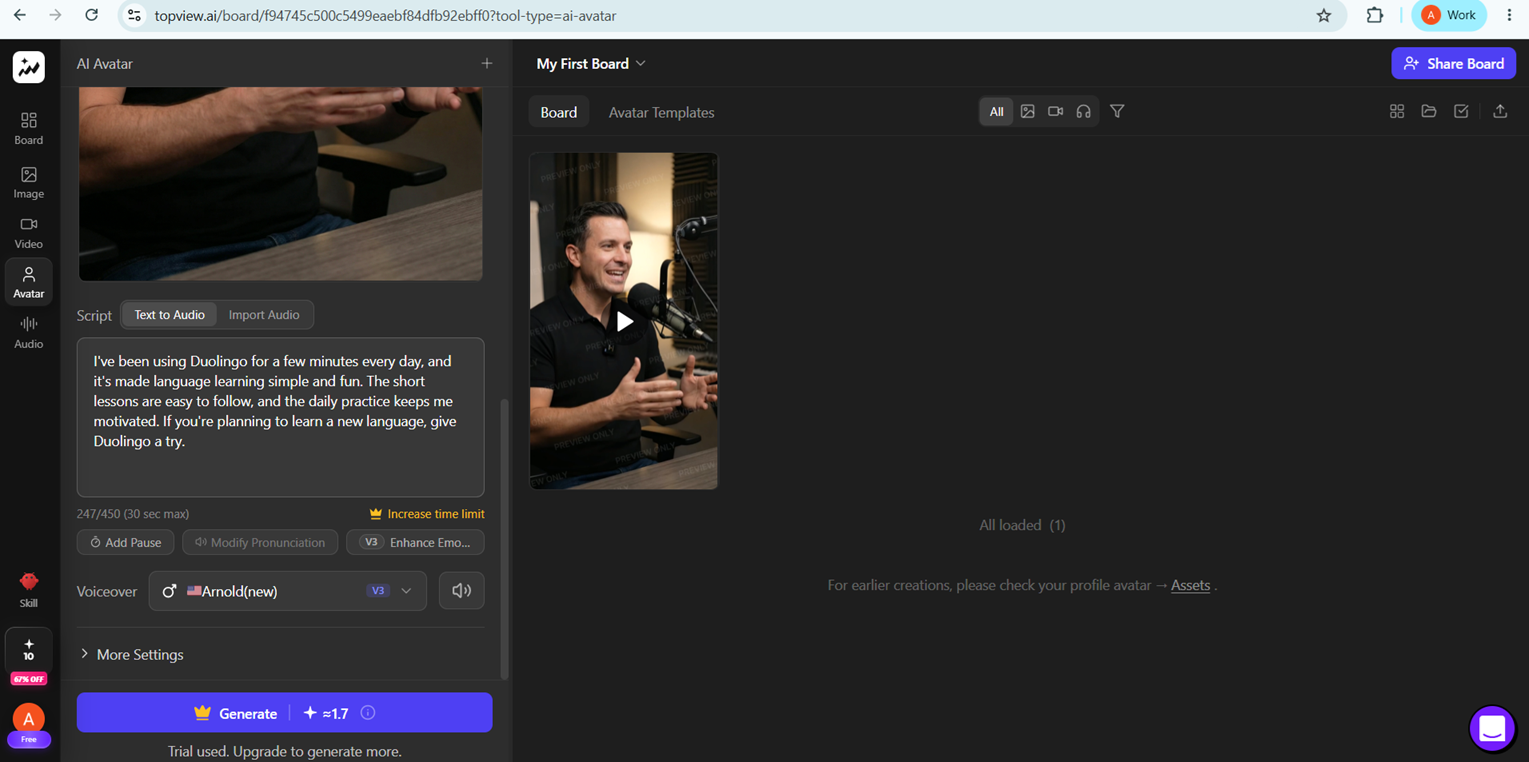
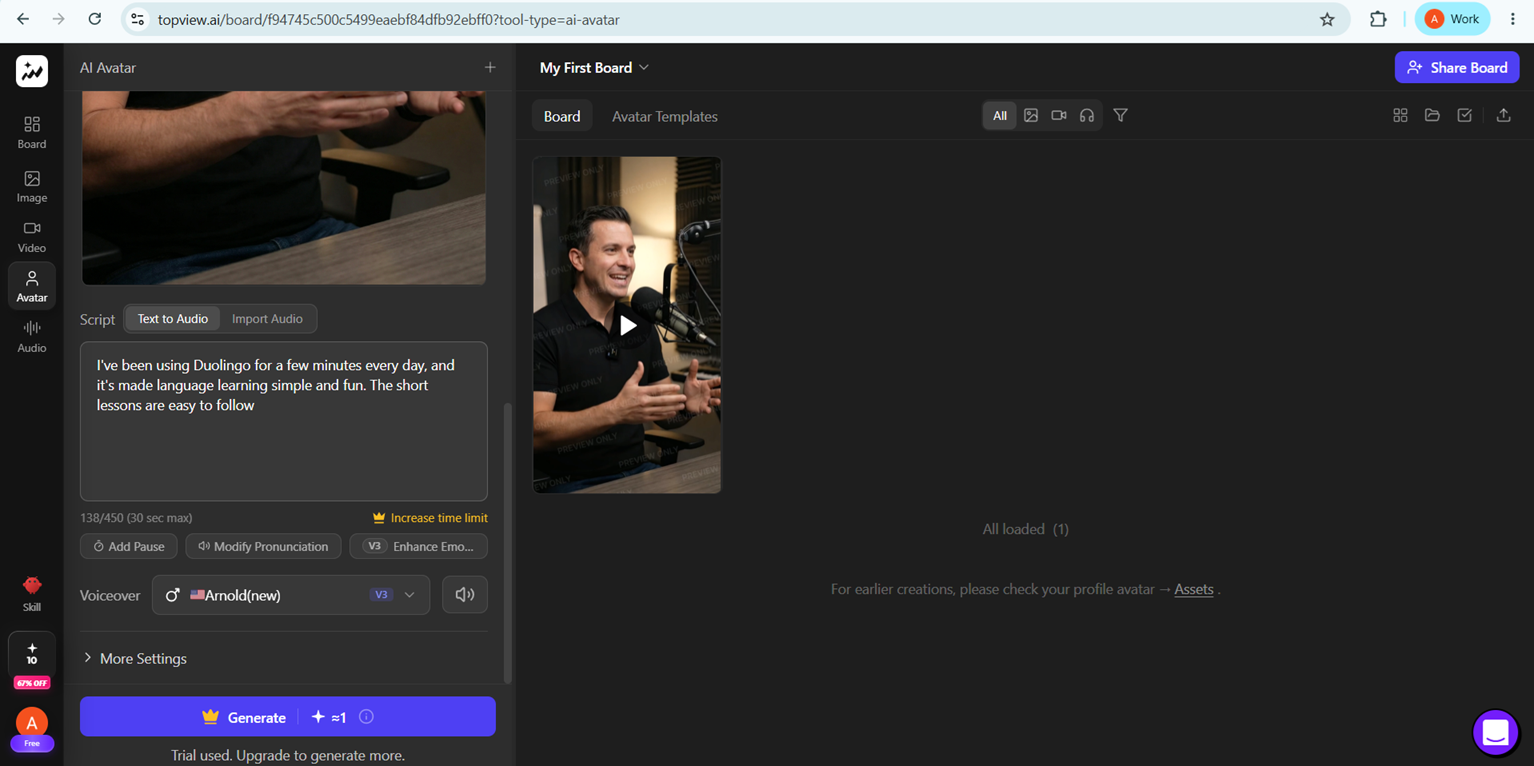
Expected behavior: Lets you revise the script inside an existing board without starting a new project. The tested behavior was simple text refinement within the current ad workspace.
Test case: Image → Image
Input type: Image
Input used: Input artifact (Image): Input — topview-script-before-edit.png
Observed output: Output artifact (Image): After shortening the Duolingo script, the editor reflected the reduced text (24/450 down to 13/450 characters) while keeping the same board and avatar area in place. — topview-script-after-edit.png
Input artifact: Input artifact (Image): Input — topview-script-before-edit.png
Output artifact: Output artifact (Image): After shortening the Duolingo script, the editor reflected the reduced text (24/450 down to 13/450 characters) while keeping the same board and avatar area in place. — topview-script-after-edit.png
What changed: Image transformed into Image
Why it matters / Conclusion: Simple text refinement worked and did not require rebuilding the ad.
Lets you revise the script inside an existing board without starting a new project. The tested behavior was simple text refinement within the current ad workspace.
Avatar Library Selection and SwappingThe avatar library is visible, but the research only confirms the selection workflow.▾
Feature tested: Avatar Library Selection and Swapping
Result: Partial
Verdict: The avatar library is visible, but the research only confirms the selection workflow.
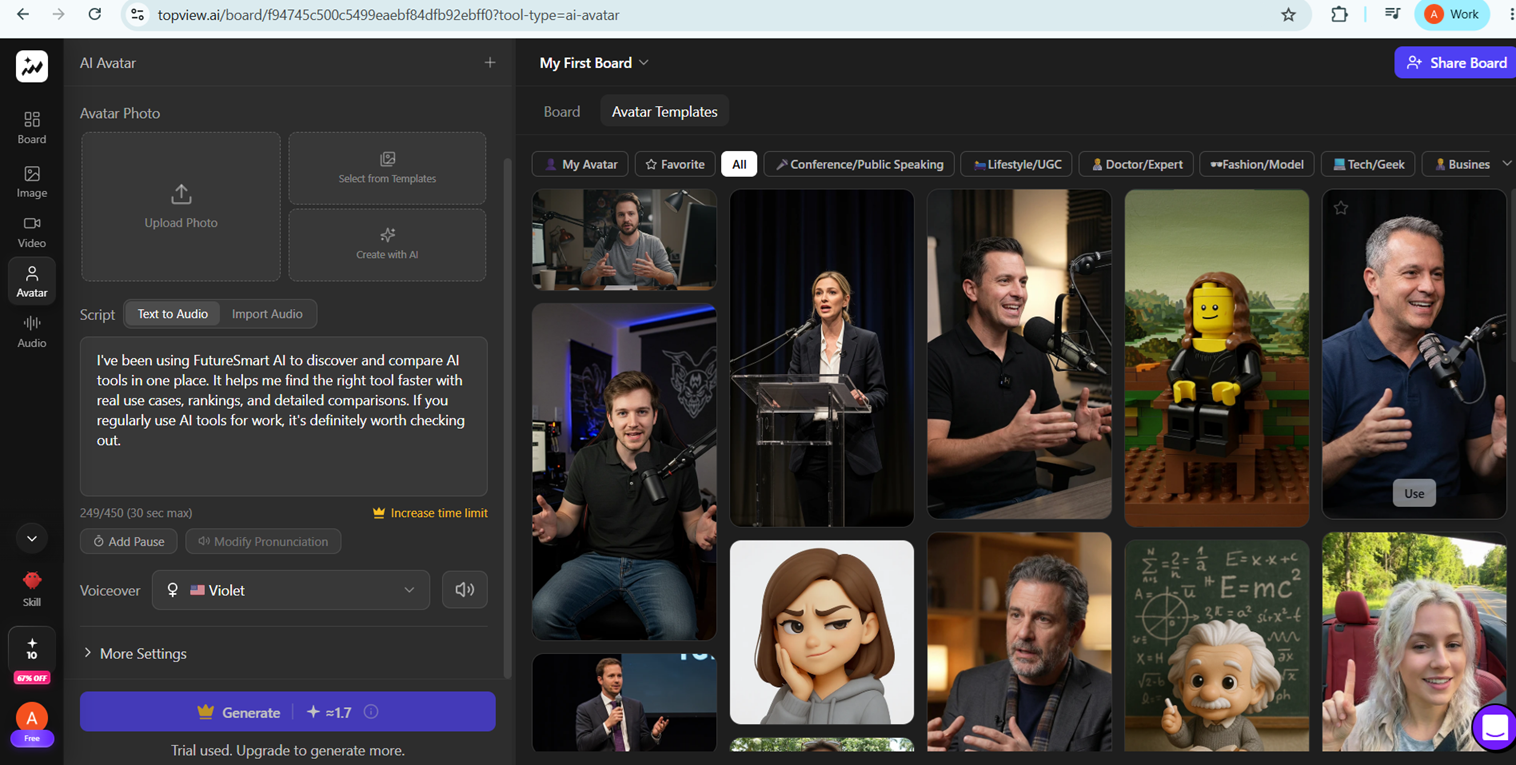
Expected behavior: Exposes avatar templates and a selectable avatar library so you can change the on-screen presenter. The review verified that avatar swapping controls are present.
Test case: Text prompt → Image
Input type: Text prompt
Input used: Input artifact (Text prompt): INPUT
Observed output: Output artifact (Image): The avatar template library is open with category chips, a populated thumbnail grid, and a visible Use button, confirming that avatar browsing and swapping controls are available. — topview-avatar-library.png
Input artifact: Input artifact (Text prompt): INPUT
Output artifact: Output artifact (Image): The avatar template library is open with category chips, a populated thumbnail grid, and a visible Use button, confirming that avatar browsing and swapping controls are available. — topview-avatar-library.png
What changed: Text prompt transformed into Image
Why it matters / Conclusion: Avatar swapping controls are present, but the review did not verify that a new selection materially improves realism or ad performance.
Exposes avatar templates and a selectable avatar library so you can change the on-screen presenter. The review verified that avatar swapping controls are present.
Voice Library Filtering and SelectionWorks.▾
Feature tested: Voice Library Filtering and Selection
Result: Passed
Verdict: Works.
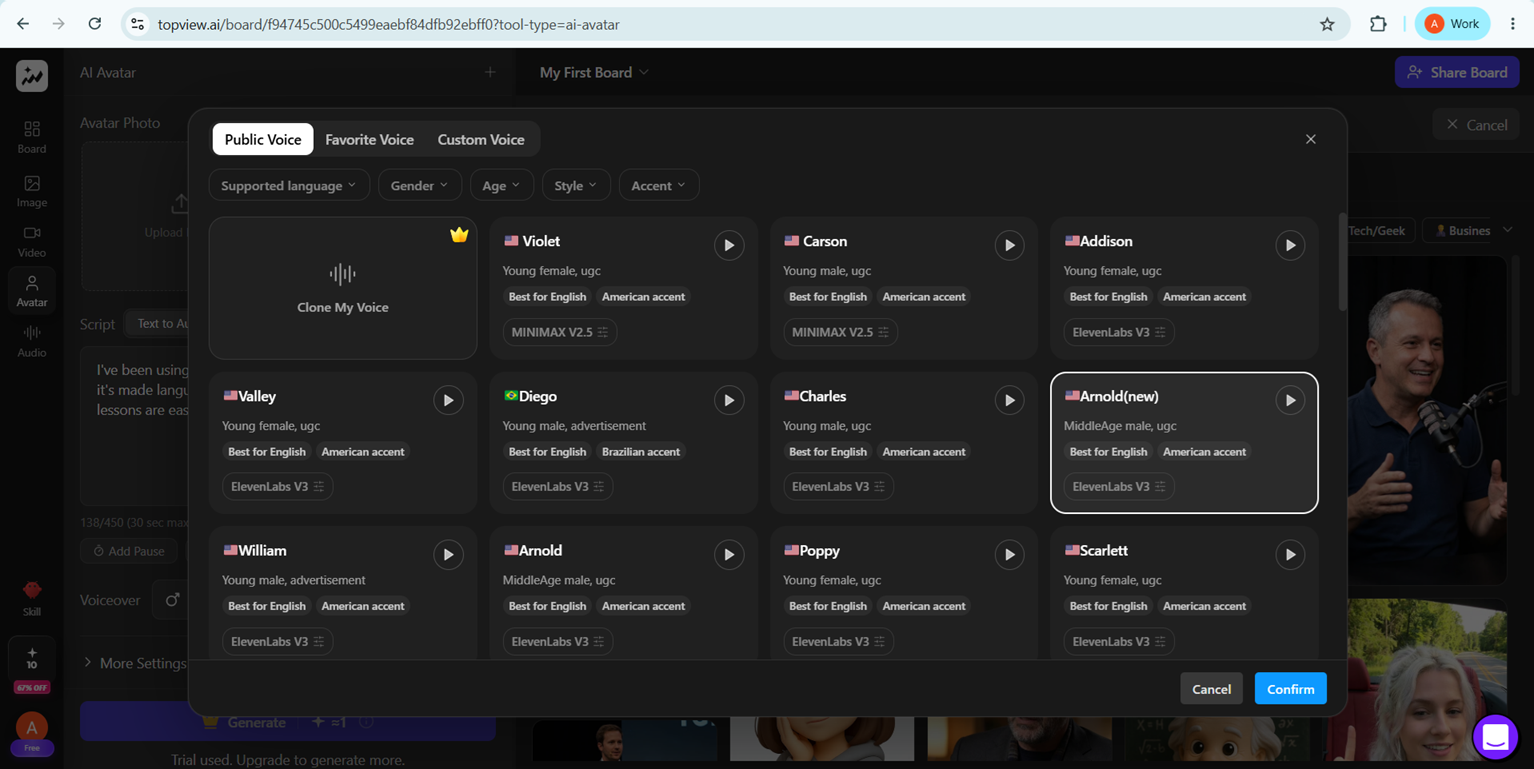
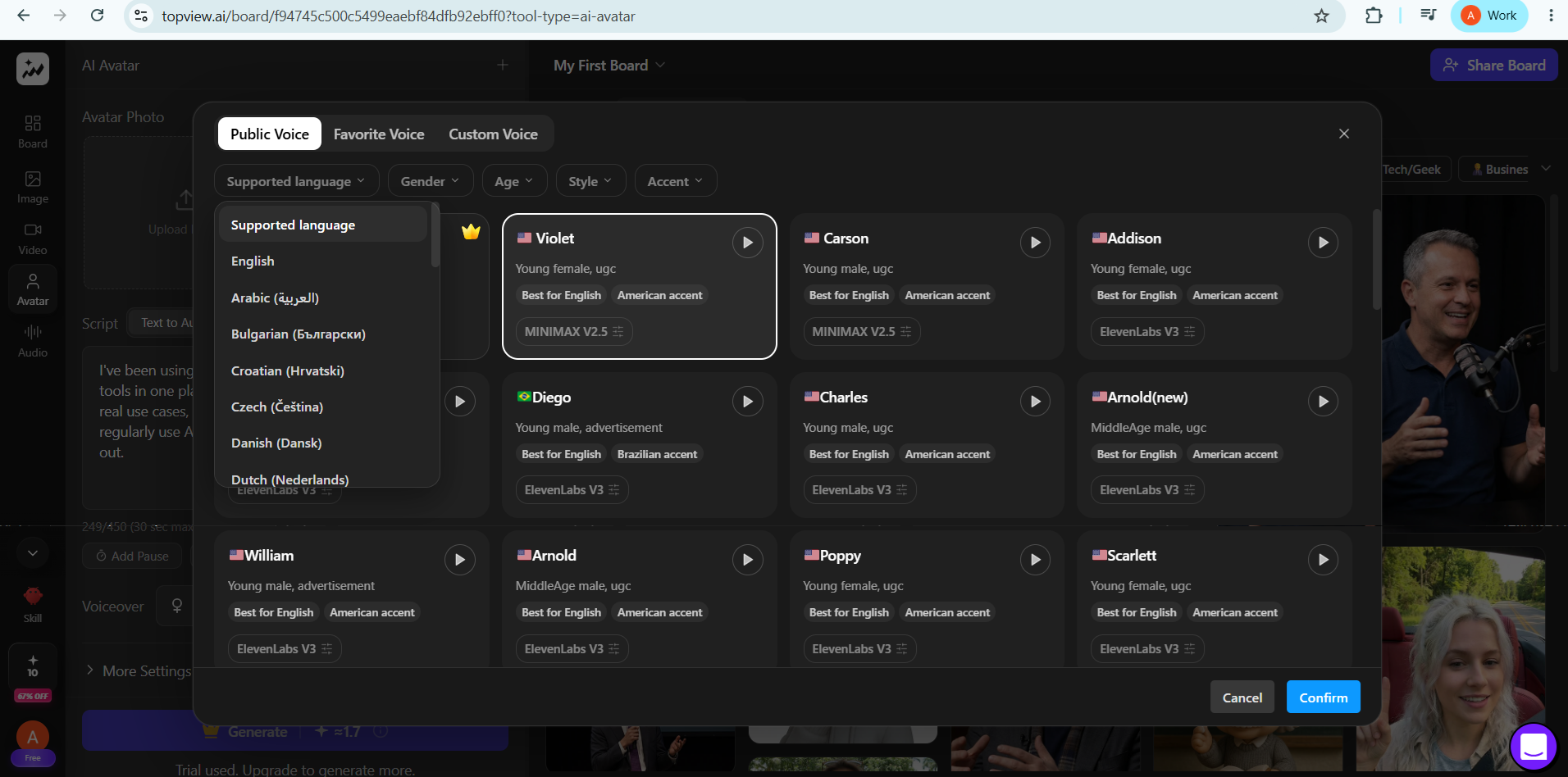
Expected behavior: Provides a public voice library with filters for supported language, gender, age, style, and accent. The testing confirmed the visible presets and filters rather than deeper linguistic quality.
Test case: Text prompt → Image
Input type: Text prompt
Input used: Input artifact (Text prompt): INPUT
Observed output: Output artifact (Image): The voice-selection modal is open with multiple public voices listed, and Arnold(new) is highlighted as the current choice. — topview-voice-edit.png
Input artifact: Input artifact (Text prompt): INPUT
Output artifact: Output artifact (Image): The voice-selection modal is open with multiple public voices listed, and Arnold(new) is highlighted as the current choice. — topview-voice-edit.png
What changed: Text prompt transformed into Image
Test case: Text prompt → Image
Input type: Text prompt
Input used: Input artifact (Text prompt): INPUT
Observed output: Output artifact (Image): The supported-language menu is expanded and shows multiple options, including English, Arabic, Bulgarian, Croatian, Czech, Danish, and Dutch. — topview-language-library.png
Input artifact: Input artifact (Text prompt): INPUT
Output artifact: Output artifact (Image): The supported-language menu is expanded and shows multiple options, including English, Arabic, Bulgarian, Croatian, Czech, Danish, and Dutch. — topview-language-library.png
What changed: Text prompt transformed into Image
Why it matters / Conclusion: The tool clearly exposes voice and language controls, but the test only verified the visible presets rather than deeper linguistic quality.
Provides a public voice library with filters for supported language, gender, age, style, and accent. The testing confirmed the visible presets and filters rather than deeper linguistic quality.
Caption Generation and Subtitle StylingWorks, with timing/polish caveats.▾
Feature tested: Caption Generation and Subtitle Styling
Result: Partial
Verdict: Works, with timing/polish caveats.
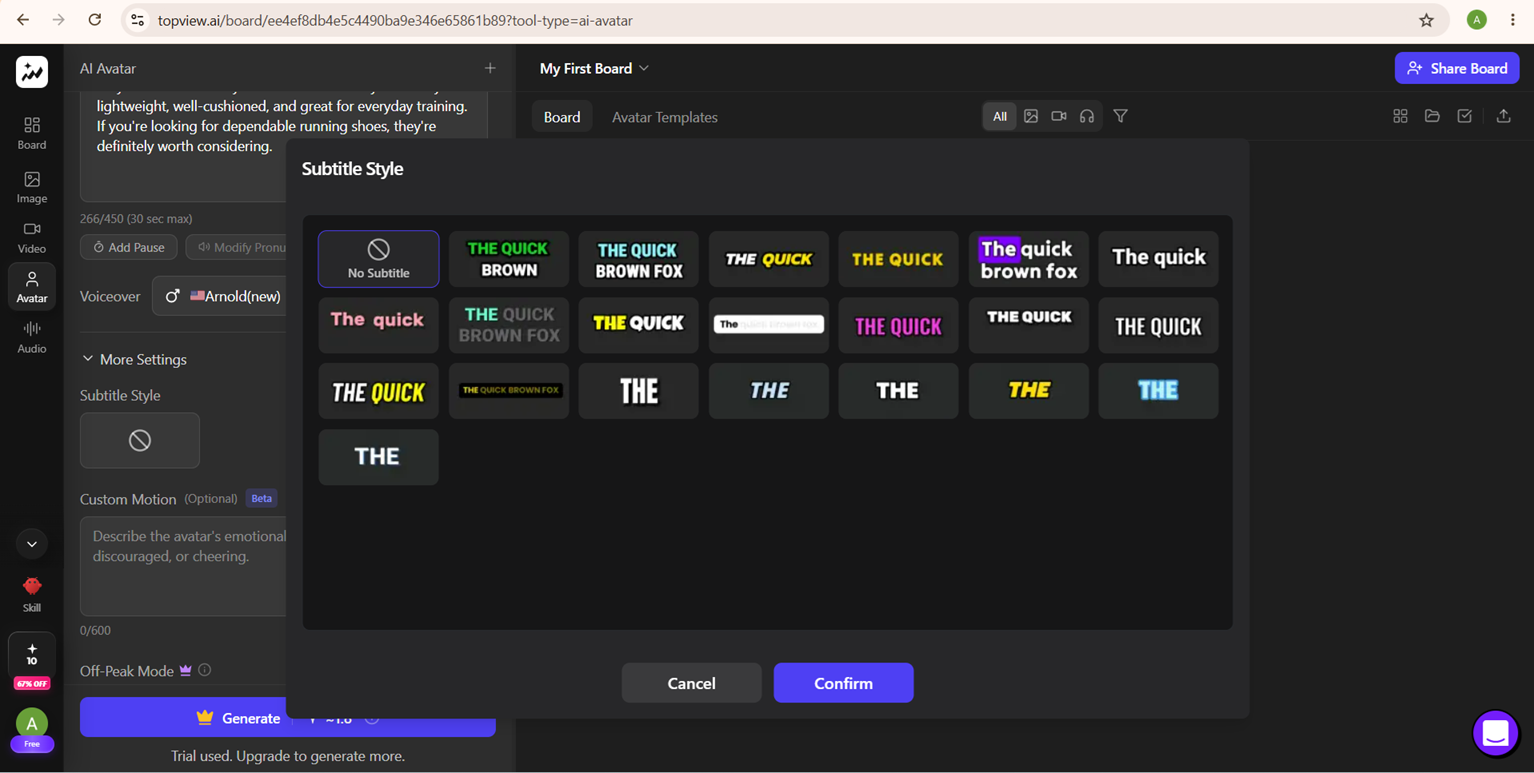
Expected behavior: Adds subtitles to generated ads and lets you choose preset subtitle styles, including a no-subtitle option. The testing confirmed captions were present and style controls were visible.
Test case: Text prompt → Video file
Input type: Text prompt
Input used: Input artifact (Text prompt): INPUT
Observed output: Output artifact (Video file): The exported Duolingo ad included readable subtitles, though the report noted minor lip-sync and caption-timing issues. — topview-duolingo-output.mp4.mp4
Input artifact: Input artifact (Text prompt): INPUT
Output artifact: Output artifact (Video file): The exported Duolingo ad included readable subtitles, though the report noted minor lip-sync and caption-timing issues. — topview-duolingo-output.mp4.mp4
What changed: Text prompt transformed into Video file
Test case: Text prompt → Image
Input type: Text prompt
Input used: Input artifact (Text prompt): INPUT
Observed output: Output artifact (Image): The subtitle-style chooser shows No Subtitle plus multiple stylized preset looks, confirming that caption styling controls are available. — topview-caption-edit.png
Input artifact: Input artifact (Text prompt): INPUT
Output artifact: Output artifact (Image): The subtitle-style chooser shows No Subtitle plus multiple stylized preset looks, confirming that caption styling controls are available. — topview-caption-edit.png
What changed: Text prompt transformed into Image
Why it matters / Conclusion: Captions were present and the style picker was visible, but the research suggests the timing and polish were only moderately consistent.
Adds subtitles to generated ads and lets you choose preset subtitle styles, including a no-subtitle option. The testing confirmed captions were present and style controls were visible.
Banner Preview
How the embed badge will look on your site

Embed HTML
Copy this code to your website source
Quick Integration Guide
- 1Copy the HTML code block above.
- 2Paste it into your site's HTML or CMS editor.
- 3Banner appears instantly on your page.
- 4Links back to your tool profile here.
Similar Tools
Discover more AI tools like Topview AI to enhance your workflow.
Comments (0)
Need a custom AI solution for this use case?
If you are looking to build a custom UGC ad generation, avatar video creation, or short-form marketing video tool for your business or internal workflow, email us at contact@futuresmart.ai.
Found something inaccurate or missing? We try to keep our AI research accurate and useful. If you found outdated information, an issue, or have a suggestion, email us at collaborate@aidemos.com.