PyMuPDF4LLM is a solid local parser when the PDF is already clean and native-digital: it preserved prose, hierarchy, and straightforward tables well on the hybrid annual report, and it handled the narrative sections in the other digital report too. But its behavior is sharply bimodal rather than robust — dense financial statements, scanned multi-column pages, charts, and embedded images/logos/signatures all degraded into omissions, garbled picture-text blocks, or fragmented OCR text. For this use case, it is useful only when the source is already well-formed and text-heavy.
Walkthrough of PyMuPDF4LLM on the table-heavy financial-report input.
In-Depth Review
Our detailed analysis of PyMuPDF4LLM — features, performance, and real-world testing.
AD
AI Demos Team
Expert Reviewer
Verified Review
Feature-by-Feature Breakdown
Native Text Extraction
Reliable on clean native-digital prose, but OCR-heavy scanned pages become error-prone.
▾
Test Summary
Feature tested: Native Text Extraction
Result: Passed — Reliable on clean native-digital prose, but OCR-heavy scanned pages become error-prone.
Feature tested: Native Text Extraction
Result: Passed
Verdict: Reliable on clean native-digital prose, but OCR-heavy scanned pages become error-prone.
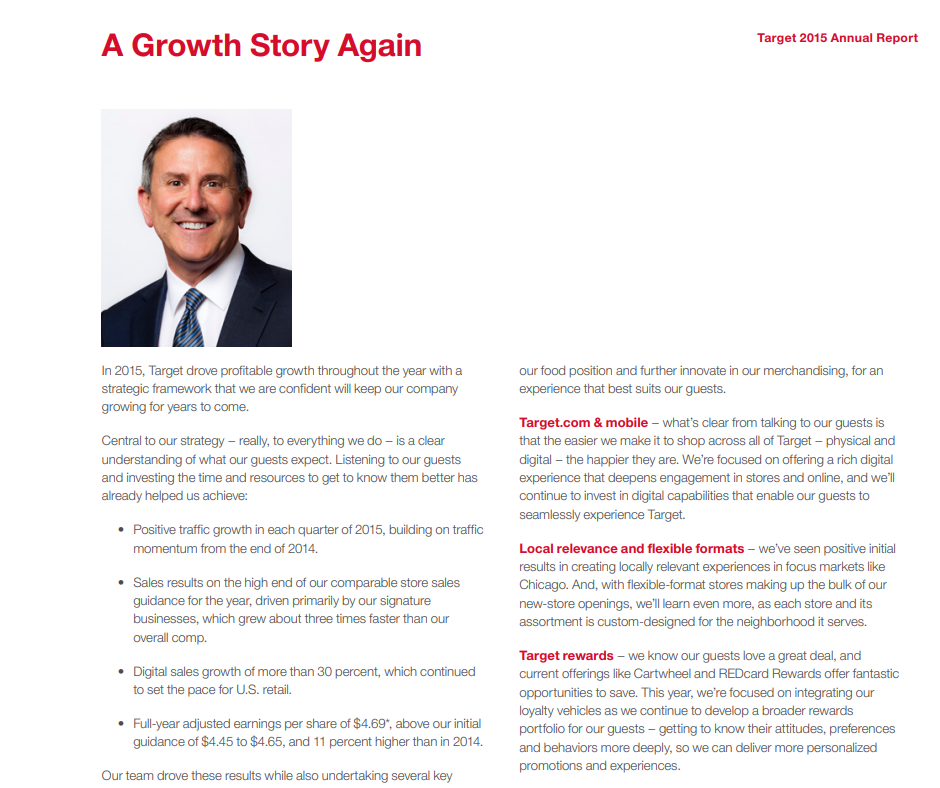
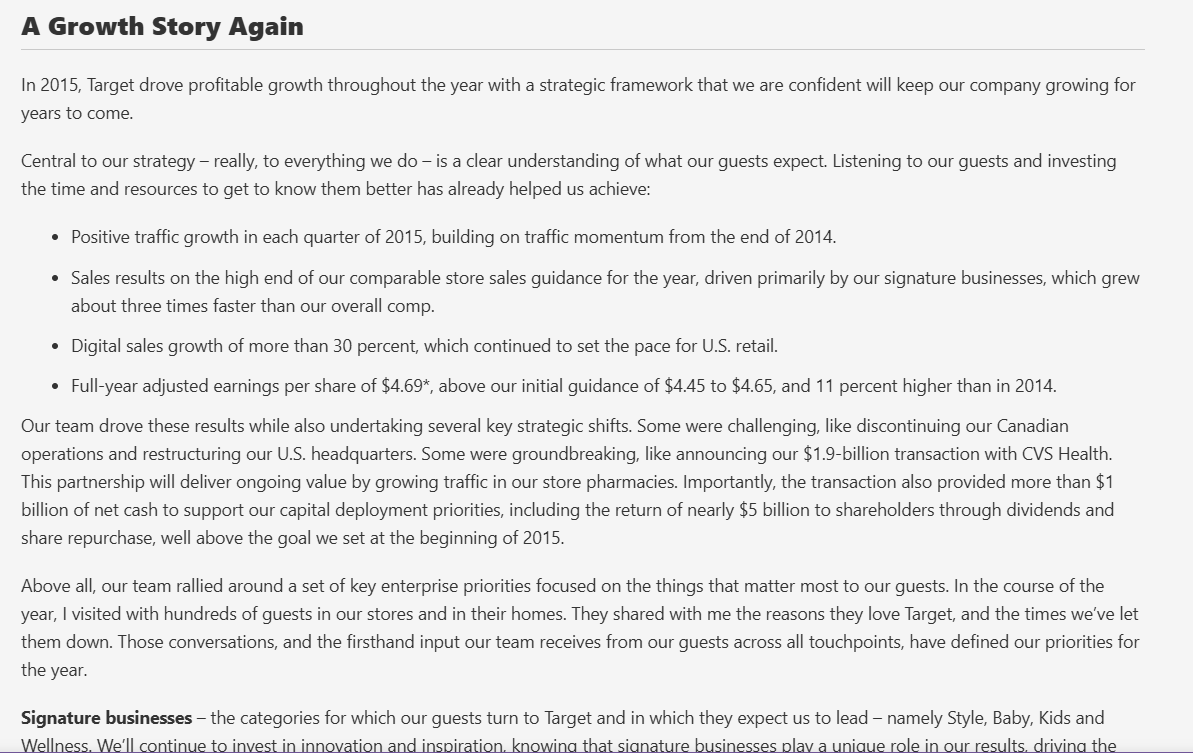
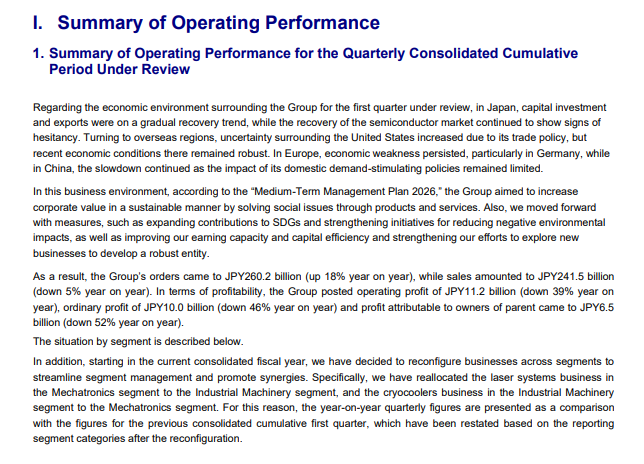
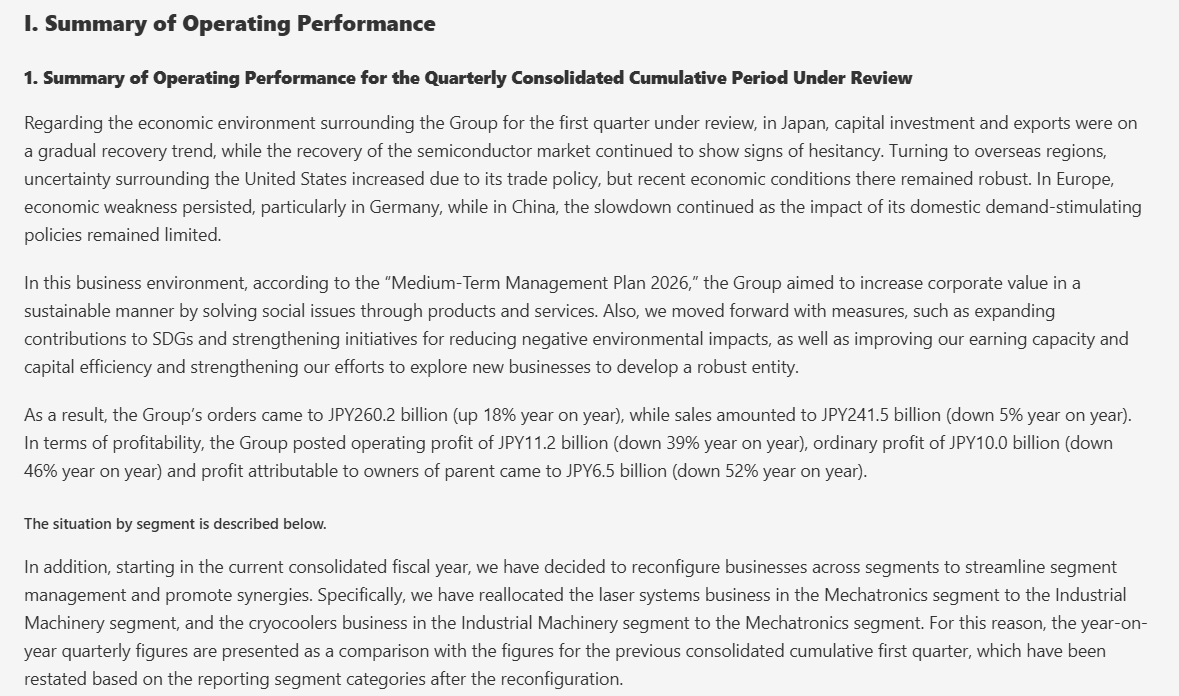
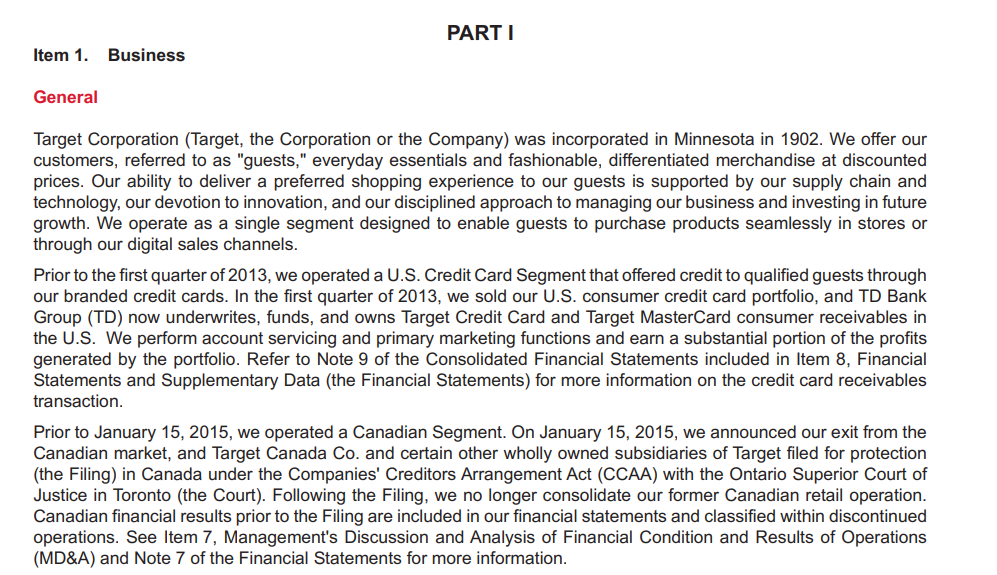
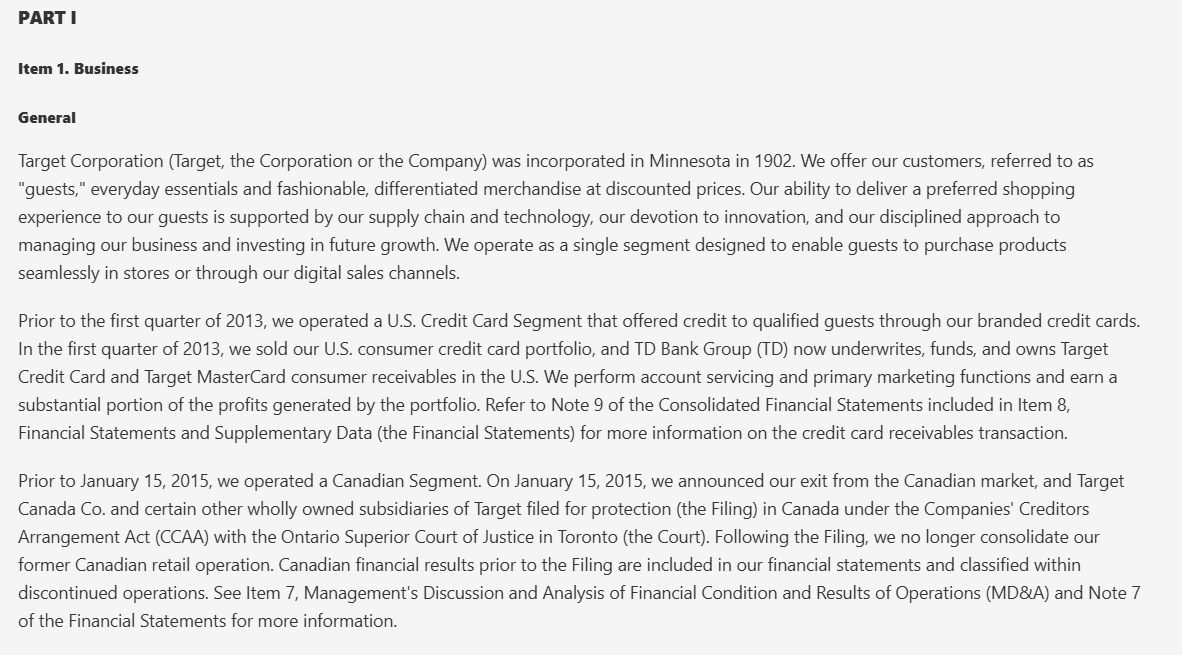
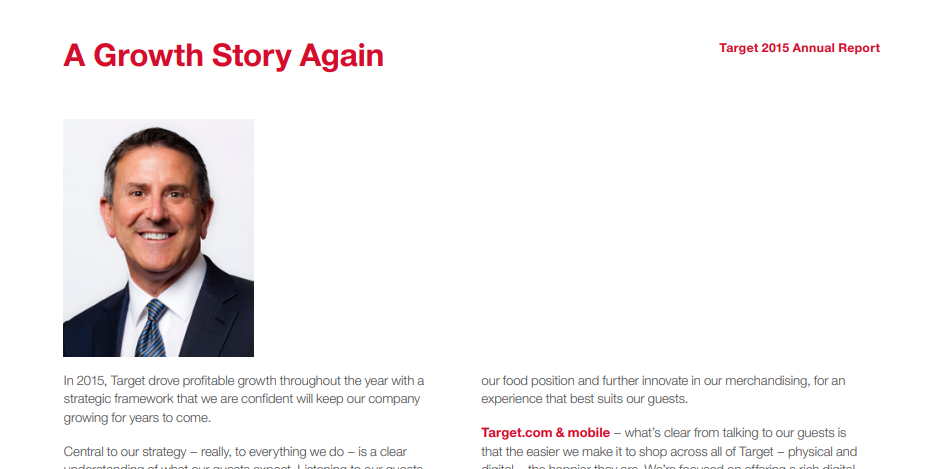
Expected behavior: Extracts readable prose from native-digital report pages and keeps it in a coherent reading sequence. It handled the Target growth-story spread and the Sumitomo operating summary cleanly, but the scanned research paper introduced OCR spelling errors and column interleaving.
Observed output: Output artifact (Image): The Target growth-story page was extracted cleanly, with prose preserved in reading order and no visible fragmentation. — pymupdf4llm_input1_hybridearnings_growth_section_parsed_success.png
Output artifact: Output artifact (Image): The Target growth-story page was extracted cleanly, with prose preserved in reading order and no visible fragmentation. — pymupdf4llm_input1_hybridearnings_growth_section_parsed_success.png
Observed output: Output artifact (Image): The operating-performance summary was extracted as readable prose, with the section flow preserved. — pymupdf4llm_input2_financialpdf_summary_section_parsed_success.png
Output artifact: Output artifact (Image): The operating-performance summary was extracted as readable prose, with the section flow preserved. — pymupdf4llm_input2_financialpdf_summary_section_parsed_success.png
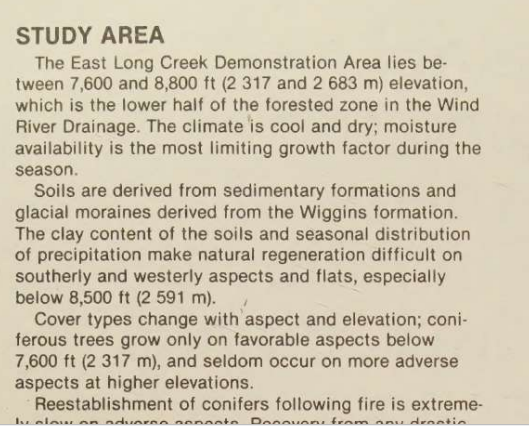
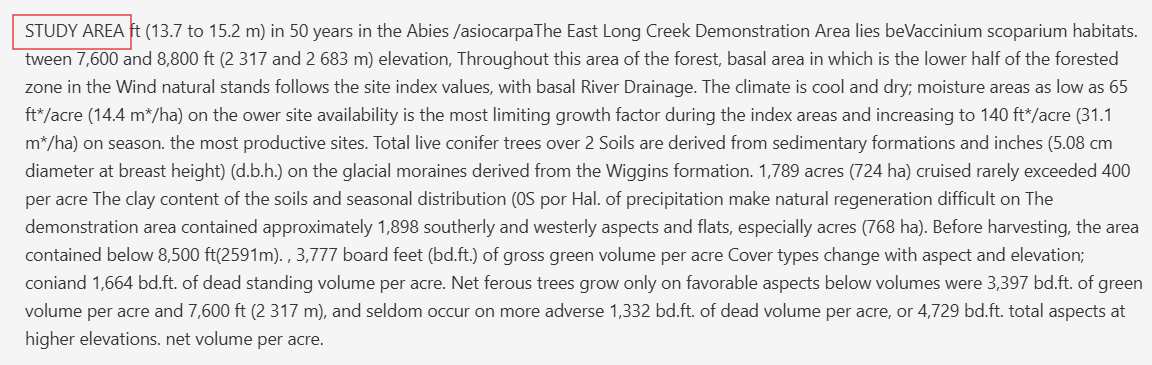
Observed output: Output artifact (Image): The scanned multi-column page produced OCR errors and interleaved text, so the prose was no longer cleanly readable. — pymupdf4llm_input3_scannedpaper_multicolumn_text_parsed_failure.png
Output artifact: Output artifact (Image): The scanned multi-column page produced OCR errors and interleaved text, so the prose was no longer cleanly readable. — pymupdf4llm_input3_scannedpaper_multicolumn_text_parsed_failure.png
What changed: Image transformed into Image
Why it matters / Conclusion: Best on clean, native text; not dependable once OCR and multi-column scanning enter the picture.
Extracts readable prose from native-digital report pages and keeps it in a coherent reading sequence. It handled the Target growth-story spread and the Sumitomo operating summary cleanly, but the scanned research paper introduced OCR spelling errors and column interleaving.
image
↓→
image
The Target growth-story page was extracted cleanly, with prose preserved in reading order and no visible fragmentation.
image
↓→
image
The operating-performance summary was extracted as readable prose, with the section flow preserved.
image
↓→
image
The scanned multi-column page produced OCR errors and interleaved text, so the prose was no longer cleanly readable.
Bottom Line
Best on clean, native text; not dependable once OCR and multi-column scanning enter the picture.
Document Structure and Reading-Order Preservation
Section hierarchy holds on straightforward digital pages, but scanned layouts lose heading markup and logical flow.
▾
Test Summary
Feature tested: Document Structure and Reading-Order Preservation
Result: Passed — Section hierarchy holds on straightforward digital pages, but scanned layouts lose heading markup and logical flow.
Feature tested: Document Structure and Reading-Order Preservation
Result: Passed
Verdict: Section hierarchy holds on straightforward digital pages, but scanned layouts lose heading markup and logical flow.
Expected behavior: Preserves headings and section nesting on straightforward digital report pages, including business and summary sections. On scanned pages, headings lose markdown-level structure, the Table of Contents can disappear, and multi-column pages no longer read in a clean top-to-bottom order.
Observed output: Output artifact (Image): The business section kept its section structure and stayed readable in the extracted markdown. — pymupdf4llm_input1_hybridearnings_business_section_parsed_success.png
Output artifact: Output artifact (Image): The business section kept its section structure and stayed readable in the extracted markdown. — pymupdf4llm_input1_hybridearnings_business_section_parsed_success.png
Observed output: Output artifact (Image): The summary section preserved a clear heading hierarchy in the extracted text. — pymupdf4llm_input2_financialpdf_summary_section_parsed_success.png
Output artifact: Output artifact (Image): The summary section preserved a clear heading hierarchy in the extracted text. — pymupdf4llm_input2_financialpdf_summary_section_parsed_success.png
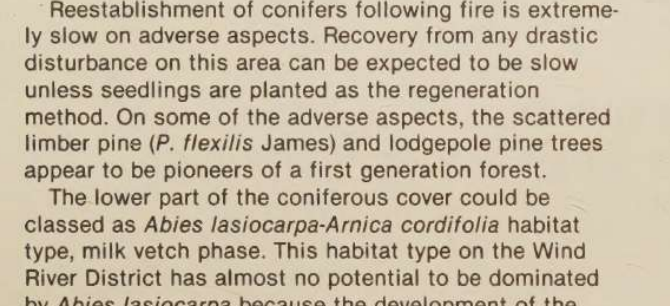
Observed output: Output artifact (Image): The scanned heading lost markdown heading markers, and the surrounding text was no longer cleanly separated from the layout. — pymupdf4llm_input3_scannedpaper_study_area_header_parsed_failure.png
Output artifact: Output artifact (Image): The scanned heading lost markdown heading markers, and the surrounding text was no longer cleanly separated from the layout. — pymupdf4llm_input3_scannedpaper_study_area_header_parsed_failure.png
What changed: Image transformed into Image
Why it matters / Conclusion: Works well for clean report structure, but scanned headings and TOCs are not preserved reliably.
Preserves headings and section nesting on straightforward digital report pages, including business and summary sections. On scanned pages, headings lose markdown-level structure, the Table of Contents can disappear, and multi-column pages no longer read in a clean top-to-bottom order.
image
↓→
image
The business section kept its section structure and stayed readable in the extracted markdown.
image
↓→
image
The summary section preserved a clear heading hierarchy in the extracted text.
image
↓→
OUTPUT
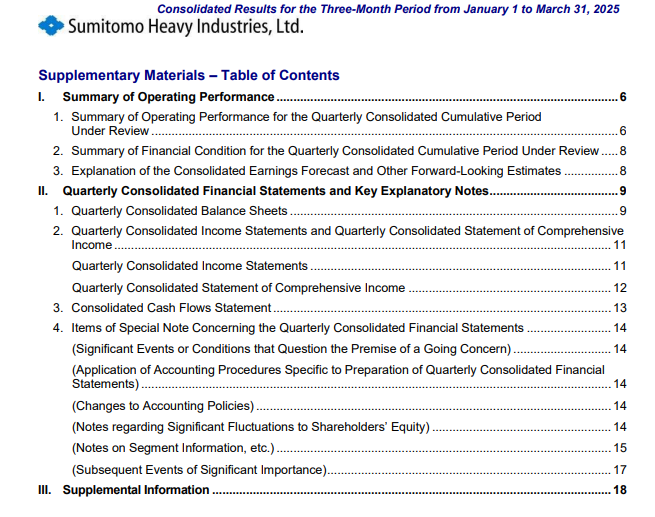
The Table of Contents page was omitted from the extraction and replaced by garbled picture-text blocks.
image
↓→
image
The scanned heading lost markdown heading markers, and the surrounding text was no longer cleanly separated from the layout.
Bottom Line
Works well for clean report structure, but scanned headings and TOCs are not preserved reliably.
Table Reconstruction
Clean native tables can be rebuilt, but dense financial statements and scanned tables break badly.
▾
Test Summary
Feature tested: Table Reconstruction
Result: Passed — Clean native tables can be rebuilt, but dense financial statements and scanned tables break badly.
Feature tested: Table Reconstruction
Result: Passed
Verdict: Clean native tables can be rebuilt, but dense financial statements and scanned tables break badly.
Expected behavior: Reconstructs well-structured native-digital tables into readable markdown. The hybrid annual report table came through cleanly, while dense financial statements and scanned tables lost alignment, header associations, or the table itself.
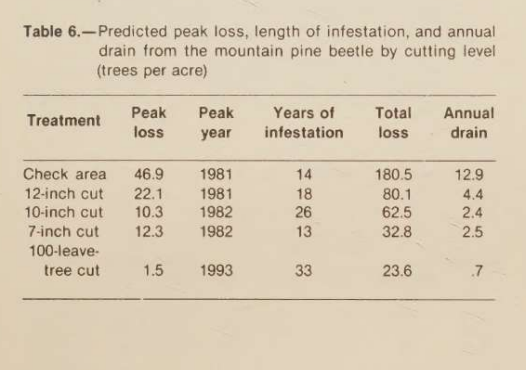
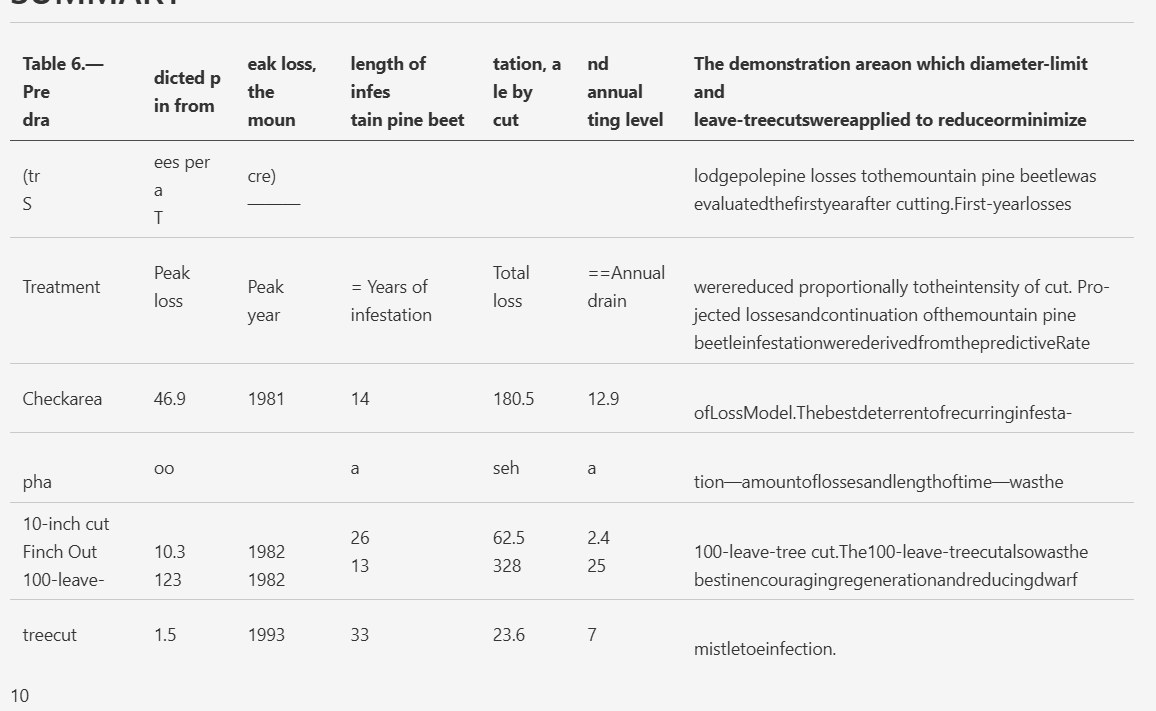
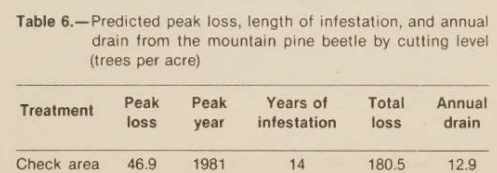
Observed output: Output artifact (Image): The scanned table merged narrative text into the table area and broke the column layout. — pymupdf4llm_input3_scannedpaper_table_6_parsed_failure.png
Output artifact: Output artifact (Image): The scanned table merged narrative text into the table area and broke the column layout. — pymupdf4llm_input3_scannedpaper_table_6_parsed_failure.png
What changed: Image transformed into Image
Why it matters / Conclusion: Good on straightforward native tables, unreliable on dense financial or scanned table layouts.
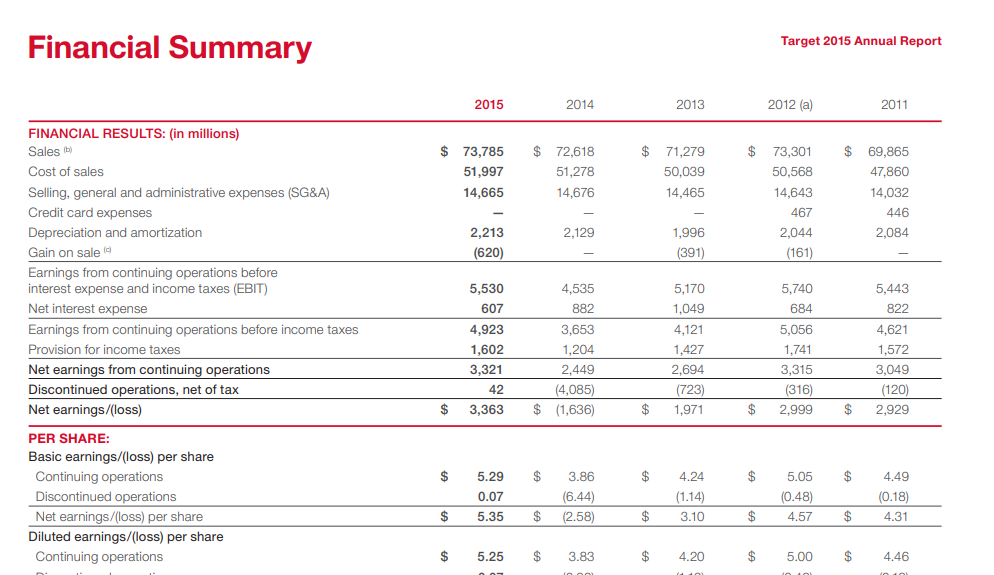
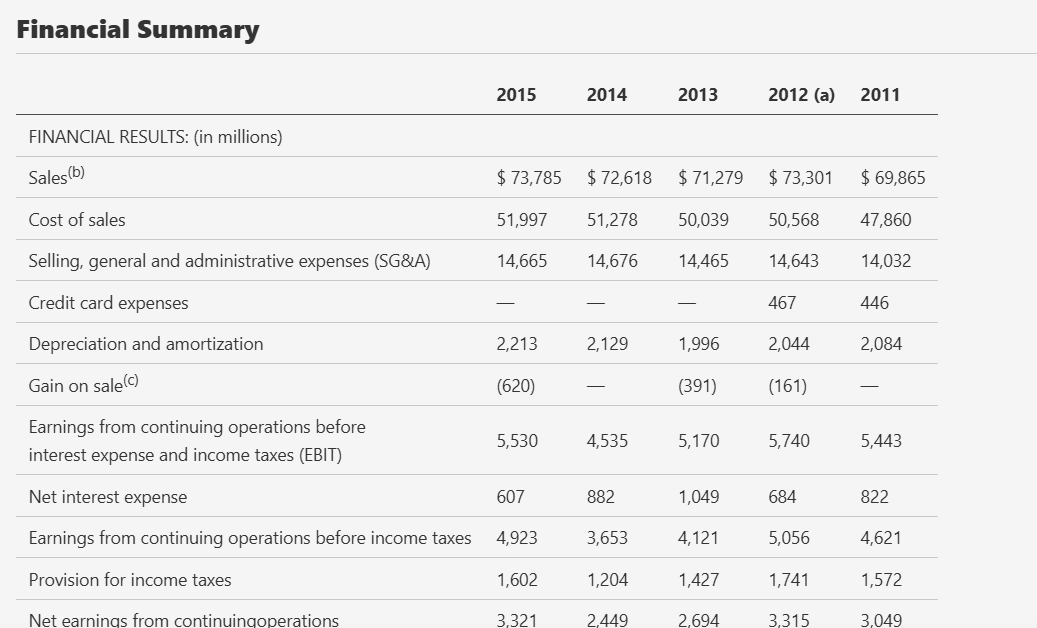
Reconstructs well-structured native-digital tables into readable markdown. The hybrid annual report table came through cleanly, while dense financial statements and scanned tables lost alignment, header associations, or the table itself.
image
↓→
image
The financial summary table stayed aligned, with year/value associations preserved in readable markdown.
image
↓→
image
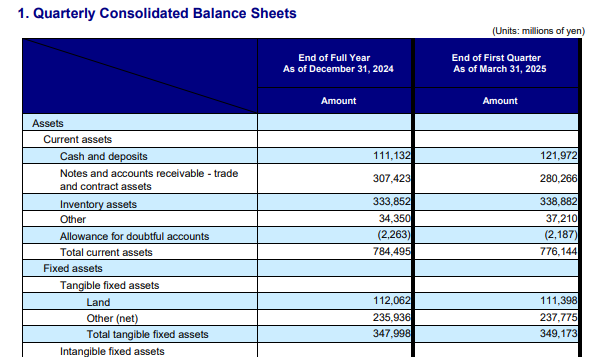
The quarterly balance-sheet table collapsed into garbled fragments, losing the table structure.
image
↓→
image
The scanned table merged narrative text into the table area and broke the column layout.
Bottom Line
Good on straightforward native tables, unreliable on dense financial or scanned table layouts.
Chart and Figure Text Capture
It can mine text from figures, but it does not preserve chart geometry or visual structure.
▾
Test Summary
Feature tested: Chart and Figure Text Capture
Result: Passed — It can mine text from figures, but it does not preserve chart geometry or visual structure.
Feature tested: Chart and Figure Text Capture
Result: Passed
Verdict: It can mine text from figures, but it does not preserve chart geometry or visual structure.
Expected behavior: Recovers chart labels, titles, and numbers as OCR text inside picture-text wrappers. On the annual report charts it kept values and labels, while scanned figures degraded into fragmented OCR text blocks.
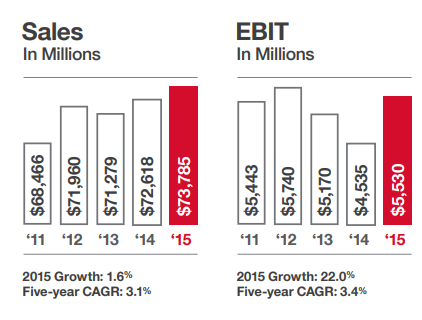
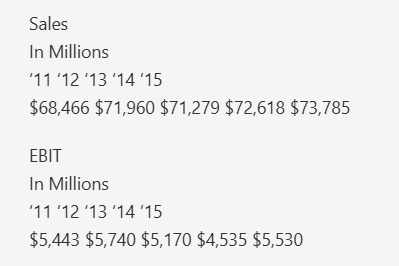
Observed output: Output artifact (Image): The bar chart's labels and values were recovered as text, but the bar graphics were lost. — pymupdf4llm_input1_hybridearnings_sales_and_ebit_chart_partial_success.png
Output artifact: Output artifact (Image): The bar chart's labels and values were recovered as text, but the bar graphics were lost. — pymupdf4llm_input1_hybridearnings_sales_and_ebit_chart_partial_success.png
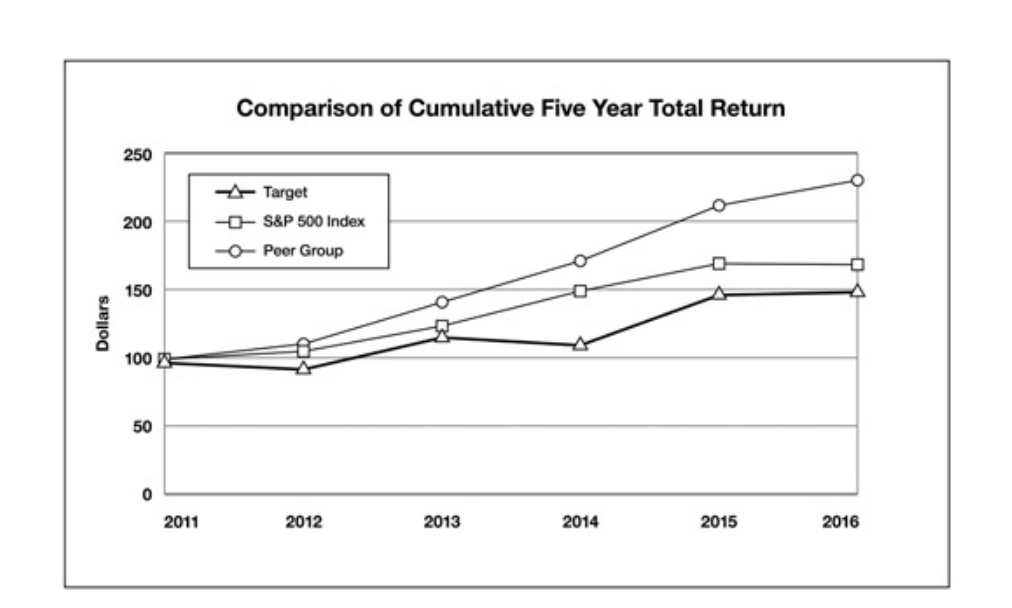
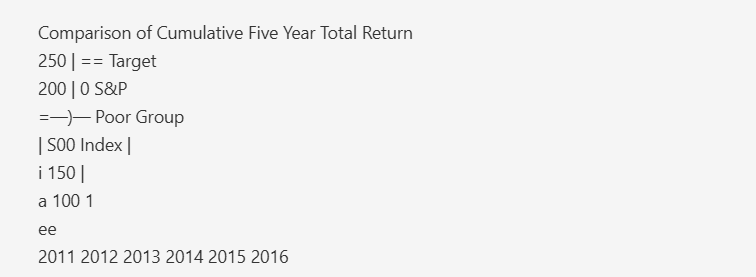
Observed output: Output artifact (Image): The line chart title and legend survived only as fragmented OCR text, with no reconstructed plot geometry. — pymupdf4llm_input1_hybridearnings_comparison_chart_partial_success.png
Output artifact: Output artifact (Image): The line chart title and legend survived only as fragmented OCR text, with no reconstructed plot geometry. — pymupdf4llm_input1_hybridearnings_comparison_chart_partial_success.png
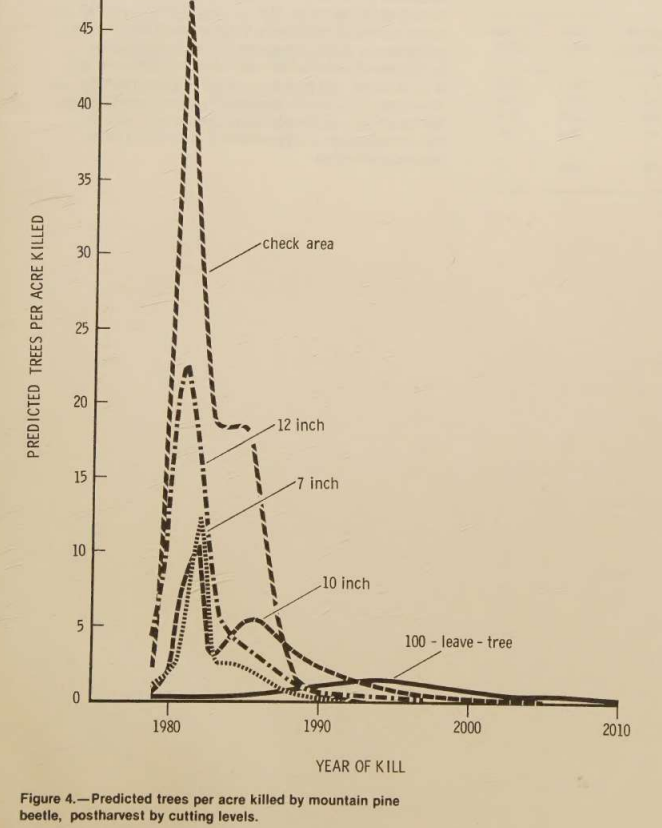
Observed output: Output artifact (Image): The scanned figure degraded into broken OCR text, so the chart itself was not reconstructed. — pymupdf4llm_input3_scannedpaper_figure_4_parsed_failure.png
Output artifact: Output artifact (Image): The scanned figure degraded into broken OCR text, so the chart itself was not reconstructed. — pymupdf4llm_input3_scannedpaper_figure_4_parsed_failure.png
What changed: Image transformed into Image
Why it matters / Conclusion: Useful if you only need figure text; not a faithful chart reconstruction tool.
Recovers chart labels, titles, and numbers as OCR text inside picture-text wrappers. On the annual report charts it kept values and labels, while scanned figures degraded into fragmented OCR text blocks.
image
↓→
image
The bar chart's labels and values were recovered as text, but the bar graphics were lost.
image
↓→
image
The line chart title and legend survived only as fragmented OCR text, with no reconstructed plot geometry.
image
↓→
image
The scanned figure degraded into broken OCR text, so the chart itself was not reconstructed.
Bottom Line
Useful if you only need figure text; not a faithful chart reconstruction tool.
Embedded Image Retention
Standalone visuals are a clear weak spot: they are dropped or turned into OCR text instead of being retained as images.
▾
Test Summary
Feature tested: Embedded Image Retention
Result: Passed — Standalone visuals are a clear weak spot: they are dropped or turned into OCR text instead of being retained as images.
Feature tested: Embedded Image Retention
Result: Passed
Verdict: Standalone visuals are a clear weak spot: they are dropped or turned into OCR text instead of being retained as images.
Expected behavior: Retains standalone visuals such as portraits, logos, signatures, and header art. The Target CEO photo and signature disappeared, and the Sumitomo and USDA page headers were flattened into garbled repeated OCR text instead of being kept as images.
Observed output: Output artifact (Image): The CEO photo vanished with no image placeholder or retained image element. — pymupdf4llm_input1_hybridearnings_ceo_image_omitted_failure.png
Output artifact: Output artifact (Image): The CEO photo vanished with no image placeholder or retained image element. — pymupdf4llm_input1_hybridearnings_ceo_image_omitted_failure.png
Observed output: Output artifact (Image): The handwritten signature was omitted, leaving only surrounding text and the printed title. — pymupdf4llm_input1_hybridearnings_ceo_sign_omitted_failure.png
Output artifact: Output artifact (Image): The handwritten signature was omitted, leaving only surrounding text and the printed title. — pymupdf4llm_input1_hybridearnings_ceo_sign_omitted_failure.png
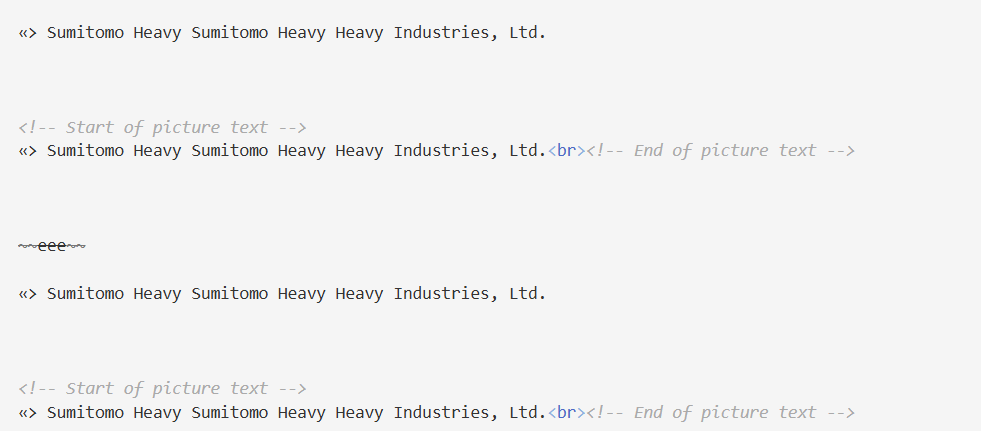
Observed output: Output artifact (Image): The company header/logo was converted into repeated garbled text rather than retained as a visual asset. — pymupdf4llm_input2_financialpdf_company_header_parsed_failure.png
Output artifact: Output artifact (Image): The company header/logo was converted into repeated garbled text rather than retained as a visual asset. — pymupdf4llm_input2_financialpdf_company_header_parsed_failure.png
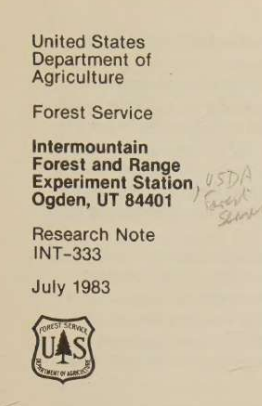
Observed output: Output artifact (Image): The USDA header/logo area was flattened into corrupted OCR text instead of being kept as an image. — pymupdf4llm_input3_scannedpaper_usda_logo_parsed_failure.png
Output artifact: Output artifact (Image): The USDA header/logo area was flattened into corrupted OCR text instead of being kept as an image. — pymupdf4llm_input3_scannedpaper_usda_logo_parsed_failure.png
What changed: Image transformed into Image
Why it matters / Conclusion: If visual assets matter, this is not the right parser.
Retains standalone visuals such as portraits, logos, signatures, and header art. The Target CEO photo and signature disappeared, and the Sumitomo and USDA page headers were flattened into garbled repeated OCR text instead of being kept as images.
image
↓→
image
The CEO photo vanished with no image placeholder or retained image element.
image
↓→
image
The handwritten signature was omitted, leaving only surrounding text and the printed title.
image
↓→
image
The company header/logo was converted into repeated garbled text rather than retained as a visual asset.
image
↓→
image
The USDA header/logo area was flattened into corrupted OCR text instead of being kept as an image.
Bottom Line
If visual assets matter, this is not the right parser.
Caption and Footnote Association
Footnotes stay attached on clean tables, but scanned captions can be absorbed into the wrong block.
▾
Test Summary
Feature tested: Caption and Footnote Association
Result: Passed — Footnotes stay attached on clean tables, but scanned captions can be absorbed into the wrong block.
Feature tested: Caption and Footnote Association
Result: Passed
Verdict: Footnotes stay attached on clean tables, but scanned captions can be absorbed into the wrong block.
Expected behavior: Keeps footnotes grouped under clean native tables, but scanned figure/table captions can be folded into picture-text blocks or merged directly into table cells. The hybrid annual report preserved the table footnotes cleanly, while the scanned research paper merged the Table 6 caption into the table.
Observed output: Output artifact (Image): The Table 6 caption was merged into the extracted table rather than remaining separate from it. — pymupdf4llm_input3_scannedpaper_table_6_caption_parsed_failure.png
Output artifact: Output artifact (Image): The Table 6 caption was merged into the extracted table rather than remaining separate from it. — pymupdf4llm_input3_scannedpaper_table_6_caption_parsed_failure.png
What changed: Image transformed into Image
Why it matters / Conclusion: Precise on straightforward table footnotes, brittle on scanned captions and caption/table boundaries.
Keeps footnotes grouped under clean native tables, but scanned figure/table captions can be folded into picture-text blocks or merged directly into table cells. The hybrid annual report preserved the table footnotes cleanly, while the scanned research paper merged the Table 6 caption into the table.
image
↓→
image
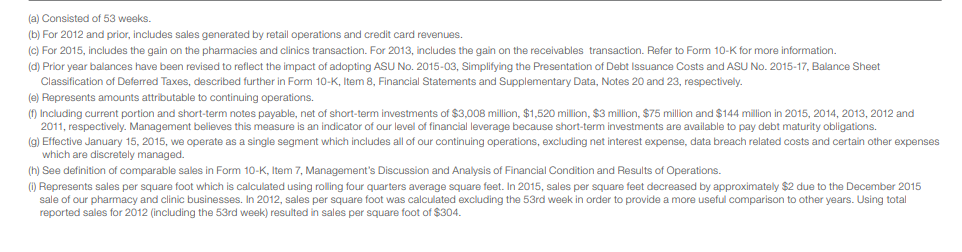
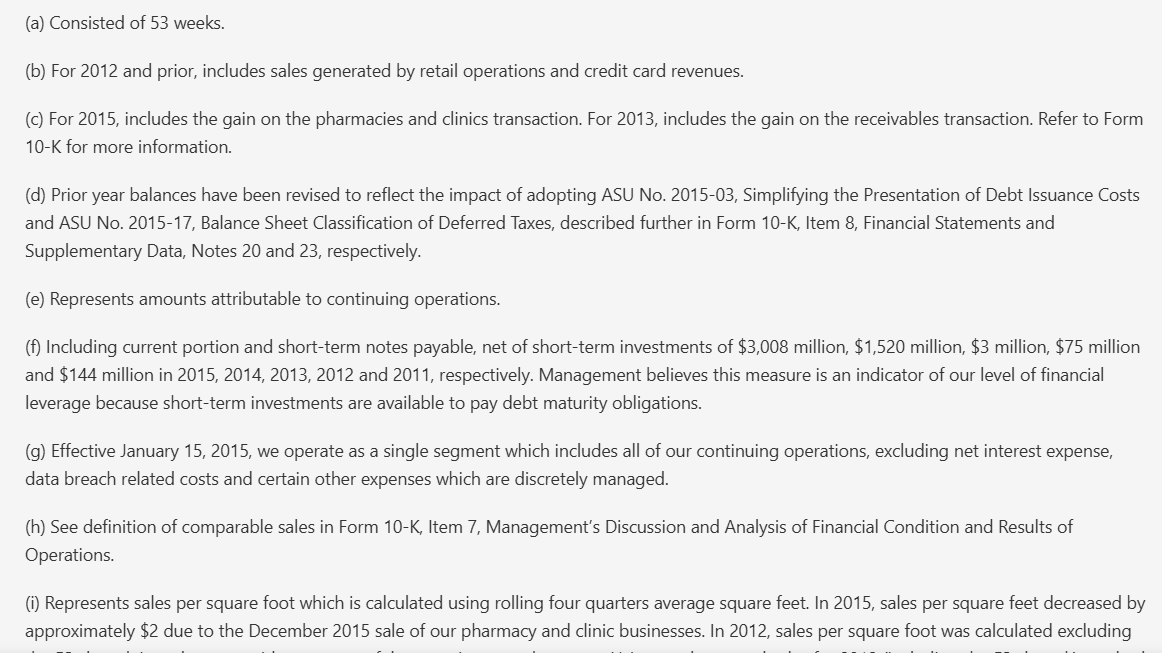
Footnotes (a) through (i) stayed directly associated with the financial summary table.
image
↓→
image
The Table 6 caption was merged into the extracted table rather than remaining separate from it.
Bottom Line
Precise on straightforward table footnotes, brittle on scanned captions and caption/table boundaries.
Pricing
Open source, no paid tiers evaluated.
TESTED
Open source
$0
AGPL open-source library
The report describes pymupdf4llm as free and open source (AGPL).
✓ Use This If
●You are converting clean, native-digital PDFs locally and want usable markdown without a hosted service.
●Your priority is readable prose and straightforward tables from well-structured pages.
●You can tolerate charts being reduced to OCR text and images being dropped.
✕ Skip This If
●Your PDFs are scanned or OCR-heavy multi-column documents.
●You need faithful retention of charts, photos, logos, or signatures.
●You rely on dense financial statement tables or validated repeat-run consistency.
Featured in Rankings
Independent rankings where PyMuPDF4LLM was tested and rated.
Very well in this report. The hybrid annual report's prose, the business section, the growth-story section, and the summary section were extracted cleanly, with readable reading order and preserved structure on the digital pages.
Poorly. In the financial-report input, the consolidated and quarterly tables were either omitted or reduced to garbled picture-text fragments, and the structure was not recoverable.
Not reliably. The scanned research paper showed OCR spelling errors, heavy column interleaving, weak heading parsing, and degraded tables across the document.
Their text can survive, but the chart itself is not reconstructed. The annual report charts were reduced to OCR text fragments inside picture-text blocks, and scanned figures degraded into broken text.
No. The CEO photo and signature were omitted, and the company header and USDA logo areas were turned into garbled OCR text instead of retained image elements.
Footnotes on clean native tables were preserved and stayed attached below the table, but scanned table captions could be merged into the table extraction instead of remaining separate.
The report describes it as free/open-source (AGPL). It does not include a repeat-run or matched-layout consistency test, so stability across repeated runs remains unproven.
Banner Preview
How the embed badge will look on your site
Embed HTML
Copy this code to your website source
<a target="_blank" href="https://aidemos.com/tools/pymupdf4llm?utm_source=pymupdf4llm_embed" style="width: 250px; height: 80px; border-radius:4px;" width="250" height="80">
<img src="https://aidemos-website-images.s3.amazonaws.com/featured.png" alt="PyMuPDF4LLM | Featured on AI Demos" style="width: 250px; height: 80px; border-radius:4px;" width="250" height="80">
</a>
Quick Integration Guide
1Copy the HTML code block above.
2Paste it into your site's HTML or CMS editor.
3Banner appears instantly on your page.
4Links back to your tool profile here.
Similar Tools
Similar Tools
Discover more AI tools like PyMuPDF4LLM to enhance your workflow.
⚡ Built by FutureSmart AI — the team behind AI Demos
Need a custom AI solution for this use case?
If you are looking to build a custom PDF to markdown, document parsing, or structured data extraction system for your business or internal workflow, email us at contact@futuresmart.ai.
Found something inaccurate or missing? We try to keep our AI research accurate and useful. If you found outdated information, an issue, or have a suggestion, email us at collaborate@aidemos.com.