
Amazon Transcribe
Batch speech-to-text with word-level metadata, but accuracy drops on overlap and code-switching.
Reliable batch plumbing, uneven transcripts
- you need a batch transcription API that returns word-level timestamps, confidence, and speaker labels
- you can stage audio in S3 and run an async upload → poll → fetch workflow
- you are transcribing mostly English or technical jargon and can tolerate weaker performance on overlap-heavy or code-switched audio
- you need reliable multilingual or code-switching transcription
Our take
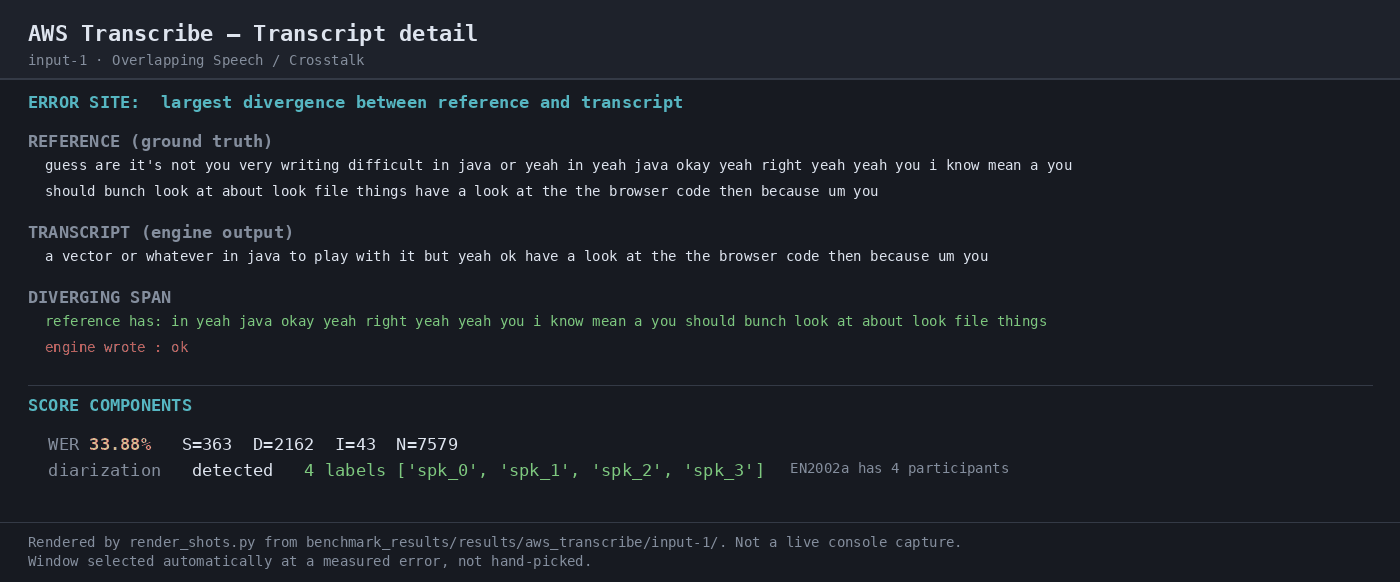
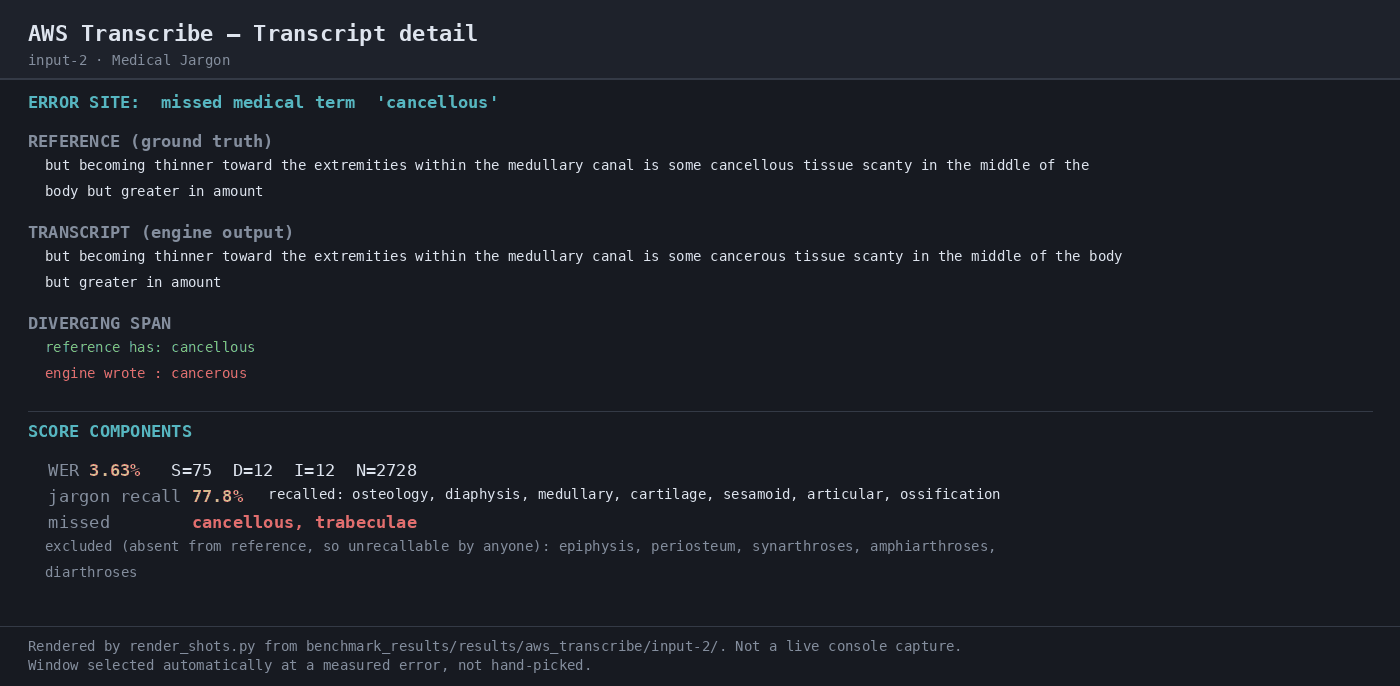
AWS Transcribe returned a complete developer payload on every scored run: word-level timing, confidence, and speaker labels were present, and the batch workflow completed cleanly at about $0.36/audio-hour. It was excellent on the medical-jargon clip, but it dropped heavily on overlapping speech and recovered only 30.0% of Spanish tokens in the code-switching sample. This benchmark also only verified speaker-label presence and count, not diarization attribution, so I would treat it as solid English-centric batch STT rather than a safe default for multilingual or overlap-heavy audio.
In-Depth Review
Our detailed analysis of Amazon Transcribe — features, performance, and real-world testing.
Feature-by-Feature Breakdown
Batch Speech-to-Text TranscriptionMixed▾
Feature tested: Batch Speech-to-Text Transcription
Result: Failed
Verdict: Mixed
Expected behavior: Converts staged long-form audio into full transcripts. It was exercised on overlapping crosstalk, medical-jargon, and bilingual code-switching clips.
Test case: Audio file → Image
Input type: Audio file
Input used: Input artifact (Audio file): INPUT: Overlapping Speech / Crosstalk — crosstalk.wav, 35:43, 65.39 MB, four-way overlapping meeting audio. — crosstalk.wav
Observed output: Output artifact (Image): Crosstalk transcript detail: WER 33.88% with 363 substitutions, 2162 deletions, and 43 insertions; the run detected 4 speaker labels. — 04-transcript-detail.png
Input artifact: Input artifact (Audio file): INPUT: Overlapping Speech / Crosstalk — crosstalk.wav, 35:43, 65.39 MB, four-way overlapping meeting audio. — crosstalk.wav
Output artifact: Output artifact (Image): Crosstalk transcript detail: WER 33.88% with 363 substitutions, 2162 deletions, and 43 insertions; the run detected 4 speaker labels. — 04-transcript-detail.png
What changed: Audio file transformed into Image
Test case: Audio file → Image
Input type: Audio file
Input used: Input artifact (Audio file): INPUT: Medical Jargon — medical_terms.mp3, 18:44, 8.58 MB, clean single-speaker medical narration. — medical_terms.mp3
Observed output: Output artifact (Image): Medical jargon transcript detail: WER 3.63%; it missed 'cancellous' and 'trabeculae' but still reached 77.8% jargon recall. — 04-transcript-detail-2.png
Input artifact: Input artifact (Audio file): INPUT: Medical Jargon — medical_terms.mp3, 18:44, 8.58 MB, clean single-speaker medical narration. — medical_terms.mp3
Output artifact: Output artifact (Image): Medical jargon transcript detail: WER 3.63%; it missed 'cancellous' and 'trabeculae' but still reached 77.8% jargon recall. — 04-transcript-detail-2.png
What changed: Audio file transformed into Image
Test case: Audio file → Image
Input type: Audio file
Input used: Input artifact (Audio file): INPUT: Bilingual Code-Switching — mix_language.mp3, 32:18, 22.19 MB, spontaneous Spanish-English conversation. — mix_language.mp3
Observed output: Output artifact (Image): Bilingual transcript detail: WER 23.06%; the error site dropped the Spanish token 'ahora' and the screen reported Spanish recall of 30.0%. — 04-transcript-detail-3.png
Input artifact: Input artifact (Audio file): INPUT: Bilingual Code-Switching — mix_language.mp3, 32:18, 22.19 MB, spontaneous Spanish-English conversation. — mix_language.mp3
Output artifact: Output artifact (Image): Bilingual transcript detail: WER 23.06%; the error site dropped the Spanish token 'ahora' and the screen reported Spanish recall of 30.0%. — 04-transcript-detail-3.png
What changed: Audio file transformed into Image
Test case: Audio file → Image
Input type: Audio file
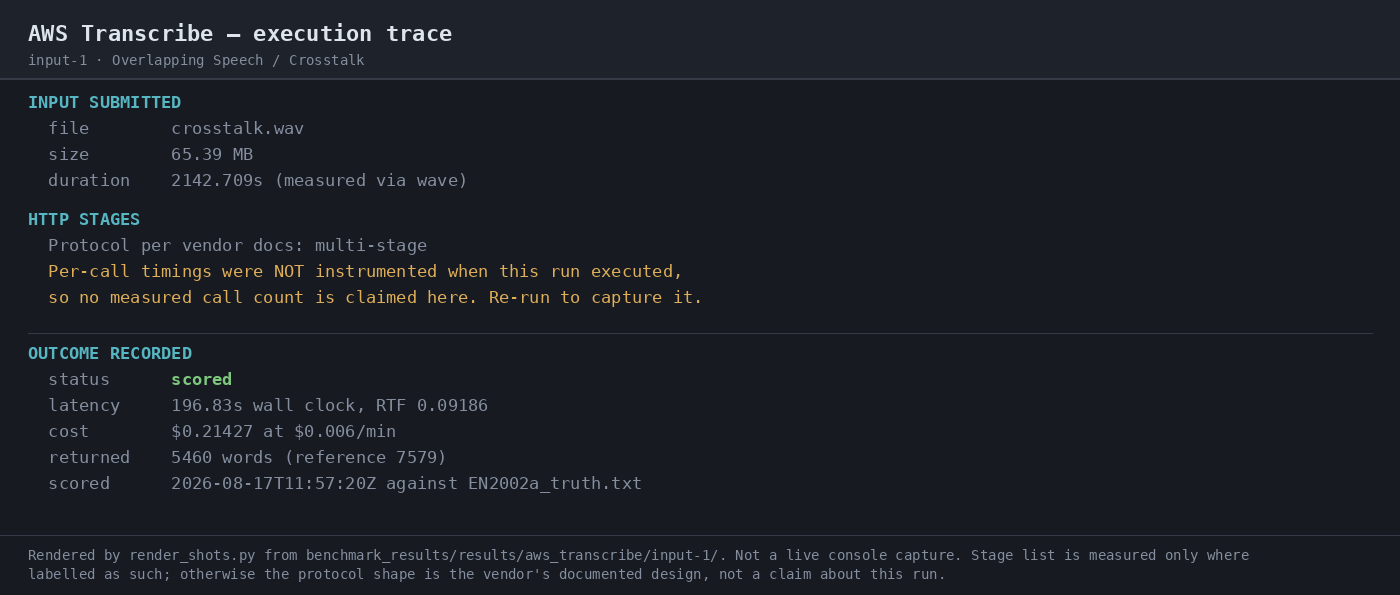
Input used: Input artifact (Audio file): INPUT: Overlapping Speech / Crosstalk — verify the end-to-end batch job flow. — crosstalk.wav
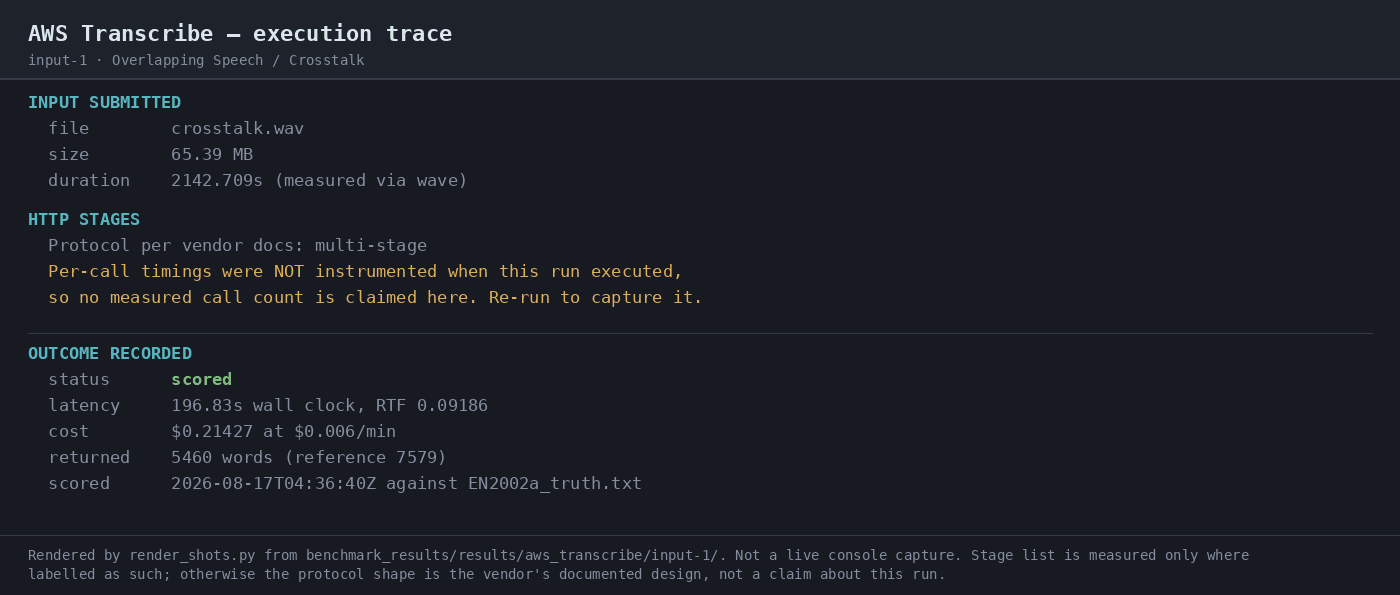
Observed output: Output artifact (Image): Execution trace for crosstalk: multi-stage vendor protocol, no measured per-call count, 196.83s wall-clock latency, and 5,460 returned words from a 7,579-word reference. — 07-automation-trace.png
Input artifact: Input artifact (Audio file): INPUT: Overlapping Speech / Crosstalk — verify the end-to-end batch job flow. — crosstalk.wav
Output artifact: Output artifact (Image): Execution trace for crosstalk: multi-stage vendor protocol, no measured per-call count, 196.83s wall-clock latency, and 5,460 returned words from a 7,579-word reference. — 07-automation-trace.png
What changed: Audio file transformed into Image
Test case: Audio file → Image
Input type: Audio file
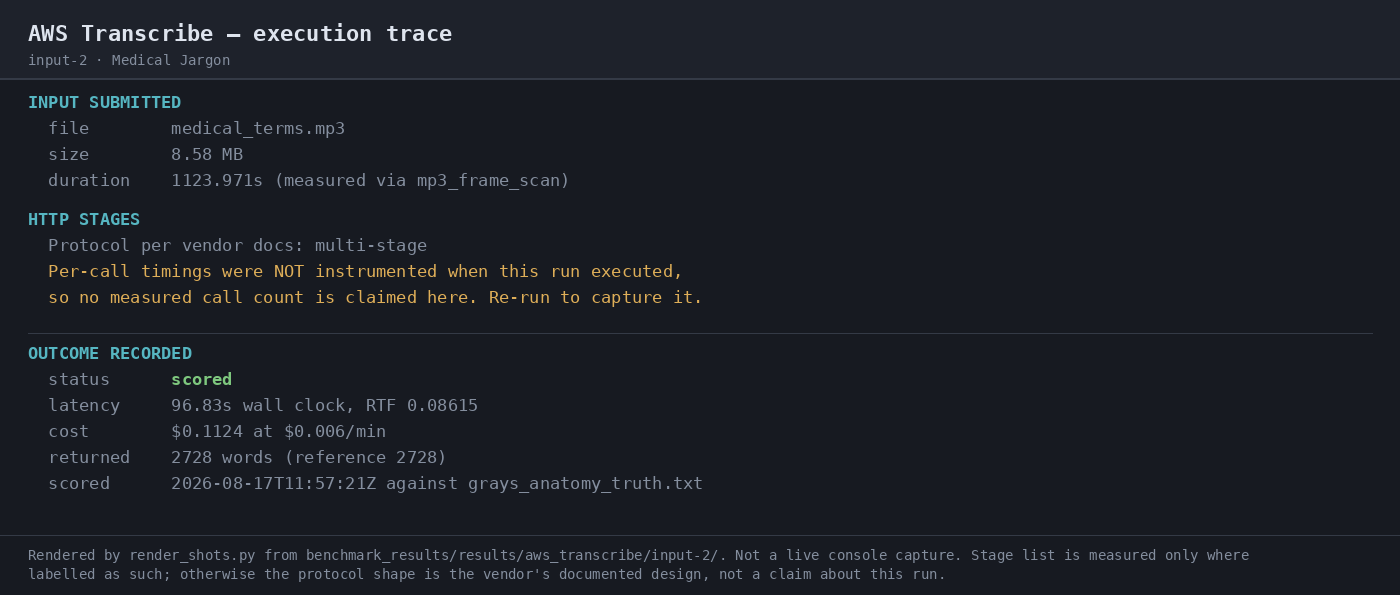
Input used: Input artifact (Audio file): INPUT: Medical Jargon — verify the end-to-end batch job flow. — medical_terms.mp3
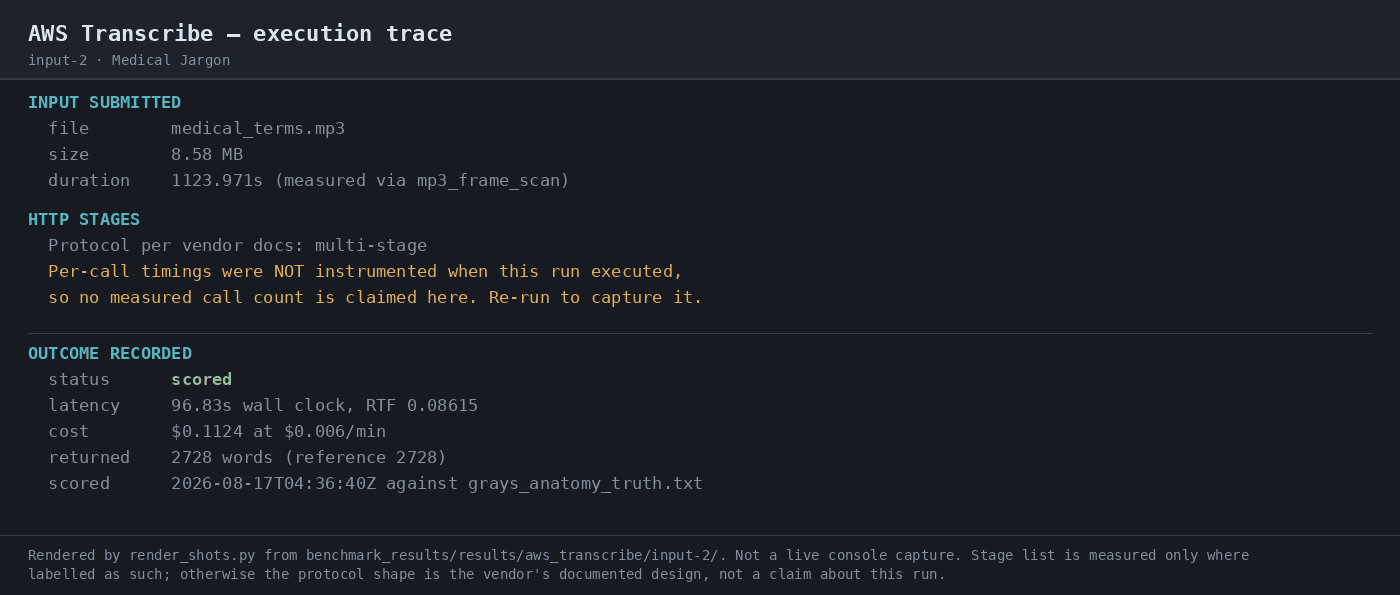
Observed output: Output artifact (Image): Execution trace for medical jargon: multi-stage vendor protocol, no measured per-call count, 96.835s latency, and 2,728 returned words. — 07-automation-trace-2.png
Input artifact: Input artifact (Audio file): INPUT: Medical Jargon — verify the end-to-end batch job flow. — medical_terms.mp3
Output artifact: Output artifact (Image): Execution trace for medical jargon: multi-stage vendor protocol, no measured per-call count, 96.835s latency, and 2,728 returned words. — 07-automation-trace-2.png
What changed: Audio file transformed into Image
Test case: Audio file → Image
Input type: Audio file
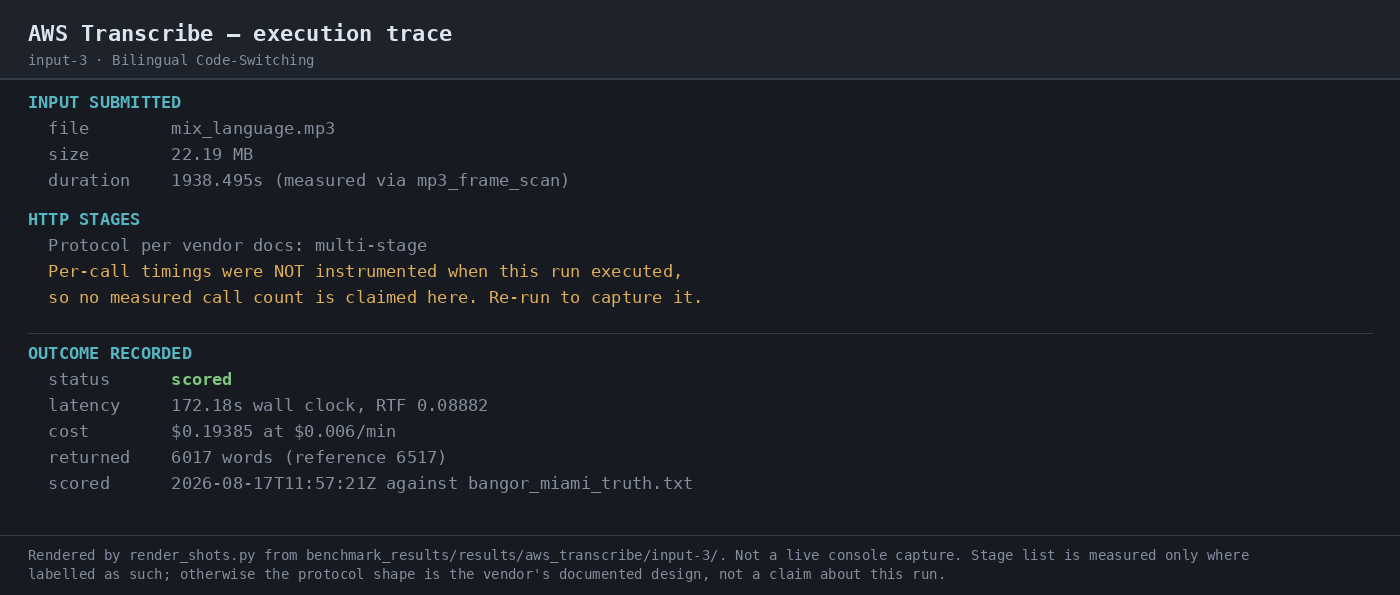
Input used: Input artifact (Audio file): INPUT: Bilingual Code-Switching — verify the end-to-end batch job flow. — mix_language.mp3
Observed output: Output artifact (Image): Execution trace for bilingual code-switching: multi-stage vendor protocol, no measured per-call count, 172.18s latency, and 6,017 returned words. — 07-automation-trace-3.png
Input artifact: Input artifact (Audio file): INPUT: Bilingual Code-Switching — verify the end-to-end batch job flow. — mix_language.mp3
Output artifact: Output artifact (Image): Execution trace for bilingual code-switching: multi-stage vendor protocol, no measured per-call count, 172.18s latency, and 6,017 returned words. — 07-automation-trace-3.png
What changed: Audio file transformed into Image
Why it matters / Conclusion: Best on the medical-jargon clip, acceptable on the code-switching clip in headline WER, and clearly weakest on crosstalk because of heavy deletions.
Converts staged long-form audio into full transcripts. It was exercised on overlapping crosstalk, medical-jargon, and bilingual code-switching clips.


Structured Transcription Metadata ExportStrong developer payload shape, but transcript quality varies sharply by audio type.▾
Feature tested: Structured Transcription Metadata Export
Result: Partial
Verdict: Strong developer payload shape, but transcript quality varies sharply by audio type.
Expected behavior: Returns batch transcription output together with word-level timestamps, confidence values, and speaker-label fields, often in a developer-facing JSON shape. It was exercised on medical-jargon narration, four-speaker crosstalk, and bilingual code-switching clips.
Test case: Audio file → Text/code file
Input type: Audio file
Input used: Input artifact (Audio file): INPUT: Overlapping Speech / Crosstalk — a four-person meeting recording (35:43, 65.4 MB) used to test overlap and speaker separation. — crosstalk.wav
Observed output: Output artifact (Text/code file): Completed JSON response for the crosstalk run: status COMPLETED, transcript text returned, speaker_labels present, 5912 timed tokens, and 4 detected speakers. The benchmark later scored this clip at 33.88% WER with heavy deletions. — raw-response-input-1.json
Input artifact: Input artifact (Audio file): INPUT: Overlapping Speech / Crosstalk — a four-person meeting recording (35:43, 65.4 MB) used to test overlap and speaker separation. — crosstalk.wav
Output artifact: Output artifact (Text/code file): Completed JSON response for the crosstalk run: status COMPLETED, transcript text returned, speaker_labels present, 5912 timed tokens, and 4 detected speakers. The benchmark later scored this clip at 33.88% WER with heavy deletions. — raw-response-input-1.json
What changed: Audio file transformed into Text/code file
Test case: Audio file → Text/code file
Input type: Audio file
Input used: Input artifact (Audio file): INPUT: Medical Jargon — clean single-speaker narration from Gray's Anatomy via LibriVox (18:44, 8.6 MB) used to test lexical precision. — medical_terms.mp3
Observed output: Output artifact (Text/code file): Completed JSON response for the medical-jargon run: status COMPLETED, transcript text returned, speaker_labels present, 2829 timed tokens, and a single detected speaker in the previewed segment. The benchmark later scored this clip at 3.63% WER, with jargon recall at 77.8% and misses on cancellous and trabeculae. — raw-response-input-2.json
Input artifact: Input artifact (Audio file): INPUT: Medical Jargon — clean single-speaker narration from Gray's Anatomy via LibriVox (18:44, 8.6 MB) used to test lexical precision. — medical_terms.mp3
Output artifact: Output artifact (Text/code file): Completed JSON response for the medical-jargon run: status COMPLETED, transcript text returned, speaker_labels present, 2829 timed tokens, and a single detected speaker in the previewed segment. The benchmark later scored this clip at 3.63% WER, with jargon recall at 77.8% and misses on cancellous and trabeculae. — raw-response-input-2.json
What changed: Audio file transformed into Text/code file
Test case: Audio file → Text/code file
Input type: Audio file
Input used: Input artifact (Audio file): INPUT: Bilingual Code-Switching — spontaneous Spanish-English conversation (32:18, 22.2 MB) used to test code-switching and language routing. — mix_language.mp3
Observed output: Output artifact (Text/code file): Completed JSON response for the bilingual run: status COMPLETED, transcript text returned, speaker_labels present, 6311 timed tokens, and 3 detected speakers. The benchmark later scored this clip at 23.06% WER, with Spanish token recall at 30.0% and many Spanish words dropped or anglicized. — raw-response-input-3.json
Input artifact: Input artifact (Audio file): INPUT: Bilingual Code-Switching — spontaneous Spanish-English conversation (32:18, 22.2 MB) used to test code-switching and language routing. — mix_language.mp3
Output artifact: Output artifact (Text/code file): Completed JSON response for the bilingual run: status COMPLETED, transcript text returned, speaker_labels present, 6311 timed tokens, and 3 detected speakers. The benchmark later scored this clip at 23.06% WER, with Spanish token recall at 30.0% and many Spanish words dropped or anglicized. — raw-response-input-3.json
What changed: Audio file transformed into Text/code file
Why it matters / Conclusion: Best when you need a batch transcript plus metadata in a stable JSON shape; not best when you need uniformly accurate transcription across hard audio, and not enough to prove diarization attribution on its own.
Returns batch transcription output together with word-level timestamps, confidence values, and speaker-label fields, often in a developer-facing JSON shape. It was exercised on medical-jargon narration, four-speaker crosstalk, and bilingual code-switching clips.
Asynchronous Batch Job OrchestrationEnd-to-end batch orchestration worked on all three runs.▾
Feature tested: Asynchronous Batch Job Orchestration
Result: Passed
Verdict: End-to-end batch orchestration worked on all three runs.
Expected behavior: Submits audio as a signed batch request, stages it in S3, polls for completion, and retrieves the finished transcription result. It was exercised with a local AWS profile when available and credential prompting at runtime.
Test case: Audio file → Image
Input type: Audio file
Input used: Input artifact (Audio file): INPUT: Overlapping Speech / Crosstalk batch transcription job with AWS-signed auth and speaker labels enabled. — crosstalk.wav
Observed output: Output artifact (Image): Execution trace shows crosstalk.wav submitted, multi-stage HTTP protocol, status scored, 196.83s wall clock, RTF 0.09186, cost $0.21427, and 5,460 returned words versus 7,579 reference words. Per-call timings were not instrumented in this run. — 07-automation-trace-input-1.png
Input artifact: Input artifact (Audio file): INPUT: Overlapping Speech / Crosstalk batch transcription job with AWS-signed auth and speaker labels enabled. — crosstalk.wav
Output artifact: Output artifact (Image): Execution trace shows crosstalk.wav submitted, multi-stage HTTP protocol, status scored, 196.83s wall clock, RTF 0.09186, cost $0.21427, and 5,460 returned words versus 7,579 reference words. Per-call timings were not instrumented in this run. — 07-automation-trace-input-1.png
What changed: Audio file transformed into Image
Test case: Audio file → Image
Input type: Audio file
Input used: Input artifact (Audio file): INPUT: Medical Jargon batch transcription job with AWS-signed auth and speaker labels enabled. — medical_terms.mp3
Observed output: Output artifact (Image): Execution trace shows medical_terms.mp3 submitted, multi-stage HTTP protocol, status scored, 96.83s wall clock, RTF 0.08615, cost $0.1124, and 2,728 returned words versus 2,728 reference words. Per-call timings were not instrumented in this run. — 07-automation-trace-input-2.png
Input artifact: Input artifact (Audio file): INPUT: Medical Jargon batch transcription job with AWS-signed auth and speaker labels enabled. — medical_terms.mp3
Output artifact: Output artifact (Image): Execution trace shows medical_terms.mp3 submitted, multi-stage HTTP protocol, status scored, 96.83s wall clock, RTF 0.08615, cost $0.1124, and 2,728 returned words versus 2,728 reference words. Per-call timings were not instrumented in this run. — 07-automation-trace-input-2.png
What changed: Audio file transformed into Image
Test case: Audio file → Image
Input type: Audio file
Input used: Input artifact (Audio file): INPUT: Bilingual Code-Switching batch transcription job with AWS-signed auth and speaker labels enabled. — mix_language.mp3
Observed output: Output artifact (Image): Execution trace shows mix_language.mp3 submitted, multi-stage HTTP protocol, status scored, 172.18s wall clock, RTF 0.08882, cost $0.19385, and 6,017 returned words versus 6,517 reference words. Per-call timings were not instrumented in this run. — 07-automation-trace-input-3.png
Input artifact: Input artifact (Audio file): INPUT: Bilingual Code-Switching batch transcription job with AWS-signed auth and speaker labels enabled. — mix_language.mp3
Output artifact: Output artifact (Image): Execution trace shows mix_language.mp3 submitted, multi-stage HTTP protocol, status scored, 172.18s wall clock, RTF 0.08882, cost $0.19385, and 6,017 returned words versus 6,517 reference words. Per-call timings were not instrumented in this run. — 07-automation-trace-input-3.png
What changed: Audio file transformed into Image
Why it matters / Conclusion: The batch workflow itself was stable across all three runs, but the benchmark did not measure call-by-call HTTP timings, so this confirms end-to-end automation rather than internal stage latency.
Submits audio as a signed batch request, stages it in S3, polls for completion, and retrieves the finished transcription result. It was exercised with a local AWS profile when available and credential prompting at runtime.
AWS Transcribe pricing
Standard batch is flat-rate and was the mode used in this benchmark.
Standard transcription is billed in 1-second increments with no minimum. The report also says the free tier is 60 audio minutes per month for 12 months. Add-ons such as automatic content redaction and custom language models are priced separately.
Featured in Rankings
Independent rankings where Amazon Transcribe was tested and rated.
Banner Preview
How the embed badge will look on your site

Embed HTML
Copy this code to your website source
Quick Integration Guide
- 1Copy the HTML code block above.
- 2Paste it into your site's HTML or CMS editor.
- 3Banner appears instantly on your page.
- 4Links back to your tool profile here.
Similar Tools
Discover more AI tools like Amazon Transcribe to enhance your workflow.
Comments (0)
Need a custom AI solution for this use case?
If you are looking to build a custom speech-to-text, audio transcription, or subtitle generation system for your business or internal workflow, email us at contact@futuresmart.ai.
Found something inaccurate or missing? We try to keep our AI research accurate and useful. If you found outdated information, an issue, or have a suggestion, email us at collaborate@aidemos.com.