
summarize.tech Review: YouTube Video Summaries for Notes (2026)
Summarize.tech Review: YouTube Video Summarizer Tested for Notes (2026)
Our take
- You want quick video summaries
- You don’t need structured notes
- You just need a high-level overview
- You need exam-ready notes
Feature scores on this page: 4.3/10 (4 scored features)
Our take
Summarize.tech is a fast and simple tool designed for quick YouTube video summaries. It captures core ideas efficiently but lacks structured formatting like bullet points, headings, or segmentation required for academic use. Due to the absence of revision features like quizzes or flashcards, it is not suitable for exam preparation workflows.
In-Depth Review
Our detailed analysis of summarize.tech — features, performance, and real-world testing.
Feature-by-Feature Breakdown
We tested each feature individually. Click any card to see inputs, outputs, and our observations.
Basic Video SummarizationFast — captures core ideas but lacks structure6/10▾
Feature tested: Basic Video Summarization
Result: Passed (6/10)
Verdict: Fast — captures core ideas but lacks structure
Expected behavior: Generates quick summaries from YouTube lectures in paragraph format.
Test case: YouTube video → PDF document
Input type: YouTube video
Input used: Input artifact (YouTube video): YouTube lecture video
Observed output: Output artifact (PDF document): Paragraph summary — OUTPUT-.pdf
Input artifact: Input artifact (YouTube video): YouTube lecture video
Output artifact: Output artifact (PDF document): Paragraph summary — OUTPUT-.pdf
What changed: YouTube video transformed into PDF document
Why it matters / Conclusion: Good for quick overview, but not suitable for structured notes.
Generates quick summaries from YouTube lectures in paragraph format.
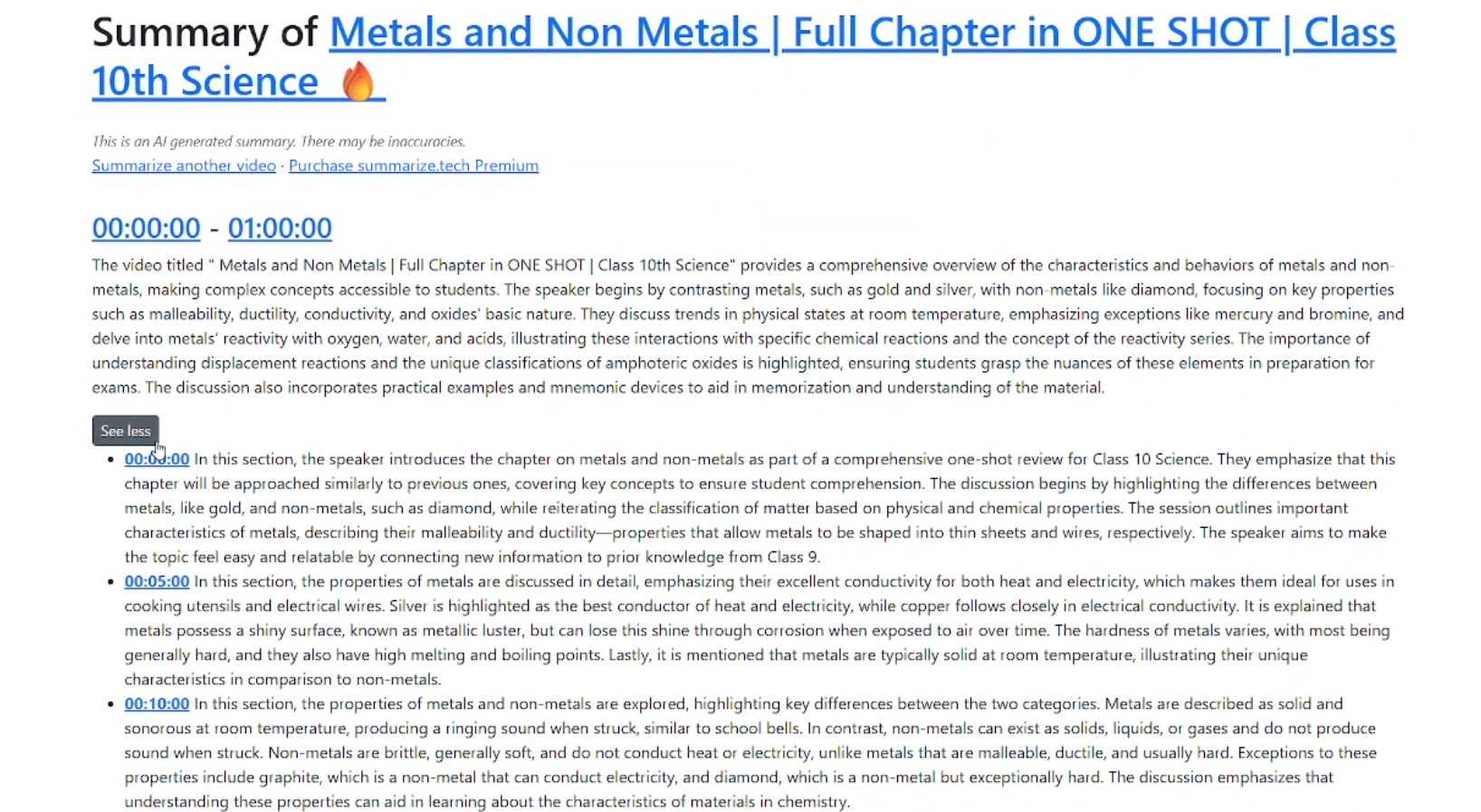
Timestamp SegmentationModerate — improves navigation but not clarity6/10▾
Feature tested: Timestamp Segmentation
Result: Passed (6/10)
Verdict: Moderate — improves navigation but not clarity
Expected behavior: Breaks summaries into time-based sections for easier navigation.
Test case: YouTube video → Image
Input type: YouTube video
Input used: Input artifact (YouTube video): Lecture video with timestamps
Observed output: Output artifact (Image): Timestamp-based sections — {FF476B09-4C93-4F77-8978-CA6CACB10770}.png
Input artifact: Input artifact (YouTube video): Lecture video with timestamps
Output artifact: Output artifact (Image): Timestamp-based sections — {FF476B09-4C93-4F77-8978-CA6CACB10770}.png
What changed: YouTube video transformed into Image
Why it matters / Conclusion: Improves navigation, but not learning quality.
Breaks summaries into time-based sections for easier navigation.
Lack of Structured FormattingWeak — no structured study output3/10▾
Feature tested: Lack of Structured Formatting
Result: Passed (3/10)
Verdict: Weak — no structured study output
Expected behavior: Output lacks structured note formatting required for study.
Why it matters / Conclusion: Major limitation for revision use.
Output lacks structured note formatting required for study.
No Active Recall FeaturesWeak — no revision support tools2/10▾
Feature tested: No Active Recall Features
Result: Passed (2/10)
Verdict: Weak — no revision support tools
Expected behavior: No built-in features for testing or reinforcing learning.
Why it matters / Conclusion: No support for exam revision cycles.
No built-in features for testing or reinforcing learning.
Pricing & Access
Plans tested March 2026
Pricing checked March 2026. We re-check quarterly.
Is This Right For You?
A side-by-side guide based on our hands-on testing.
Banner Preview
How the embed badge will look on your site

Embed HTML
Copy this code to your website source
Quick Integration Guide
- 1Copy the HTML code block above.
- 2Paste it into your site's HTML or CMS editor.
- 3Banner appears instantly on your page.
- 4Links back to your tool profile here.
Similar Tools
Discover more AI tools like summarize.tech to enhance your workflow.
Comments (0)
Need a custom AI solution for this use case?
If you are looking to build a custom video summarization, lecture notes, or timestamp extraction system for your business or internal workflow, email us at contact@futuresmart.ai.
Found something inaccurate or missing? We try to keep our AI research accurate and useful. If you found outdated information, an issue, or have a suggestion, email us at collaborate@aidemos.com.