
Otter.ai
Otter.ai captures meetings cleanly and answers questions later, but speaker attribution and action-item ownership break down on active standups.
Strong meeting capture, but not production-safe for accountability
- You need a bot to join Google Meet, record the call, and produce a readable transcript and summary.
- You want a meeting assistant that can answer questions about past calls in natural language.
- You want shareable meeting notes with configurable access controls and inline editing before sharing.
- You need reliable speaker attribution for multi-speaker standups.
Our take
Otter.ai joined the live Google Meet standup reliably, produced a usable transcript and structured summary, and answered meeting questions well. The blocker is speaker diarization: most turns were left unattributed, which cascaded into weak action-item ownership and makes the meeting record hard to trust for team accountability.
In-Depth Review
Our detailed analysis of Otter.ai — features, performance, and real-world testing.
Feature-by-Feature Breakdown
Live Meeting Capture and Transcript GenerationReliable join and full meeting capture▾
Feature tested: Live Meeting Capture and Transcript Generation
Result: Passed
Verdict: Reliable join and full meeting capture
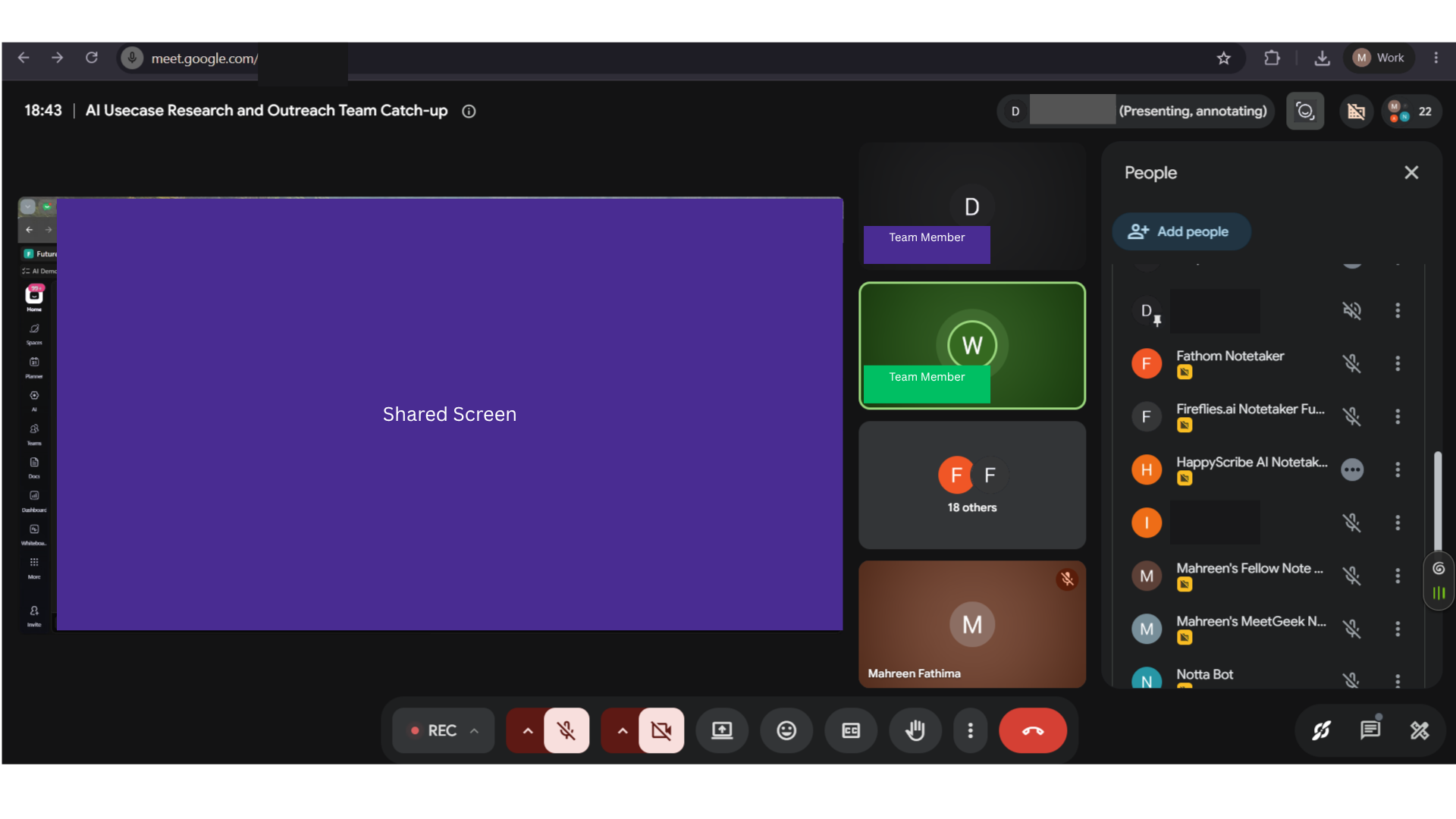
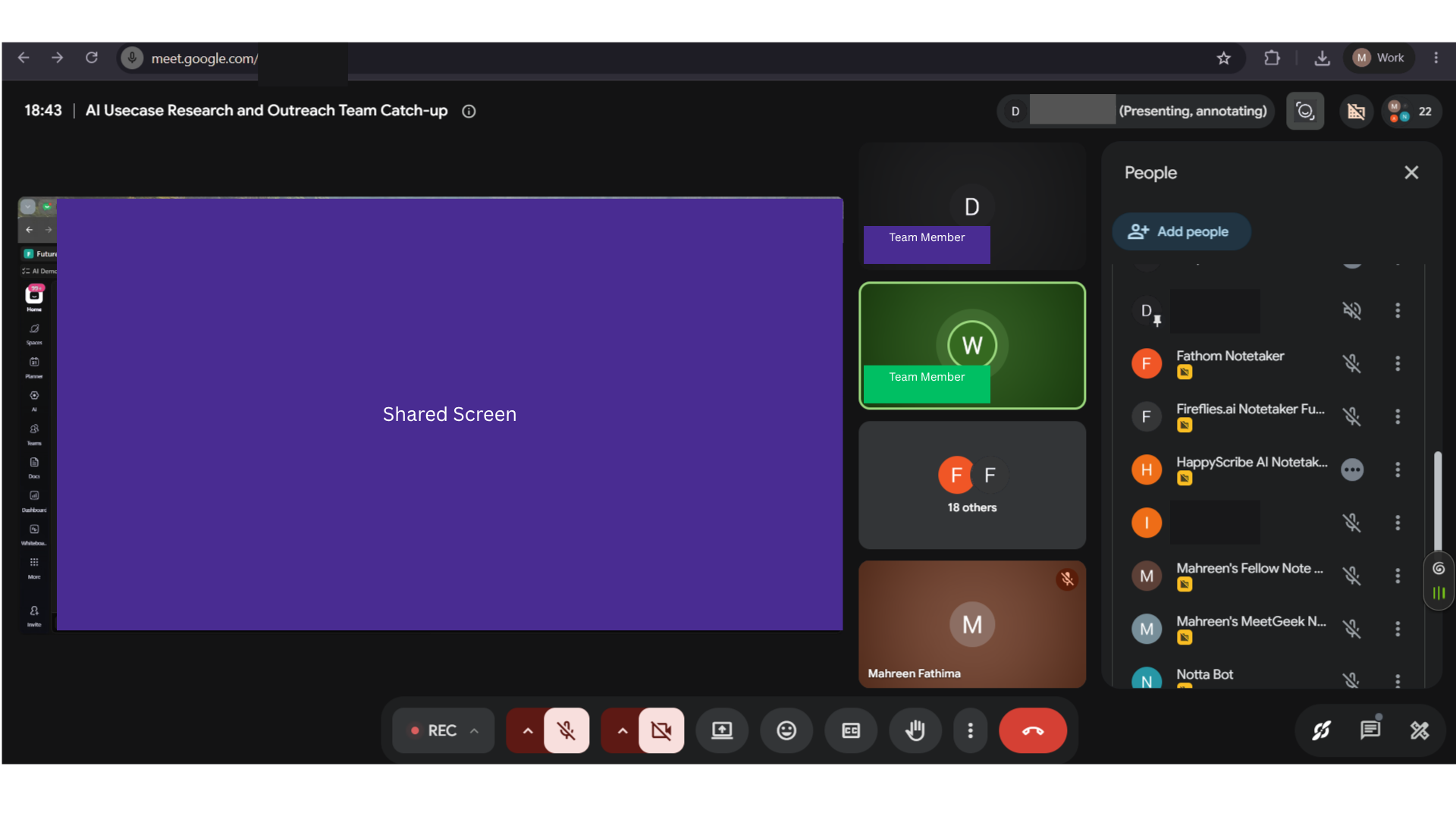
Expected behavior: Joins a Google Meet standup as a meeting bot and produces a transcript view for the call. The tested flow shows Otter capturing the meeting end-to-end from join to transcript output.
Test case: Image → Image
Input type: Image
Input used: Input artifact (Image): INPUT — 31-july-meeting-screenshot.png
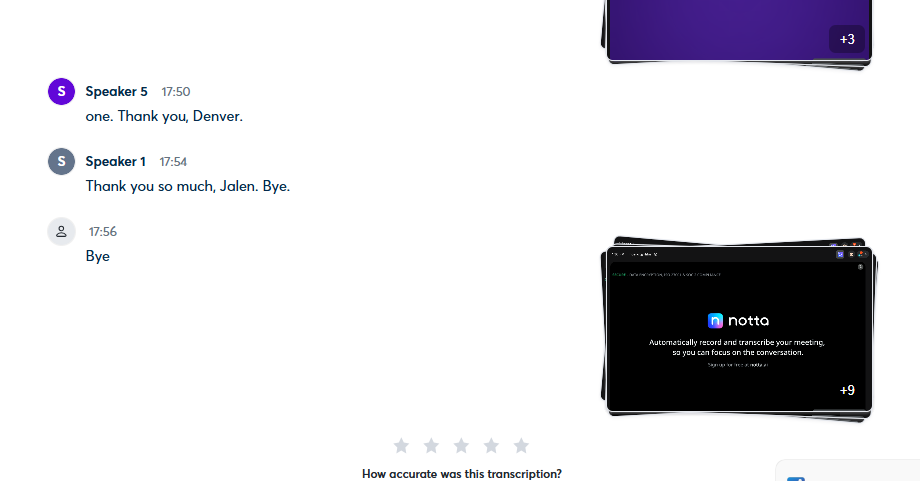
Observed output: Output artifact (Image): The end-of-transcript evidence shows Otter stayed connected through call close, with no mid-call dropouts or ejections. — otterai-end-of-transcript-join-reliability-evidence.png
Input artifact: Input artifact (Image): INPUT — 31-july-meeting-screenshot.png
Output artifact: Output artifact (Image): The end-of-transcript evidence shows Otter stayed connected through call close, with no mid-call dropouts or ejections. — otterai-end-of-transcript-join-reliability-evidence.png
What changed: Image transformed into Image
Test case: Text prompt → Image
Input type: Text prompt
Input used: Input artifact (Text prompt): Input
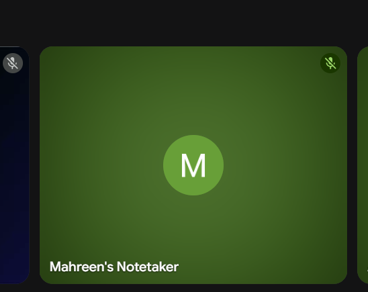
Observed output: Output artifact (Image): The Otter notetaker joined the Google Meet call successfully and was present in the meeting grid, confirming the bot-based join method worked on the test call. — otter-ai-bot-meeting-joined-success.png
Input artifact: Input artifact (Text prompt): Input
Output artifact: Output artifact (Image): The Otter notetaker joined the Google Meet call successfully and was present in the meeting grid, confirming the bot-based join method worked on the test call. — otter-ai-bot-meeting-joined-success.png
What changed: Text prompt transformed into Image
Test case: Text prompt → Image
Input type: Text prompt
Input used: Input artifact (Text prompt): Input
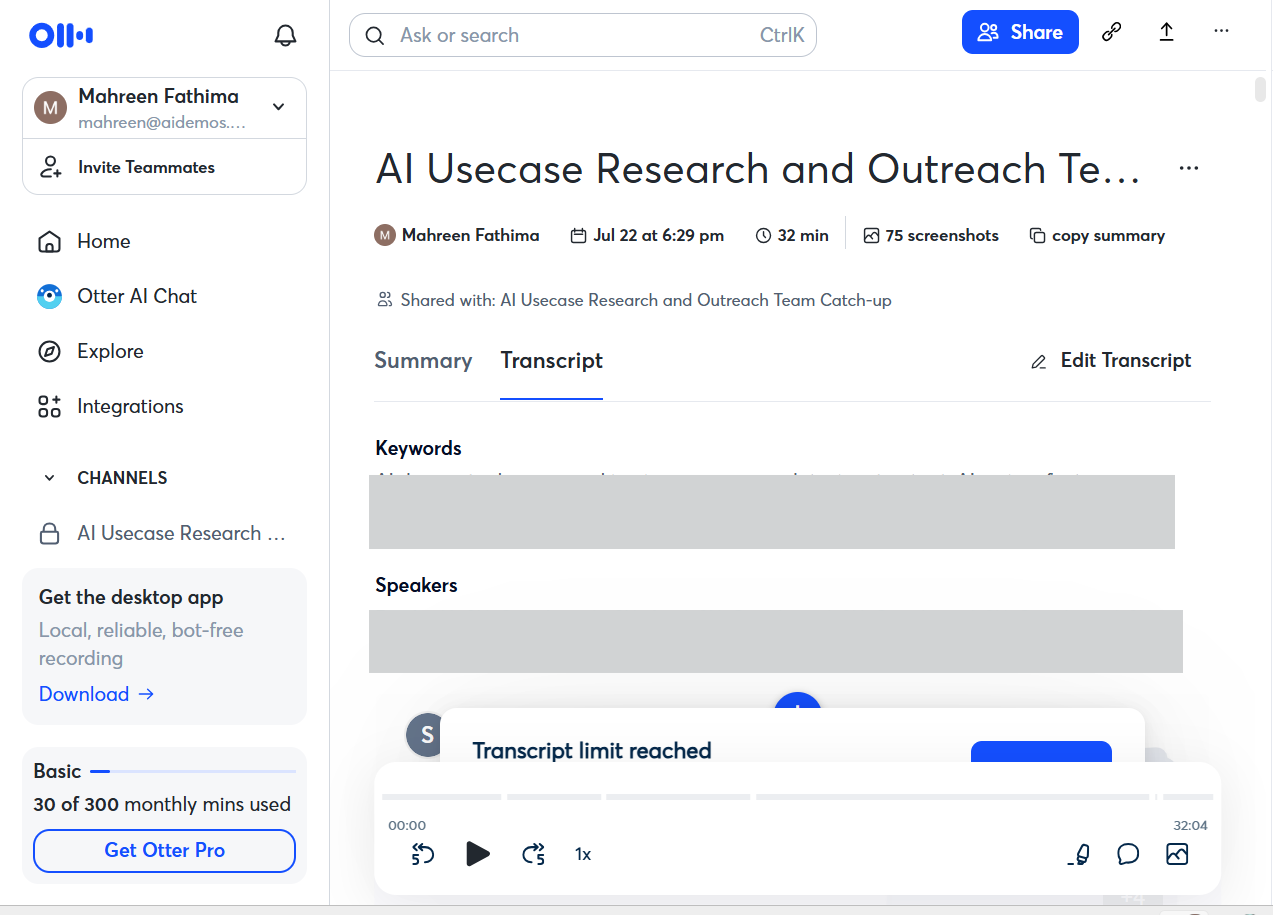
Observed output: Output artifact (Image): Otter generated a transcript view for the meeting and surfaced the call metadata and summary/transcript controls, showing that the meeting was captured end to end. — otter-ai-transcript-generated-success.png
Input artifact: Input artifact (Text prompt): Input
Output artifact: Output artifact (Image): Otter generated a transcript view for the meeting and surfaced the call metadata and summary/transcript controls, showing that the meeting was captured end to end. — otter-ai-transcript-generated-success.png
What changed: Text prompt transformed into Image
Test case: Text prompt → Image
Input type: Text prompt
Input used: Input artifact (Text prompt): Input
Observed output: Output artifact (Image): The transcript view shows readable speaker turns and short back-and-forth lines, indicating strong lexical transcription quality on the tested meeting. — otter-ai-transcript-complete.png
Input artifact: Input artifact (Text prompt): Input
Output artifact: Output artifact (Image): The transcript view shows readable speaker turns and short back-and-forth lines, indicating strong lexical transcription quality on the tested meeting. — otter-ai-transcript-complete.png
What changed: Text prompt transformed into Image
Why it matters / Conclusion: Join reliability was strong, and Otter captured the full standup without dropout or ejection.
Joins a Google Meet standup as a meeting bot and produces a transcript view for the call. The tested flow shows Otter capturing the meeting end-to-end from join to transcript output.
Speaker DiarizationCritical failure on speaker attribution▾
Feature tested: Speaker Diarization
Result: Failed
Verdict: Critical failure on speaker attribution
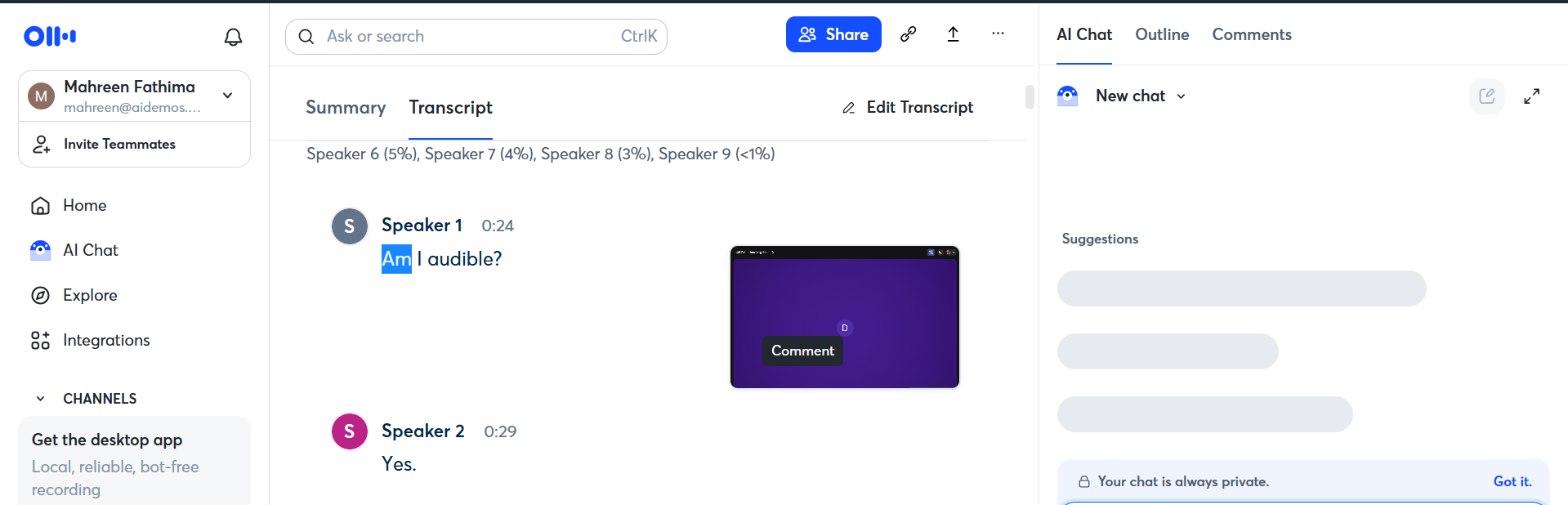
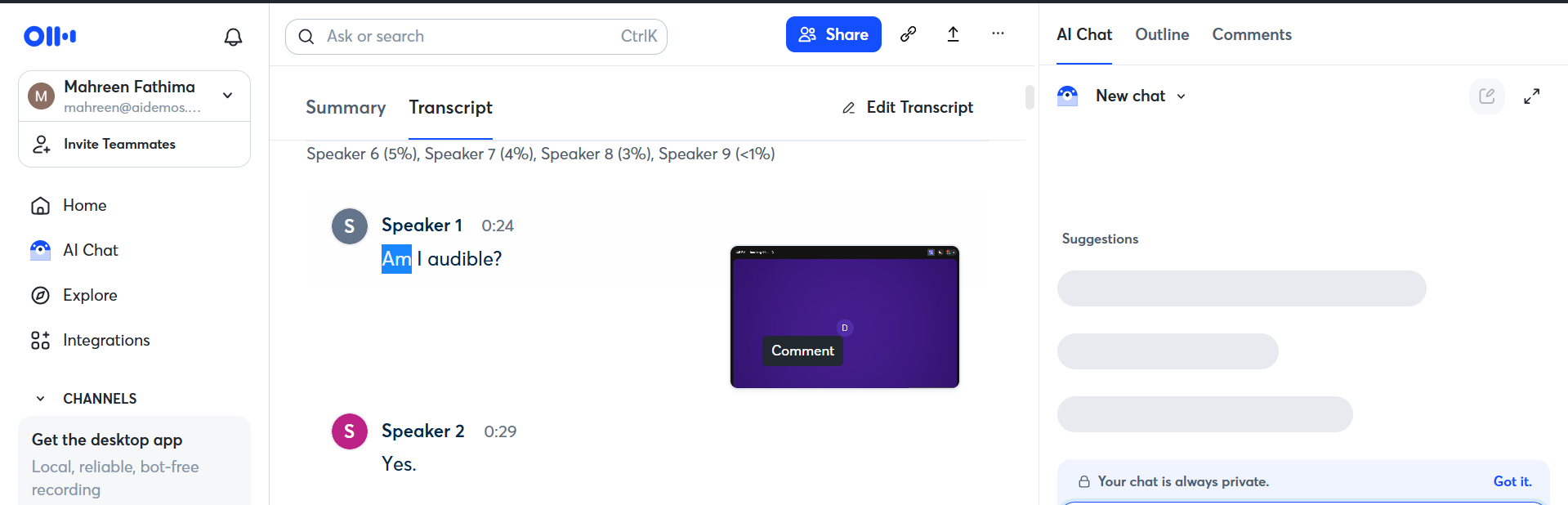
Expected behavior: Identifies who said what in a meeting transcript. In the tested multi-speaker standup, speaker naming was unreliable and most turns stayed generic or unattributed.
Test case: Text prompt → Image
Input type: Text prompt
Input used: Input artifact (Text prompt): Input
Observed output: Output artifact (Image): The transcript shows mostly generic speaker labels instead of named attribution, matching the reported 90% diarization failure on the standup. — otter-ai-speaker-diarization-failure.png
Input artifact: Input artifact (Text prompt): Input
Output artifact: Output artifact (Image): The transcript shows mostly generic speaker labels instead of named attribution, matching the reported 90% diarization failure on the standup. — otter-ai-speaker-diarization-failure.png
What changed: Text prompt transformed into Image
Why it matters / Conclusion: This is the main blocker: most statements cannot be attributed to the right person, which makes the transcript poor for team accountability.
Identifies who said what in a meeting transcript. In the tested multi-speaker standup, speaker naming was unreliable and most turns stayed generic or unattributed.
Structured Meeting Summaries and Topic SegmentationStructured summaries with useful section breaks▾
Feature tested: Structured Meeting Summaries and Topic Segmentation
Result: Passed
Verdict: Structured summaries with useful section breaks
Expected behavior: Generates a meeting recap with an overview and named topic sections, and breaks the discussion into skimmable segments that follow the flow of the call. The tested outputs were overview-style summaries and topical outlines from meeting transcripts.
Test case: Image → Image
Input type: Image
Input used: Input artifact (Image): Input — 31-july-meeting-screenshot.png
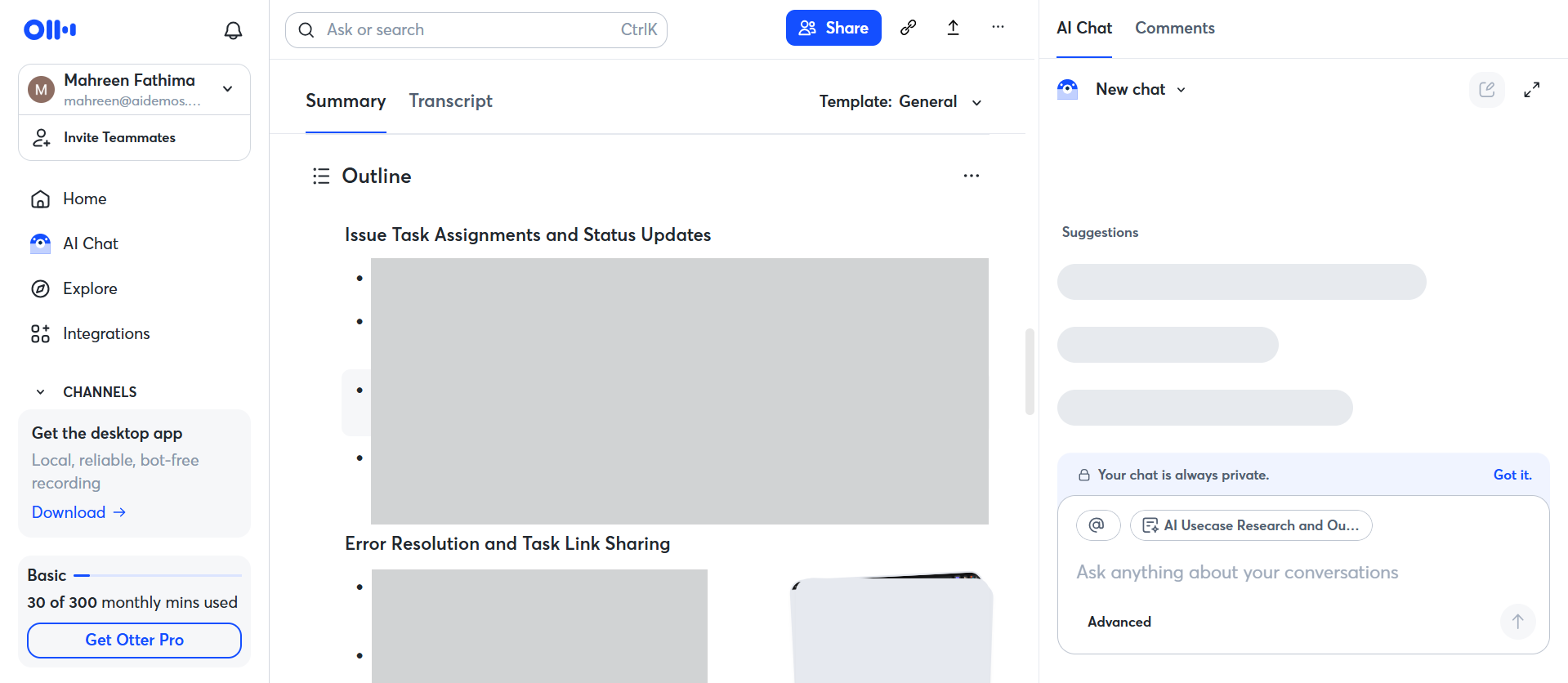
Observed output: Output artifact (Image): The summary is broken into topic-based sections such as issue/task assignments and error resolution, showing clear segmentation rather than one long blob. — otter-ai-summary-topic-segmentation.png
Input artifact: Input artifact (Image): Input — 31-july-meeting-screenshot.png
Output artifact: Output artifact (Image): The summary is broken into topic-based sections such as issue/task assignments and error resolution, showing clear segmentation rather than one long blob. — otter-ai-summary-topic-segmentation.png
What changed: Image transformed into Image
Test case: Text prompt → Image
Input type: Text prompt
Input used: Input artifact (Text prompt): INPUT
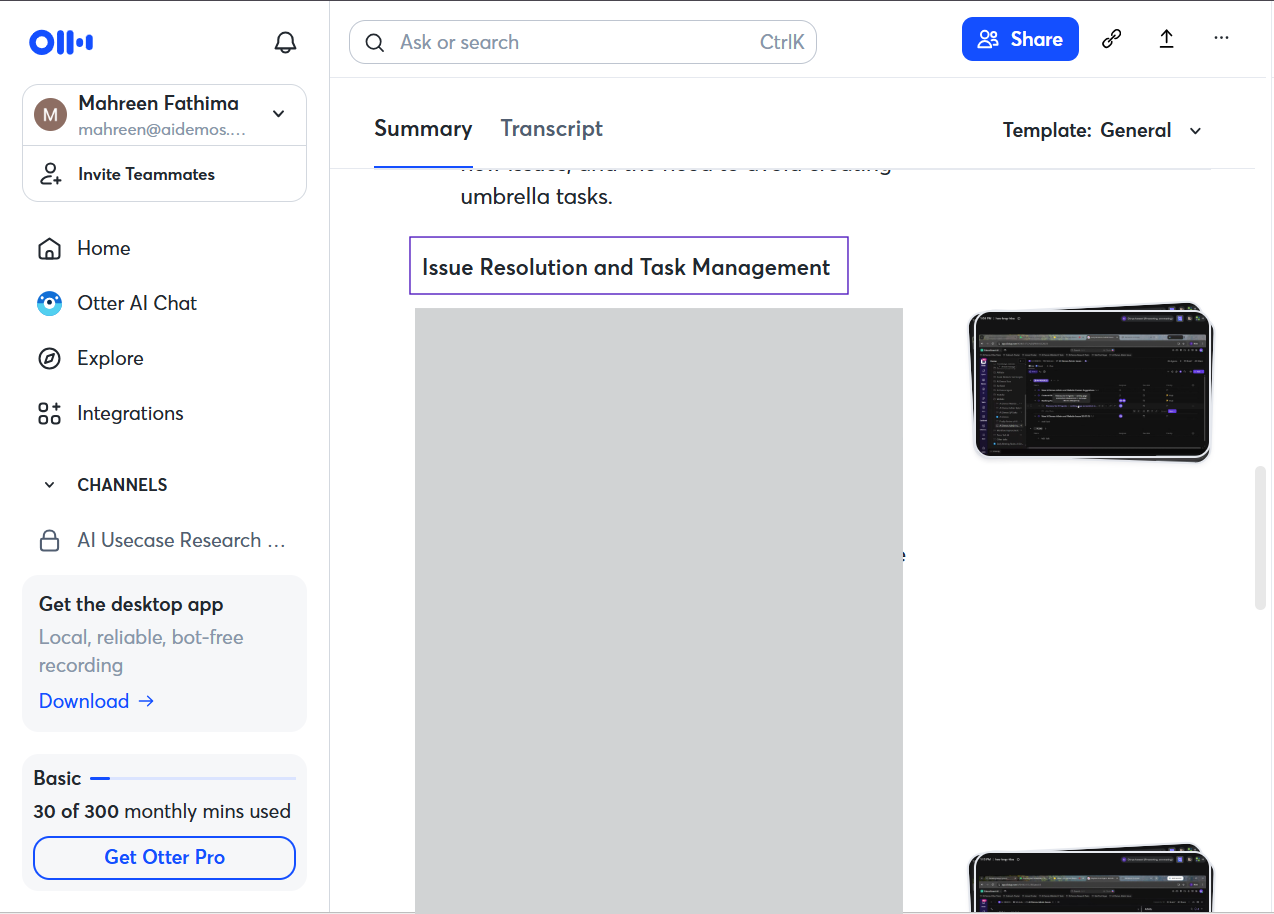
Observed output: Output artifact (Image): The Summary view includes section headers like Issue Resolution and Task Management. — otter-ai-summary-sections-success.png
Input artifact: Input artifact (Text prompt): INPUT
Output artifact: Output artifact (Image): The Summary view includes section headers like Issue Resolution and Task Management. — otter-ai-summary-sections-success.png
What changed: Text prompt transformed into Image
Why it matters / Conclusion: Summary quality was strong: it stayed organized, stayed on-topic, and did not drop the major meeting themes.
Generates a meeting recap with an overview and named topic sections, and breaks the discussion into skimmable segments that follow the flow of the call. The tested outputs were overview-style summaries and topical outlines from meeting transcripts.
Action-Item ExtractionExtracts tasks, but ownership is unreliable▾
Feature tested: Action-Item Extraction
Result: Failed
Verdict: Extracts tasks, but ownership is unreliable
Expected behavior: Pulls action items from meeting notes and transcript output. In the standup test, some items lacked owners and duplicates appeared, showing the extraction workflow and its cleanup needs.
Test case: Image → Image
Input type: Image
Input used: Input artifact (Image): INPUT — 31-july-meeting-screenshot.png
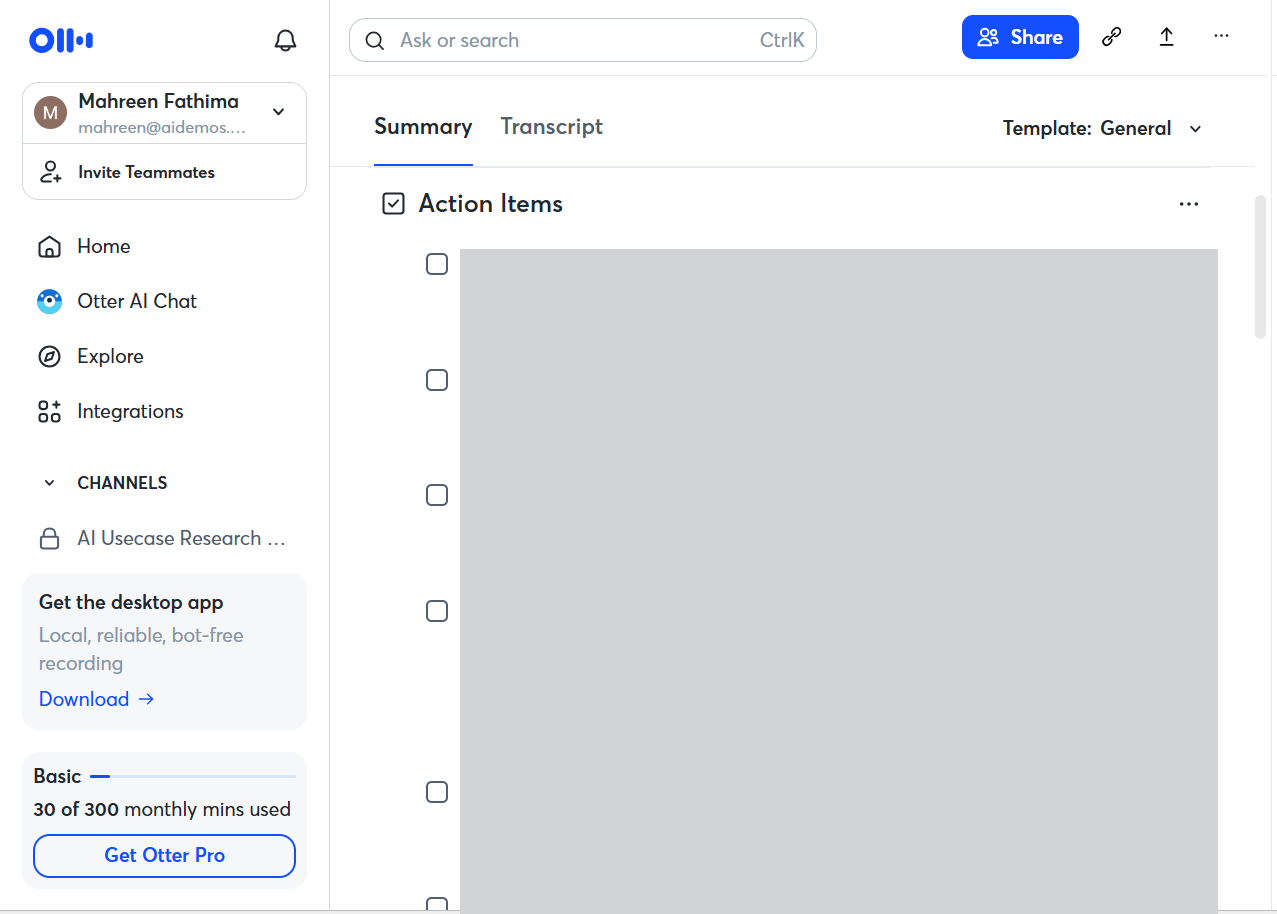
Observed output: Output artifact (Image): The action-items section appears unavailable or failed to render correctly in this view. — otter-ai-action-item-failure.png
Input artifact: Input artifact (Image): INPUT — 31-july-meeting-screenshot.png
Output artifact: Output artifact (Image): The action-items section appears unavailable or failed to render correctly in this view. — otter-ai-action-item-failure.png
What changed: Image transformed into Image
Test case: Text prompt → Image
Input type: Text prompt
Input used: Input artifact (Text prompt): Input
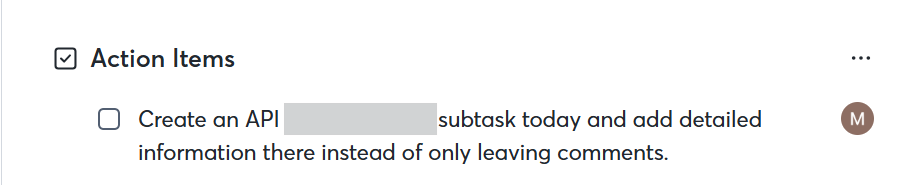
Observed output: Output artifact (Image): The action-items section shows at least one extracted task assigned to a person, proving the feature exists, but the result is only partial on this meeting. — otter-ai-extracted-action-item-assigned.png
Input artifact: Input artifact (Text prompt): Input
Output artifact: Output artifact (Image): The action-items section shows at least one extracted task assigned to a person, proving the feature exists, but the result is only partial on this meeting. — otter-ai-extracted-action-item-assigned.png
What changed: Text prompt transformed into Image
Why it matters / Conclusion: Otter can pull out tasks, but the owner gap and duplicate entries mean the output still needs substantial manual review.
Pulls action items from meeting notes and transcript output. In the standup test, some items lacked owners and duplicates appeared, showing the extraction workflow and its cleanup needs.
Meeting Q&A and Conversational SearchGood natural-language retrieval, but not a keyword search tool▾
Feature tested: Meeting Q&A and Conversational Search
Result: Partial
Verdict: Good natural-language retrieval, but not a keyword search tool
Expected behavior: Answers natural-language questions about a meeting, including timestamp lookups and follow-up questions grounded in the meeting content. The tested behavior returned meeting-based answers rather than generic search results.
Test case: Text prompt → Image
Input type: Text prompt
Input used: Input artifact (Text prompt): Input
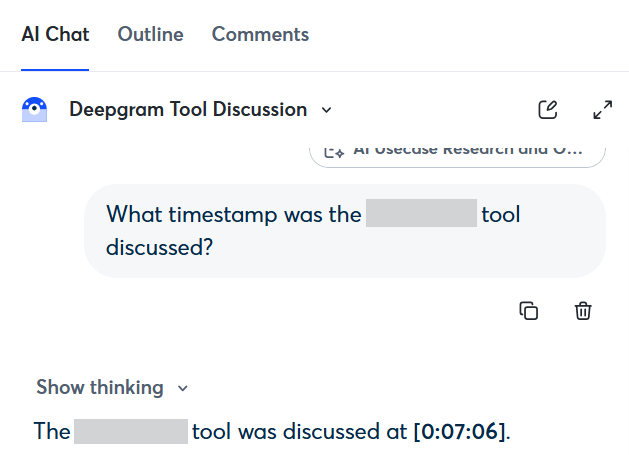
Observed output: Output artifact (Image): Otter AI Chat answered the natural-language timestamp question with a precise meeting time, showing grounded retrieval from the conversation. — otter-ai-timestamp-nl-query-in-chat.png
Input artifact: Input artifact (Text prompt): Input
Output artifact: Output artifact (Image): Otter AI Chat answered the natural-language timestamp question with a precise meeting time, showing grounded retrieval from the conversation. — otter-ai-timestamp-nl-query-in-chat.png
What changed: Text prompt transformed into Image
Test case: Text prompt → Image
Input type: Text prompt
Input used: Input artifact (Text prompt): Input
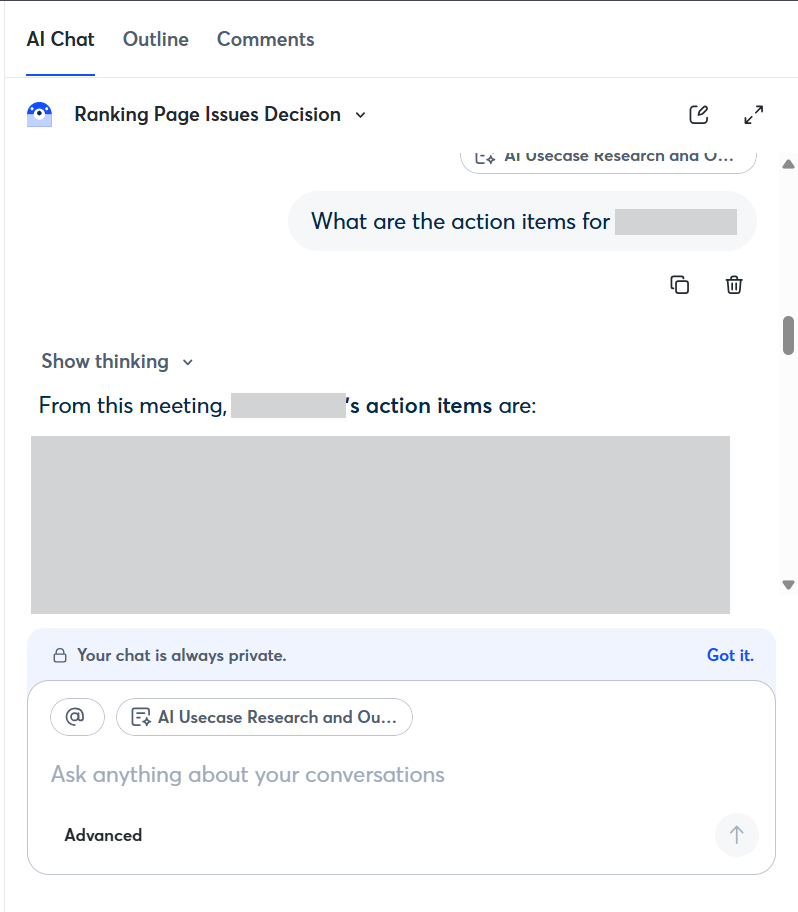
Observed output: Output artifact (Image): The chat interface returned a meeting-grounded response to an action-items question, confirming that conversational search works for post-call retrieval. — otter-ai-chat-query-success.png
Input artifact: Input artifact (Text prompt): Input
Output artifact: Output artifact (Image): The chat interface returned a meeting-grounded response to an action-items question, confirming that conversational search works for post-call retrieval. — otter-ai-chat-query-success.png
What changed: Text prompt transformed into Image
Why it matters / Conclusion: Otter is useful when you phrase the lookup as a question, but it is less convenient for simple keyword-style searching.
Answers natural-language questions about a meeting, including timestamp lookups and follow-up questions grounded in the meeting content. The tested behavior returned meeting-based answers rather than generic search results.
Shareable Notes with Access ControlShare links work, with configurable access▾
Feature tested: Shareable Notes with Access Control
Result: Passed
Verdict: Share links work, with configurable access
Expected behavior: Provides shareable meeting links and access settings so notes or transcripts can be opened by others without forcing a new account. The tested shared transcript opened for viewers without sign-in.
Test case: Text prompt → Image
Input type: Text prompt
Input used: Input artifact (Text prompt): Input
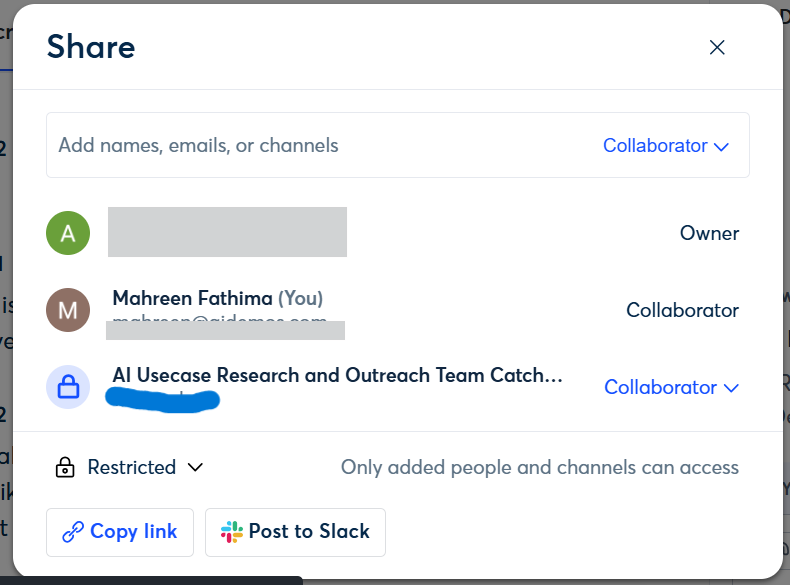
Observed output: Output artifact (Image): The share modal shows restricted access controls and link-sharing actions such as copy link and post to Slack, confirming configurable sharing. — otter-ai-31july-meet-sharing-options.png
Input artifact: Input artifact (Text prompt): Input
Output artifact: Output artifact (Image): The share modal shows restricted access controls and link-sharing actions such as copy link and post to Slack, confirming configurable sharing. — otter-ai-31july-meet-sharing-options.png
What changed: Text prompt transformed into Image
Why it matters / Conclusion: Sharing is practical for teams: links are usable, and access can be restricted or opened more broadly.
Provides shareable meeting links and access settings so notes or transcripts can be opened by others without forcing a new account. The tested shared transcript opened for viewers without sign-in.
Programmatic Access and IntegrationsExtensive▾
Feature tested: Programmatic Access and Integrations
Result: Partial
Verdict: Extensive
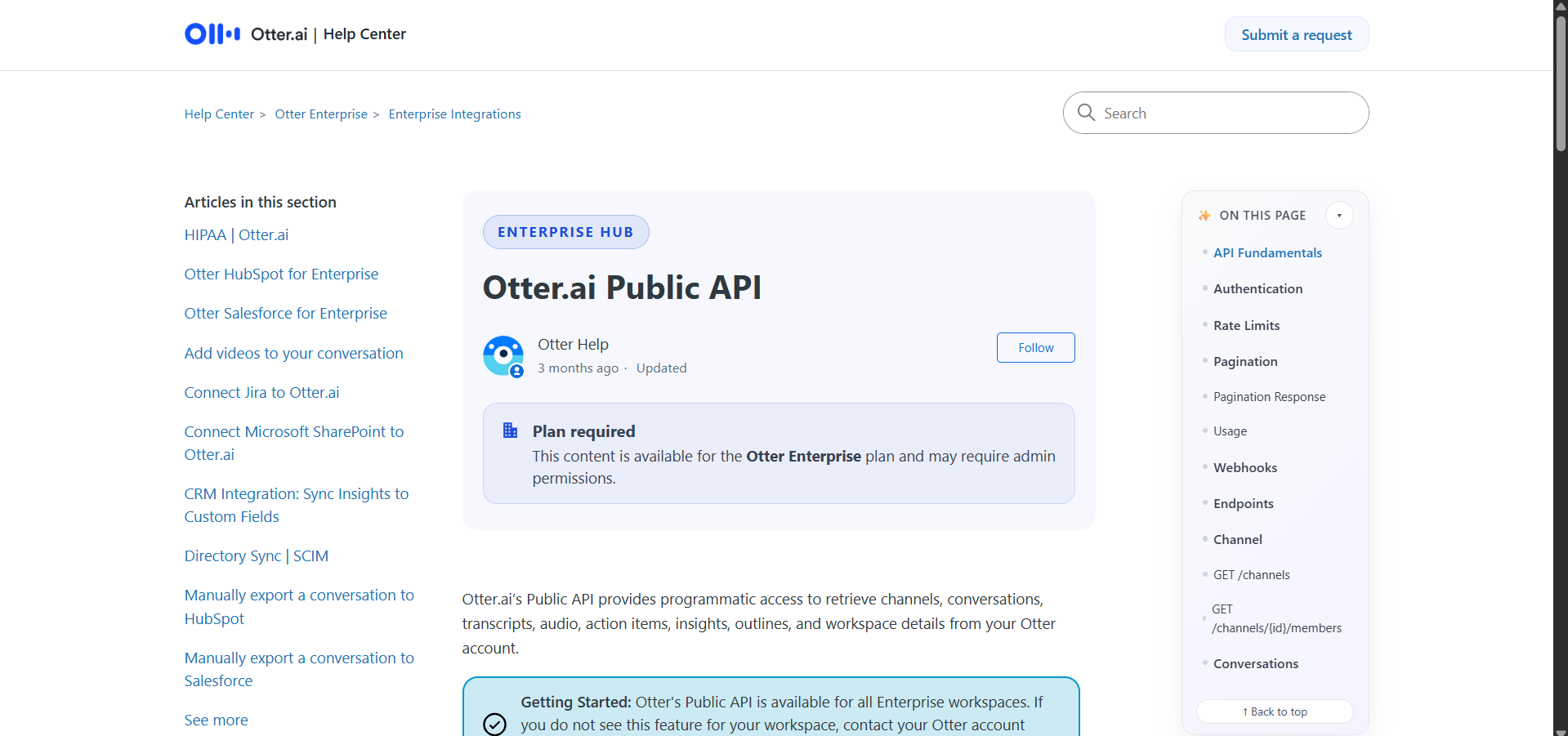
Expected behavior: Exposes a public API for meeting data, supports a Claude MCP connector workflow, and documents a broader integrations ecosystem. The captured access is gated by Enterprise plan and admin permissions.
Test case: Text prompt → Image
Input type: Text prompt
Input used: Input artifact (Text prompt): Input
Observed output: Output artifact (Image): The Help Center states that Otter’s Public API is available for the Enterprise plan and may require admin permissions, confirming the paid-plan barrier. — otter-ai-api-docs-paid-plan-barrier.png
Input artifact: Input artifact (Text prompt): Input
Output artifact: Output artifact (Image): The Help Center states that Otter’s Public API is available for the Enterprise plan and may require admin permissions, confirming the paid-plan barrier. — otter-ai-api-docs-paid-plan-barrier.png
What changed: Text prompt transformed into Image
Test case: Text prompt → Image
Input type: Text prompt
Input used: Input artifact (Text prompt): Input
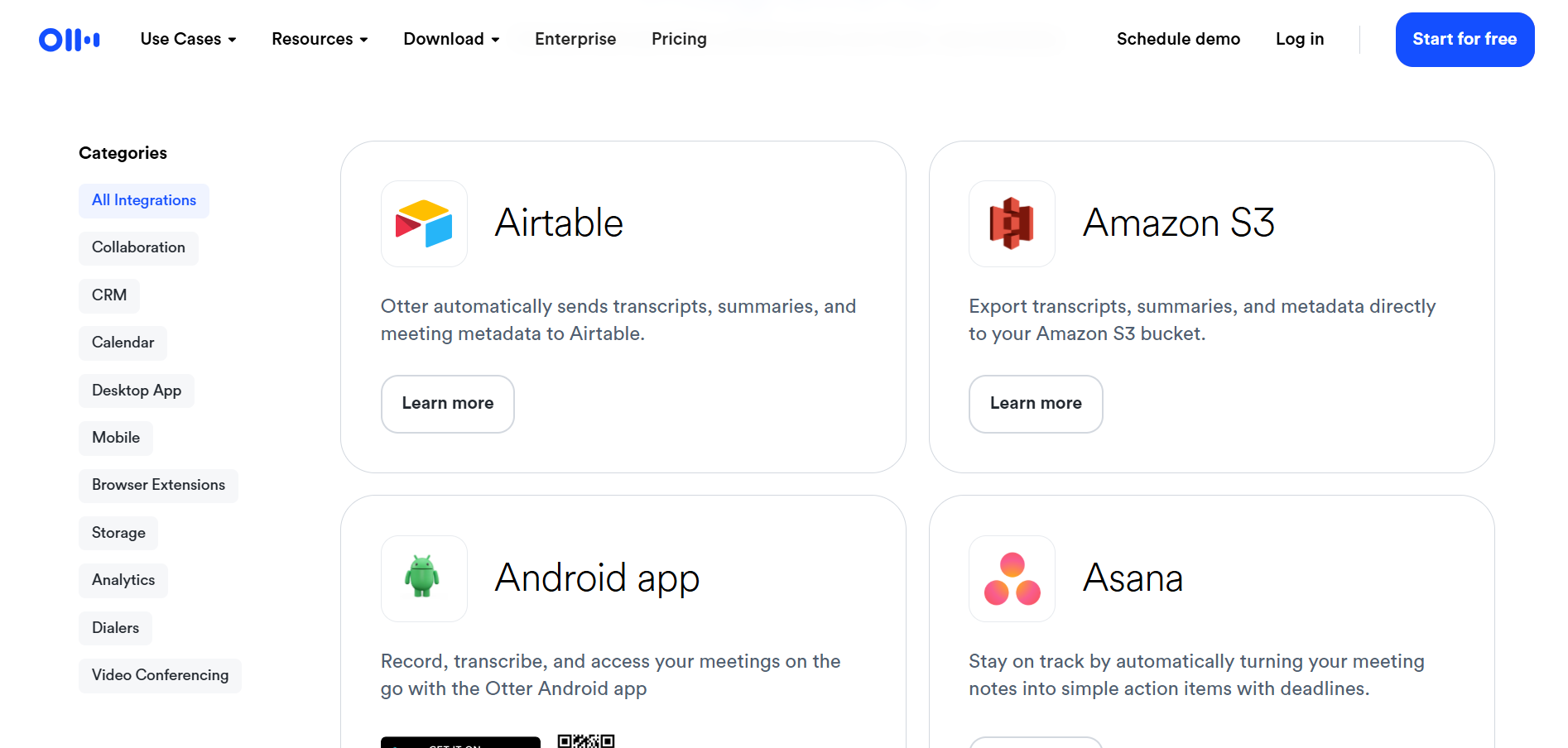
Observed output: Output artifact (Image): The integrations directory shows broad coverage across collaboration, CRM, storage, calendar, and automation tools, including Airtable, Amazon S3, Android, and Asana. — otter-ai-integrations-available.png
Input artifact: Input artifact (Text prompt): Input
Output artifact: Output artifact (Image): The integrations directory shows broad coverage across collaboration, CRM, storage, calendar, and automation tools, including Airtable, Amazon S3, Android, and Asana. — otter-ai-integrations-available.png
What changed: Text prompt transformed into Image
Test case: Text prompt → Image
Input type: Text prompt
Input used: Input artifact (Text prompt): INPUT
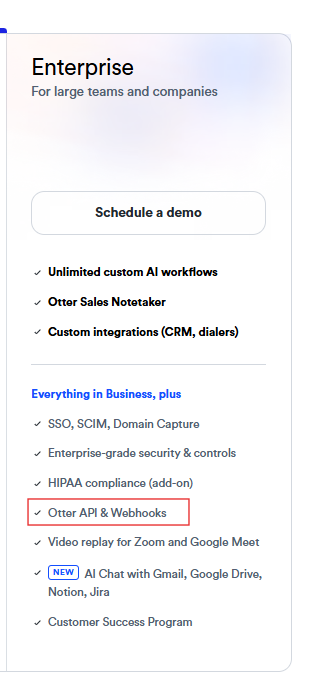
Observed output: Output artifact (Image): The Enterprise plan card includes 'Otter API & Webhooks' among the plan features. — otter-ai-api-enterprise-plan-2.png
Input artifact: Input artifact (Text prompt): INPUT
Output artifact: Output artifact (Image): The Enterprise plan card includes 'Otter API & Webhooks' among the plan features. — otter-ai-api-enterprise-plan-2.png
What changed: Text prompt transformed into Image
Test case: Text prompt → Image
Input type: Text prompt
Input used: Input artifact (Text prompt): INPUT
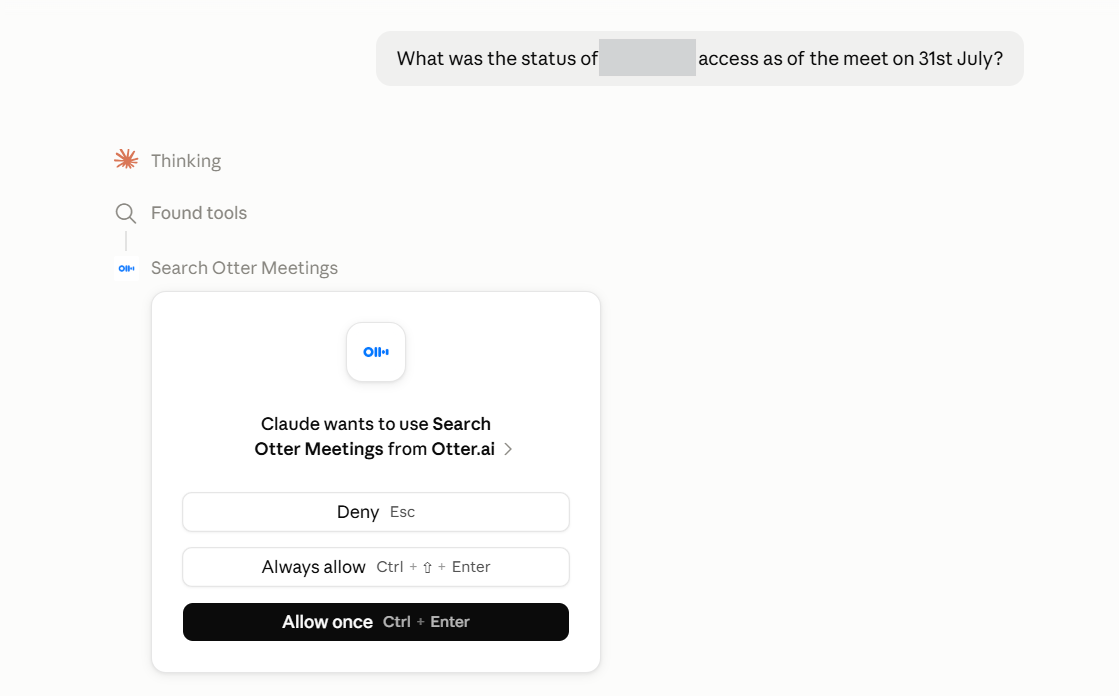
Observed output: Output artifact (Image): Claude found the Otter Meetings tool and prompted for authorization before continuing. — otter-ai-connected-mcp-claude-qna.png
Input artifact: Input artifact (Text prompt): INPUT
Output artifact: Output artifact (Image): Claude found the Otter Meetings tool and prompted for authorization before continuing. — otter-ai-connected-mcp-claude-qna.png
What changed: Text prompt transformed into Image
Test case: Text prompt → Image
Input type: Text prompt
Input used: Input artifact (Text prompt): INPUT
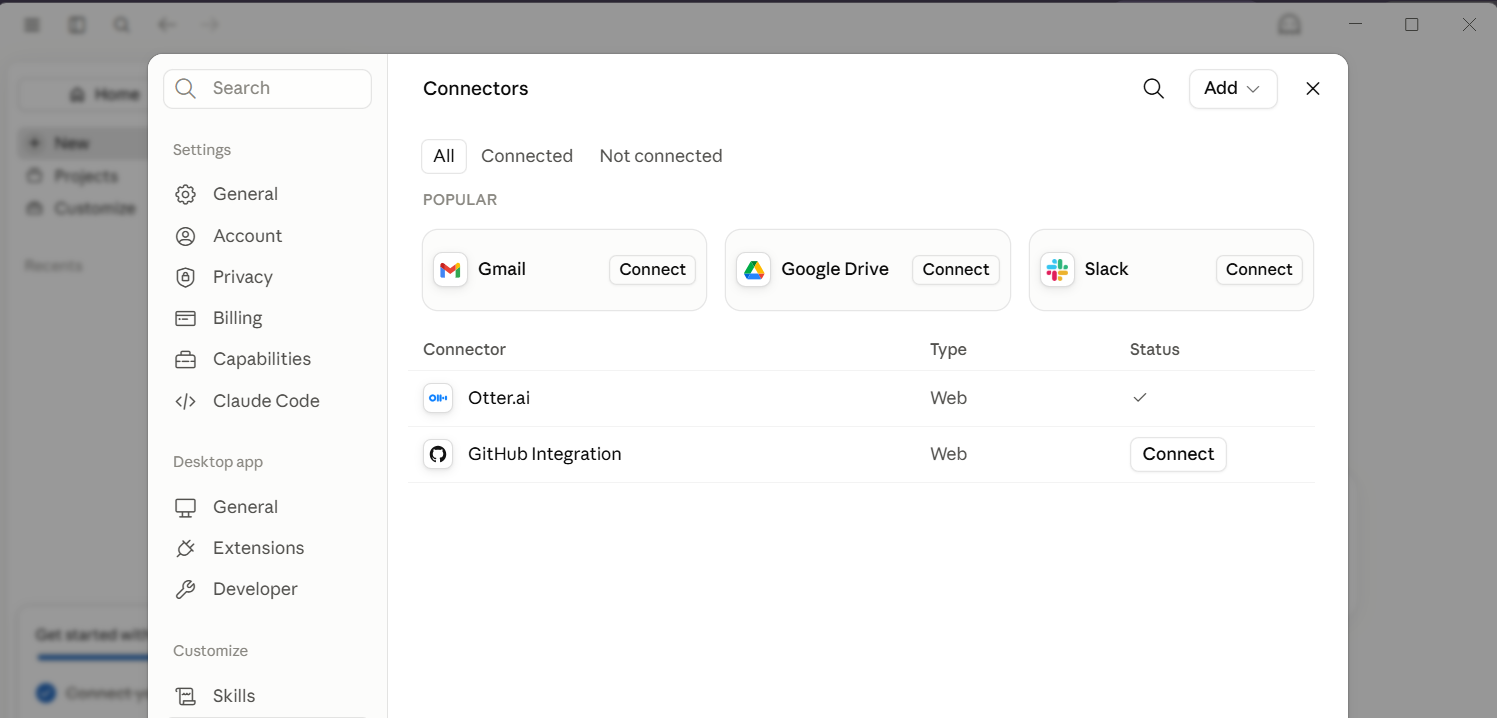
Observed output: Output artifact (Image): Claude’s Connectors settings show Otter.ai connected with a status checkmark. — otter-ai-connected-mcp-in-claude-success.png
Input artifact: Input artifact (Text prompt): INPUT
Output artifact: Output artifact (Image): Claude’s Connectors settings show Otter.ai connected with a status checkmark. — otter-ai-connected-mcp-in-claude-success.png
What changed: Text prompt transformed into Image
Why it matters / Conclusion: The integration ecosystem is broad and well-suited to team workflows.
Exposes a public API for meeting data, supports a Claude MCP connector workflow, and documents a broader integrations ecosystem. The captured access is gated by Enterprise plan and admin permissions.
Inline Editing of Transcript and SummaryOutputs can be corrected before sharing▾
Feature tested: Inline Editing of Transcript and Summary
Result: Passed
Verdict: Outputs can be corrected before sharing
Expected behavior: Lets users edit transcript and summary views before sharing the meeting record. The tested workflow supports manual correction of transcription, diarization, and action-item issues.
Test case: Text prompt → Image
Input type: Text prompt
Input used: Input artifact (Text prompt): Input
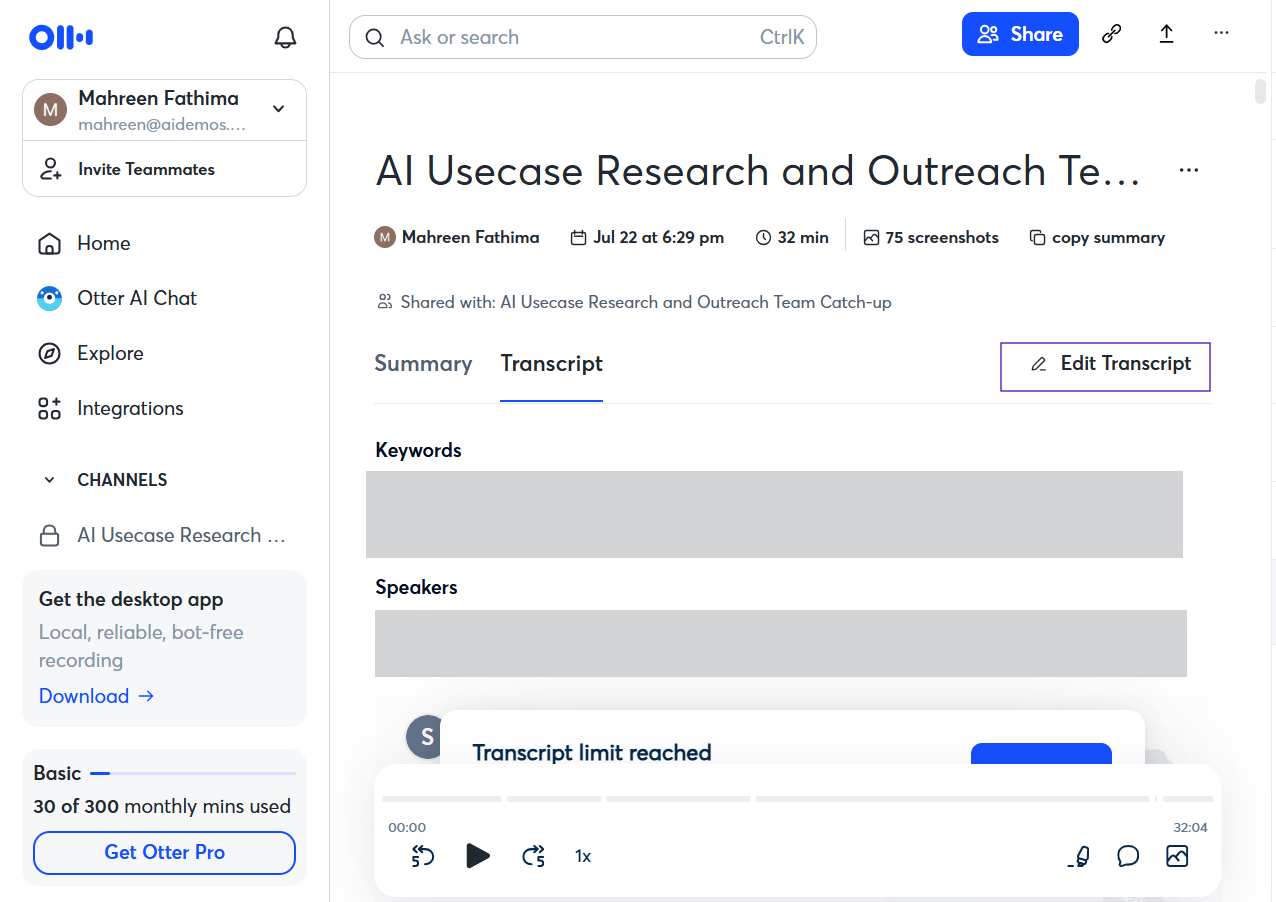
Observed output: Output artifact (Image): The transcript page shows an Edit Transcript control, confirming that the transcript can be corrected inline. — otter-ai-editability-success.png
Input artifact: Input artifact (Text prompt): Input
Output artifact: Output artifact (Image): The transcript page shows an Edit Transcript control, confirming that the transcript can be corrected inline. — otter-ai-editability-success.png
What changed: Text prompt transformed into Image
Test case: Text prompt → Image
Input type: Text prompt
Input used: Input artifact (Text prompt): Input
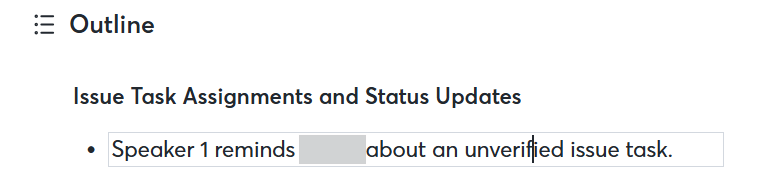
Observed output: Output artifact (Image): A summary bullet is shown inside an editable text field, proving that the generated summary can be edited before it is shared. — otter-ai-editable-summary-success.png
Input artifact: Input artifact (Text prompt): Input
Output artifact: Output artifact (Image): A summary bullet is shown inside an editable text field, proving that the generated summary can be edited before it is shared. — otter-ai-editable-summary-success.png
What changed: Text prompt transformed into Image
Why it matters / Conclusion: Editable outputs are important here because the transcript and action-item results need manual cleanup after diarization failures.
Lets users edit transcript and summary views before sharing the meeting record. The tested workflow supports manual correction of transcription, diarization, and action-item issues.
Multilingual Transcription SupportLimited▾
Feature tested: Multilingual Transcription Support
Result: Partial
Verdict: Limited
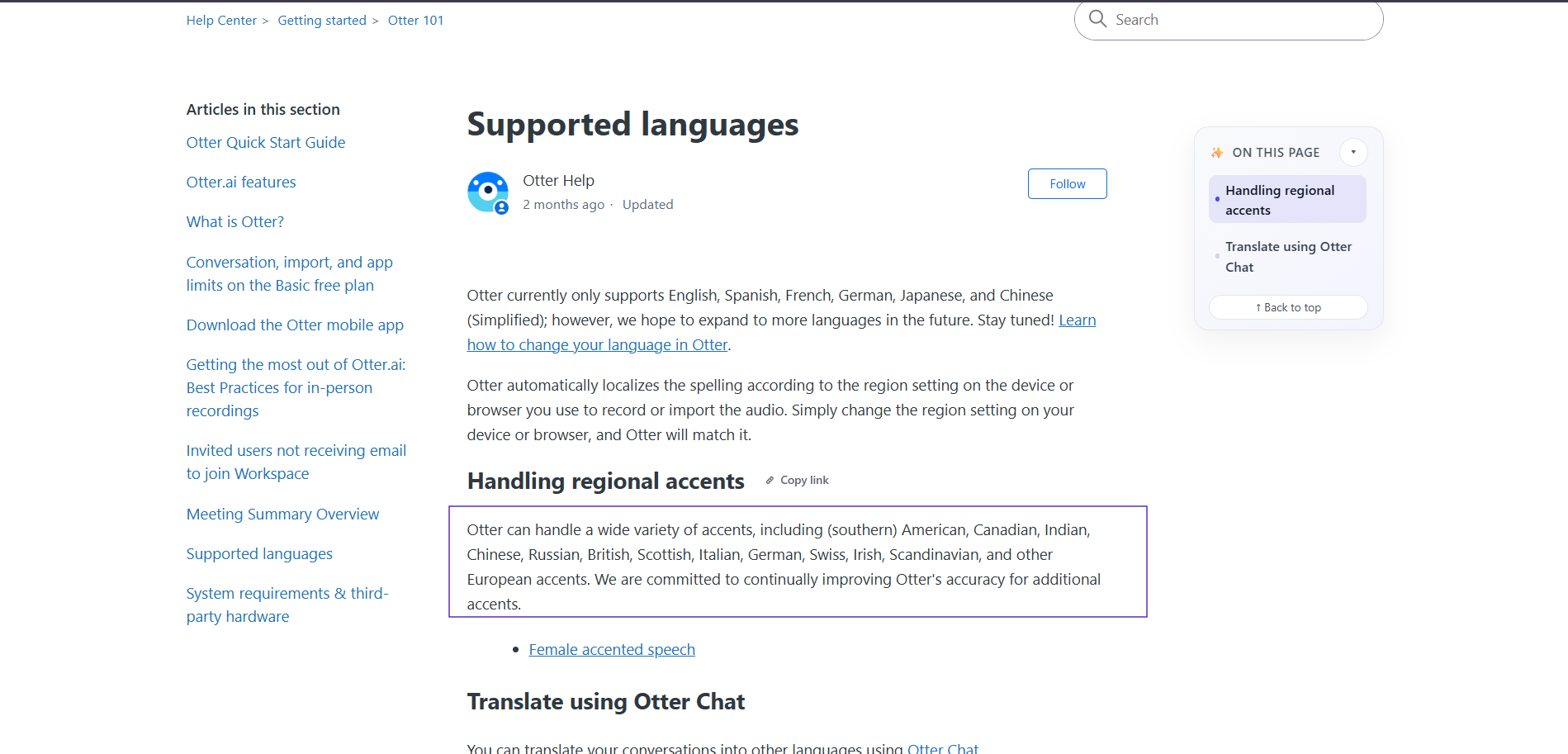
Expected behavior: Supports transcription in multiple languages and some accent handling. The captured docs list English, Spanish, French, German, Japanese, and Simplified Chinese.
Test case: Text prompt → Image
Input type: Text prompt
Input used: Input artifact (Text prompt): INPUT
Observed output: Output artifact (Image): The help article says Otter currently supports English, Spanish, French, German, Japanese, and Simplified Chinese, with regional accent handling notes. — otter-ai-languages-supported.png
Input artifact: Input artifact (Text prompt): INPUT
Output artifact: Output artifact (Image): The help article says Otter currently supports English, Spanish, French, German, Japanese, and Simplified Chinese, with regional accent handling notes. — otter-ai-languages-supported.png
What changed: Text prompt transformed into Image
Why it matters / Conclusion: Documented language support is limited to six languages in the captured docs, with additional accent claims.
Supports transcription in multiple languages and some accent handling. The captured docs list English, Spanish, French, German, Japanese, and Simplified Chinese.
Free and paid tiers are available, but the Basic plan is tightly metered.
Plan screenshots show Basic, Pro, Business, and Enterprise with a clear usage gap between the free tier and team-scale use.
Basic includes 300 monthly transcription minutes and 30 minutes per conversation. Enterprise access includes API/webhooks and custom integrations, while the Public API is documented as Enterprise-only and may require admin permissions.
Featured in Rankings
Independent rankings where Otter.ai was tested and rated.
Banner Preview
How the embed badge will look on your site

Embed HTML
Copy this code to your website source
Quick Integration Guide
- 1Copy the HTML code block above.
- 2Paste it into your site's HTML or CMS editor.
- 3Banner appears instantly on your page.
- 4Links back to your tool profile here.
Similar Tools
Discover more AI tools like Otter.ai to enhance your workflow.
Comments (0)
Need a custom AI solution for this use case?
If you are looking to build a custom meeting transcription, speaker attribution, or action-item extraction assistant for your business or internal workflow, email us at contact@futuresmart.ai.
Found something inaccurate or missing? We try to keep our AI research accurate and useful. If you found outdated information, an issue, or have a suggestion, email us at collaborate@aidemos.com.