
Granola
Privacy-first botless meeting notes with strong search, sharing, API/MCP access, and action-item workflows — but unreliable transcript accuracy on standups.
Strong meeting-memory workflow, but the default transcript is not reliable enough for accountability.
- you want botless Google Meet capture without a meeting bot joining the call
- you need searchable, shareable meeting notes with no-login guest access
- you want API or MCP access to meeting data, and you are comfortable with note-level editing rather than transcript editing
- you need a highly accurate raw transcript from a normal multi-speaker standup
Our take
Granola excelled at the parts of meeting capture that make notes useful after the call: botless recording, clean summaries, accurate action items, search, shareable links, API access, and a live MCP connector. The blocker is the same one that matters most for a standup record — recurring transcription errors and hidden-by-default speaker tagging meant the raw transcript was not dependable on this normal meeting.
In-Depth Review
Our detailed analysis of Granola — features, performance, and real-world testing.
Feature-by-Feature Breakdown
Botless Meeting CaptureThe local desktop capture worked cleanly on the test standup and recorded the full meeting without interruption.▾
Feature tested: Botless Meeting Capture
Result: Passed
Verdict: The local desktop capture worked cleanly on the test standup and recorded the full meeting without interruption.
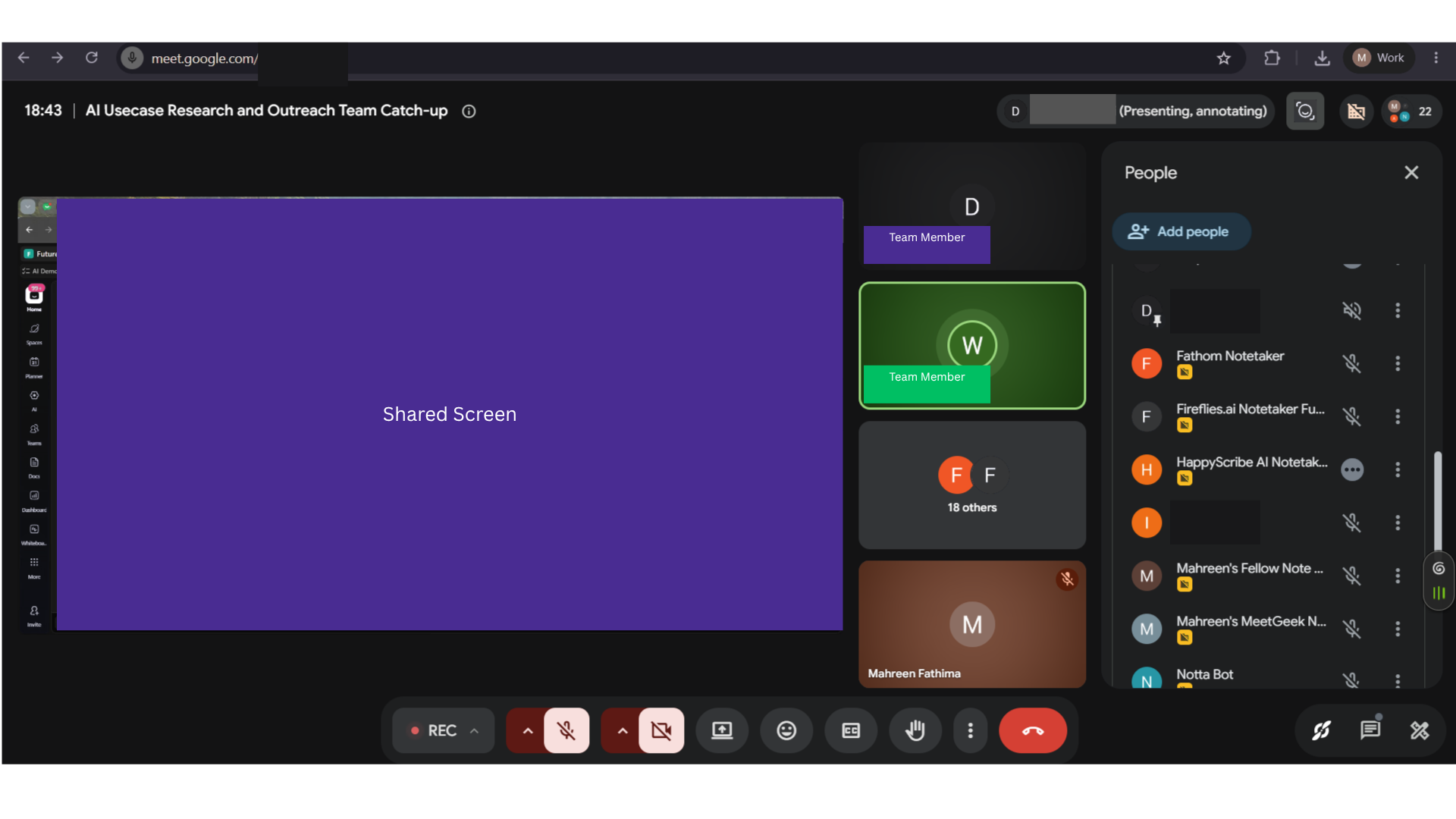
Expected behavior: On the 31 Jul 2026 Google Meet standup, Granola captured the call locally on desktop without joining as a bot and ran through the natural end of the meeting without dropping. The evidence here is the botless capture/join workflow itself.
Test case: Image → Image
Input type: Image
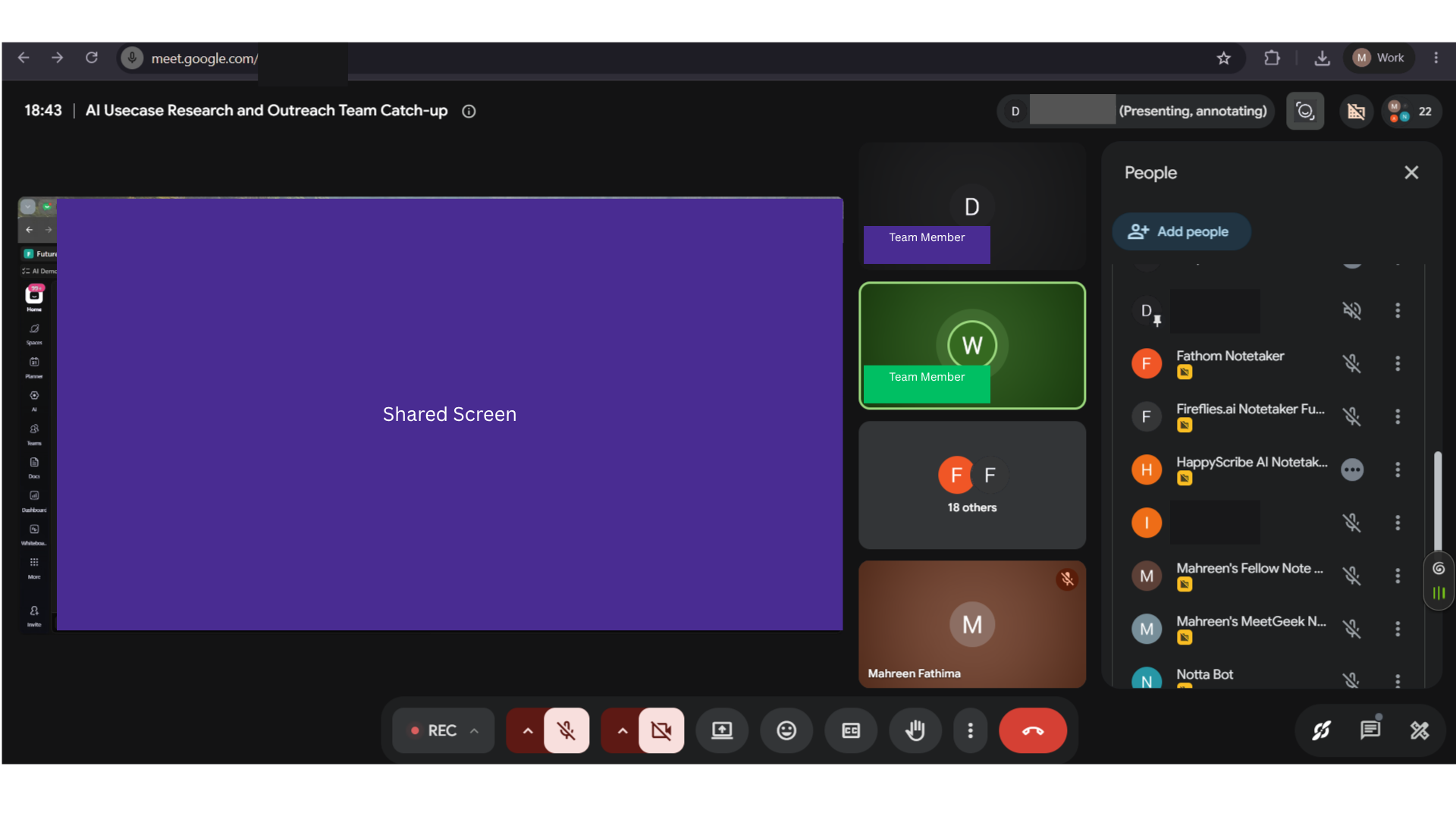
Input used: Input artifact (Image): Google Meet standup used as the live source for Granola’s capture test. — granola-31-july-meeting-input-artifact.png
Observed output: Output artifact (Image): Granola reached the actual end of the meeting and kept the call recording intact from start to finish, confirming uninterrupted botless capture. — granola-31julymeet-end-of-transcript.png
Input artifact: Input artifact (Image): Google Meet standup used as the live source for Granola’s capture test. — granola-31-july-meeting-input-artifact.png
Output artifact: Output artifact (Image): Granola reached the actual end of the meeting and kept the call recording intact from start to finish, confirming uninterrupted botless capture. — granola-31julymeet-end-of-transcript.png
What changed: Image transformed into Image
Why it matters / Conclusion: Reliable botless join and uninterrupted capture on this standup.
On the 31 Jul 2026 Google Meet standup, Granola captured the call locally on desktop without joining as a bot and ran through the natural end of the meeting without dropping. The evidence here is the botless capture/join workflow itself.

Transcript Generation with Speaker AttributionThe transcript was readable in places, but recurring transcription errors and default-off speaker tags made it unreliable as a baseline meeting record.▾
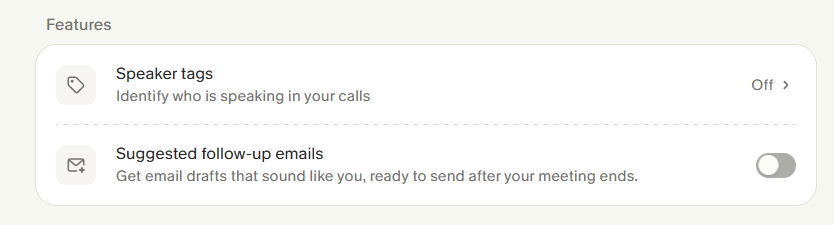
Feature tested: Transcript Generation with Speaker Attribution
Result: Failed
Verdict: The transcript was readable in places, but recurring transcription errors and default-off speaker tags made it unreliable as a baseline meeting record.
Expected behavior: On the same normal-audio standup, Granola turned the meeting into transcript blocks and exposed a speaker-tags setting for attribution. The test inputs include live transcription, transcript generation, and a diarization-specific card that showed the setting existed but was off by default.
Test case: Image → Image
Input type: Image
Input used: Input artifact (Image): Input — granola-31-july-meeting-input-artifact.png
Observed output: Output artifact (Image): Longer transcript excerpt reviewed as evidence of recurring transcription errors throughout the call. — granola-meeting-transcript-chat-form.png
Input artifact: Input artifact (Image): Input — granola-31-july-meeting-input-artifact.png
Output artifact: Output artifact (Image): Longer transcript excerpt reviewed as evidence of recurring transcription errors throughout the call. — granola-meeting-transcript-chat-form.png
What changed: Image transformed into Image
Test case: Image → Image
Input type: Image
Input used: Input artifact (Image): Input — granola-31-july-meeting-input-artifact.png
Observed output: Output artifact (Image): Settings panel shows Speaker tags exist, but the toggle is Off. — granola-31julymeet-speaker-tag-feature.png
Input artifact: Input artifact (Image): Input — granola-31-july-meeting-input-artifact.png
Output artifact: Output artifact (Image): Settings panel shows Speaker tags exist, but the toggle is Off. — granola-31julymeet-speaker-tag-feature.png
What changed: Image transformed into Image
Why it matters / Conclusion: Useful as a transcript viewer, but not dependable enough for baseline standup accountability unless diarization is discovered and enabled.
On the same normal-audio standup, Granola turned the meeting into transcript blocks and exposed a speaker-tags setting for attribution. The test inputs include live transcription, transcript generation, and a diarization-specific card that showed the setting existed but was off by default.

Structured Meeting Summaries and Topic SegmentationGranola produced a clear summary and broke the standup into skimmable sections that followed the meeting flow.▾
Feature tested: Structured Meeting Summaries and Topic Segmentation
Result: Passed
Verdict: Granola produced a clear summary and broke the standup into skimmable sections that followed the meeting flow.
Expected behavior: On the ~25-minute standup, Granola produced a structured meeting summary and split the discussion into logical topic sections. The test cards cover the summary output and the way it was organized into scan-friendly sections.
Test case: Image → Image
Input type: Image
Input used: Input artifact (Image): Input — granola-31-july-meeting-input-artifact.png
Observed output: Output artifact (Image): Structured summary with section headings and bullets for the standup’s main topics. — granola-summary-generated.png
Input artifact: Input artifact (Image): Input — granola-31-july-meeting-input-artifact.png
Output artifact: Output artifact (Image): Structured summary with section headings and bullets for the standup’s main topics. — granola-summary-generated.png
What changed: Image transformed into Image
Test case: Image → Image
Input type: Image
Input used: Input artifact (Image): Input — granola-31-july-meeting-input-artifact.png
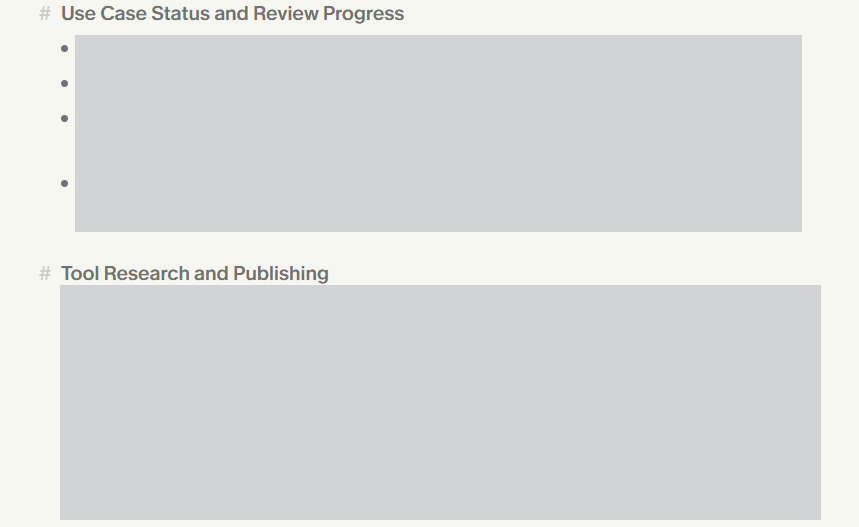
Observed output: Output artifact (Image): Editable summary state showing the Tool Research and Publishing heading. — granola-31julymeet-editable-summary-success.png
Input artifact: Input artifact (Image): Input — granola-31-july-meeting-input-artifact.png
Output artifact: Output artifact (Image): Editable summary state showing the Tool Research and Publishing heading. — granola-31julymeet-editable-summary-success.png
What changed: Image transformed into Image
Why it matters / Conclusion: Good summary structure and useful topic segmentation for post-meeting reading.
On the ~25-minute standup, Granola produced a structured meeting summary and split the discussion into logical topic sections. The test cards cover the summary output and the way it was organized into scan-friendly sections.

Action Item Extraction from MeetingsGranola extracted the real follow-up commitments from the call without obvious false positives.▾
Feature tested: Action Item Extraction from Meetings
Result: Passed
Verdict: Granola extracted the real follow-up commitments from the call without obvious false positives.
Expected behavior: From the standup, Granola pulled out concrete next steps and presented them as action items. The card is the proof point for extracting follow-ups from a meeting record rather than inventing them.
Test case: Image → Image
Input type: Image
Input used: Input artifact (Image): Google Meet standup used as the source for action-item extraction. — granola-31-july-meeting-input-artifact.png
Observed output: Output artifact (Image): Granola extracted a real next-step item from the meeting instead of hallucinating a new task. — granola-31julymeet-action-item-extracted.png
Input artifact: Input artifact (Image): Google Meet standup used as the source for action-item extraction. — granola-31-july-meeting-input-artifact.png
Output artifact: Output artifact (Image): Granola extracted a real next-step item from the meeting instead of hallucinating a new task. — granola-31julymeet-action-item-extracted.png
What changed: Image transformed into Image
Why it matters / Conclusion: Action items were accurate and grounded in real meeting commitments.
From the standup, Granola pulled out concrete next steps and presented them as action items. The card is the proof point for extracting follow-ups from a meeting record rather than inventing them.

Inline Note EditingSummary and action-item text can be edited inline, but the transcript itself stays locked.▾
Feature tested: Inline Note Editing
Result: Partial
Verdict: Summary and action-item text can be edited inline, but the transcript itself stays locked.
Expected behavior: Granola lets you edit the generated summary and action items before sharing, giving a correction surface for note-level mistakes. The transcript itself is not editable in-product, so transcript errors remain locked in place.
Test case: Image → Image
Input type: Image
Input used: Input artifact (Image): Google Meet standup used as the source for summary editing. — granola-31-july-meeting-input-artifact.png
Observed output: Output artifact (Image): The summary is in an editable state, showing that note-level corrections can be made before sharing. — granola-31julymeet-editable-summary-success.png
Input artifact: Input artifact (Image): Google Meet standup used as the source for summary editing. — granola-31-july-meeting-input-artifact.png
Output artifact: Output artifact (Image): The summary is in an editable state, showing that note-level corrections can be made before sharing. — granola-31julymeet-editable-summary-success.png
What changed: Image transformed into Image
Why it matters / Conclusion: Good correction surface for notes, but transcript errors remain locked in place.
Granola lets you edit the generated summary and action items before sharing, giving a correction surface for note-level mistakes. The transcript itself is not editable in-product, so transcript errors remain locked in place.
Search and Chat Across NotesGranola supports precise keyword search and grounded Q&A over the meeting notes.▾
Feature tested: Search and Chat Across Notes
Result: Passed
Verdict: Granola supports precise keyword search and grounded Q&A over the meeting notes.
Expected behavior: Granola can search within a meeting for a keyword, jump to the matching timestamp, and answer natural-language questions using the notes and transcript. The test inputs cover both exact lookup and cited Q&A on the same meeting record.
Test case: Image → Image
Input type: Image
Input used: Input artifact (Image): Google Meet standup used as the source for search testing. — granola-31-july-meeting-input-artifact.png
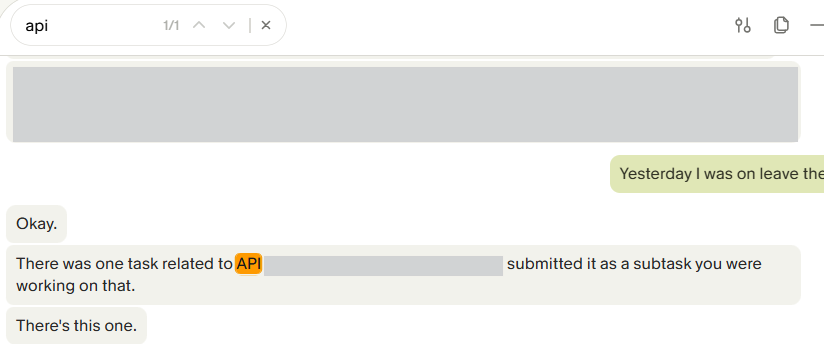
Observed output: Output artifact (Image): Keyword search returned a direct match in the notes, showing that users can jump to the relevant moment quickly. — granola-31julymeet-search-across-notes-ui-success.png
Input artifact: Input artifact (Image): Google Meet standup used as the source for search testing. — granola-31-july-meeting-input-artifact.png
Output artifact: Output artifact (Image): Keyword search returned a direct match in the notes, showing that users can jump to the relevant moment quickly. — granola-31julymeet-search-across-notes-ui-success.png
What changed: Image transformed into Image
Test case: Image → Image
Input type: Image
Input used: Input artifact (Image): Google Meet standup used as the source for chat/Q&A testing. — granola-31-july-meeting-input-artifact.png
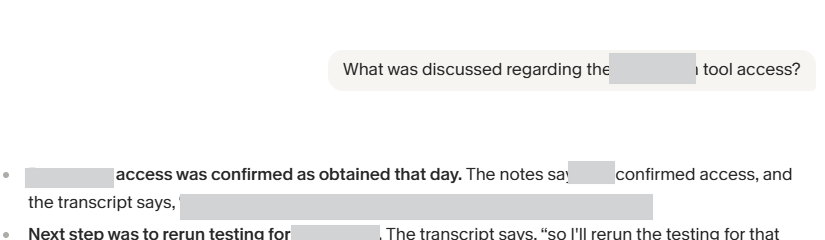
Observed output: Output artifact (Image): The Q&A answer explicitly cites the notes and transcript to explain the tool-access status and the follow-up testing step. — granola-31julymeet-chat-qna.png
Input artifact: Input artifact (Image): Google Meet standup used as the source for chat/Q&A testing. — granola-31-july-meeting-input-artifact.png
Output artifact: Output artifact (Image): The Q&A answer explicitly cites the notes and transcript to explain the tool-access status and the follow-up testing step. — granola-31julymeet-chat-qna.png
What changed: Image transformed into Image
Why it matters / Conclusion: Strong meeting-memory layer for both keyword lookup and cited answers.
Granola can search within a meeting for a keyword, jump to the matching timestamp, and answer natural-language questions using the notes and transcript. The test inputs cover both exact lookup and cited Q&A on the same meeting record.
External Note Sharing and Programmatic AccessGranola supports no-login shared links, a working REST API, and a live MCP connector.▾
Feature tested: External Note Sharing and Programmatic Access
Result: Passed
Verdict: Granola supports no-login shared links, a working REST API, and a live MCP connector.
Expected behavior: Granola publishes notes as browser-openable links without sign-in and also exposes programmatic access through a REST API and an MCP connector. The test inputs cover guest sharing, API retrieval, and MCP queries against meeting-note data.
Test case: Image → Image
Input type: Image
Input used: Input artifact (Image): Google Meet standup used as the source for share-link testing. — granola-31-july-meeting-input-artifact.png
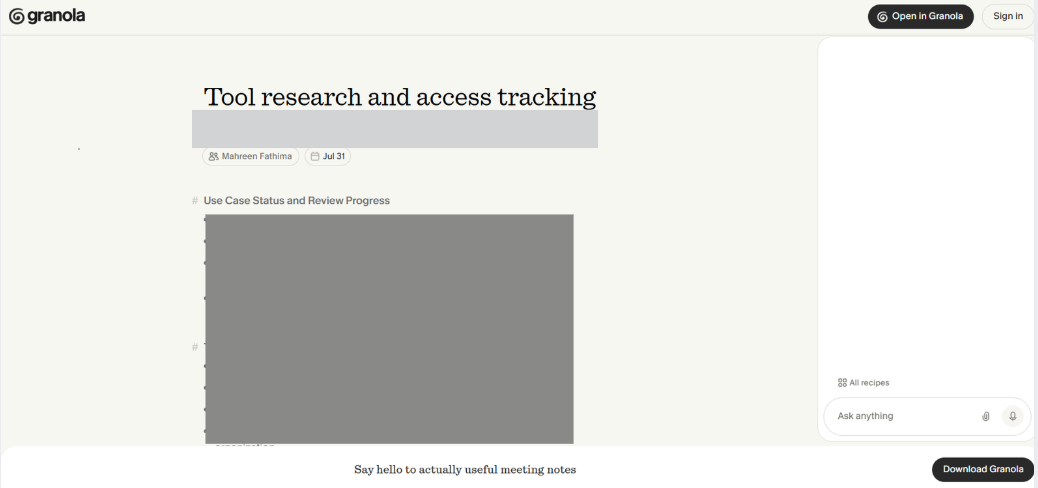
Observed output: Output artifact (Image): The shared notes page opened in a browser without requiring a login, so guests can read the notes directly. — granola-shared-notes-ui.png
Input artifact: Input artifact (Image): Google Meet standup used as the source for share-link testing. — granola-31-july-meeting-input-artifact.png
Output artifact: Output artifact (Image): The shared notes page opened in a browser without requiring a login, so guests can read the notes directly. — granola-shared-notes-ui.png
What changed: Image transformed into Image
Test case: Image → Image
Input type: Image
Input used: Input artifact (Image): Google Meet standup used as the source for API testing. — granola-31-july-meeting-input-artifact.png
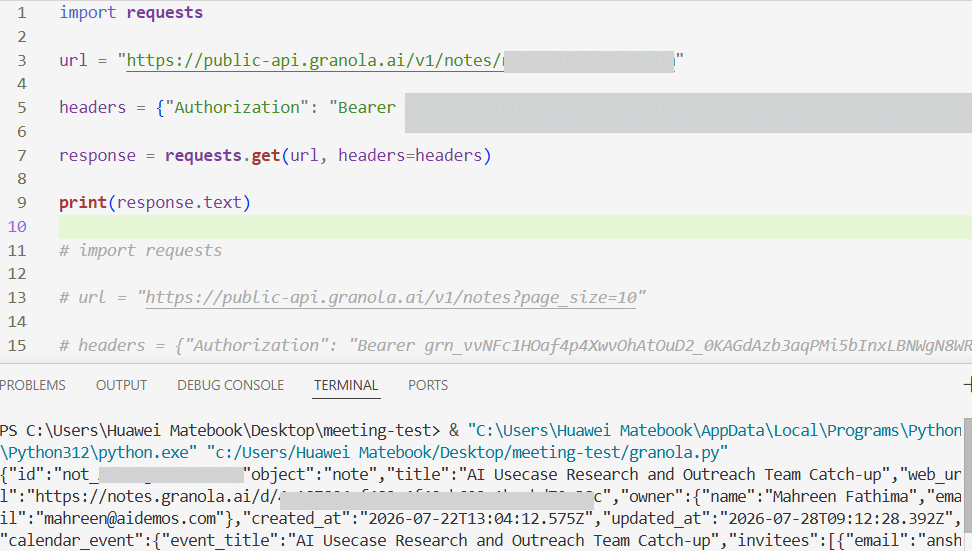
Observed output: Output artifact (Image): The REST API returned note data successfully from a bearer-token request, confirming programmatic access. — granola-31julymeet-api-tested-success.png
Input artifact: Input artifact (Image): Google Meet standup used as the source for API testing. — granola-31-july-meeting-input-artifact.png
Output artifact: Output artifact (Image): The REST API returned note data successfully from a bearer-token request, confirming programmatic access. — granola-31julymeet-api-tested-success.png
What changed: Image transformed into Image
Test case: Image → Image
Input type: Image
Input used: Input artifact (Image): Google Meet standup used as the source for MCP testing. — granola-31-july-meeting-input-artifact.png
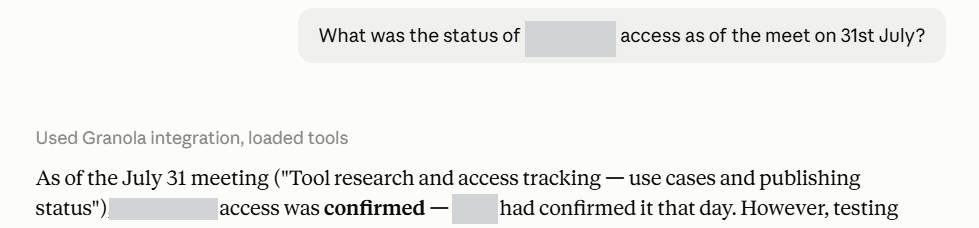
Observed output: Output artifact (Image): The Claude/MCP connection returned meeting details successfully, confirming that the hosted MCP path works. — granola-31julymeet-mcp-qna-tested-success.png
Input artifact: Input artifact (Image): Google Meet standup used as the source for MCP testing. — granola-31-july-meeting-input-artifact.png
Output artifact: Output artifact (Image): The Claude/MCP connection returned meeting details successfully, confirming that the hosted MCP path works. — granola-31julymeet-mcp-qna-tested-success.png
What changed: Image transformed into Image
Why it matters / Conclusion: Excellent external-access story: guest sharing works, the API works, and MCP is live.
Granola publishes notes as browser-openable links without sign-in and also exposes programmatic access through a REST API and an MCP connector. The test inputs cover guest sharing, API retrieval, and MCP queries against meeting-note data.
Multilingual Transcription and SummarizationBroad documented coverage, untested in this cycle▾
Feature tested: Multilingual Transcription and Summarization
Result: Partial
Verdict: Broad documented coverage, untested in this cycle
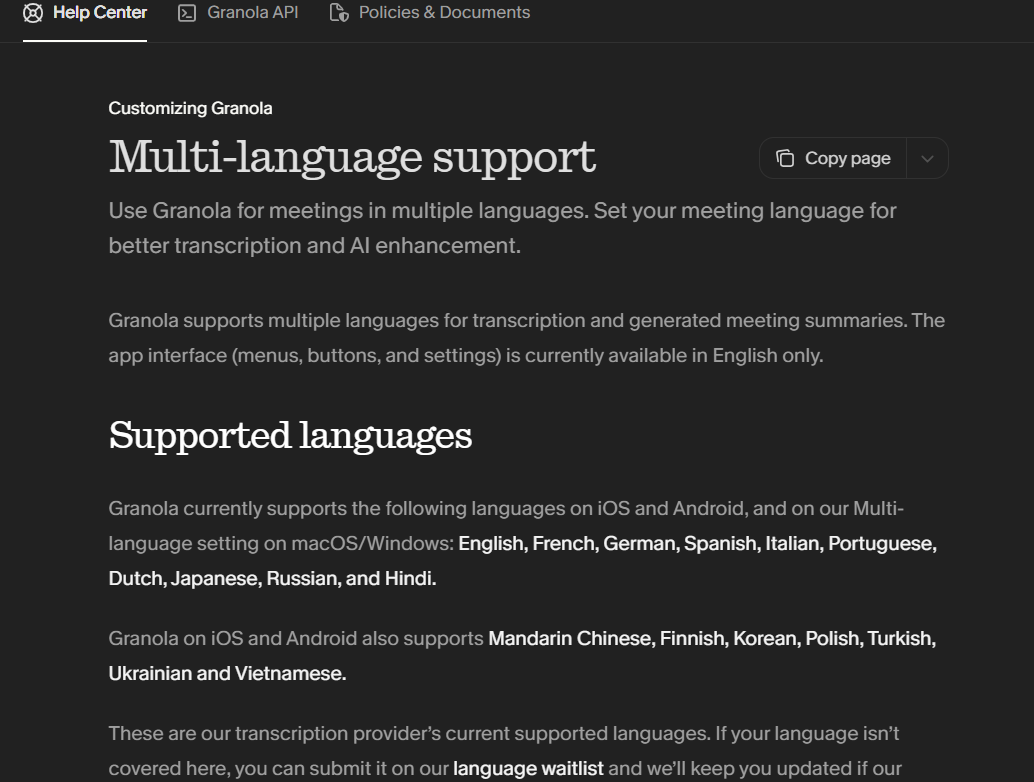
Expected behavior: Granola documents multi-language transcription and summaries across desktop and mobile, including a stated 17-language coverage claim. The evaluation here only verified English, so multilingual accuracy remains untested in this report.
Test case: Text prompt → Image
Input type: Text prompt
Input used: Input artifact (Text prompt): Input
Observed output: Output artifact (Image): Help-center page listing the supported languages across desktop and mobile. — granola-31julymeet-full-action-items-list.png
Input artifact: Input artifact (Text prompt): Input
Output artifact: Output artifact (Image): Help-center page listing the supported languages across desktop and mobile. — granola-31julymeet-full-action-items-list.png
What changed: Text prompt transformed into Image
Why it matters / Conclusion: Coverage looks broad, but multilingual accuracy remains unverified in this report.
Granola documents multi-language transcription and summaries across desktop and mobile, including a stated 17-language coverage claim. The evaluation here only verified English, so multilingual accuracy remains untested in this report.
Native Integrations and AutomationsExtensive ecosystem▾
Feature tested: Native Integrations and Automations
Result: Partial
Verdict: Extensive ecosystem
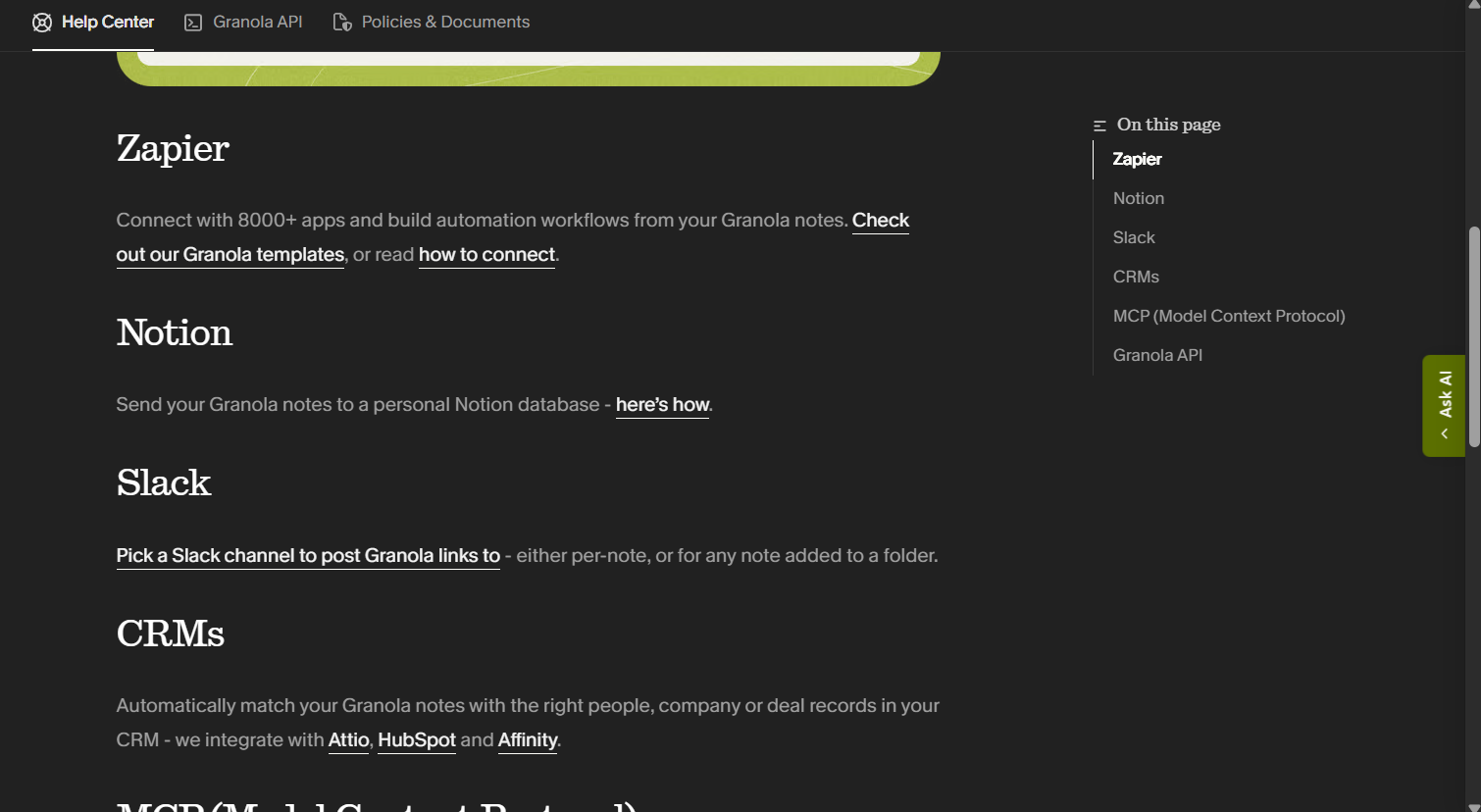
Expected behavior: Granola connects to external tools such as Slack, Notion, HubSpot, Affinity, and Attio, and also supports Zapier-based automations plus major meeting-platform integrations. The card is about connector breadth rather than a single integration.
Test case: Text prompt → Image
Input type: Text prompt
Input used: Input artifact (Text prompt): Input
Observed output: Output artifact (Image): Help-center page listing Zapier, Notion, Slack, and CRM integration options. — granola-31julymeet-pricing-plans.png
Input artifact: Input artifact (Text prompt): Input
Output artifact: Output artifact (Image): Help-center page listing Zapier, Notion, Slack, and CRM integration options. — granola-31julymeet-pricing-plans.png
What changed: Text prompt transformed into Image
Why it matters / Conclusion: Integrations are broad, but native connections and Zapier sit behind the Business plan.
Granola connects to external tools such as Slack, Notion, HubSpot, Affinity, and Attio, and also supports Zapier-based automations plus major meeting-platform integrations. The card is about connector breadth rather than a single integration.
Granola plans reviewed in the test
The live pricing page shows a free Basic tier plus paid Business and Enterprise plans.
The Basic tier includes AI notes, limited meeting history, AI chat, shared folders, and MCP. Business adds native integrations and Zapier. The published meeting-history cap for Basic was not quantified in the research.
Featured in Rankings
Independent rankings where Granola was tested and rated.
Banner Preview
How the embed badge will look on your site

Embed HTML
Copy this code to your website source
Quick Integration Guide
- 1Copy the HTML code block above.
- 2Paste it into your site's HTML or CMS editor.
- 3Banner appears instantly on your page.
- 4Links back to your tool profile here.
Similar Tools
Discover more AI tools like Granola to enhance your workflow.
Comments (0)
Need a custom AI solution for this use case?
If you are looking to build a custom meeting note automation, transcript summarization, or action-item tracking system for your business or internal workflow, email us at contact@futuresmart.ai.
Found something inaccurate or missing? We try to keep our AI research accurate and useful. If you found outdated information, an issue, or have a suggestion, email us at collaborate@aidemos.com.