Krea AI
Generate self-photo scenes in different settings from one reference, but expect likeness and lighting drift.
Strong batch output, weak identity lock
- You want four image options per prompt and can choose the best-looking result from a batch.
- You need quick self-photo scenes for social, marketing, or speaker-profile use and can tolerate some drift.
- You care more about scene variety and clean hands than perfect facial locking.
- You need the same person's face, hair color, or facial proportions to stay tightly fixed.
Our take
Krea AI produced realistic-looking self-photo scenes across lifestyle, professional, travel, and podcast settings, and its automatic four-variation batches made selection easy. But the free tier showed repeatable problems: pink hair behaved like a styling effect, the conference scene looked like a different older person, and warm golden-hour lighting kept overriding requested flat or overcast light. It feels promising when scene variety matters more than exact likeness; it is not reliable when the face, hair, or lighting need to stay fixed.
In-Depth Review
Our detailed analysis of Krea AI — features, performance, and real-world testing.
Feature-by-Feature Breakdown
Reference Photo Scene GenerationUseful for casual and travel-style portraits, but not for tight identity control.▾
Feature tested: Reference Photo Scene Generation
Result: Partial
Verdict: Useful for casual and travel-style portraits, but not for tight identity control.
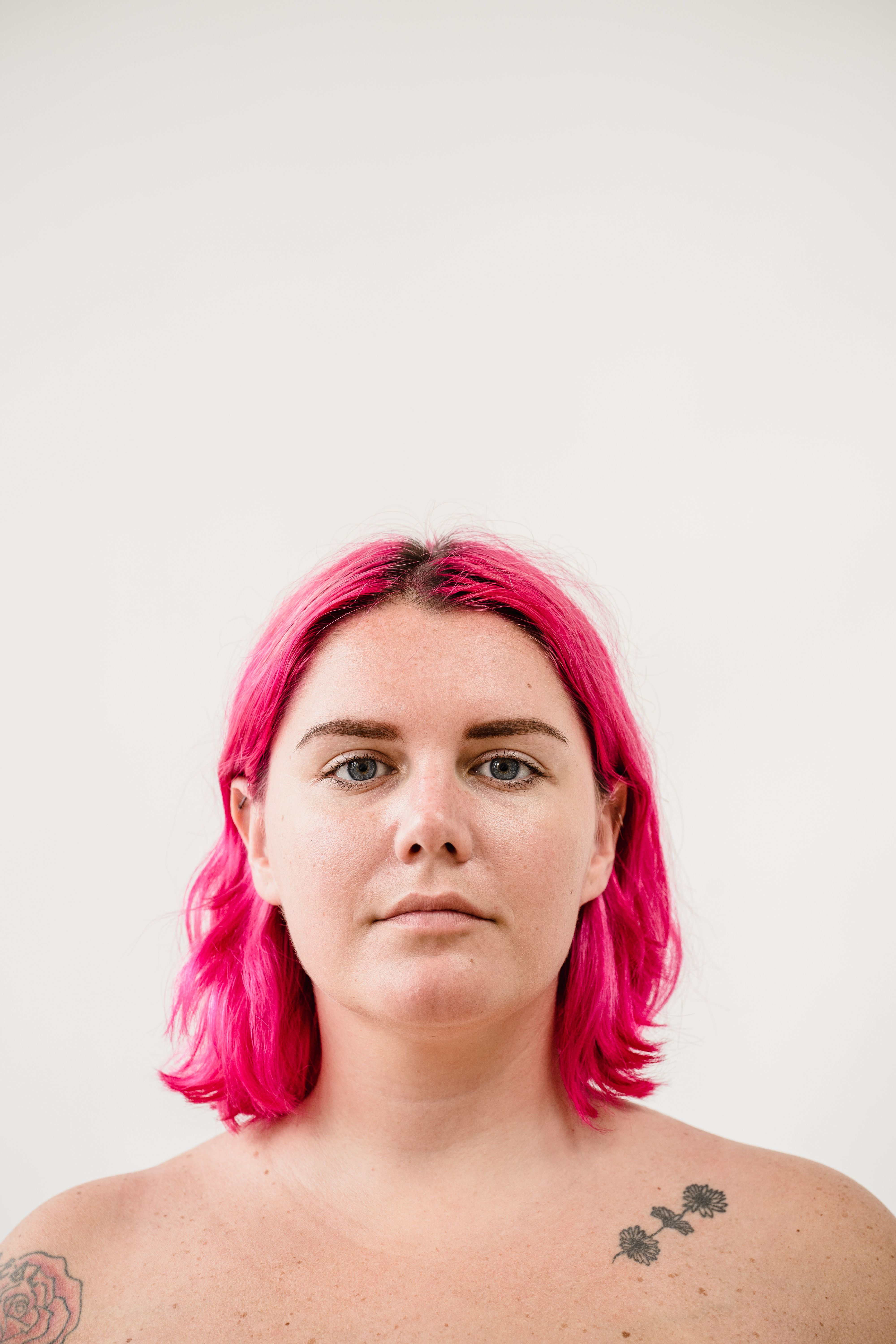
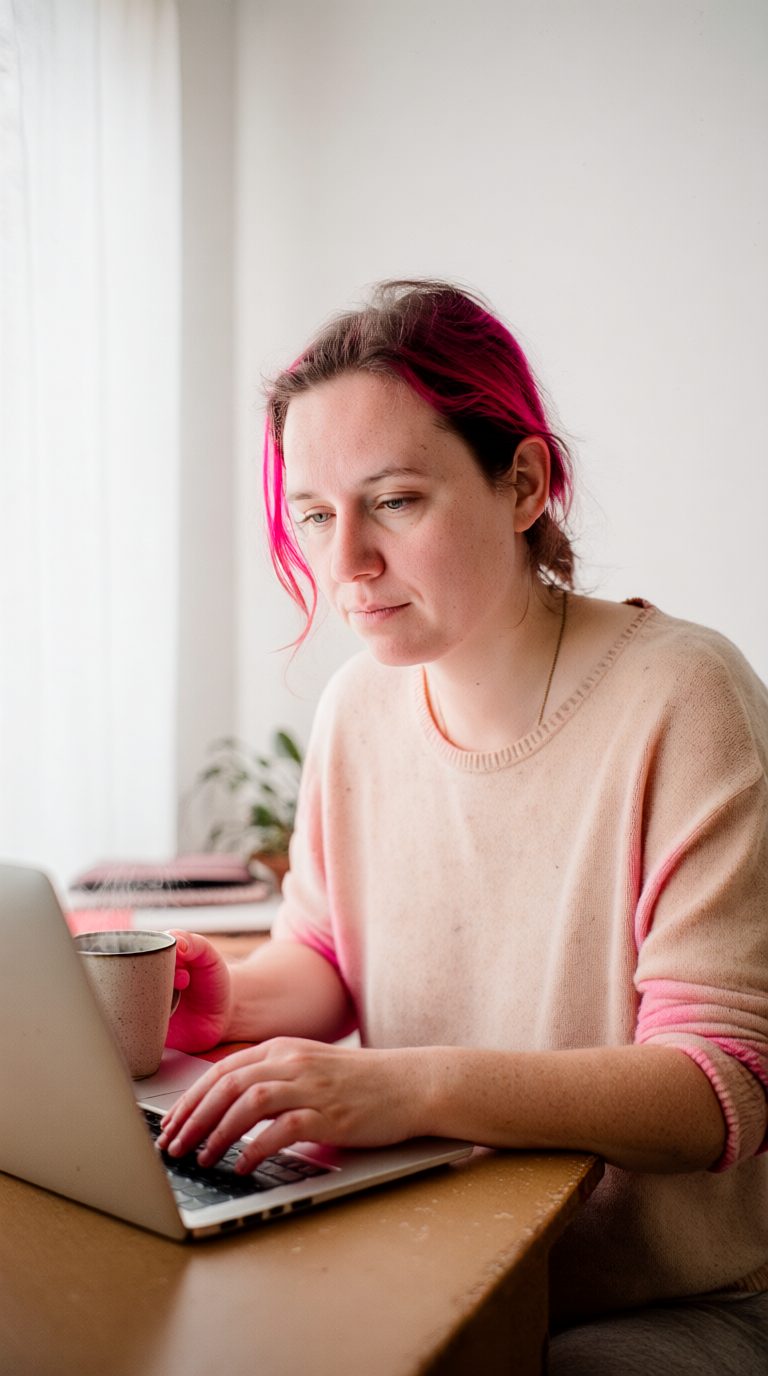
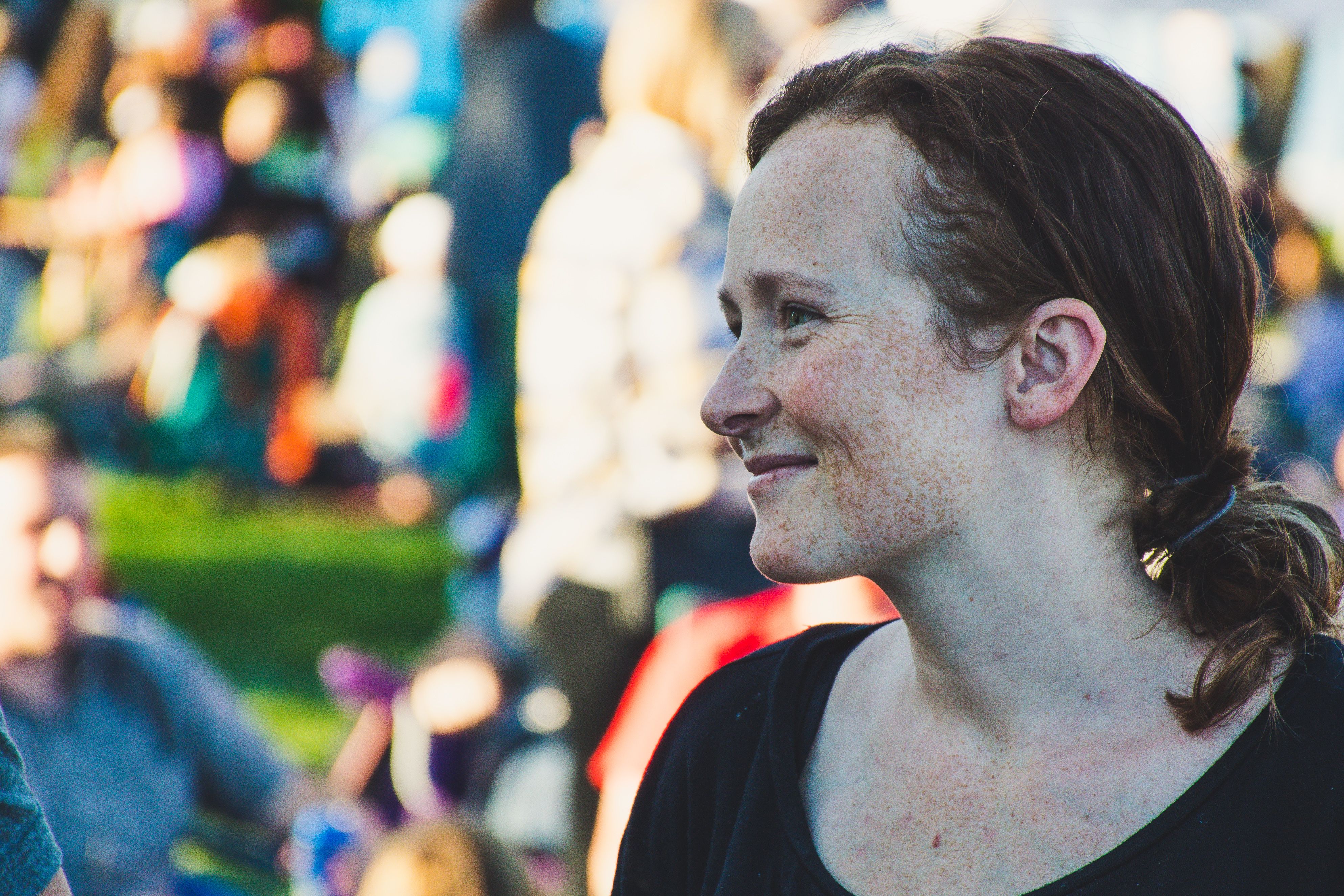
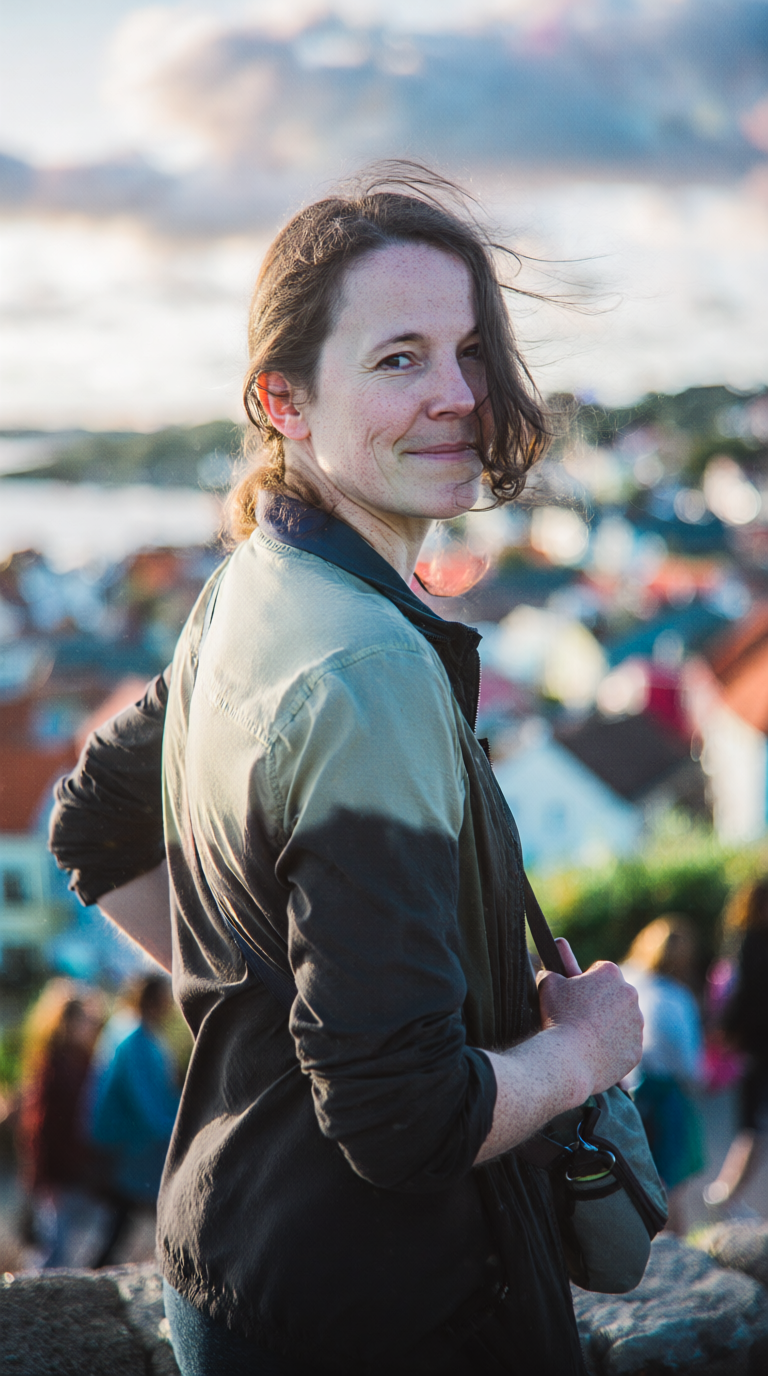
Expected behavior: Generates themed portrait scenes from a reference image, including everyday self-photo scenes, conference/stage event portraits, and podcast-style thumbnail portraits. The tested outputs vary by scene type but all exercise the same core ability to turn one source photo into a different posed/prop-rich scene.
Test case: Image → Image
Input type: Image
Input used: Input artifact (Image): INPUT — INPUT 1.jpg
Observed output: Output artifact (Image): The laptop scene preserved natural hand placement on the keyboard and mug, and the skin texture looked convincing, but freckles mostly vanished, the face shifted slightly, and the pink hair varied across the batch instead of staying fixed. — working_on_laptop__a_candid_mid-morning_photo_of_the_same_person_seated_at_a_worn_wooden_desk_posit_tv3snikmcaq6kdcr0dmj_3-2.png
Input artifact: Input artifact (Image): INPUT — INPUT 1.jpg
Output artifact: Output artifact (Image): The laptop scene preserved natural hand placement on the keyboard and mug, and the skin texture looked convincing, but freckles mostly vanished, the face shifted slightly, and the pink hair varied across the batch instead of staying fixed. — working_on_laptop__a_candid_mid-morning_photo_of_the_same_person_seated_at_a_worn_wooden_desk_posit_tv3snikmcaq6kdcr0dmj_3-2.png
What changed: Image transformed into Image
Test case: Image → Image
Input type: Image
Input used: Input artifact (Image): INPUT — INPUT 3.jpg
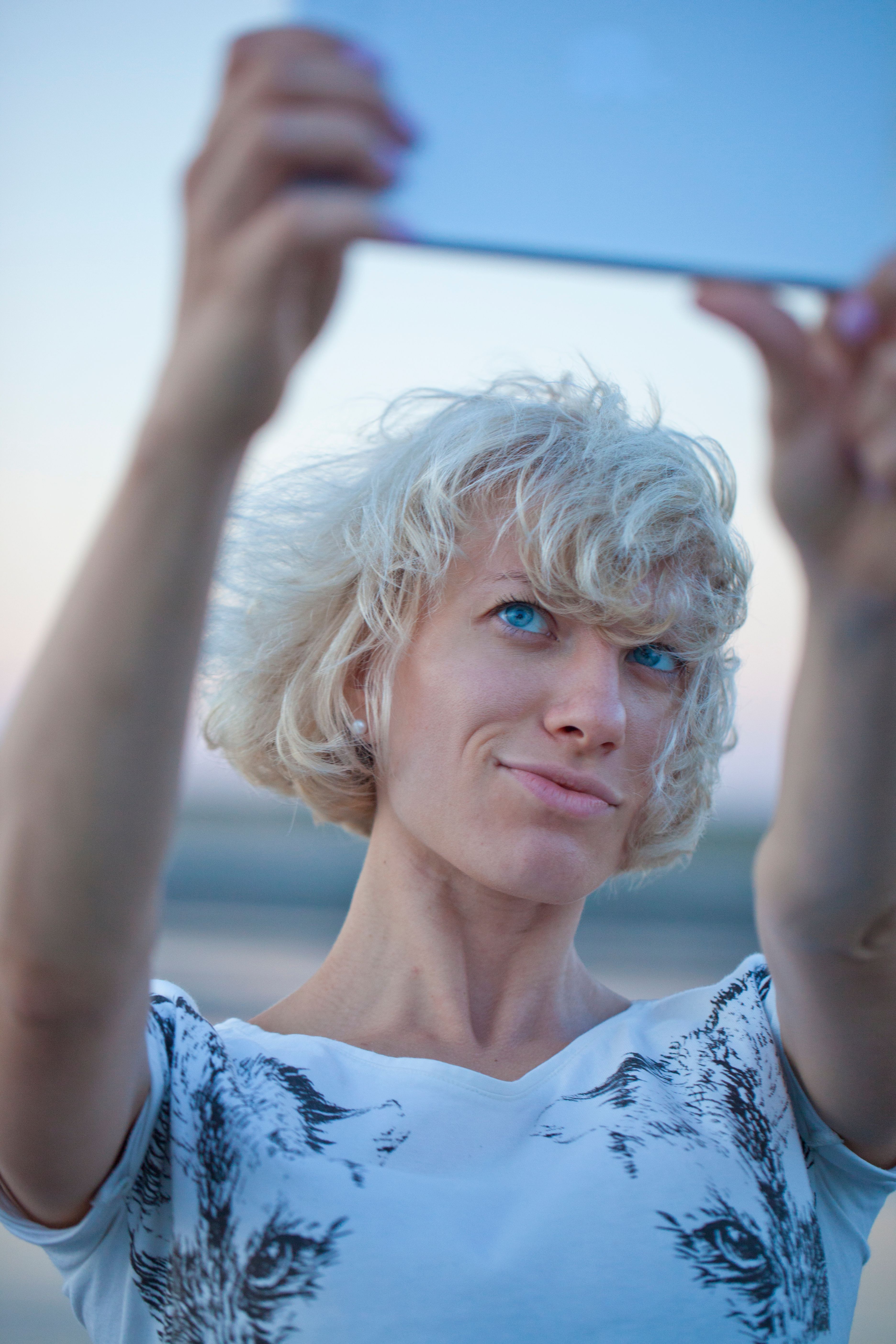
Observed output: Output artifact (Image): The travel overlook output kept the bag strap grip and three-quarter pose natural, and the hair stayed relatively close to the reference, but warm golden-hour lighting appeared despite the request for flat overcast light. — traveling_outdoor_unfamiliar_location_input_3_stress_test__a_documentary-style_outdoor_travel_photo_w6jv18hv6kjyeoe6d6u3_3-2.png
Input artifact: Input artifact (Image): INPUT — INPUT 3.jpg
Output artifact: Output artifact (Image): The travel overlook output kept the bag strap grip and three-quarter pose natural, and the hair stayed relatively close to the reference, but warm golden-hour lighting appeared despite the request for flat overcast light. — traveling_outdoor_unfamiliar_location_input_3_stress_test__a_documentary-style_outdoor_travel_photo_w6jv18hv6kjyeoe6d6u3_3-2.png
What changed: Image transformed into Image
Test case: Image → Image
Input type: Image
Input used: Input artifact (Image): INPUT — INPUT 1.jpg
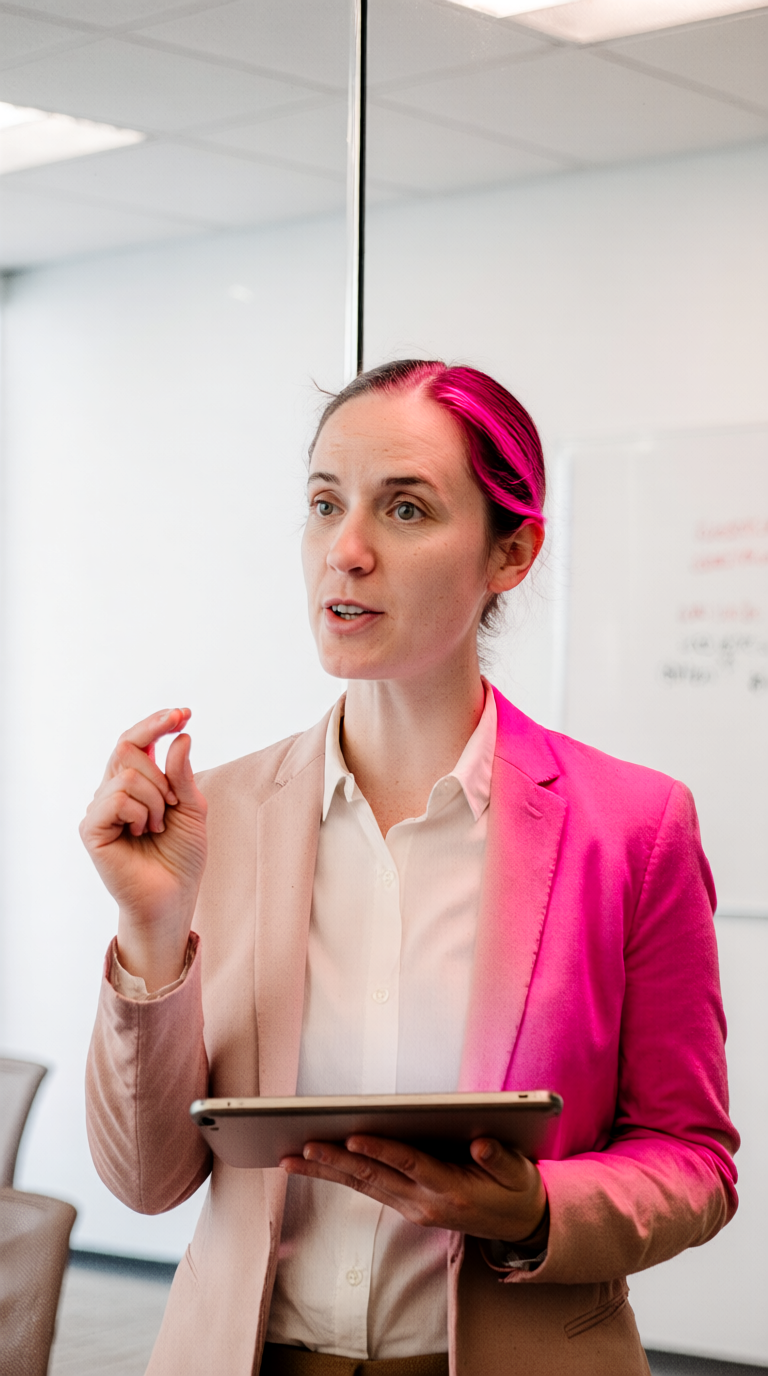
Observed output: Output artifact (Image): The conference-room output included the tablet and gesture, but the face read as a different older person, the blazer color was wrong, pink hair bled into the clothing, and the background whiteboard and glass wall elements were missing. — professional_conference__leadership_setting__a_realistic_candid_photo_of_the_same_person_standing_n_e0j1gmrtnzegwg689ql9_1-2.png
Input artifact: Input artifact (Image): INPUT — INPUT 1.jpg
Output artifact: Output artifact (Image): The conference-room output included the tablet and gesture, but the face read as a different older person, the blazer color was wrong, pink hair bled into the clothing, and the background whiteboard and glass wall elements were missing. — professional_conference__leadership_setting__a_realistic_candid_photo_of_the_same_person_standing_n_e0j1gmrtnzegwg689ql9_1-2.png
What changed: Image transformed into Image
Test case: Image → Image
Input type: Image
Input used: Input artifact (Image): INPUT — INPUT 3.jpg
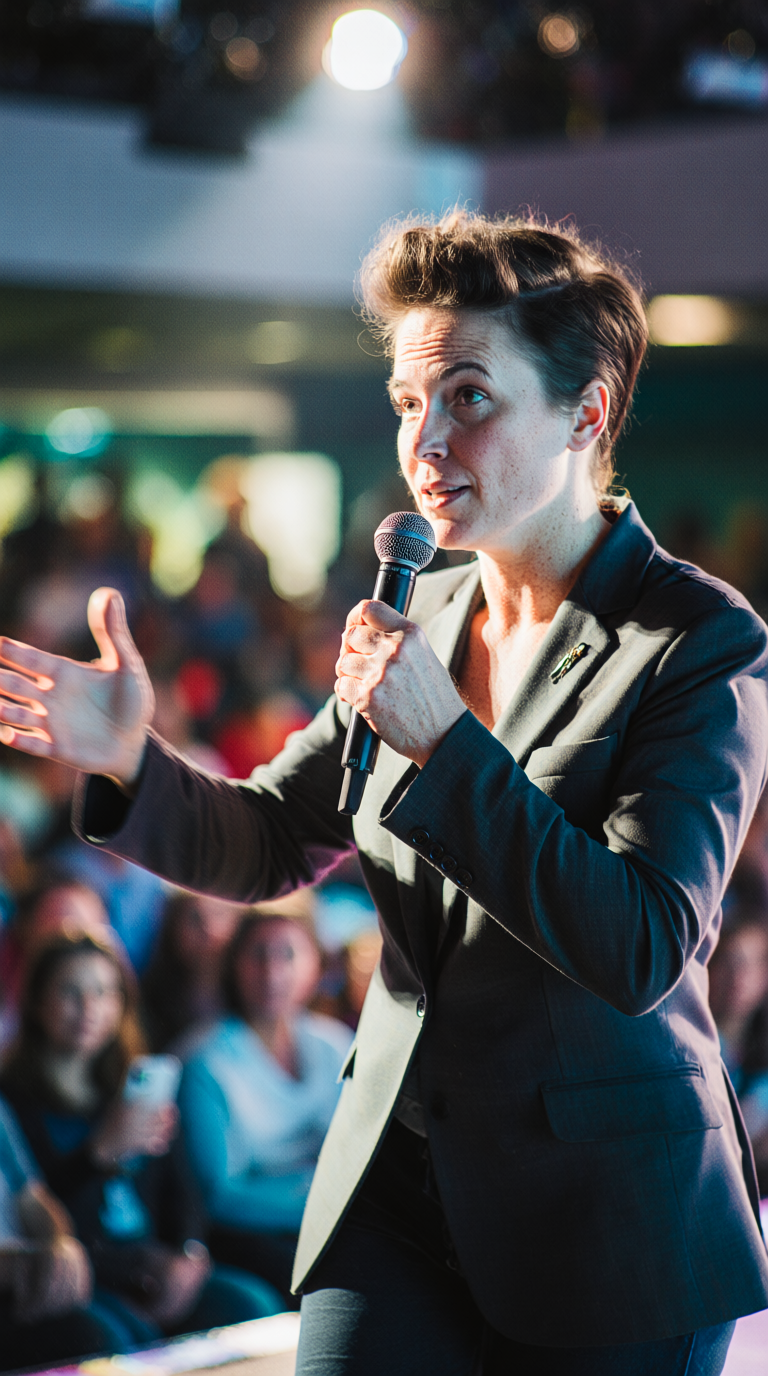
Observed output: Output artifact (Image): The stage output was the strongest scene match: mic, spotlight, audience blur, and hand gestures all looked natural, skin texture held up, and the output felt realistic even though the hairstyle volume drifted from the reference. — speaking_on_stage_with_audience_input_3_stress_test__a_dynamic_stage_photo_of_the_same_person_captu_l9ldgcd3fdd18r0phu5b_2-2.png
Input artifact: Input artifact (Image): INPUT — INPUT 3.jpg
Output artifact: Output artifact (Image): The stage output was the strongest scene match: mic, spotlight, audience blur, and hand gestures all looked natural, skin texture held up, and the output felt realistic even though the hairstyle volume drifted from the reference. — speaking_on_stage_with_audience_input_3_stress_test__a_dynamic_stage_photo_of_the_same_person_captu_l9ldgcd3fdd18r0phu5b_2-2.png
What changed: Image transformed into Image
Test case: Image → Image
Input type: Image
Input used: Input artifact (Image): INPUT — INPUT 2.jpg
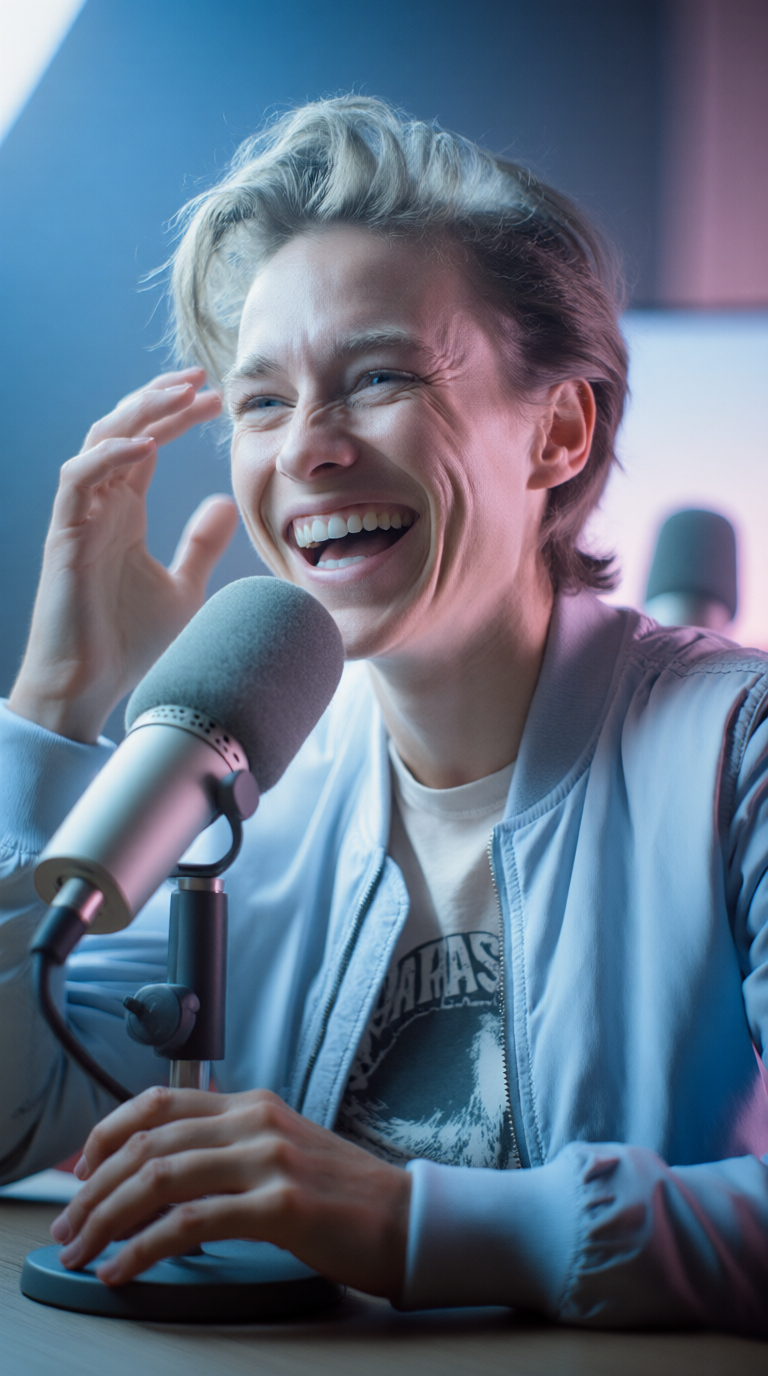
Observed output: Output artifact (Image): The podcast thumbnail output preserved the laugh, mic foreground, and hand pose, but the face became narrower and sharper with thicker brows, and the lighting flattened into a cool blue look instead of the requested magenta contrast. — podcast__thumbnail_style_shot__a_high-energy_photo_of_the_same_person_seated_in_front_of_a_foam-tip_njic6480gkvxyjugm4e6_1-2.png
Input artifact: Input artifact (Image): INPUT — INPUT 2.jpg
Output artifact: Output artifact (Image): The podcast thumbnail output preserved the laugh, mic foreground, and hand pose, but the face became narrower and sharper with thicker brows, and the lighting flattened into a cool blue look instead of the requested magenta contrast. — podcast__thumbnail_style_shot__a_high-energy_photo_of_the_same_person_seated_in_front_of_a_foam-tip_njic6480gkvxyjugm4e6_1-2.png
What changed: Image transformed into Image
Why it matters / Conclusion: Good for casual variety, but the free-tier output was not consistent enough for exact likeness or lighting fidelity.
Generates themed portrait scenes from a reference image, including everyday self-photo scenes, conference/stage event portraits, and podcast-style thumbnail portraits. The tested outputs vary by scene type but all exercise the same core ability to turn one source photo into a different posed/prop-rich scene.
Automatic Multi-Variation GenerationConsistently returns four options per generation.▾
Feature tested: Automatic Multi-Variation Generation
Result: Passed
Verdict: Consistently returns four options per generation.
Expected behavior: Automatically produces multiple variations per generation prompt; in the tested runs it consistently returned four options for each scene. The card focuses on variation count and selection rather than a distinct scene type.
Test case: Text prompt → Text prompt
Input type: Text prompt
Input used: Input artifact (Text prompt): Input
Observed output: Output artifact (Text prompt): Output
Input artifact: Input artifact (Text prompt): Input
Output artifact: Output artifact (Text prompt): Output
What changed: Text prompt transformed into Text prompt
Why it matters / Conclusion: Helpful for selecting the least-bad option, but variation count did not fix the core quality issues.
Automatically produces multiple variations per generation prompt; in the tested runs it consistently returned four options for each scene. The card focuses on variation count and selection rather than a distinct scene type.
Banner Preview
How the embed badge will look on your site

Embed HTML
Copy this code to your website source
Quick Integration Guide
- 1Copy the HTML code block above.
- 2Paste it into your site's HTML or CMS editor.
- 3Banner appears instantly on your page.
- 4Links back to your tool profile here.
Similar Tools
Discover more AI tools like Krea AI to enhance your workflow.
Comments (0)
Need a custom AI solution for this use case?
If you are looking to build a custom reference-based image generation, portrait scene editing, or photo variation workflow for your business or internal workflow, email us at contact@futuresmart.ai.
Found something inaccurate or missing? We try to keep our AI research accurate and useful. If you found outdated information, an issue, or have a suggestion, email us at collaborate@aidemos.com.