
AVC Labs Review: Upscaling, Face Refinement & Preview (2026)
AVC Labs Review: AI Image Upscaling & Face Refinement Tested (2026)
Our take
- You want a clean, simple one-click workflow with no model selection required
- Portrait inputs are common — Face Refinement toggle adds value with no extra steps
- You want to preview output quality before spending a credit
- You need DPI explicitly confirmed before download
Feature scores on this page: 6.8/10 (4 scored features)
Our take
AVC Labs is a clean, consistent upscaling tool with two features that stand out for editorial use — a Face Refinement toggle on by default for portrait inputs, and a Preview step that allows quality review before spending a credit. Output is reliable and artifact-free across all inputs. The main limitations are the absence of model selection, no DPI confirmation, and no TIFF support.
In-Depth Review
Our detailed analysis of AVC — features, performance, and real-world testing.
Feature-by-Feature Breakdown
We tested each feature individually. Click any card to see inputs, outputs, and our observations.
Image Enhancer, Upscaler and Face Refinement Toggle6/10▾
Feature tested: Image Enhancer, Upscaler and Face Refinement Toggle
Result: Passed (6/10)
Expected behavior: Claims to upscale images at 2x, 3x, or 4x while adding face refinement for a polished appearance. Suitable for personal or professional use.
Test case: Image → Image
Input type: Image
Input used: Input artifact (Image): Input — Input 1 - Headshot-13.png
Observed output: Output artifact (Image): Output — Screenshot (242).png
Input artifact: Input artifact (Image): Input — Input 1 - Headshot-13.png
Output artifact: Output artifact (Image): Output — Screenshot (242).png
What changed: Image transformed into Image
Test case: Image → Image
Input type: Image
Input used: Input artifact (Image): Input — Input 1 - Headshot-14.png
Observed output: Output artifact (Image): Output — 1776934618308_0_Input 1.jpg
Input artifact: Input artifact (Image): Input — Input 1 - Headshot-14.png
Output artifact: Output artifact (Image): Output — 1776934618308_0_Input 1.jpg
What changed: Image transformed into Image
Why it matters / Conclusion: Reliable upscaling output across all input types. Face Refinement on gives natural portrait results. Single algorithm applied to all inputs — no model choice available. Useful portrait-specific toggle. On by default — appropriate for most editorial portrait inputs. Turn off for product and archival inputs where face processing is irrelevant.
Claims to upscale images at 2x, 3x, or 4x while adding face refinement for a polished appearance. Suitable for personal or professional use.

.png)


Preview Step7/10▾
Feature tested: Preview Step
Result: Passed (7/10)
Expected behavior: Allows the editor to preview the upscaled result before confirming and spending a credit.
Test case: Text prompt → Image
Input type: Text prompt
Input used: Input artifact (Text prompt): Three different types of input images were tested.
Observed output: Output artifact (Image): Output — Screenshot (240).png
Input artifact: Input artifact (Text prompt): Three different types of input images were tested.
Output artifact: Output artifact (Image): Output — Screenshot (240).png
What changed: Text prompt transformed into Image
Why it matters / Conclusion: Practical quality gate — the only tested tool with a preview-before-payment step. Prevents credit waste on unsatisfactory outputs.
Allows the editor to preview the upscaled result before confirming and spending a credit.
.png)
Archival Image Upscaling7/10▾
Feature tested: Archival Image Upscaling
Result: Passed (7/10)
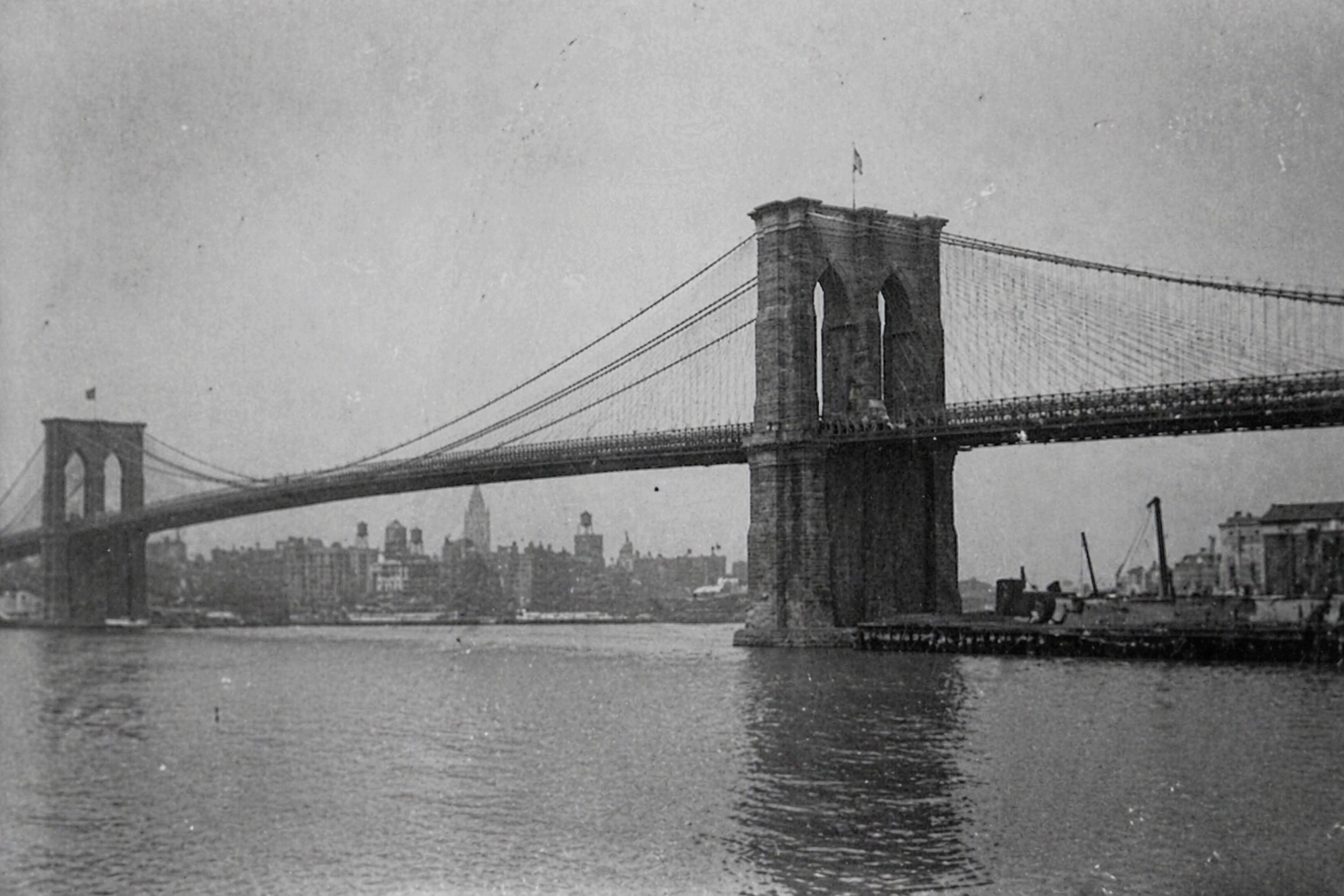
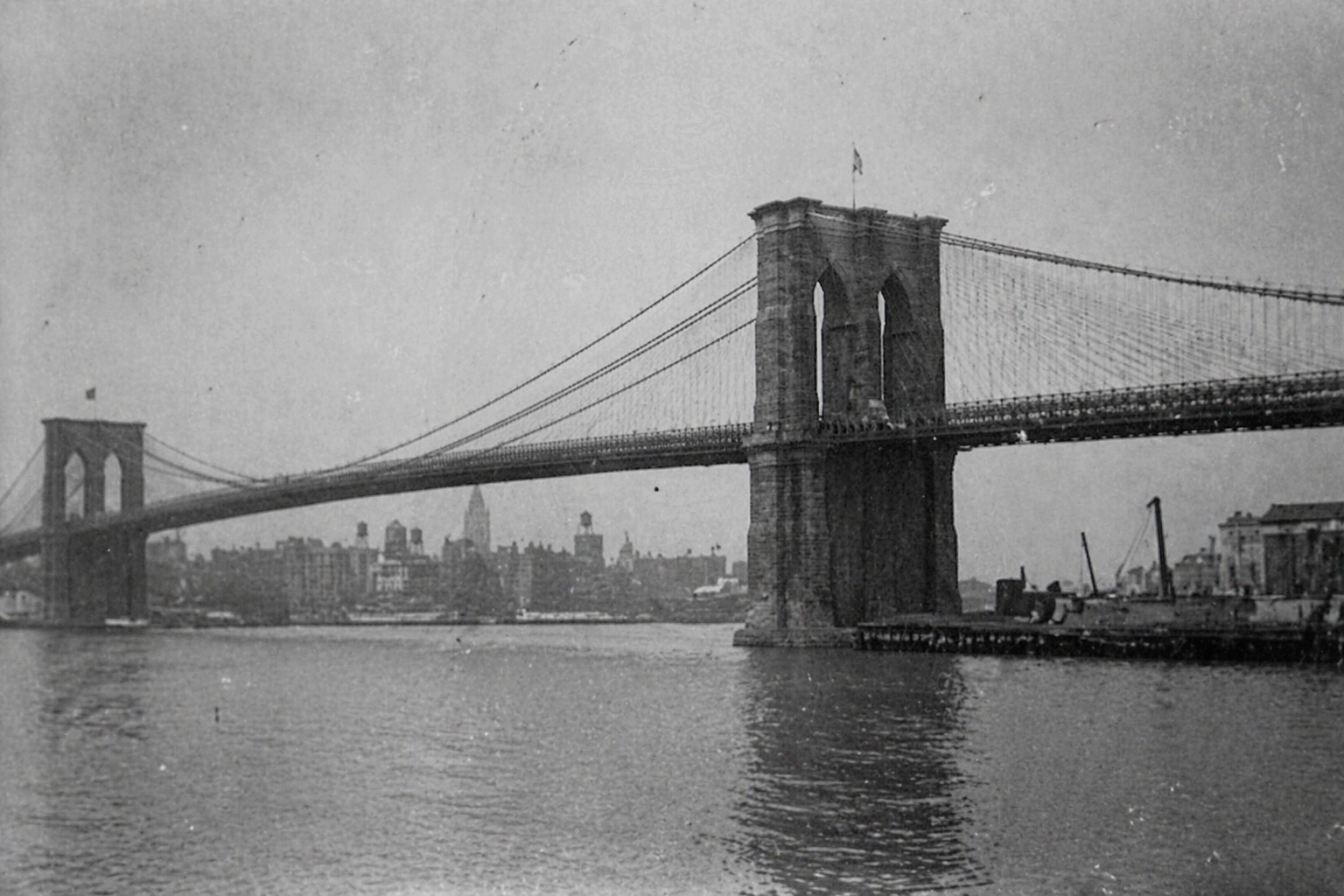
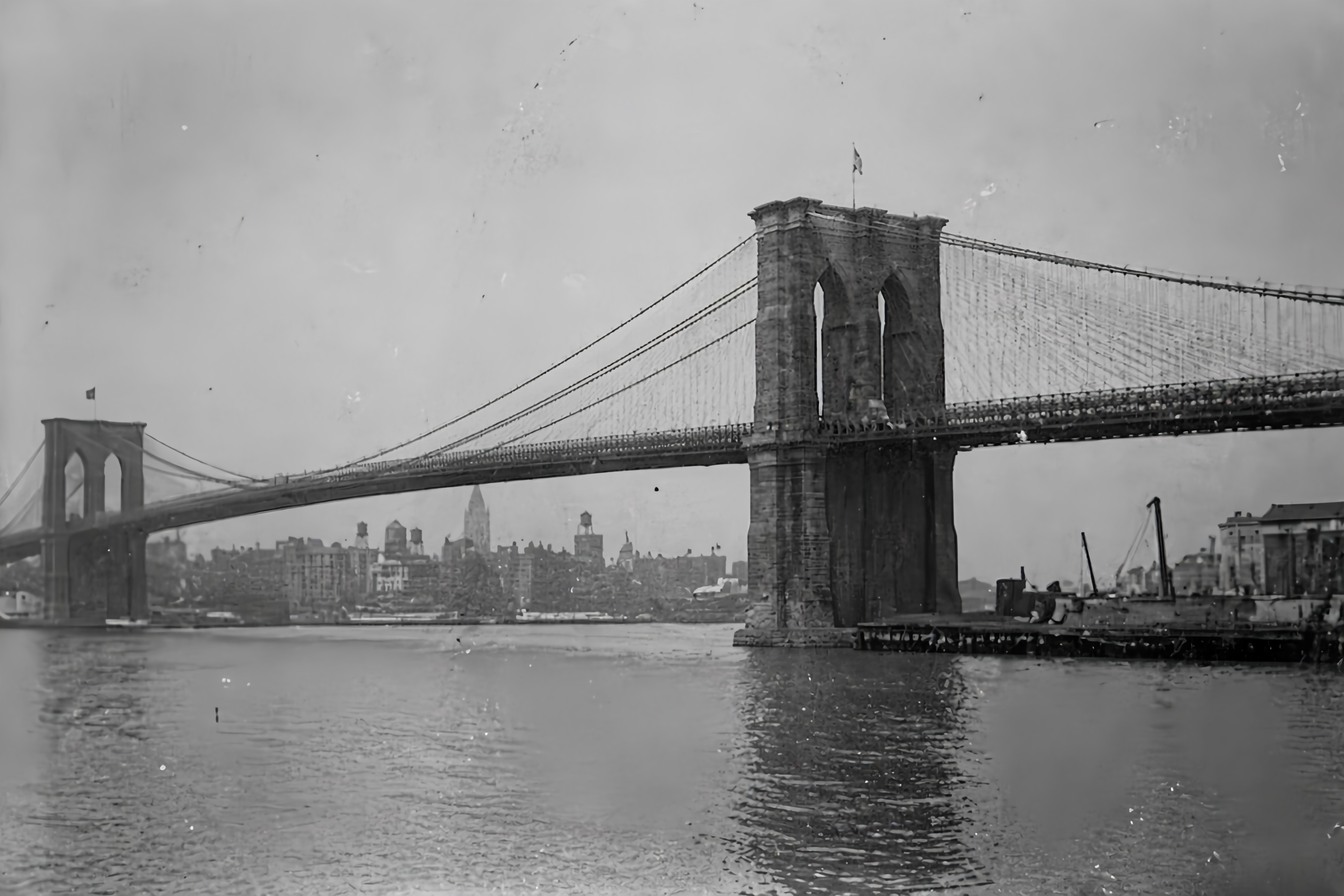
Expected behavior: No dedicated archival model. Same upscaling algorithm used for greyscale degraded inputs.
Test case: Image → Image
Input type: Image
Input used: Input artifact (Image): Input — Input 2 - Historic_photo-9.png
Observed output: Output artifact (Image): Output — Screenshot (243).png
Input artifact: Input artifact (Image): Input — Input 2 - Historic_photo-9.png
Output artifact: Output artifact (Image): Output — Screenshot (243).png
What changed: Image transformed into Image
Test case: Image → Image
Input type: Image
Input used: Input artifact (Image): Input — Input 2 - Historic_photo-10.png
Observed output: Output artifact (Image): Output — 1776934677642_0_Input 2.jpg
Input artifact: Input artifact (Image): Input — Input 2 - Historic_photo-10.png
Output artifact: Output artifact (Image): Output — 1776934677642_0_Input 2.jpg
What changed: Image transformed into Image
Why it matters / Conclusion: Clean structural recovery without a dedicated archival model. Grain managed without smearing. No hallucinated content. Adequate for web and standard print archival use.
No dedicated archival model. Same upscaling algorithm used for greyscale degraded inputs.
.png)
Product Image Upscaling7/10▾
Feature tested: Product Image Upscaling
Result: Passed (7/10)
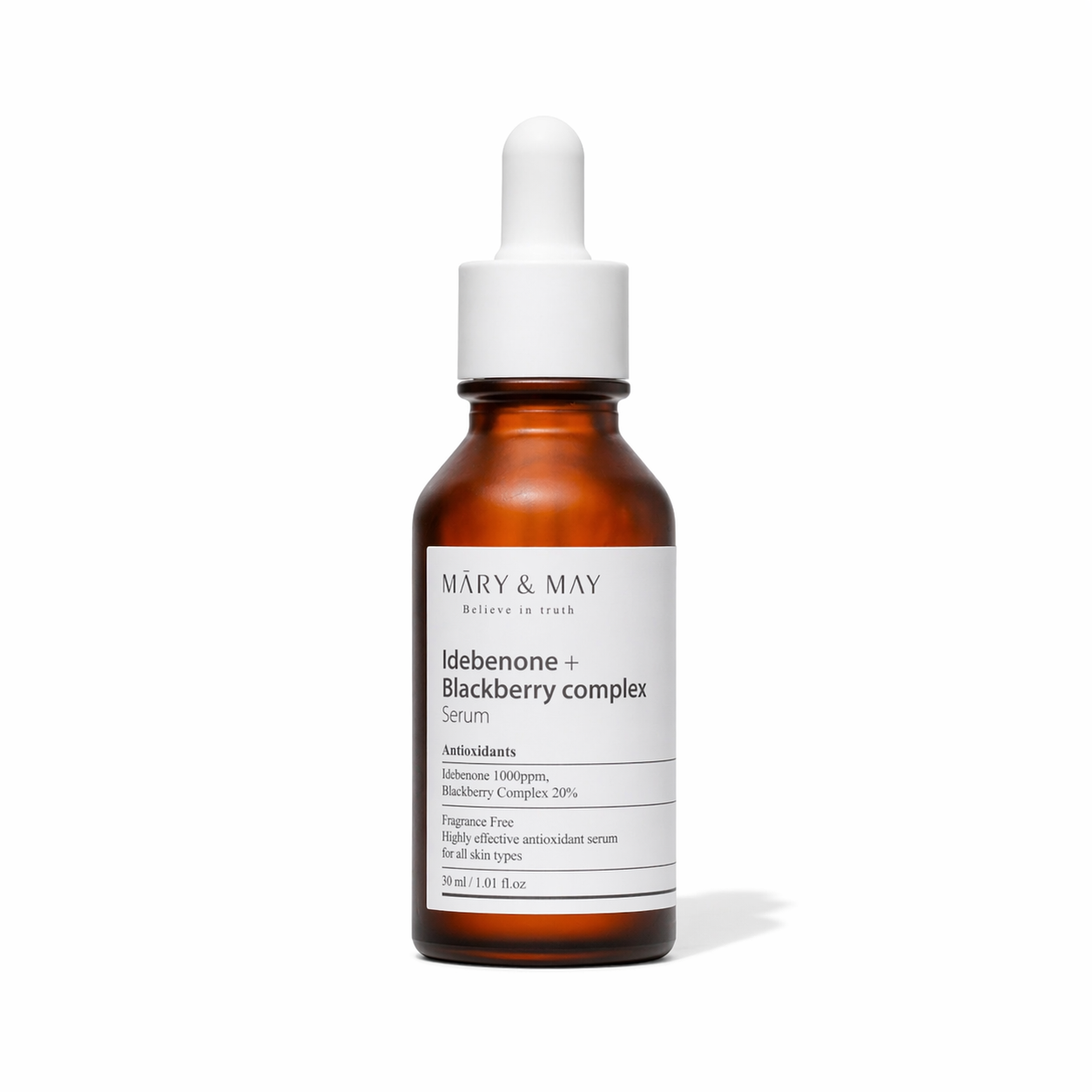
Expected behavior: Claims to upscale product photography with improved edge sharpness.
Test case: Image → Image
Input type: Image
Input used: Input artifact (Image): Input — Input 3 - Product_image-5.png
Observed output: Output artifact (Image): Output — Screenshot (244).png
Input artifact: Input artifact (Image): Input — Input 3 - Product_image-5.png
Output artifact: Output artifact (Image): Output — Screenshot (244).png
What changed: Image transformed into Image
Test case: Image → Image
Input type: Image
Input used: Input artifact (Image): Input — Input 3 - Product_image-6.png
Observed output: Output artifact (Image): Output — 1776934717877_0_Input 3.jpg
Input artifact: Input artifact (Image): Input — Input 3 - Product_image-6.png
Output artifact: Output artifact (Image): Output — 1776934717877_0_Input 3.jpg
What changed: Image transformed into Image
Why it matters / Conclusion: Label text legible at 2x. Clean white background preserved. 4x gives more comfortable margin above the print target.
Claims to upscale product photography with improved edge sharpness.
.png)
Pricing & Access
* Pricing as of April 2026. We re-check quarterly
Is This Right For You?
A side-by-side guide based on our hands-on testing.
Banner Preview
How the embed badge will look on your site

Embed HTML
Copy this code to your website source
Quick Integration Guide
- 1Copy the HTML code block above.
- 2Paste it into your site's HTML or CMS editor.
- 3Banner appears instantly on your page.
- 4Links back to your tool profile here.
Similar Tools
Discover more AI tools like AVC to enhance your workflow.
Comments (0)
Need a custom AI solution for this use case?
If you are looking to build a custom image upscaling, face refinement, or photo enhancement system for your business or internal workflow, email us at contact@futuresmart.ai.
Found something inaccurate or missing? We try to keep our AI research accurate and useful. If you found outdated information, an issue, or have a suggestion, email us at collaborate@aidemos.com.