Turn Meeting Notes Into Actionable Tasks Automatically Using AI
Most teams take detailed meeting notes, yet projects still stall once the meeting ends. Notes often contain scattered action items, vague ownership, and deadlines buried inside discussion.
We tested multiple AI-powered project management tools to see whether they can convert raw meeting notes into structured tasks automatically. The result: one workflow consistently produced usable tasks with minimal cleanup.
.png)
What to Expect
What AI Can Do Today
• Extract action items from unstructured meeting notes
• Convert action items into tasks inside a project workspace
• Automatically generate subtasks from larger work items
• Detect owners when names appear in notes
• Identify due dates when deadlines are explicitly mentioned
• Reduce the manual effort required to reorganize meeting notes
Where It Still Falls Short
• Some tools summarize meetings instead of creating tasks
• Owner assignment can be inconsistent when names appear casually
• Deadlines are sometimes missed or require manual input
• Subtask hierarchy may require refinement
• Output occasionally needs small structural cleanup
• AI may miss implied work hidden inside discussions
The goal today is not zero work — it is moving from unstructured notes to mostly-ready tasks automatically
What We Tested
We tested 4 AI-powered project management tools that claim to convert meeting discussions into actionable tasks, using the same raw meeting notes as input.
ClickUp AI — Best — Most reliable end-to-end task creation with subtasks, owners, and due dates.
Notion AI — Usable — Strong action-item extraction but tasks require manual structuring.
Asana AI — Needs Work — Summaries work well but task creation remains mostly manual.
Wrike AI — Unstable — Good insights but requires too much manual structuring for tasks.
The Best Way to Do It
Our Recommendation
Use ClickUp AI. It was the only tool that consistently converted raw meeting notes into structured tasks and subtasks with minimal cleanup.
Here’s exactly how to do it, step by step — tested January 2026
This workflow is based on real usage — not mock examples.
Demo Guide-
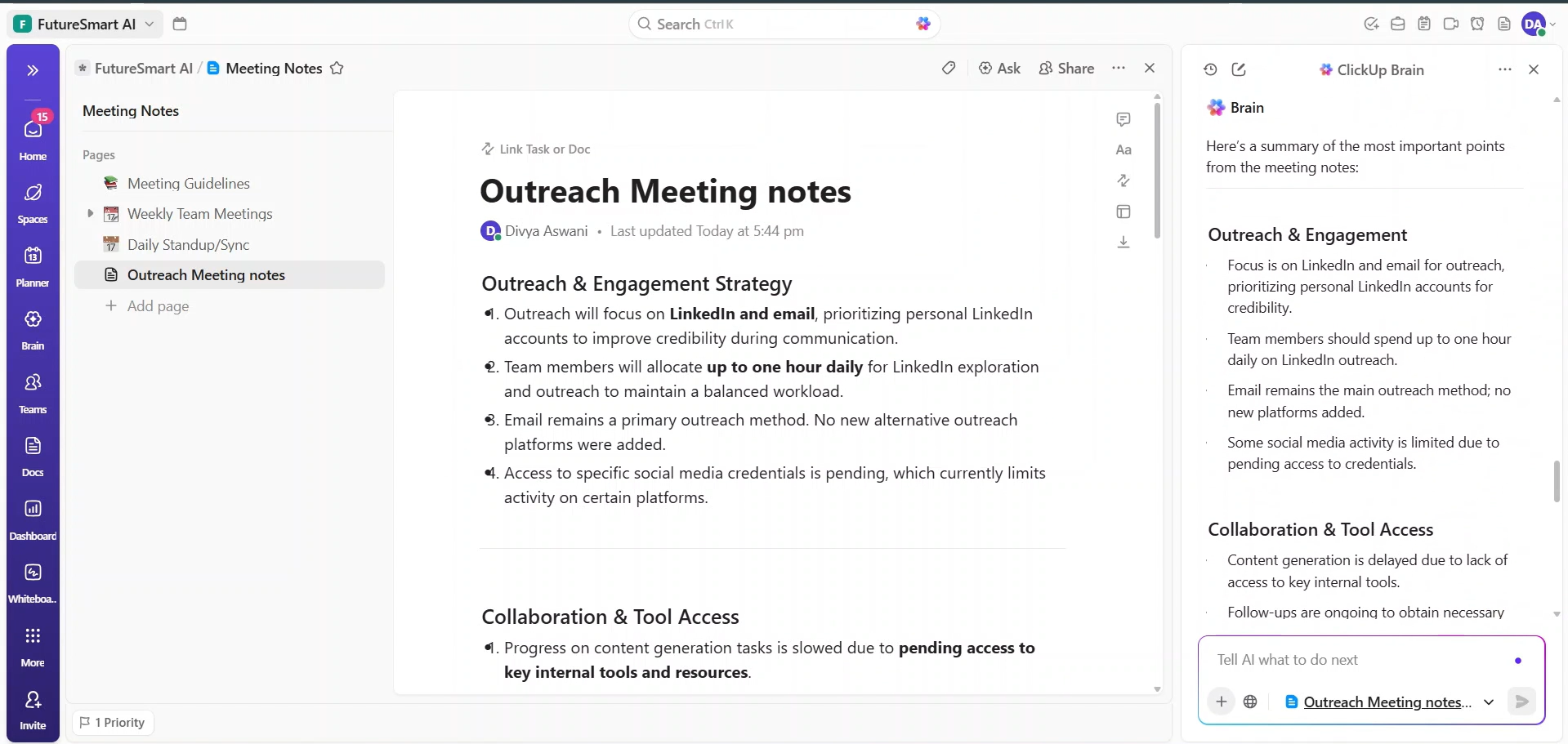
The Input We Used
Meeting Notes
Step 1: Paste Your Raw Meeting Notes
Copy your meeting notes directly into the ClickUp workspace or document.
Include discussion points, decisions, action items, names mentioned in conversation, and any deadlines that appear during the meeting.
The notes do not need formatting — ClickUp AI reads natural language.
Step 2: Run “Convert to Tasks”
Use the ClickUp AI option such as:
• “Create tasks from meeting notes”
• “Convert to action items”
ClickUp AI analyzes the notes and automatically extracts action items from the conversation.
Step 3: Review Generated Tasks and Subtasks
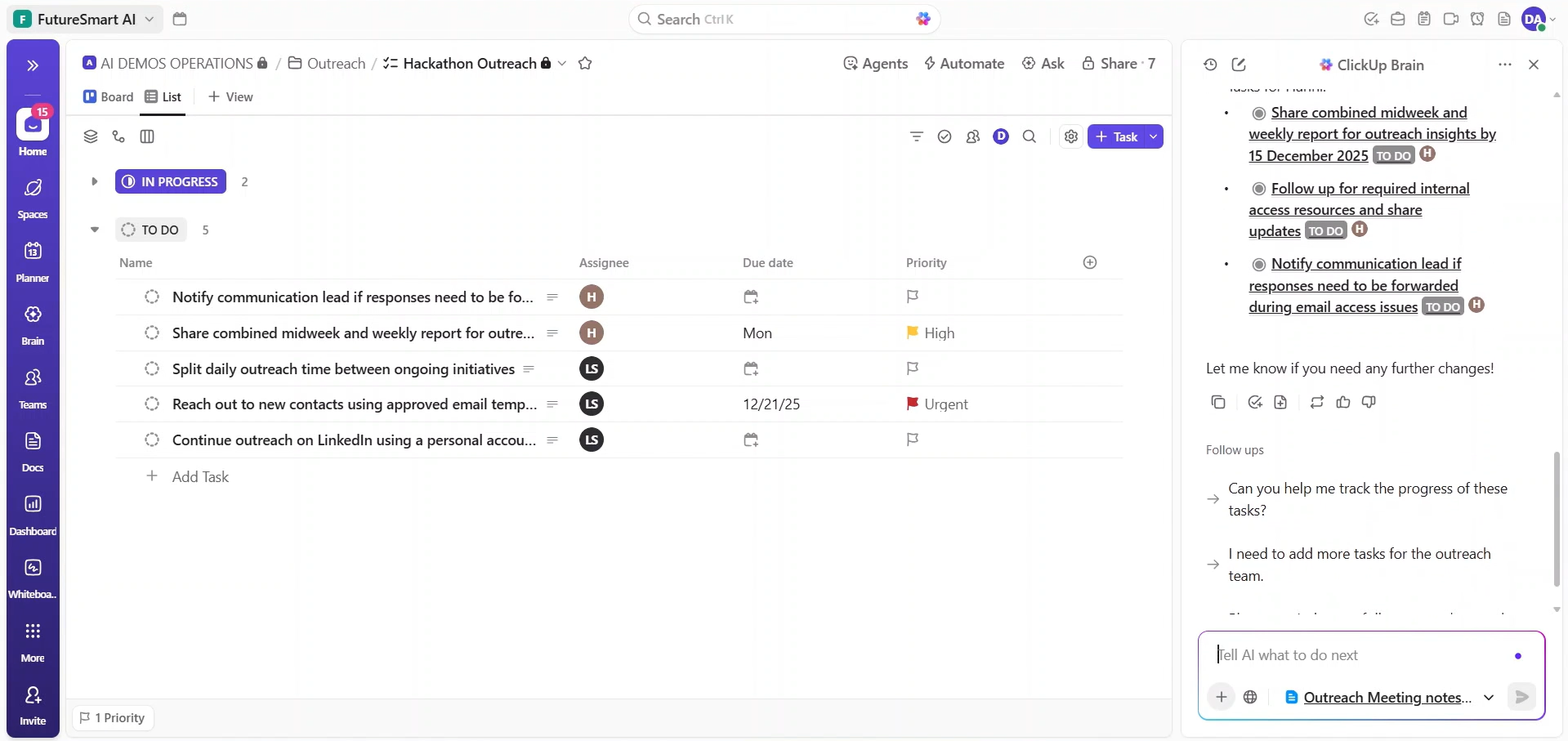
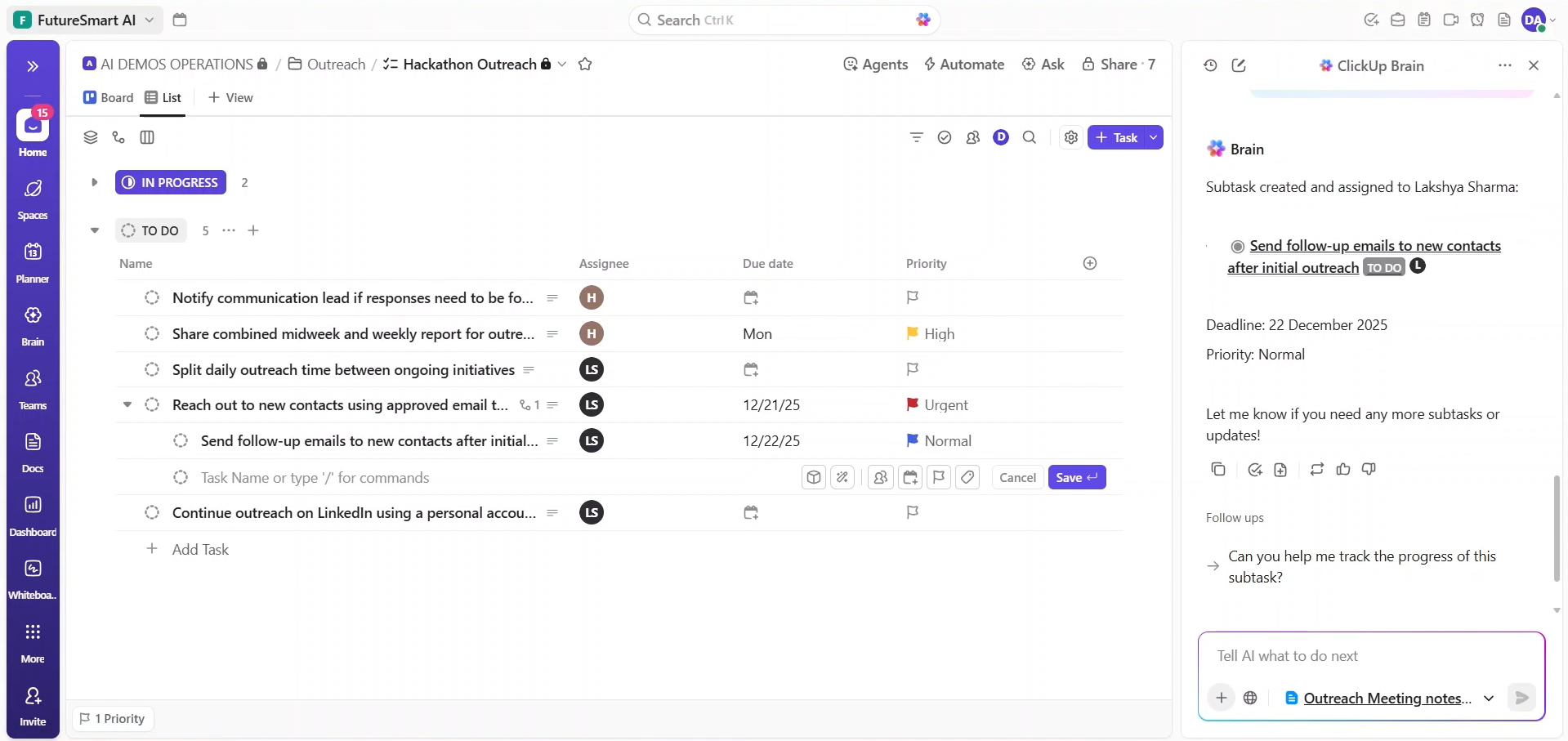
The AI creates structured tasks and generates subtasks for larger items.
Instead of a flat list, tasks appear as a clear hierarchy that can be assigned and tracked inside the workspace.
Step 4: Check Owners and Deadlines
ClickUp detects names inside the notes and assigns them to tasks.
Example interpretations:
“Ajit to review script”
“Riya send final draft by Tuesday”
During review you should:
• Fix any incorrect name matches
• Add missing deadlines
• Clarify vague tasks if needed
This review typically takes only a few minutes.
Step 5: Final Cleanup Before Assigning Work
Before sharing tasks with the team:
• Remove duplicate tasks
• Merge overlapping action items
• Adjust wording for clarity
Once finalized, the tasks are ready to assign and track.
What You'll Actually Get
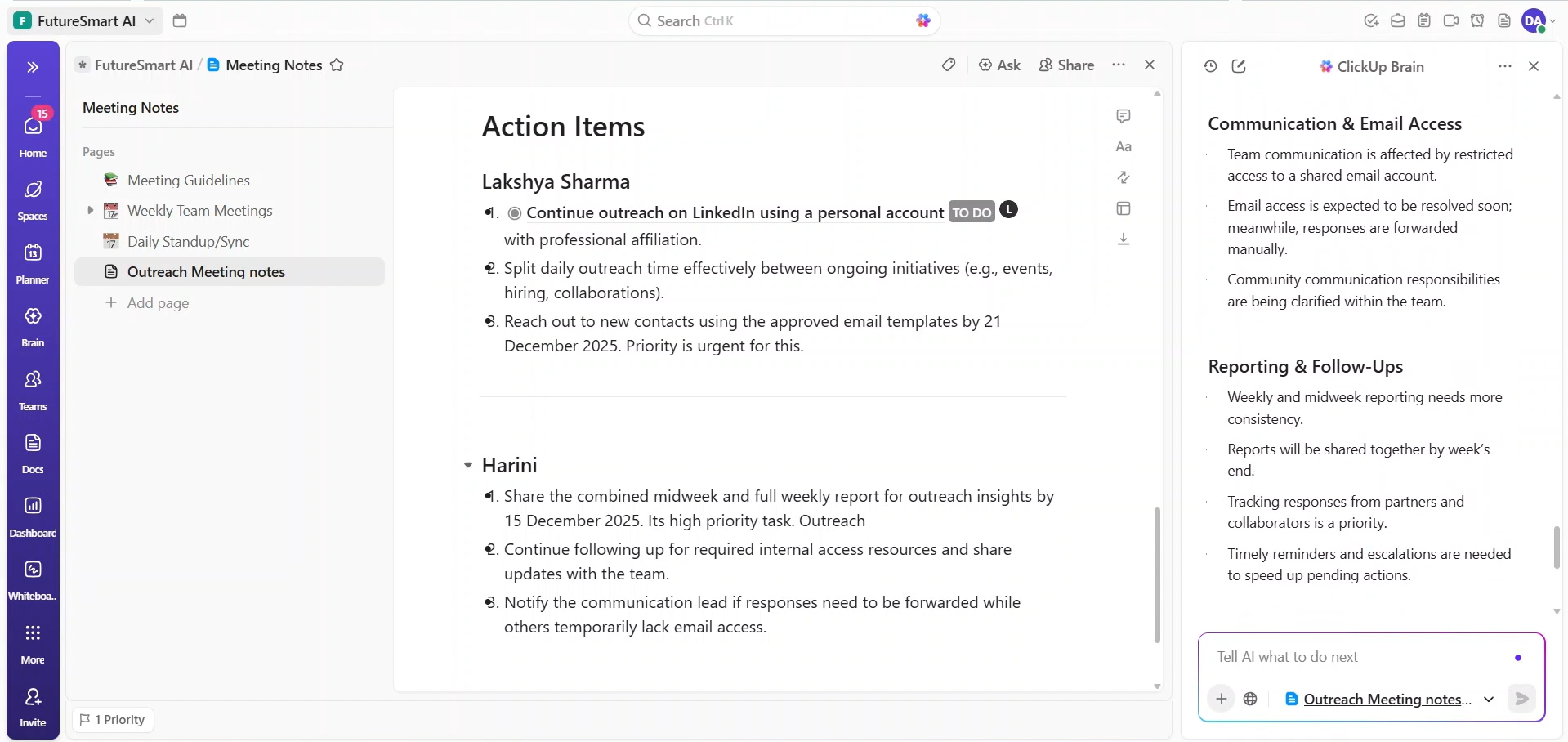
Real outputs from ClickUp AI using different meeting note styles — no editing after generation.
Output Evidence
- Tasks Generated
- Subtasks Generated
- Summary Report
Honest Limitations
• AI sometimes misses implied action items hidden in discussion
• Owner assignment may require quick manual verification
• Deadlines are not always extracted reliably
• Subtask structure may need light editing
• Human review is still necessary before tasks are finalized
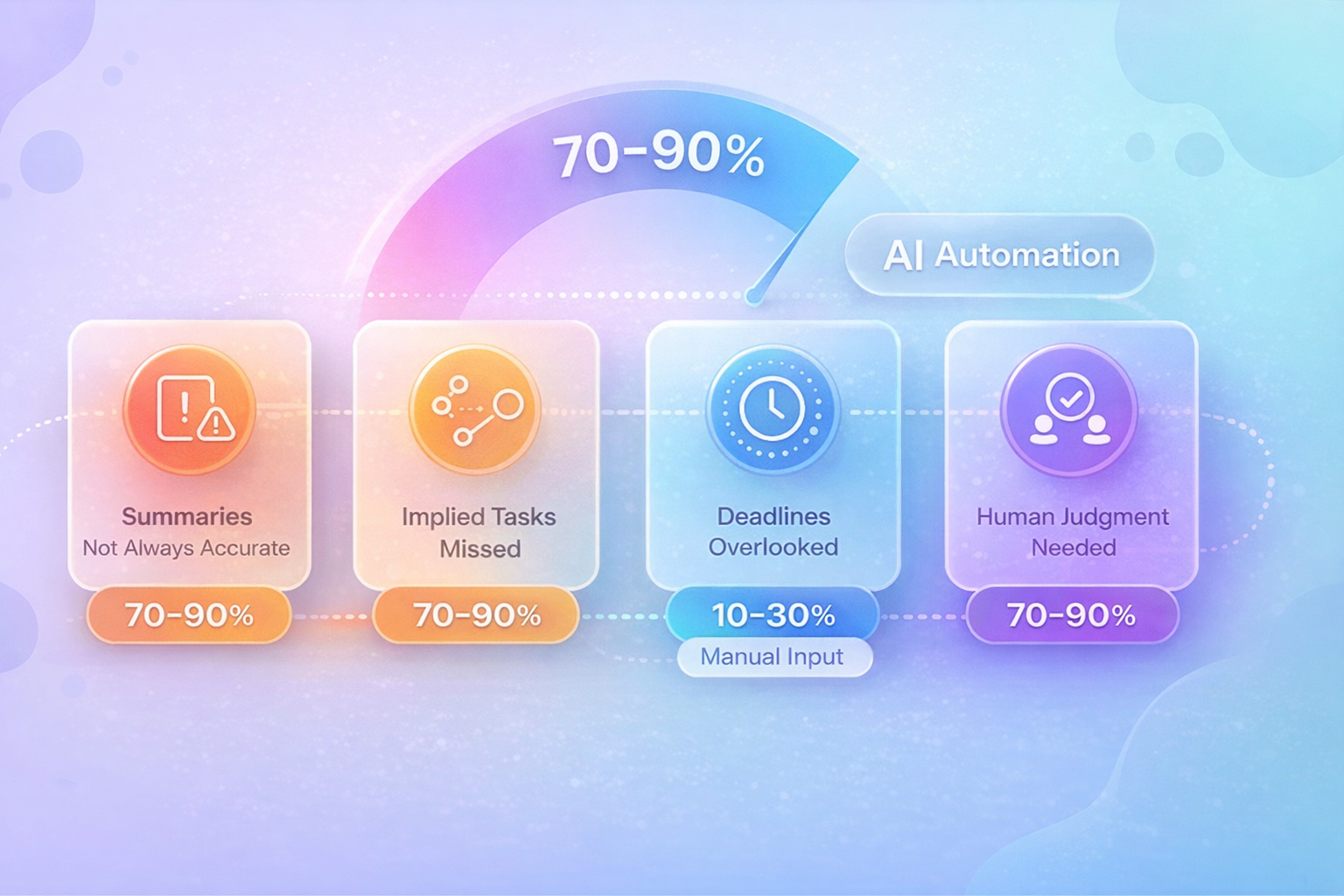
In practice, most tools today will get 70–90% of the way to structured tasks automatically.
That level of automation removes a large administrative burden and significantly improves execution speed after meetings.
Frequently Asked Questions
1. Can AI completely automate meeting-to-task workflows?
Not yet. Most tools can extract action items, but manual review is still required to verify owners, deadlines, and task clarity.
2. Why do many AI tools fail at task automation?
Summarization is easier than execution. Creating structured tasks with owners, subtasks, and due dates requires deeper contextual understanding.
3. Do meeting notes need to be formatted before using AI?
No. During testing, raw notes with natural sentences worked best. AI tools are designed to read conversational input.