Skillora Review: Live Mock Interviews & Feedback Tested (2026)
Skillora Review: Live Mock Interviews & Feedback Tested (2026)
Our take
- You want live voice-based mock interviews, not just text chat practice
- You value detailed, rubric-based feedback that goes beyond a single score
- You're preparing for a specific company or role and want tailored question sets
- Your primary need is coding interview prep — Skillora is not a LeetCode replacement
Feature scores on this page: 8.3/10 (3 scored features)
Our take
Skillora delivers one of the more complete AI mock interview loops we've tested — the live voice interview with an animated AI interviewer feels closer to a real call than most competitors. The post-session reports are genuinely detailed and actionable, not just generic encouragement. Where it stumbles is in pricing access: the most useful features (video recording, system design interviews) are locked behind the $100/month Ultimate tier.
In-Depth Review
Our detailed analysis of Skillora — features, performance, and real-world testing.
Feature-by-Feature Breakdown
We tested each feature individually. Click any card to see inputs, outputs, and our observations.
AI Voice Interview (Live Mock Session)Strong- High Accuracy10/10▾
Feature tested: AI Voice Interview (Live Mock Session)
Result: Passed (10/10)
Verdict: Strong- High Accuracy
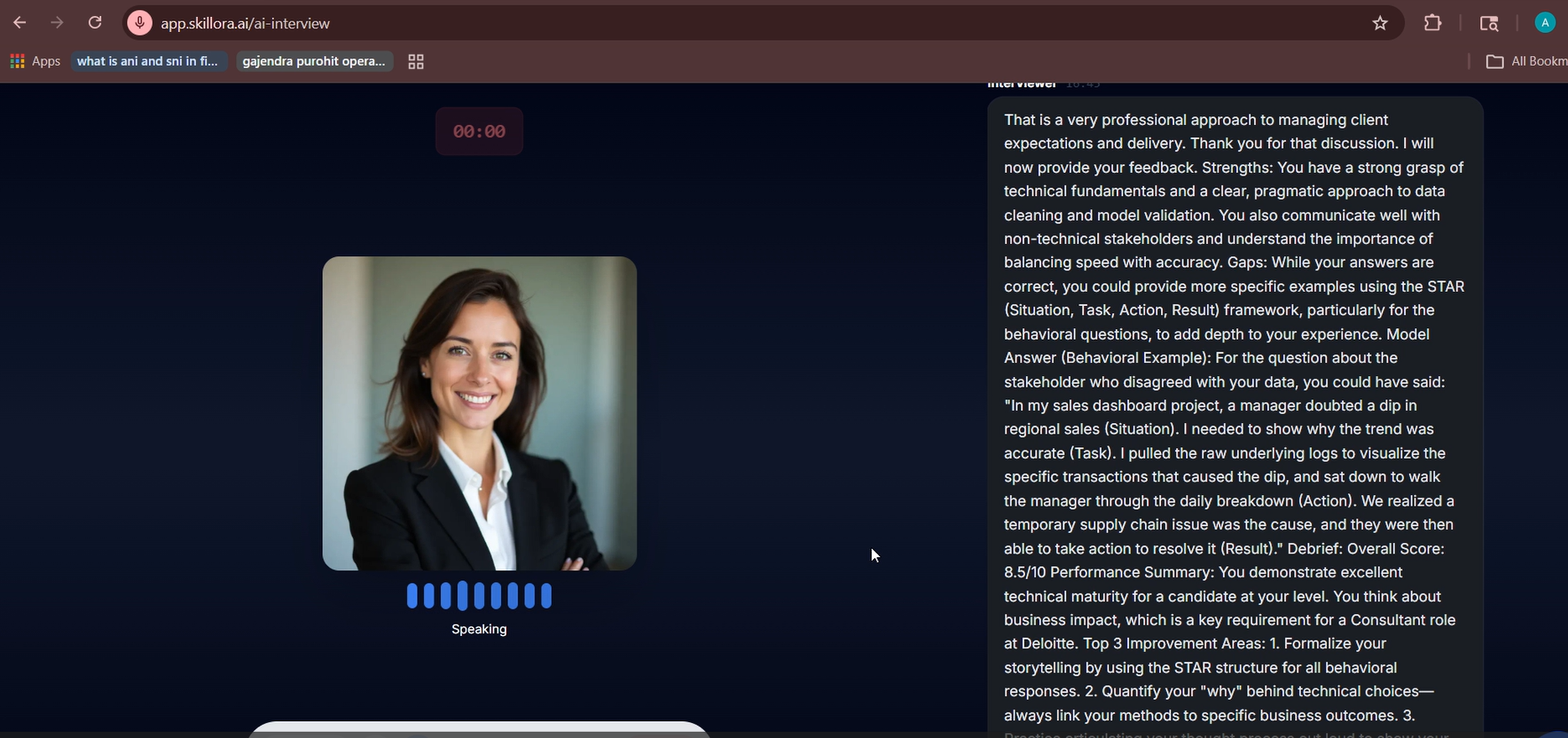
Expected behavior: Skillora runs a real-time, voice-based mock interview with an AI interviewer avatar that asks follow-up questions and responds dynamically to your answers.
Test case: Text prompt → Image
Input type: Text prompt
Input used: Input artifact (Text prompt): Job title "Data Analyst," target company "Deloitte," 1 year experience, auto-generated job description.
Observed output: Output artifact (Image): Output — Feature 1
Input artifact: Input artifact (Text prompt): Job title "Data Analyst," target company "Deloitte," 1 year experience, auto-generated job description.
Output artifact: Output artifact (Image): Output — Feature 1
What changed: Text prompt transformed into Image
Why it matters / Conclusion: Bottom Line: The live voice interview is Skillora's strongest card — it's more dynamic than text-chat competitors, though the avatar interaction can feel slightly uncanny after the first few minutes.
Skillora runs a real-time, voice-based mock interview with an AI interviewer avatar that asks follow-up questions and responds dynamically to your answers.
Interview Type Selection (Job / Skill / Coding / System Design / Behavioral / Role Play)Good8/10▾
Feature tested: Interview Type Selection (Job / Skill / Coding / System Design / Behavioral / Role Play)
Result: Passed (8/10)
Verdict: Good
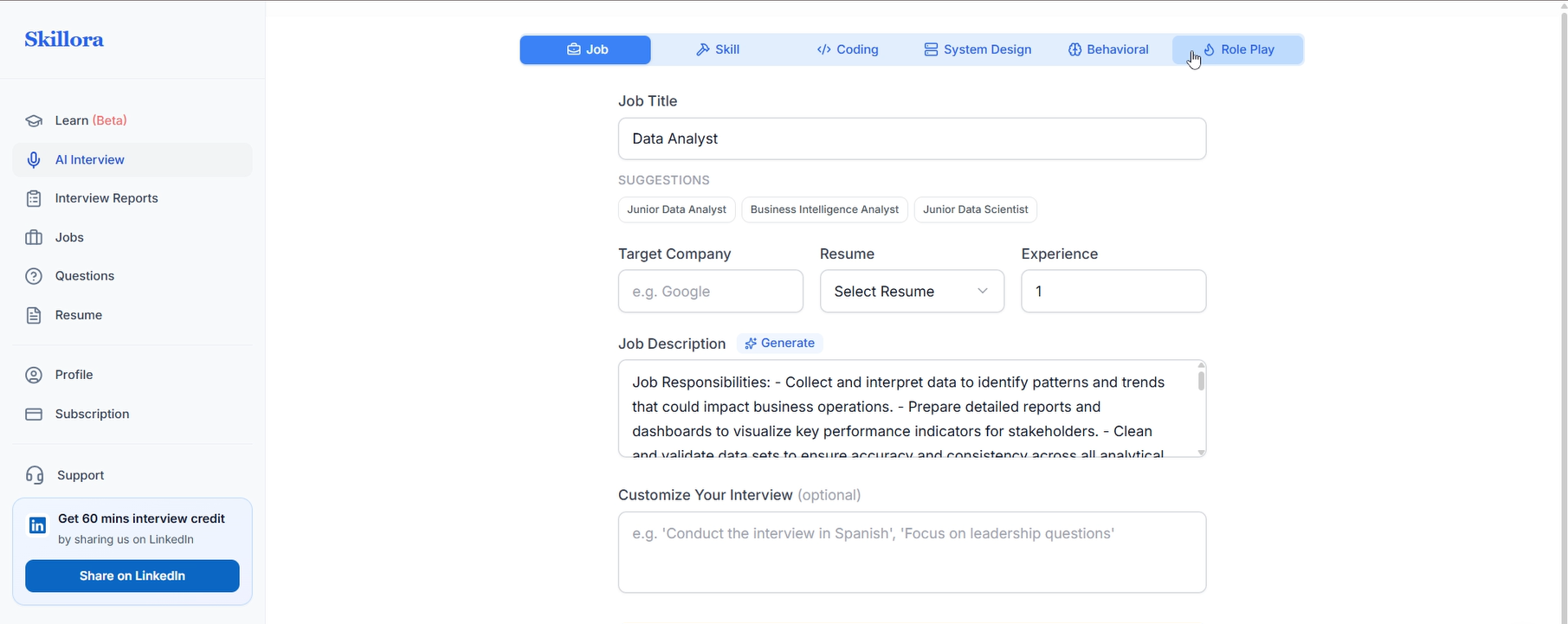
Expected behavior: Six distinct interview modes let users practice for different interview formats, not just generic HR rounds.
Test case: Text prompt → Image
Input type: Text prompt
Input used: Input artifact (Text prompt): Tab selection from the top navigation bar before starting a session.
Observed output: Output artifact (Image): Feature SS — Feature 2
Input artifact: Input artifact (Text prompt): Tab selection from the top navigation bar before starting a session.
Output artifact: Output artifact (Image): Feature SS — Feature 2
What changed: Text prompt transformed into Image
Why it matters / Conclusion: The variety of modes is genuinely useful for targeting specific interview stages, but casual users won't realize two of the six modes are inaccessible until they try to use them.
Six distinct interview modes let users practice for different interview formats, not just generic HR rounds.
Post-Interview Feedback ReportMedium7/10▾
Feature tested: Post-Interview Feedback Report
Result: Passed (7/10)
Verdict: Medium
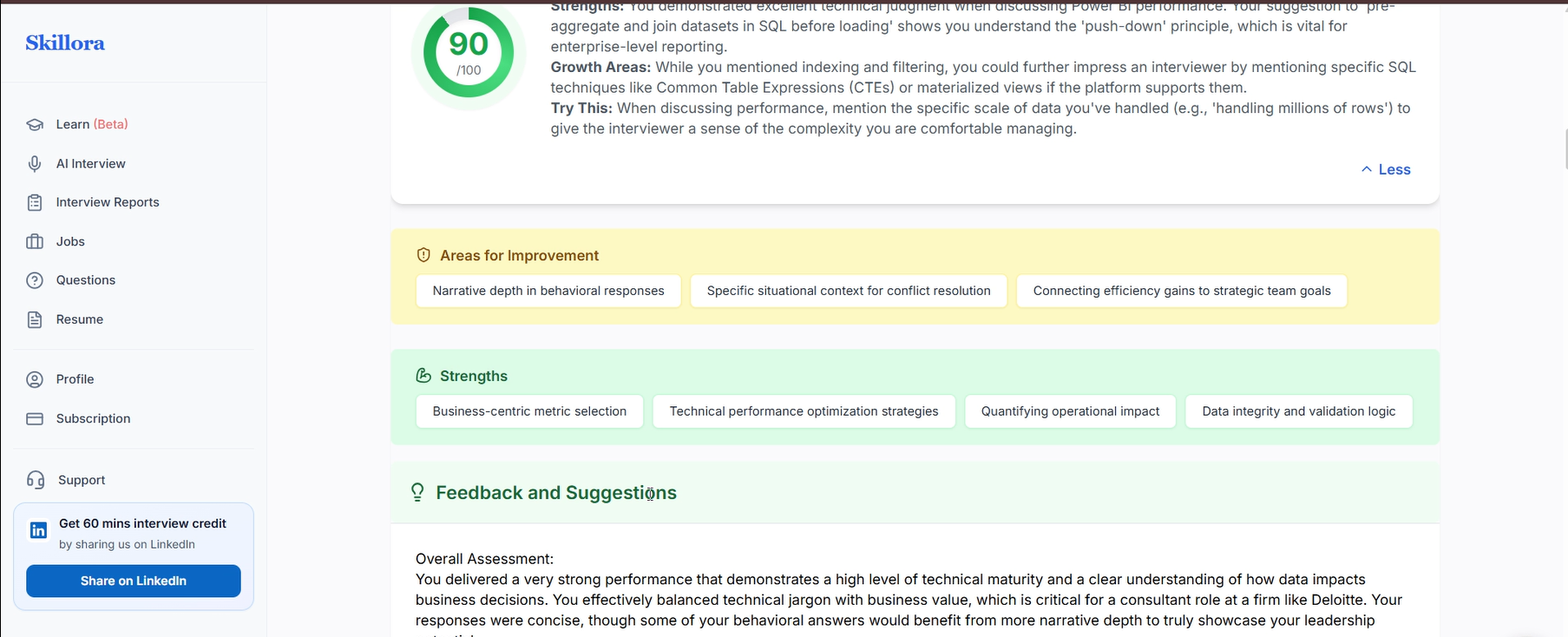
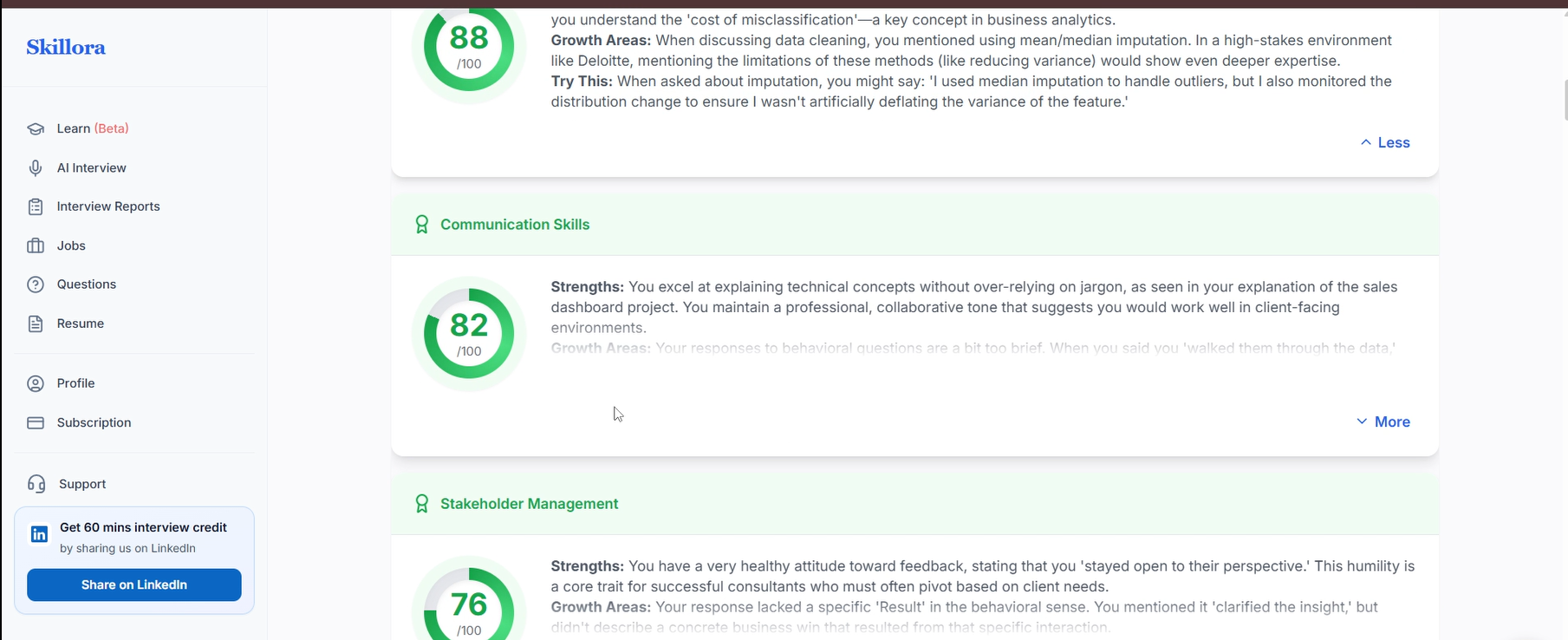
Expected behavior: After each session, Skillora generates a structured performance report with scores across multiple competency dimensions, written strengths and growth areas per category, and model answer examples.
Test case: Text prompt → Image
Input type: Text prompt
Input used: Input artifact (Text prompt): Completed Data Analyst interview session (approximately 6 minutes).
Observed output: Output artifact (Image): Output — Feature 3
Input artifact: Input artifact (Text prompt): Completed Data Analyst interview session (approximately 6 minutes).
Output artifact: Output artifact (Image): Output — Feature 3
What changed: Text prompt transformed into Image
Test case: Text prompt → Image
Input type: Text prompt
Input used: Input artifact (Text prompt): Completed Data Analyst interview session (approximately 6 minutes).
Observed output: Output artifact (Image): Feature showcase — Screenshot 2026-03-27 172340.png
Input artifact: Input artifact (Text prompt): Completed Data Analyst interview session (approximately 6 minutes).
Output artifact: Output artifact (Image): Feature showcase — Screenshot 2026-03-27 172340.png
What changed: Text prompt transformed into Image
Why it matters / Conclusion: The feedback report is Skillora's second-strongest feature — it's specific, structured, and directly tied to your actual answers rather than generic coaching advice.
After each session, Skillora generates a structured performance report with scores across multiple competency dimensions, written strengths and growth areas per category, and model answer examples.
Pricing & Access
Plans as of March 2026. Tested on the Free Plan
Pricing as of March 2026. Billed monthly.
Is This Right For You?
A side-by-side guide based on our hands-on testing.
Banner Preview
How the embed badge will look on your site

Embed HTML
Copy this code to your website source
Quick Integration Guide
- 1Copy the HTML code block above.
- 2Paste it into your site's HTML or CMS editor.
- 3Banner appears instantly on your page.
- 4Links back to your tool profile here.
Comments (0)
Need a custom AI solution for this use case?
If you are looking to build a custom mock interview, interview feedback, or interview coaching system for your business or internal workflow, email us at contact@futuresmart.ai.
Found something inaccurate or missing? We try to keep our AI research accurate and useful. If you found outdated information, an issue, or have a suggestion, email us at collaborate@aidemos.com.