AI Customer Support Chatbots
Version 1No published result

FutureSmart Agent Platform Review: RAG AI Agents & NL2SQL Tested (2026)
Our take
FutureSmart Agent Platform is not a generic chatbot builder. It is a production-grade RAG agent platform that gives businesses something most SaaS chatbot tools do not — genuine control over the underlying AI configuration. Embedding model selection, chunking strategy, metadata extraction depth, prompt customization per node, and LLM model selection are all exposed to the user. The five capabilities showcased — knowledge base agents, NL2SQL, customer support with live data, resume parsing, and Freshdesk ticket creation — reflect the actual systems FutureSmart AI delivers to clients, now available as a configurable platform with hands-on engineering support for production deployment. For businesses that want more than a FAQ bot and are willing to invest in proper engineering, FutureSmart Agent Platform is a serious option.
Explore FutureSmart Agent Platform in our public benchmarks.
No published result
Our detailed analysis of FutureSmart Agent Platform — features, performance, and real-world testing.
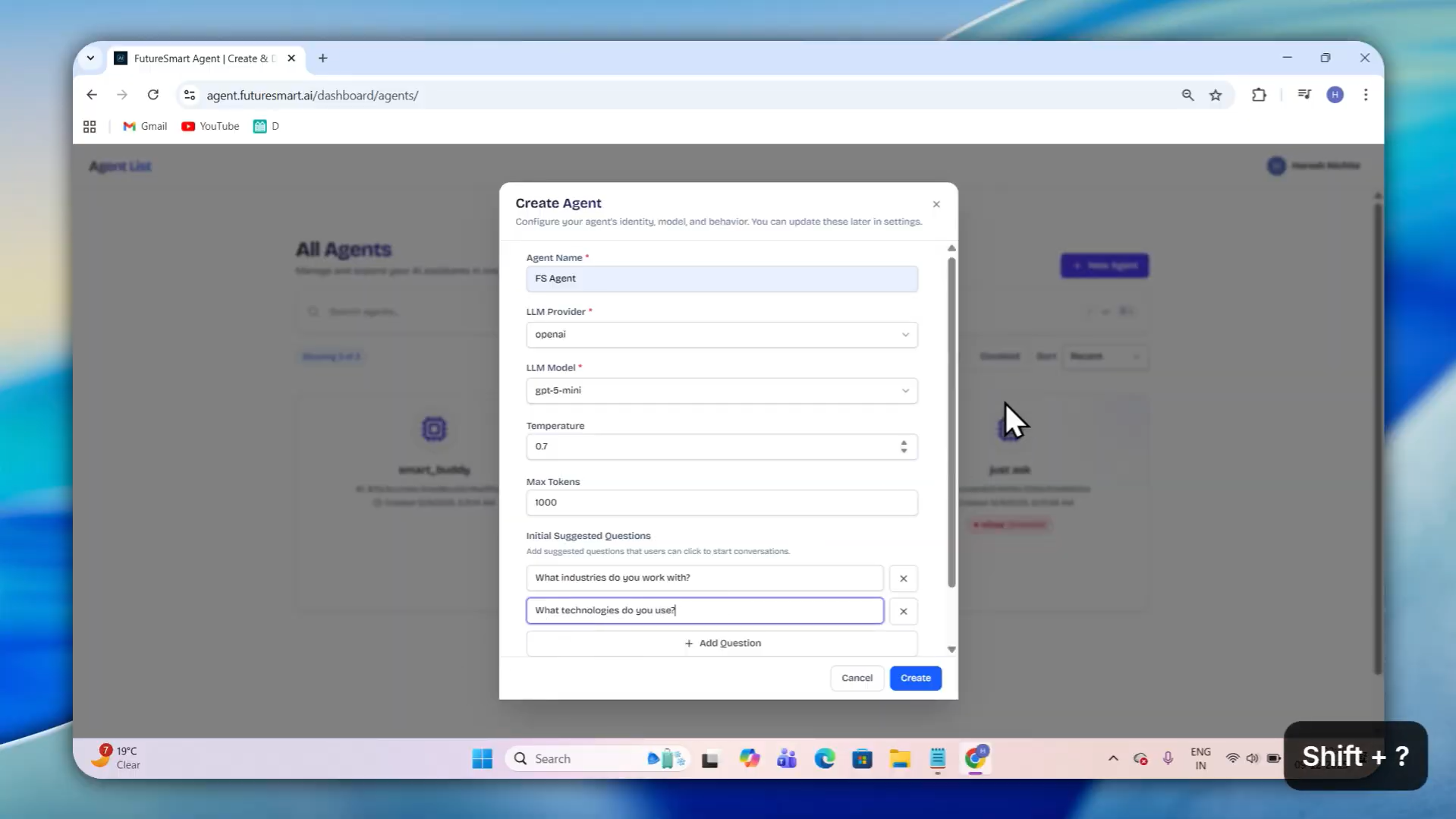
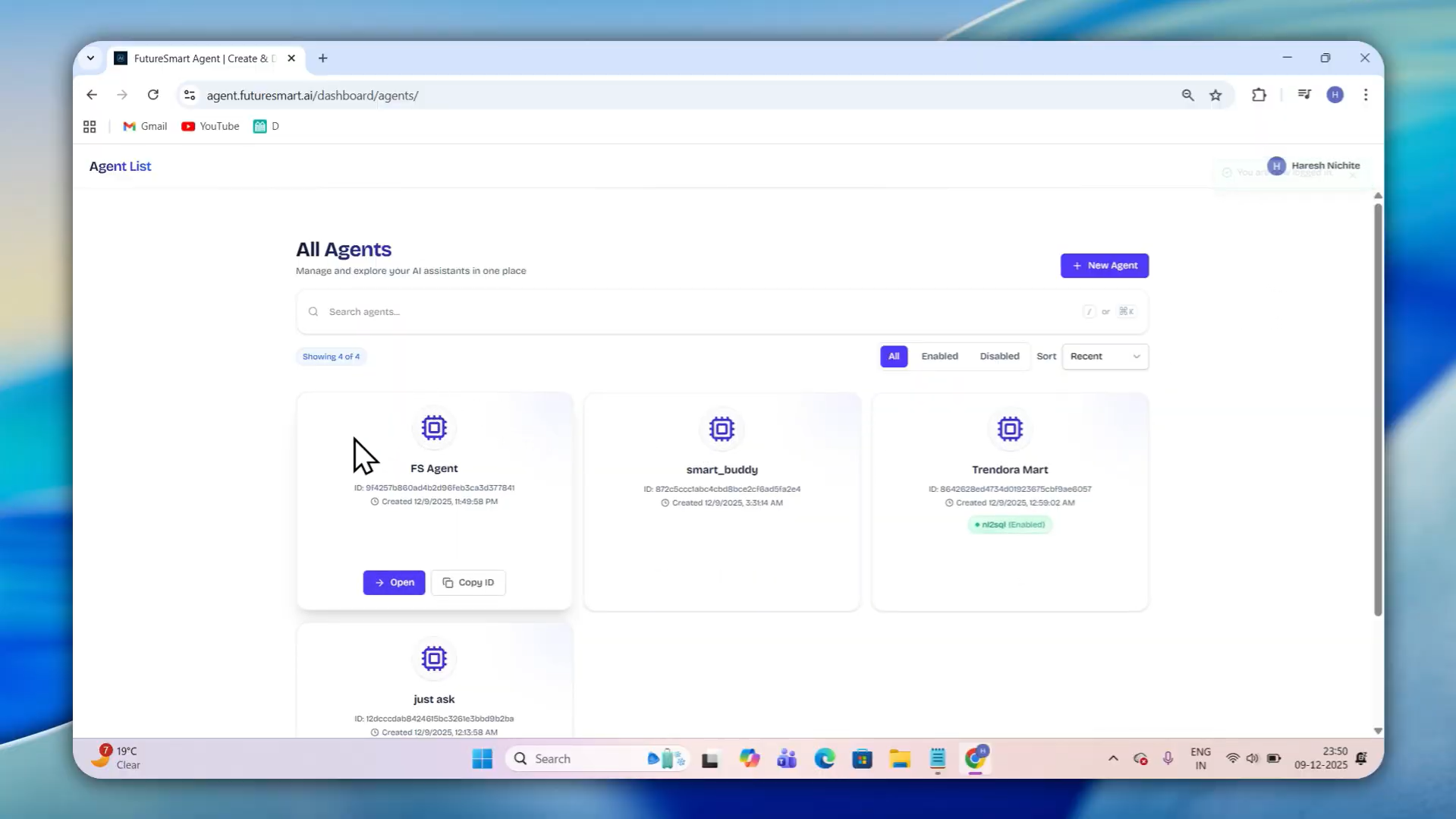
Feature tested: Agentic RAG Creation
Result: Passed
Verdict: Strong — highly configurable RAG pipeline with fine-grained control over retrieval and output quality
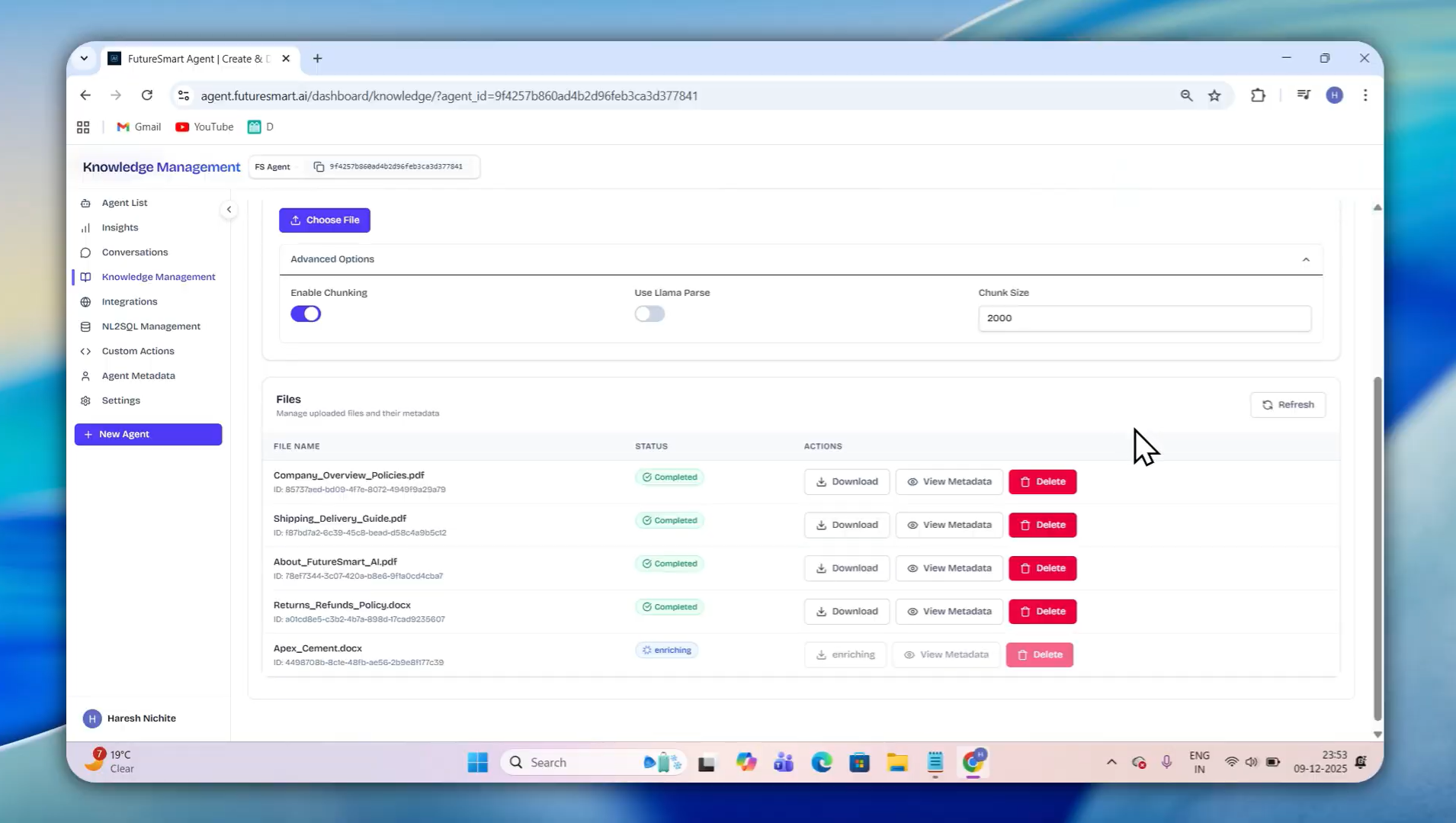
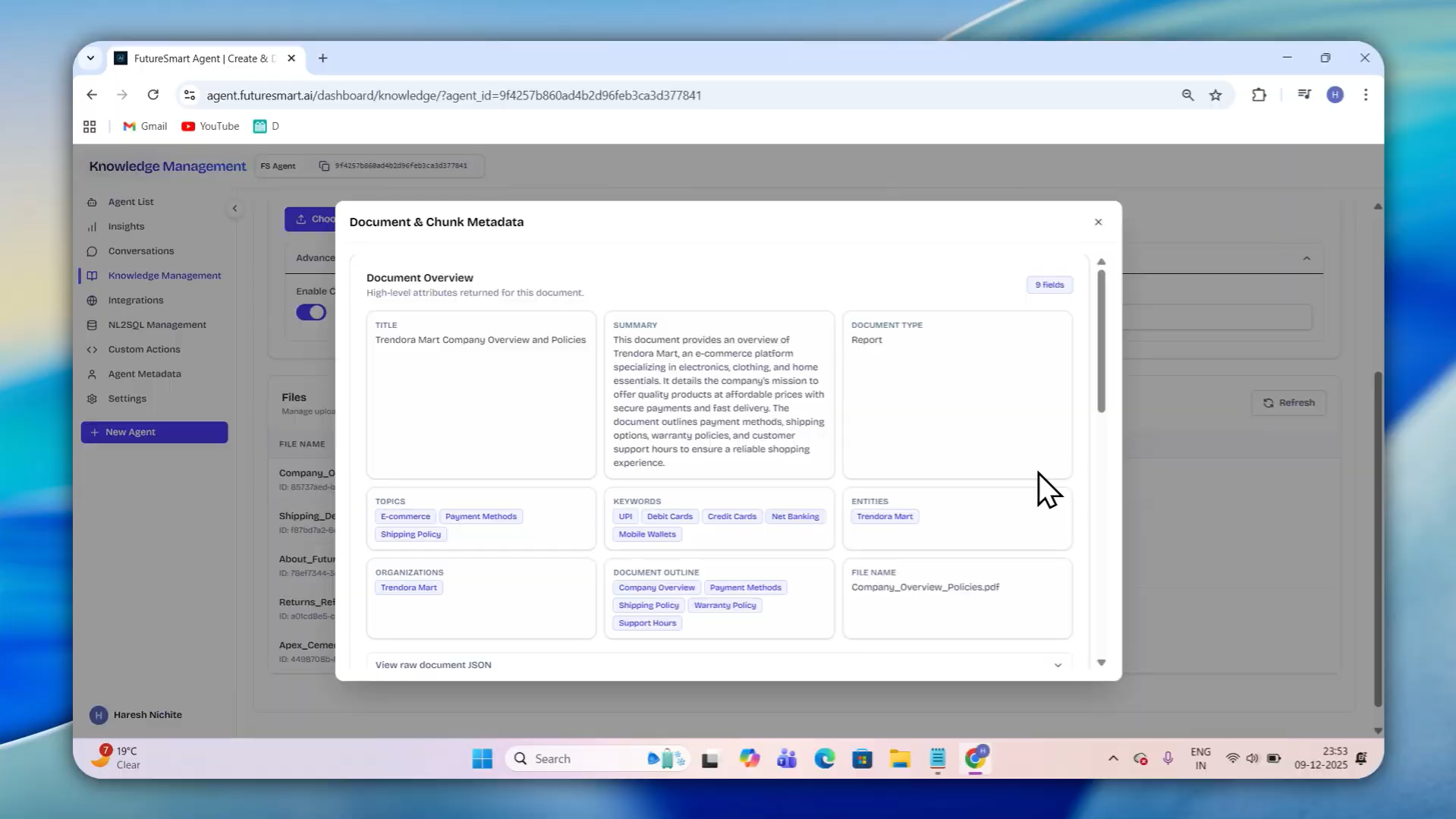
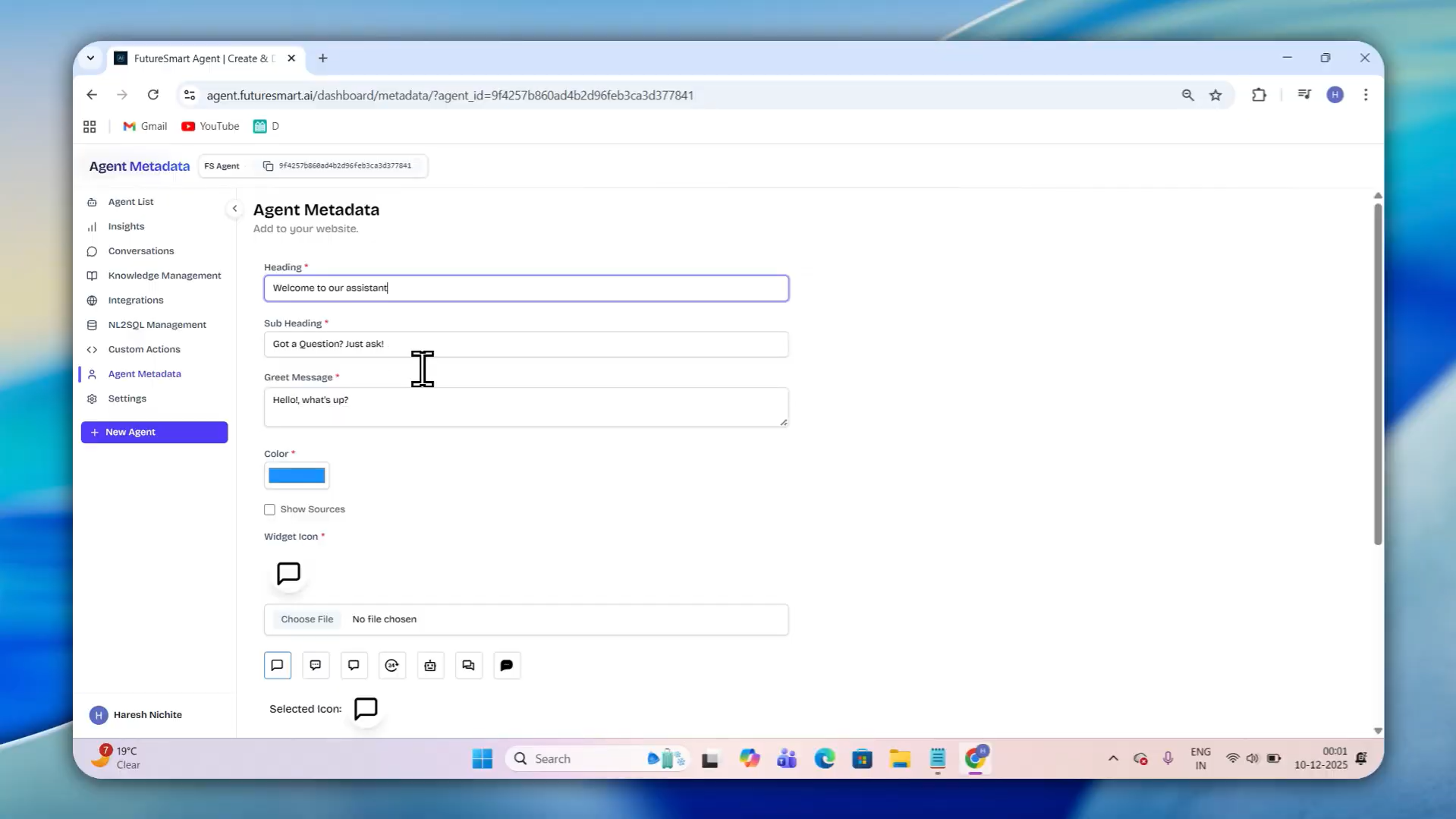
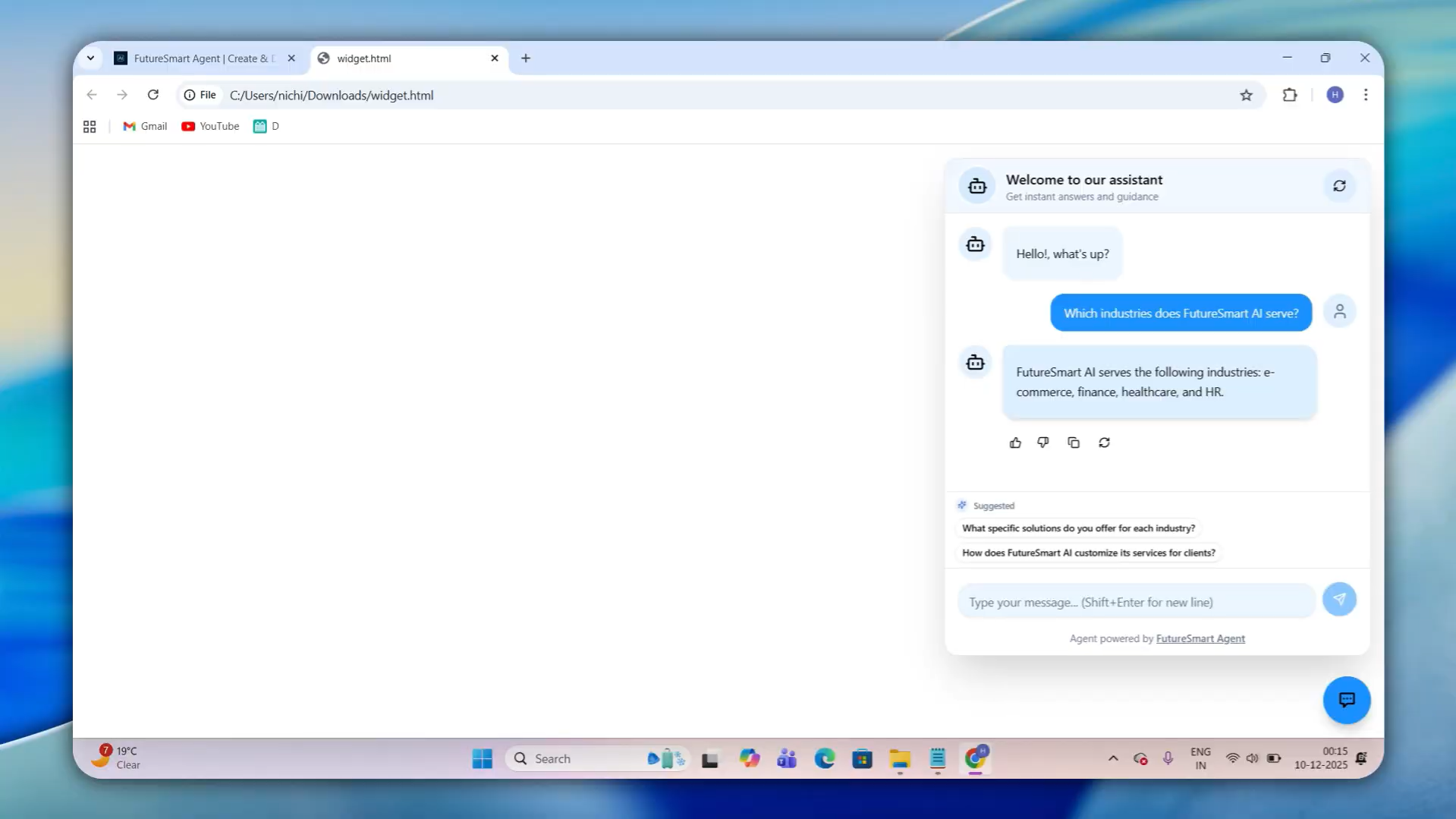
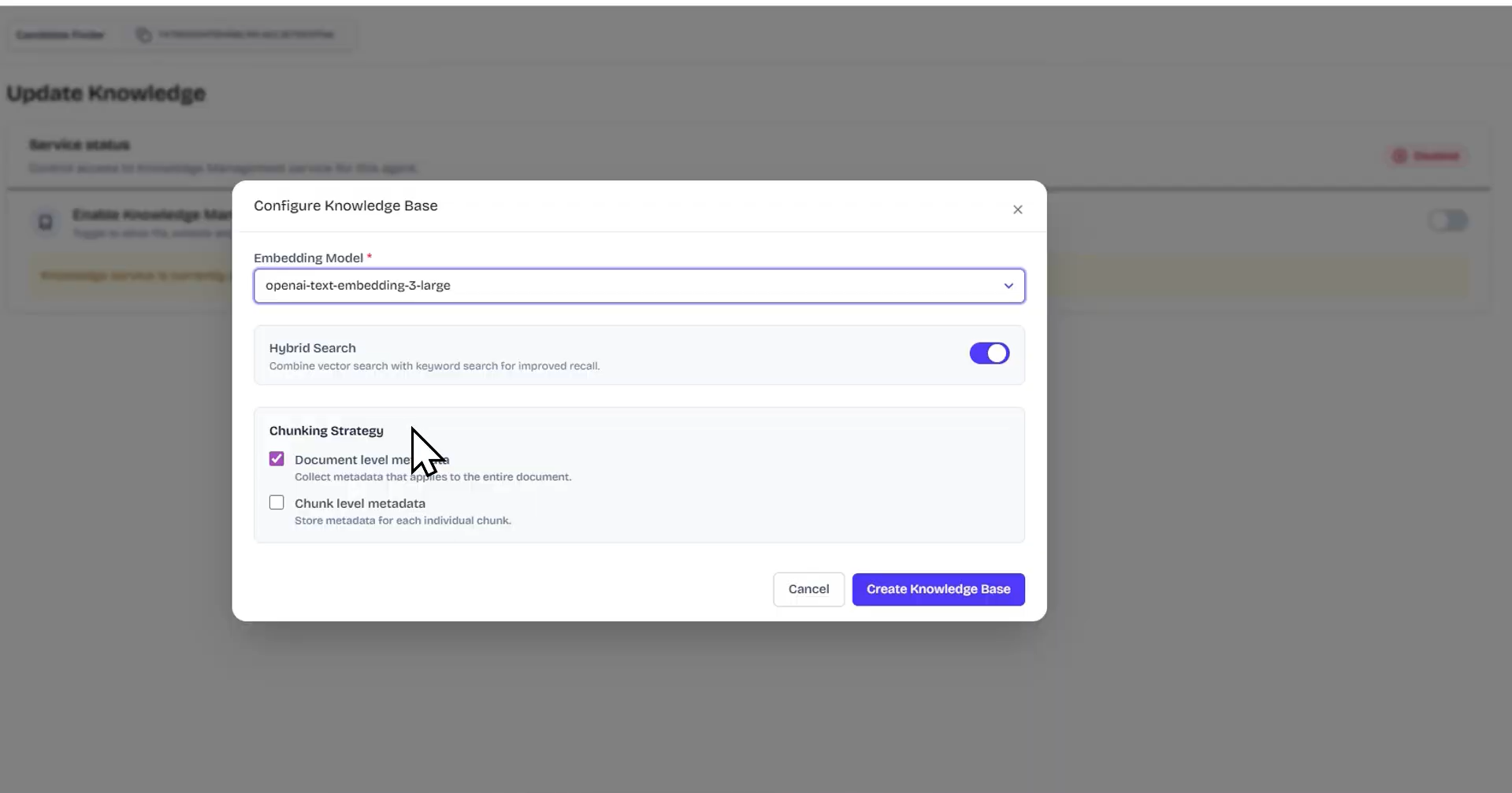
Expected behavior: FutureSmart Agent Platform's core capability — build a RAG-powered chatbot grounded in your own documents. The platform exposes the full configuration stack: LLM provider, model selection, temperature, embedding model, chunking strategy, metadata extraction level, conversations playground for testing, real-time processing visibility, inspectable metadata at document and chunk level, source document attribution, and widget customization. Each decision directly affects retrieval quality and response accuracy.
Test case: Image → Image
Input type: Image
Input used: Input artifact (Image): Named the agent, selected an LLM provider and model, configured temperature, chose an embedding model, and set metadata extraction levels. — Screenshot 2026-04-13 151334.png
Observed output: Output artifact (Image): A fully configured agent with knowledge base structure ready to accept content. — Screenshot 2026-04-13 153256.png
Input artifact: Input artifact (Image): Named the agent, selected an LLM provider and model, configured temperature, chose an embedding model, and set metadata extraction levels. — Screenshot 2026-04-13 151334.png
Output artifact: Output artifact (Image): A fully configured agent with knowledge base structure ready to accept content. — Screenshot 2026-04-13 153256.png
What changed: Image transformed into Image
Test case: Image → Image
Input type: Image
Input used: Input artifact (Image): Knowledge base updated with files, set chunking and other relevant configuration. — Screenshot 2026-04-13 154334.png
Observed output: Output artifact (Image): Processed content with real-time status, inspectable metadata, and agent responses with source documents transparently referenced for verification. — Screenshot 2026-04-13 154745.png
Input artifact: Input artifact (Image): Knowledge base updated with files, set chunking and other relevant configuration. — Screenshot 2026-04-13 154334.png
Output artifact: Output artifact (Image): Processed content with real-time status, inspectable metadata, and agent responses with source documents transparently referenced for verification. — Screenshot 2026-04-13 154745.png
What changed: Image transformed into Image
Test case: Image → Image
Input type: Image
Input used: Input artifact (Image): Configured widget with custom heading, subheading, greeting message, and brand icon. — Screenshot 2026-04-13 155053.png
Observed output: Output artifact (Image): A live, branded agent widget embedded and ready to interact with users. — Screenshot 2026-04-13 155220.png
Input artifact: Input artifact (Image): Configured widget with custom heading, subheading, greeting message, and brand icon. — Screenshot 2026-04-13 155053.png
Output artifact: Output artifact (Image): A live, branded agent widget embedded and ready to interact with users. — Screenshot 2026-04-13 155220.png
What changed: Image transformed into Image
Why it matters / Conclusion: FutureSmart Agent Platform delivers the most transparent RAG configuration platform available. Full control over embedding models, chunking strategy, metadata extraction, and source verification—eliminating guesswork and maximizing accuracy in every response. What you get is a fully customizable RAG Engine, not just a chatbot.
FutureSmart Agent Platform's core capability — build a RAG-powered chatbot grounded in your own documents. The platform exposes the full configuration stack: LLM provider, model selection, temperature, embedding model, chunking strategy, metadata extraction level, conversations playground for testing, real-time processing visibility, inspectable metadata at document and chunk level, source document attribution, and widget customization. Each decision directly affects retrieval quality and response accuracy.
Feature tested: NL2SQL Agent
Result: Passed
Verdict: Strong — natural language to SQL with configurable prompts and built-in visualizations for seamless data querying and reporting
Expected behavior: FutureSmart Agent Platform includes a natural language to SQL capability — enabling users to query a connected database using plain English and receive answers as natural language responses, structured tables, and visual charts. By exposing node-level prompt configuration, it offers direct control over query reasoning and generation. Built-in visualization support—line charts, bar charts, pie charts, and structured tables—makes business reporting seamless without additional tooling.
Test case: Image → Image
Input type: Image
Input used: Input artifact (Image): Enabled the NL2SQL service and provided database connection details. — Untitled design (1).jpg
Observed output: Output artifact (Image): Connected database unlocking a configuration panel with options to upload table descriptions, few-shot examples, and configure prompts and parameters for different nodes in the NL2SQL pipeline. — Untitled design (6).jpg
Input artifact: Input artifact (Image): Enabled the NL2SQL service and provided database connection details. — Untitled design (1).jpg
Output artifact: Output artifact (Image): Connected database unlocking a configuration panel with options to upload table descriptions, few-shot examples, and configure prompts and parameters for different nodes in the NL2SQL pipeline. — Untitled design (6).jpg
What changed: Image transformed into Image
Test case: Image → Image
Input type: Image
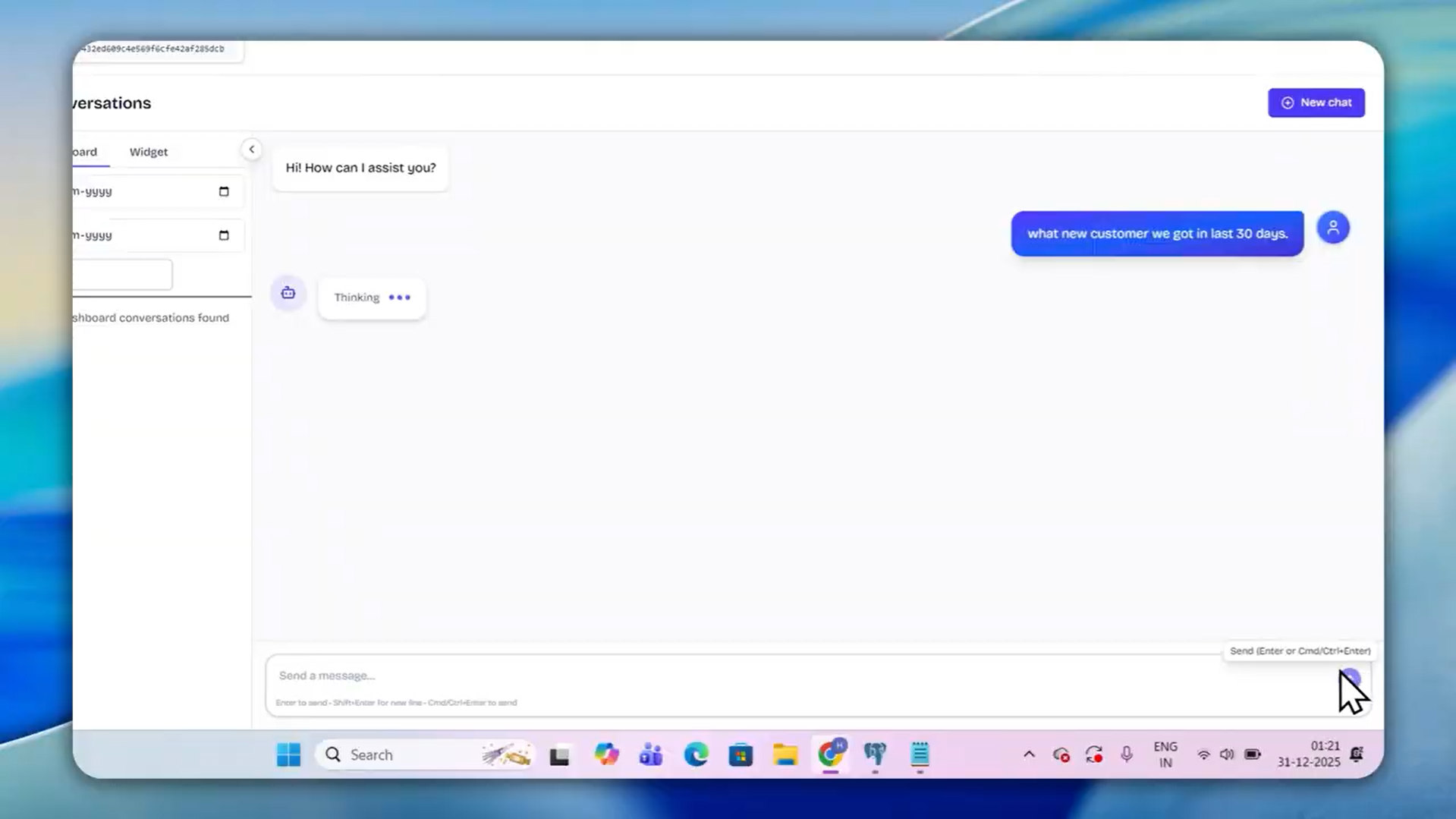
Input used: Input artifact (Image): Asked questions in plain English in the conversations playground, with completed configuration. — Screenshot 2026-04-13 193656.png
Observed output: Output artifact (Image): Natural language responses, structured tables, or visual charts (line, bar, pie) generated directly from SQL results—with full SQL visibility and reasoning path exposed for verification and debugging. — Screenshot 2026-04-13 194030.png
Input artifact: Input artifact (Image): Asked questions in plain English in the conversations playground, with completed configuration. — Screenshot 2026-04-13 193656.png
Output artifact: Output artifact (Image): Natural language responses, structured tables, or visual charts (line, bar, pie) generated directly from SQL results—with full SQL visibility and reasoning path exposed for verification and debugging. — Screenshot 2026-04-13 194030.png
What changed: Image transformed into Image
Why it matters / Conclusion: A production-grade NL2SQL system with transparency into query generation and node-level control. Visualization support makes it directly usable for data reporting use cases.
FutureSmart Agent Platform includes a natural language to SQL capability — enabling users to query a connected database using plain English and receive answers as natural language responses, structured tables, and visual charts. By exposing node-level prompt configuration, it offers direct control over query reasoning and generation. Built-in visualization support—line charts, bar charts, pie charts, and structured tables—makes business reporting seamless without additional tooling.
.jpg)
.jpg)
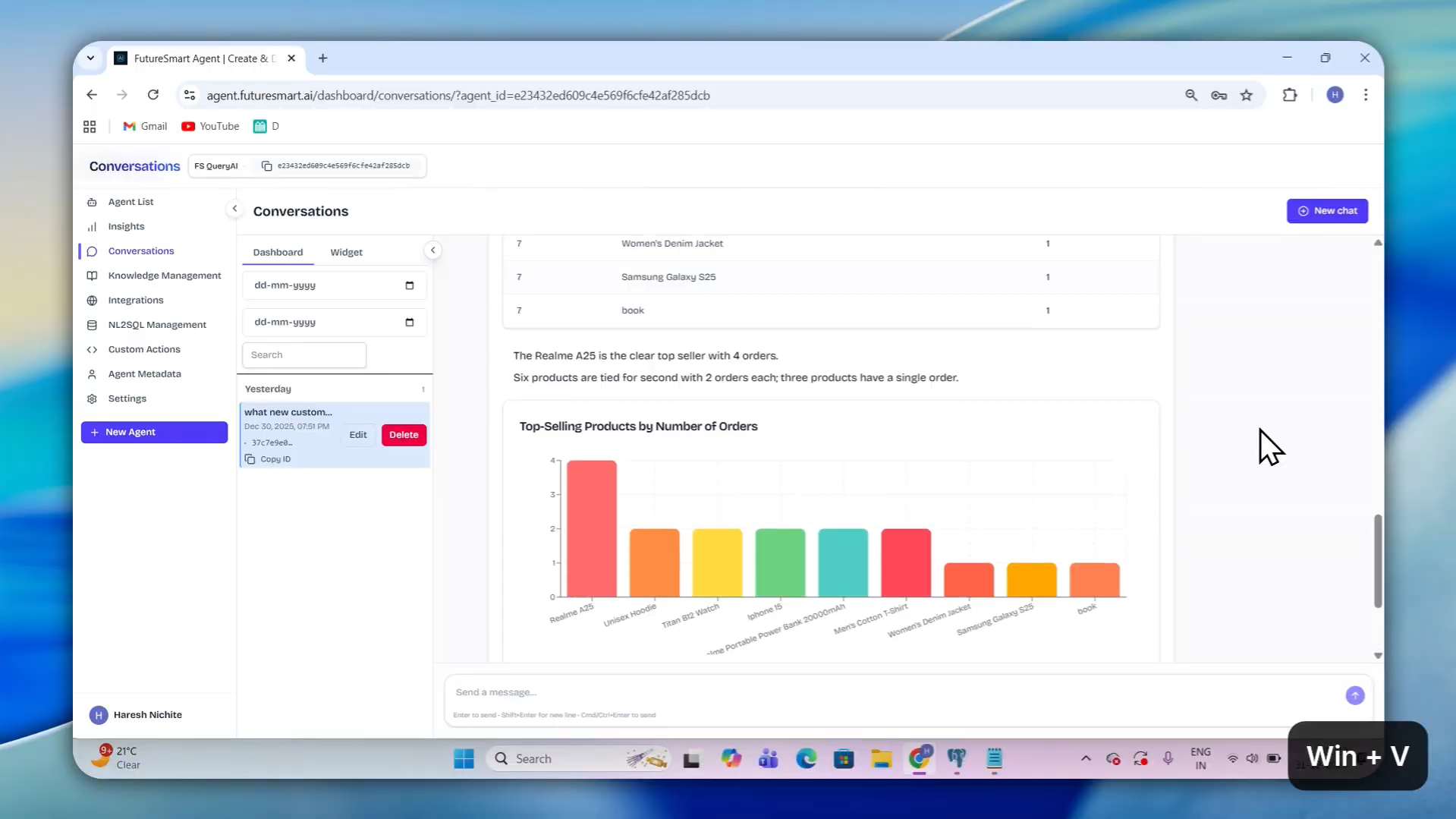
Feature tested: Customer Support Agent with Live Order Tracking
Result: Passed
Verdict: Strong — blends knowledge base retrieval with real-time API actions for unified, intent-driven support automation
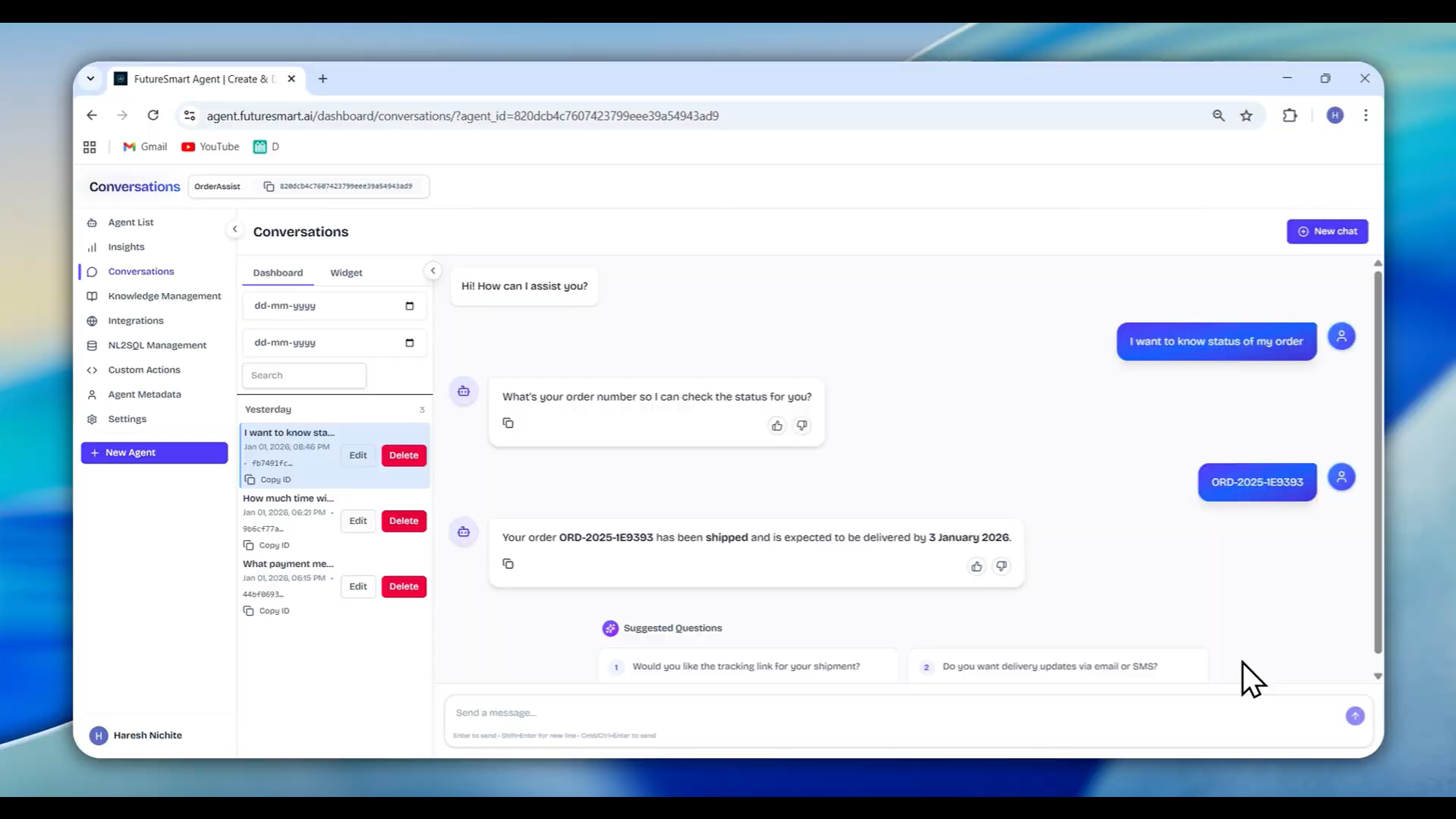
Expected behavior: FutureSmart Agent Platform combines knowledge base answers with real-time data retrieval through custom actions — enabling a customer support agent that can answer policy questions and handle live order status queries in the same conversation. The custom actions system turns a static knowledge base bot into a live data agent that autonomously identifies query intent, calls external APIs when needed, and converts responses into natural language answers—without requiring users to specify which tool to use. Intent detection and parameter collection are handled automatically.
Test case: Image → Image
Input type: Image
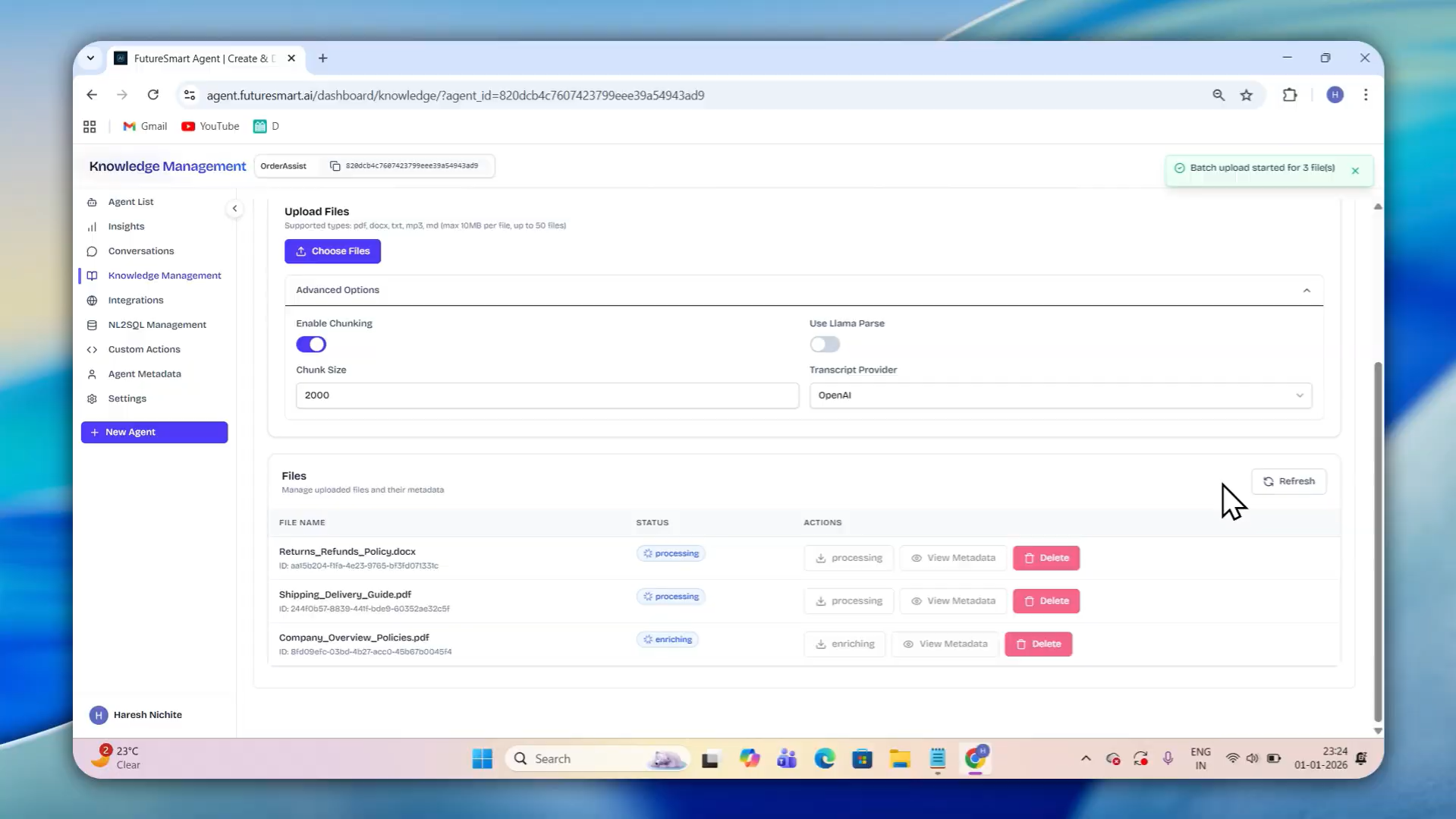
Input used: Input artifact (Image): Created the agent and uploaded support documents—return policies, refund guidelines, FAQs. — Screenshot 2026-04-13 195309.png
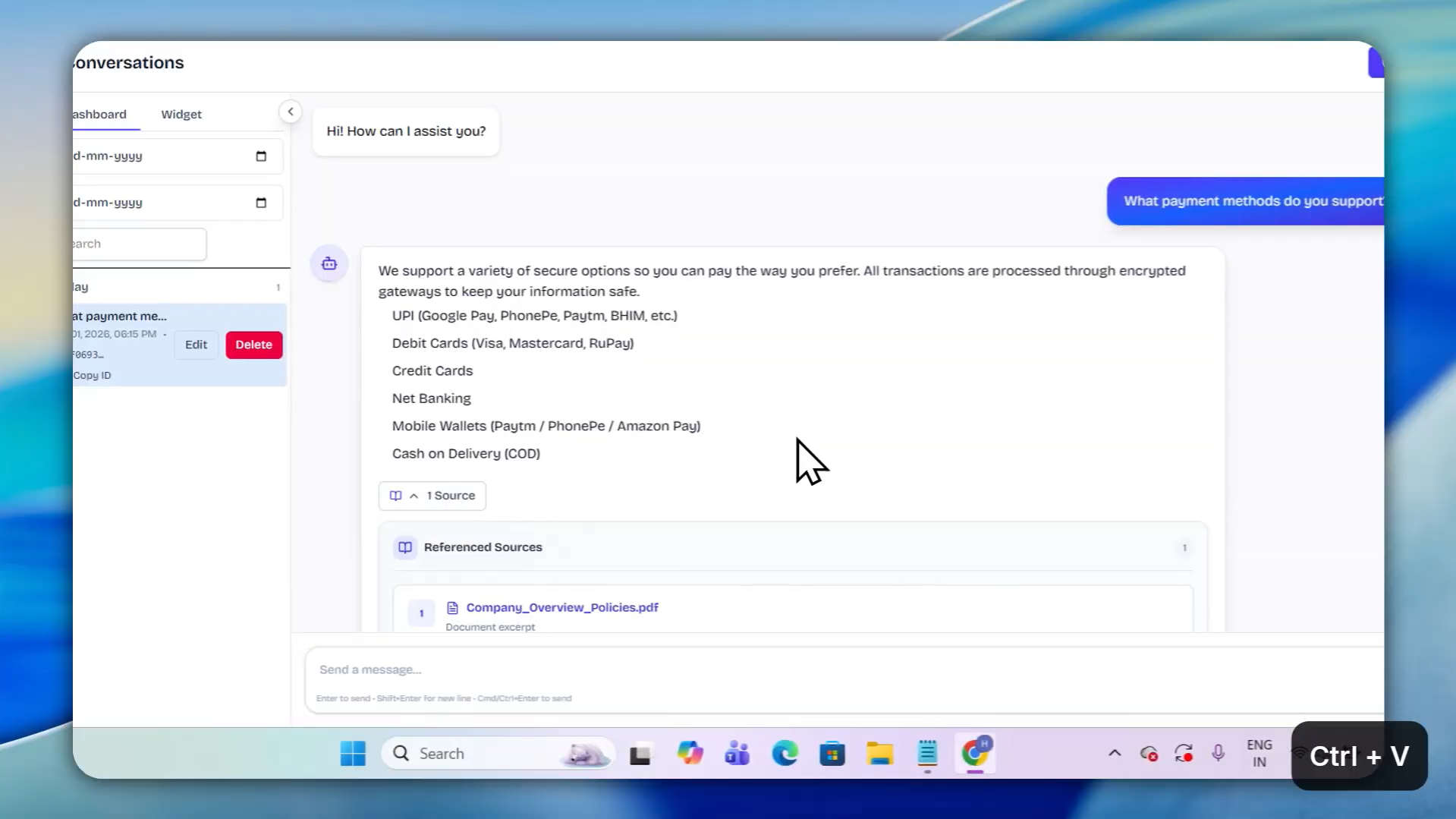
Observed output: Output artifact (Image): Verified knowledge base answers with source documents referenced, ready for customer queries. — Screenshot 2026-04-13 195448.png
Input artifact: Input artifact (Image): Created the agent and uploaded support documents—return policies, refund guidelines, FAQs. — Screenshot 2026-04-13 195309.png
Output artifact: Output artifact (Image): Verified knowledge base answers with source documents referenced, ready for customer queries. — Screenshot 2026-04-13 195448.png
What changed: Image transformed into Image
Test case: Image → Image
Input type: Image
Input used: Input artifact (Image): Provided the API endpoint for order status, defined parameters such as order number, and added descriptions. — Untitled design (3).jpg
Observed output: Output artifact (Image): Configured custom action that the agent can autonomously invoke when needed, seamlessly integrating live data with knowledge base answers. — Untitled design (5).jpg
Input artifact: Input artifact (Image): Provided the API endpoint for order status, defined parameters such as order number, and added descriptions. — Untitled design (3).jpg
Output artifact: Output artifact (Image): Configured custom action that the agent can autonomously invoke when needed, seamlessly integrating live data with knowledge base answers. — Untitled design (5).jpg
What changed: Image transformed into Image
Test case: Image → Image
Input type: Image
Input used: Input artifact (Image): Asked inquiry regarding order status — Screenshot 2026-04-13 201448.png
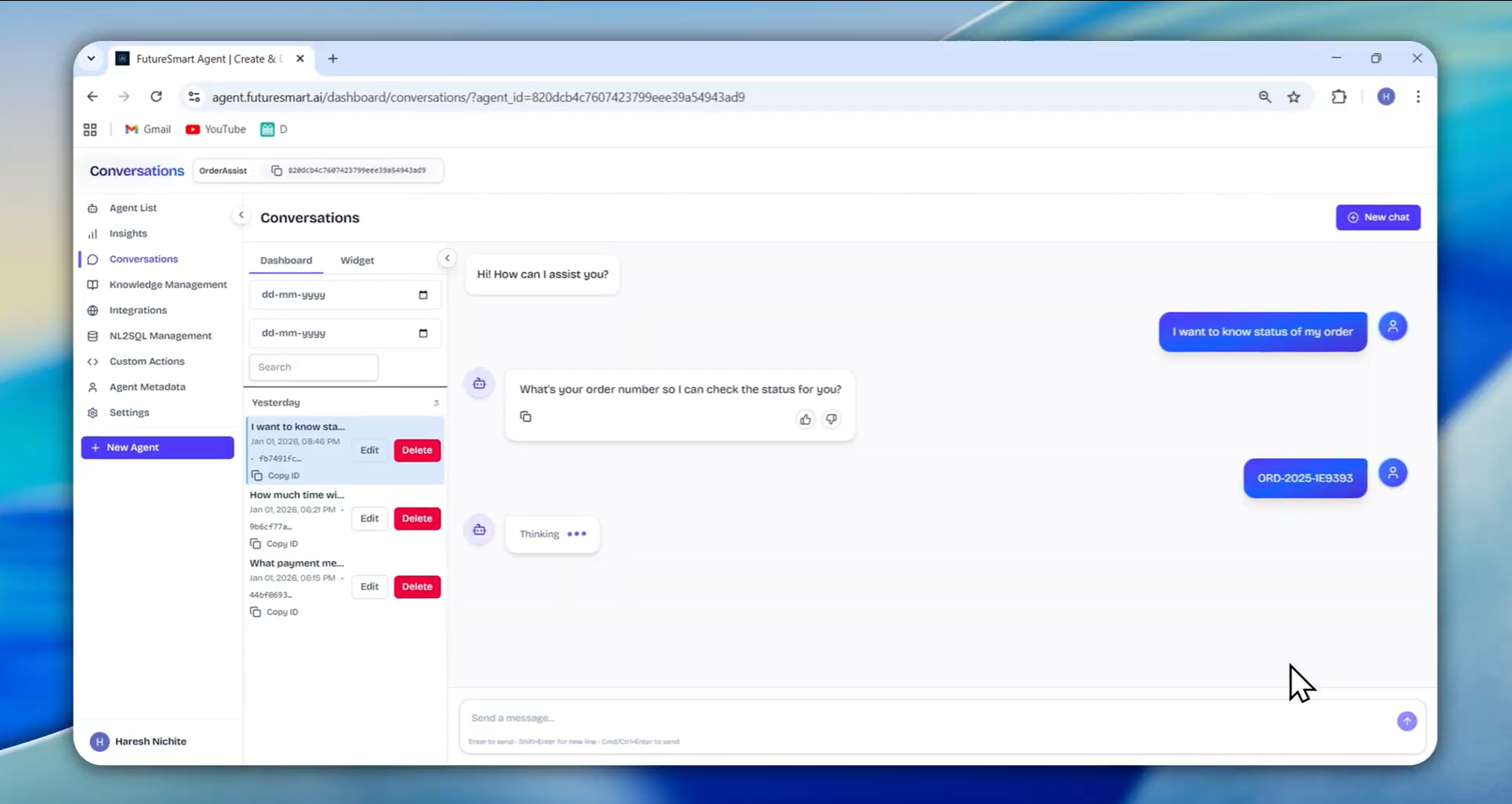
Observed output: Output artifact (Image): Agent autonomously identifies intent, calls the live order API when needed, collects parameters automatically (like order ID), and delivers a complete natural language response blending static knowledge and real-time data. — Screenshot 2026-04-13 201204.png
Input artifact: Input artifact (Image): Asked inquiry regarding order status — Screenshot 2026-04-13 201448.png
Output artifact: Output artifact (Image): Agent autonomously identifies intent, calls the live order API when needed, collects parameters automatically (like order ID), and delivers a complete natural language response blending static knowledge and real-time data. — Screenshot 2026-04-13 201204.png
What changed: Image transformed into Image
Why it matters / Conclusion: FutureSmart Agent Platform combines static knowledge base answers with live API calls in a single agent. The custom actions system is the most practically useful feature in the platform for real customer support deployment—transforming support bots from static FAQ machines into intelligent, adaptive agents that handle both documented policies and real-time data seamlessly.
FutureSmart Agent Platform combines knowledge base answers with real-time data retrieval through custom actions — enabling a customer support agent that can answer policy questions and handle live order status queries in the same conversation. The custom actions system turns a static knowledge base bot into a live data agent that autonomously identifies query intent, calls external APIs when needed, and converts responses into natural language answers—without requiring users to specify which tool to use. Intent detection and parameter collection are handled automatically.
.jpg)
.jpg)
Feature tested: Resume Parser and Candidate Search
Result: Passed
Verdict: Strong — flexible schema-based extraction with natural language search over structured data
Expected behavior: FutureSmart Agent Platform's metadata extraction capability extends beyond document retrieval into structured data extraction — enabling businesses to parse resumes into defined schemas and search candidates using natural language queries. The schema definition system is unusually flexible, supporting nested fields like experience (lists of dictionaries with company, role, duration, location), and field descriptions guide the LLM during extraction to improve accuracy on ambiguous or inconsistently formatted documents. Natural language search across extracted structured data means recruiters can query candidates without SQL or filter logic.
Test case: Image → Image
Input type: Image
Input used: Input artifact (Image): Created the agent, configured document-level chunking (each resume as one unit), and defined the extraction schema — Screenshot 2026-04-14 133615.png
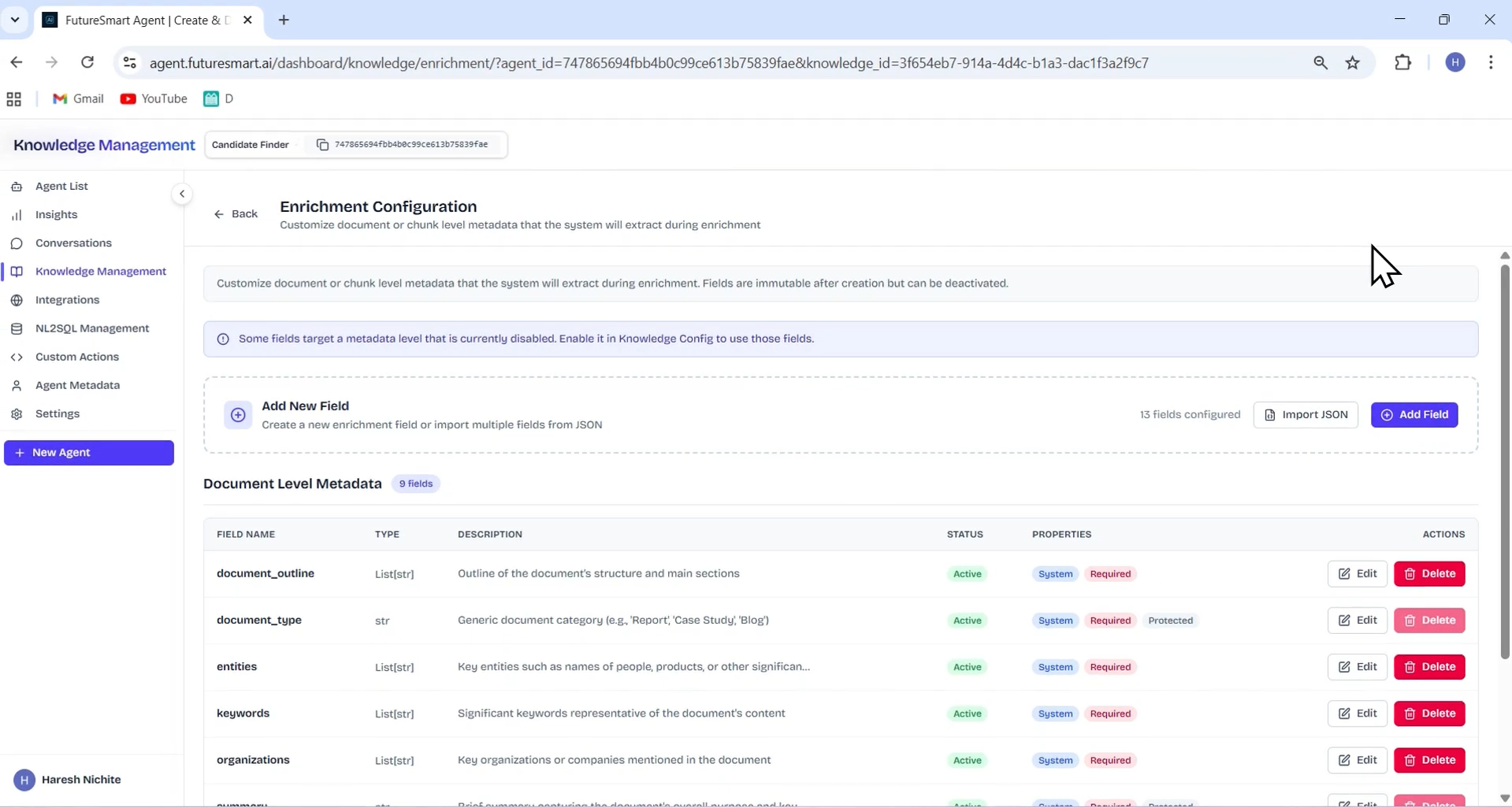
Observed output: Output artifact (Image): Extraction schema configured with predefined fields that you can edit or delete based on requirements, plus custom fields added either in bulk via JSON schema import or one by one through the UI—ready to parse resumes with precision and consistency. — Screenshot 2026-04-14 133826.png
Input artifact: Input artifact (Image): Created the agent, configured document-level chunking (each resume as one unit), and defined the extraction schema — Screenshot 2026-04-14 133615.png
Output artifact: Output artifact (Image): Extraction schema configured with predefined fields that you can edit or delete based on requirements, plus custom fields added either in bulk via JSON schema import or one by one through the UI—ready to parse resumes with precision and consistency. — Screenshot 2026-04-14 133826.png
What changed: Image transformed into Image
Test case: Image → Image
Input type: Image
Input used: Input artifact (Image): Uploaded sample resumes to inspect schema compliance. — Screenshot 2026-04-14 134716.png
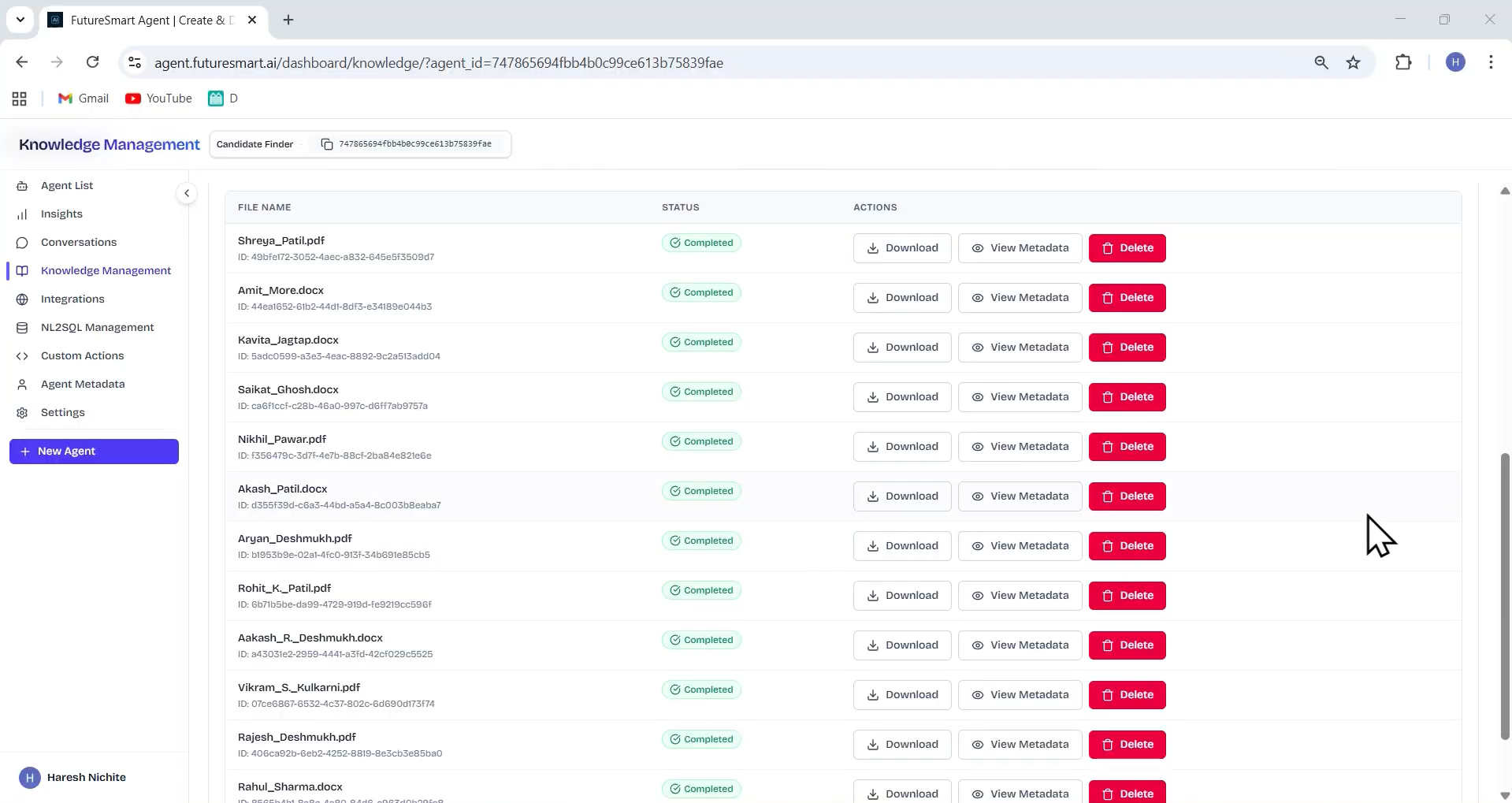
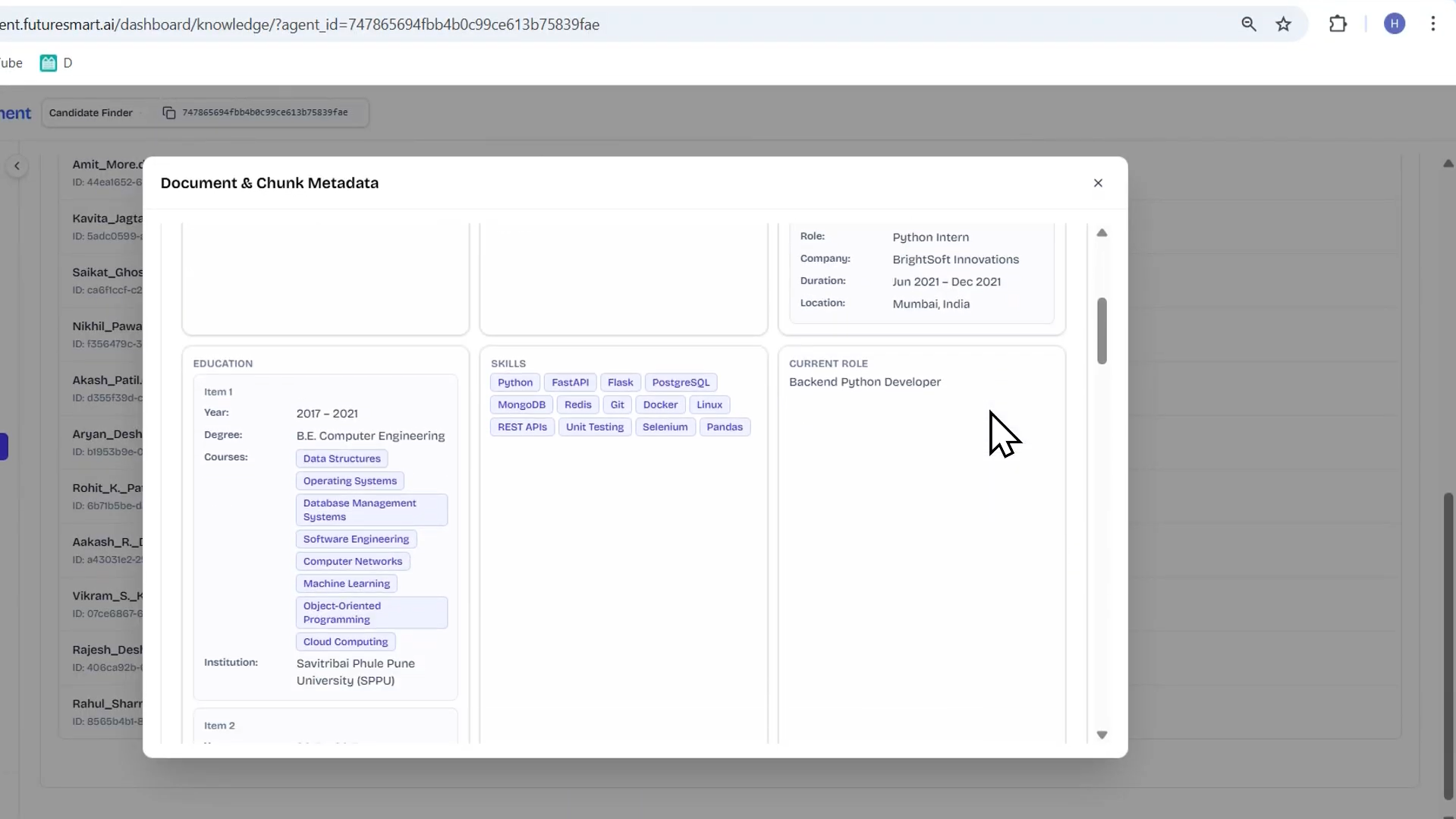
Observed output: Output artifact (Image): Extracted metadata view showing parsed resume data aligned with defined schema—all fields, nested structures, and custom extractions inspectable for verification. — Screenshot 2026-04-14 135011.png
Input artifact: Input artifact (Image): Uploaded sample resumes to inspect schema compliance. — Screenshot 2026-04-14 134716.png
Output artifact: Output artifact (Image): Extracted metadata view showing parsed resume data aligned with defined schema—all fields, nested structures, and custom extractions inspectable for verification. — Screenshot 2026-04-14 135011.png
What changed: Image transformed into Image
Test case: Image → Image
Input type: Image
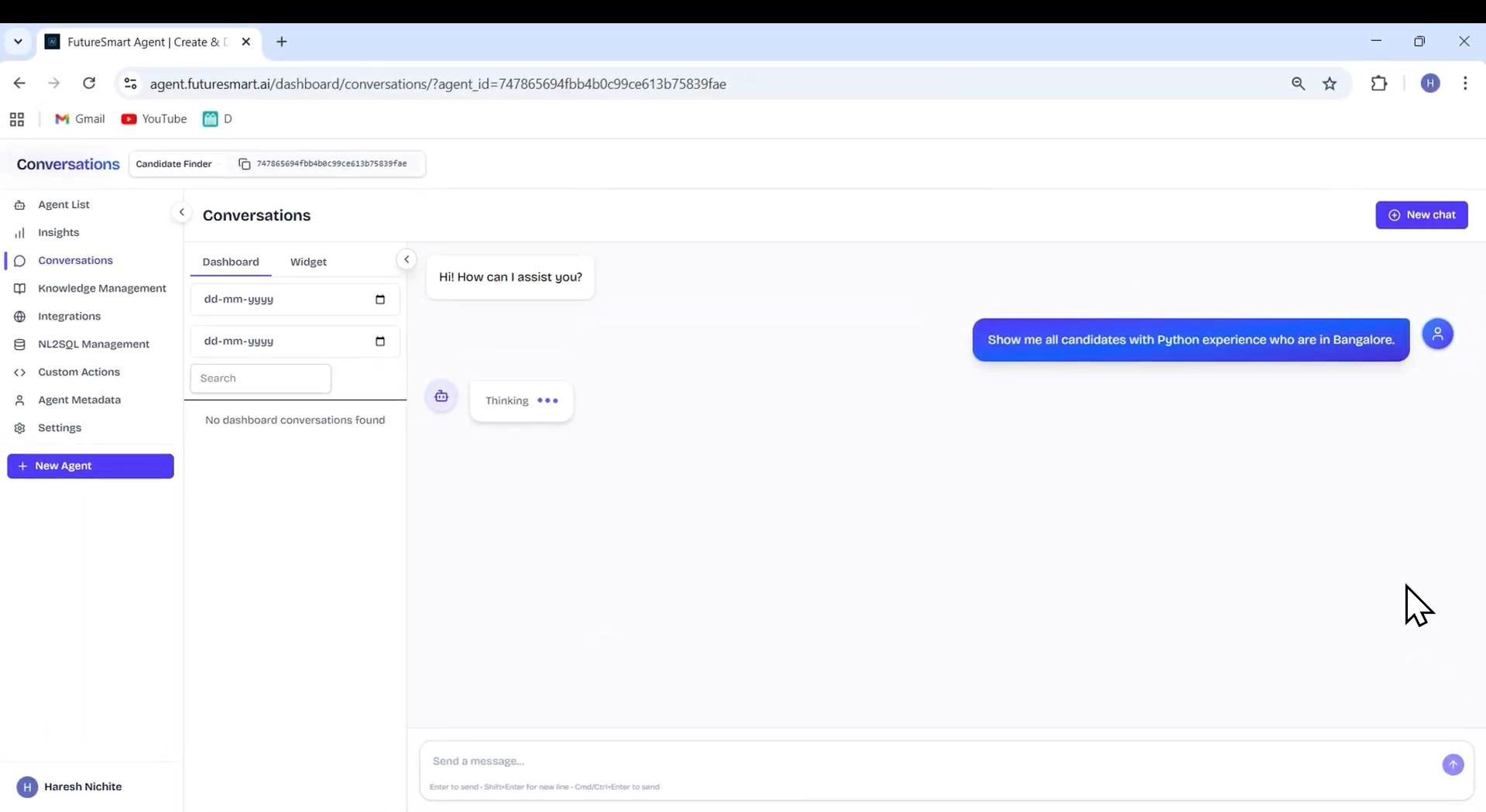
Input used: Input artifact (Image): Queried candidates in the conversations playground using natural language—complex multi-condition searches without SQL or filter logic. — Screenshot 2026-04-14 135301.png
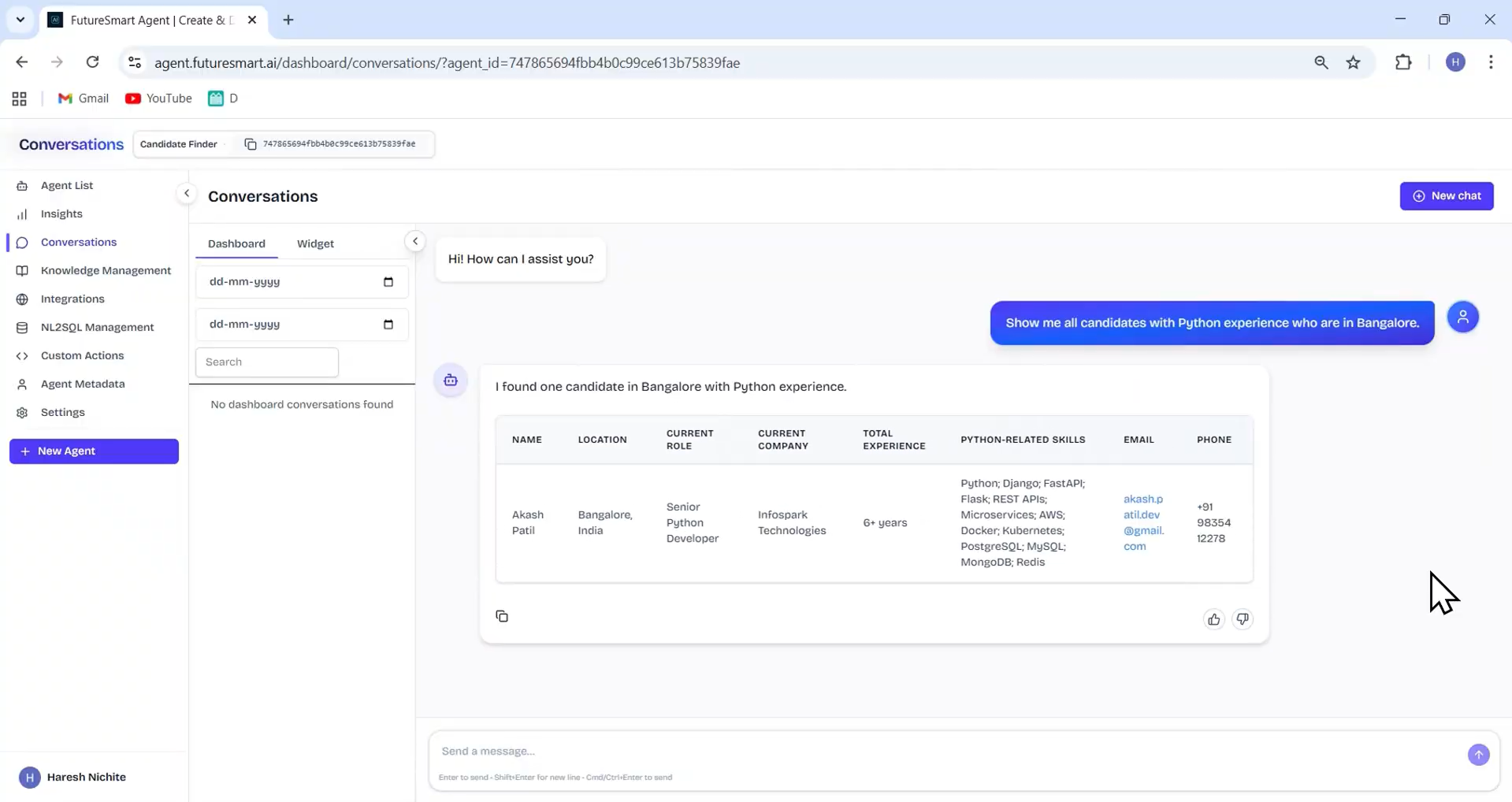
Observed output: Output artifact (Image): Matching candidates returned with relevant extracted fields highlighted, enabling recruiters to find talent based on experience, skills, location, duration, and other custom criteria in plain English. — Screenshot 2026-04-14 135417.png
Input artifact: Input artifact (Image): Queried candidates in the conversations playground using natural language—complex multi-condition searches without SQL or filter logic. — Screenshot 2026-04-14 135301.png
Output artifact: Output artifact (Image): Matching candidates returned with relevant extracted fields highlighted, enabling recruiters to find talent based on experience, skills, location, duration, and other custom criteria in plain English. — Screenshot 2026-04-14 135417.png
What changed: Image transformed into Image
Why it matters / Conclusion: A structured data extraction system built into the same platform as the RAG Agent. Resume parsing with configurable schemas and natural language candidate search transforms recruitment from manual resume screening into intelligent, queryable candidate databases.
FutureSmart Agent Platform's metadata extraction capability extends beyond document retrieval into structured data extraction — enabling businesses to parse resumes into defined schemas and search candidates using natural language queries. The schema definition system is unusually flexible, supporting nested fields like experience (lists of dictionaries with company, role, duration, location), and field descriptions guide the LLM during extraction to improve accuracy on ambiguous or inconsistently formatted documents. Natural language search across extracted structured data means recruiters can query candidates without SQL or filter logic.
Feature tested: AI Agent to Human Handover
Result: Passed
Verdict: Strong — autonomous ticket creation with intent detection, data collection, and seamless support system integration
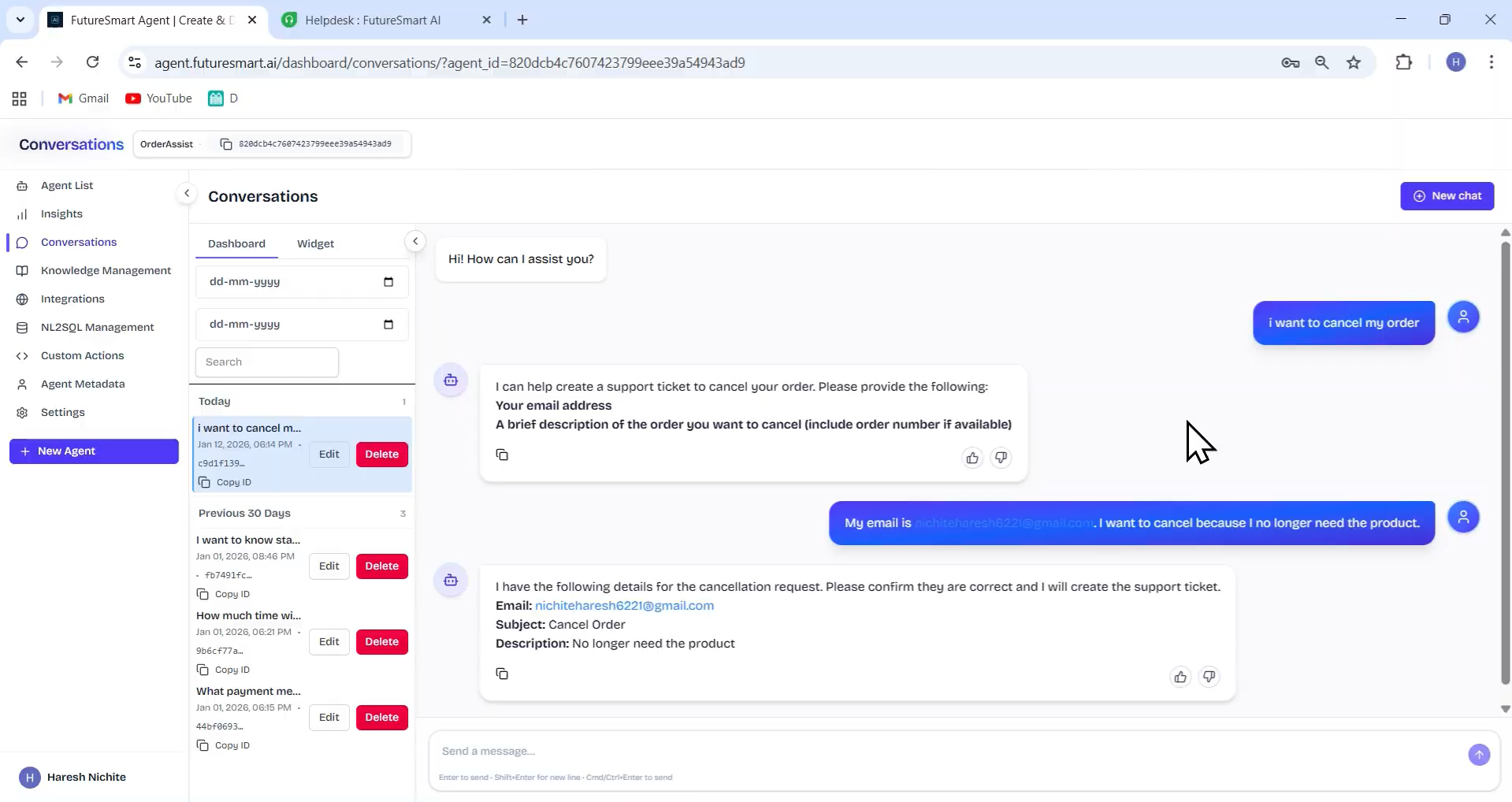
Expected behavior: FutureSmart Agent Platform extends the customer support agent with ticket integration capability — enabling the agent to create support tickets on behalf of users when it cannot fulfill a request directly. The agent detects when a user request falls outside its direct capabilities and proactively suggests raising a support ticket, collects required information, presents a summary for user confirmation, and creates the ticket on confirmation. The generated ticket ID is shared with the user, and the ticket appears immediately in your support dashboard.
Test case: Image → Image
Input type: Image
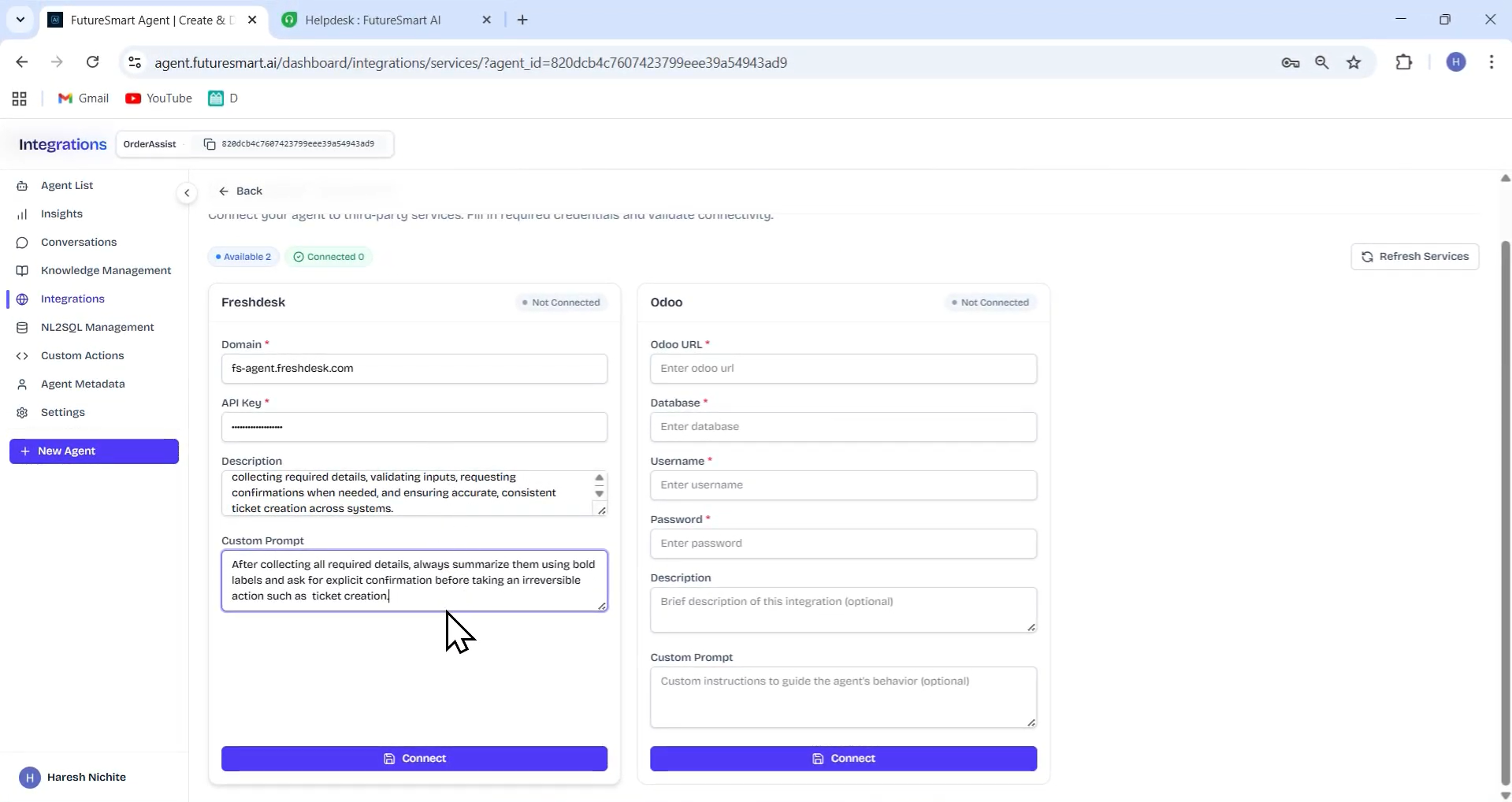
Input used: Input artifact (Image): Added a support ticket integration with Freshdesk domain, API key, description, and a custom usage prompt. — Screenshot 2026-04-14 153554.png
Observed output: Output artifact (Image): Integration connected with agent—now available to test in the conversations playground. — Screenshot 2026-04-14 153940.png
Input artifact: Input artifact (Image): Added a support ticket integration with Freshdesk domain, API key, description, and a custom usage prompt. — Screenshot 2026-04-14 153554.png
Output artifact: Output artifact (Image): Integration connected with agent—now available to test in the conversations playground. — Screenshot 2026-04-14 153940.png
What changed: Image transformed into Image
Test case: Image → Image
Input type: Image
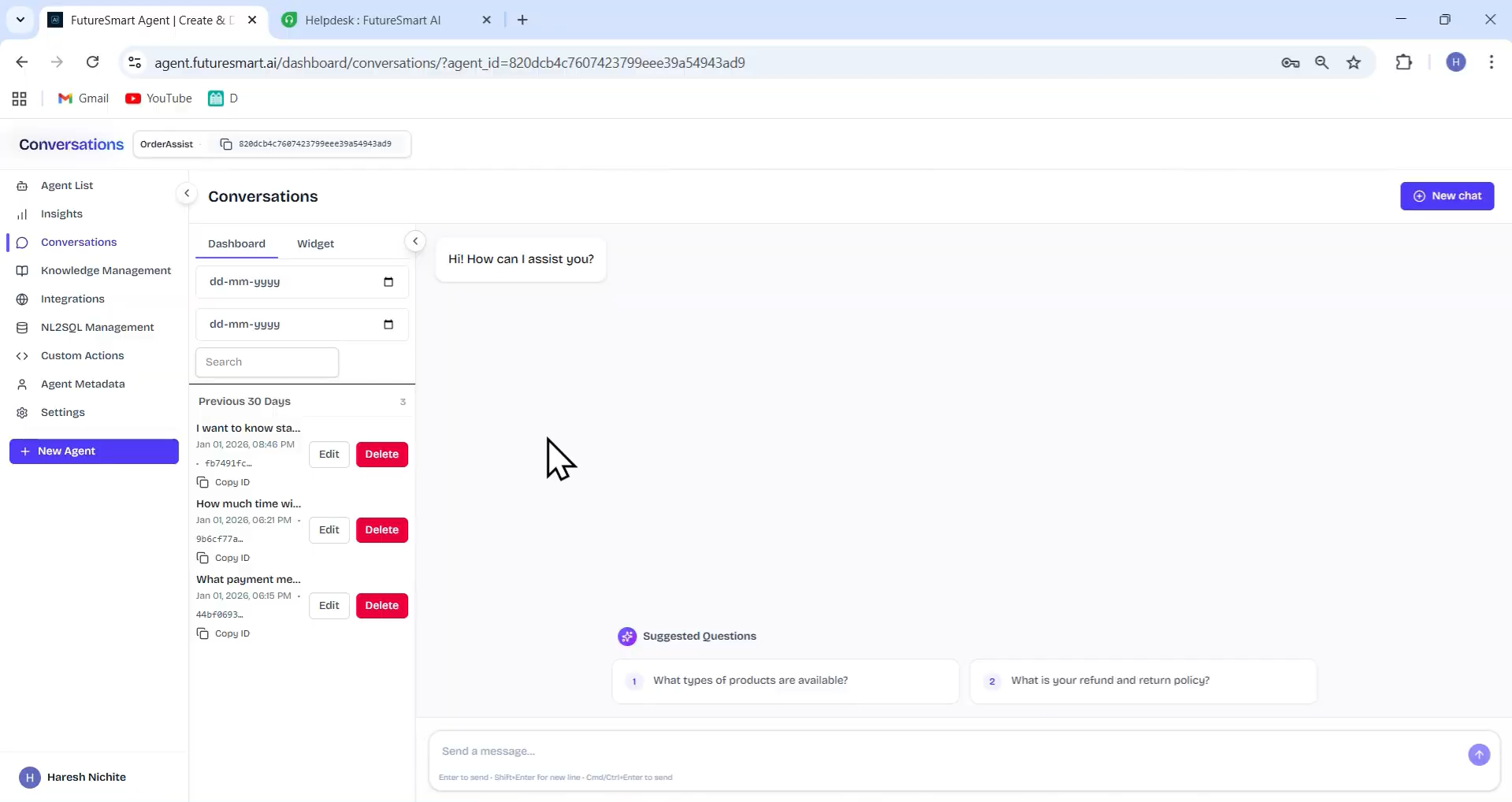
Input used: Input artifact (Image): Made a customer request for cancellation that required human intervention. — Screenshot 2026-04-14 154309.png
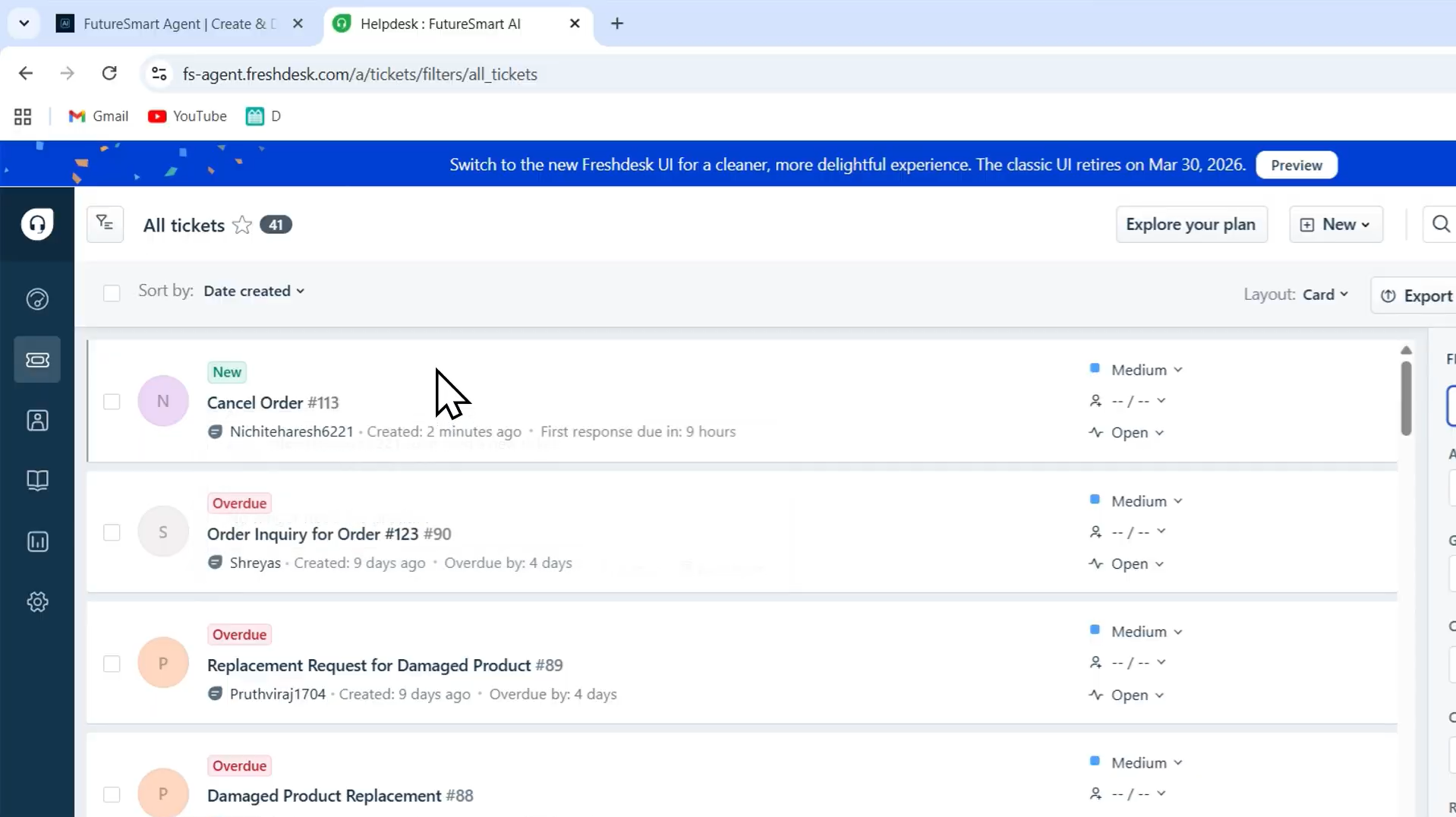
Observed output: Output artifact (Image): After agent detects scope limitation and collects required details, it creates the ticket and immediately reflects the action in the Freshdesk dashboard. — Screenshot 2026-04-14 154830.png
Input artifact: Input artifact (Image): Made a customer request for cancellation that required human intervention. — Screenshot 2026-04-14 154309.png
Output artifact: Output artifact (Image): After agent detects scope limitation and collects required details, it creates the ticket and immediately reflects the action in the Freshdesk dashboard. — Screenshot 2026-04-14 154830.png
What changed: Image transformed into Image
Why it matters / Conclusion: Graceful escalation from AI agent to human support ticket — without the user leaving the chat widget. The confirmation-before-creation flow is a production-ready design decision that distinguishes this from simpler integrations.
FutureSmart Agent Platform extends the customer support agent with ticket integration capability — enabling the agent to create support tickets on behalf of users when it cannot fulfill a request directly. The agent detects when a user request falls outside its direct capabilities and proactively suggests raising a support ticket, collects required information, presents a summary for user confirmation, and creates the ticket on confirmation. The generated ticket ID is shared with the user, and the ticket appears immediately in your support dashboard.
Every deployment is scoped per client — covering platform setup, configuration, and custom integrations (CRM, database, support platforms). Reach out to FutureSmart AI at contact@futuresmart.ai to discuss requirements
A side-by-side guide based on our hands-on testing.
How the embed badge will look on your site

Copy this code to your website source
Discover more AI tools like FutureSmart Agent Platform to enhance your workflow.
If you are looking to build a custom RAG agents, NL2SQL assistants, or API automation workflow for your business or internal workflow, email us at contact@futuresmart.ai.
Found something inaccurate or missing? We try to keep our AI research accurate and useful. If you found outdated information, an issue, or have a suggestion, email us at collaborate@aidemos.com.
%20(1).png)